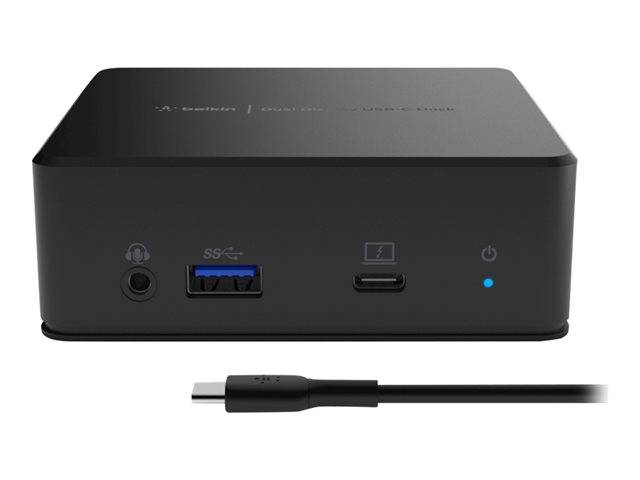
Belkin Universal USB-C Dual Display Dock — DisplayLink, 2x HDMI, 85W
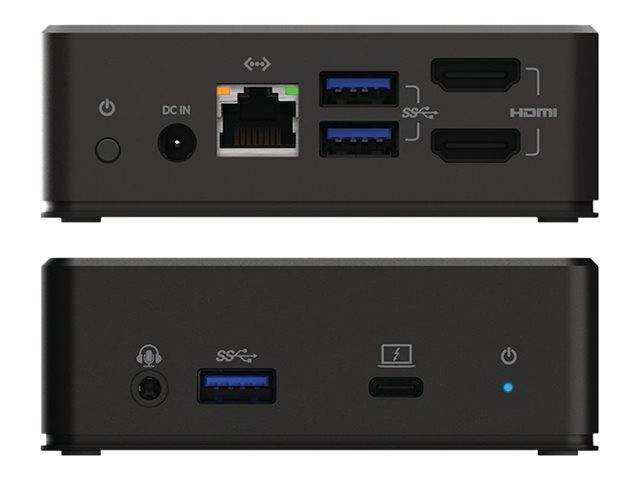
DisplayLink2x HDMI 1080p 60HzGigabit Ethernet85W to laptop135W power supply
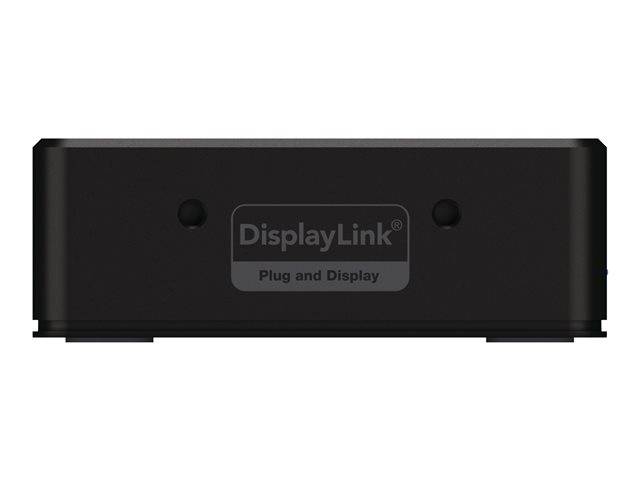
The Belkin INC002VFBK is a DisplayLink dock, and that single fact is why people buy it. DisplayLink moves the display data over USB using a driver rather than the laptop’s native video pipeline, which means it can drive two independent external monitors from a base M-series Mac — machines that Apple otherwise limits to one extended display.
The trade-off is honest and worth stating up front: the video hardware here is HDMI 1.4, so each display tops out at 1920 x 1080 at 60 Hz. This is a dual Full HD dock, not a 4K one. If you need 4K, look at Belkin’s Triple Display Dock instead.
Compatibility — check before buying:
Connects over a single USB-C cable and works with Windows and macOS. The DisplayLink driver is mandatory — Belkin is explicit that without installing the DisplayLink software you will not get any external monitor output at all. That is normal for a DisplayLink dock and it is also what lets it bypass the single-external-display limit on base M1, M2 and M3 chips. The dock ships with its own 135 W power supply and passes up to 85 W back to the laptop.
Best For
✓Base M-series MacBooks that need two extended displays, which native DP Alt Mode docks cannot deliver
✓Office and admin desks where two Full HD monitors are plenty and 4K is not needed
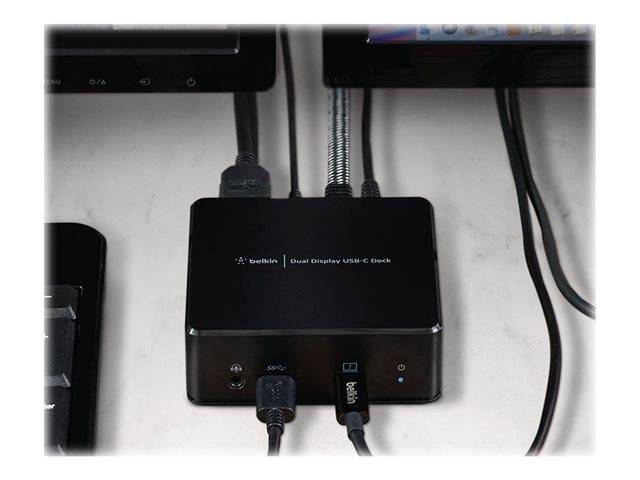
✓Hot-desking setups where one USB-C cable should connect screens, network, peripherals and charging
Key Features
DisplayLink beats the Mac display limit
Base M1, M2 and M3 Macs support only one extended display over native USB-C. DisplayLink routes the video over USB with a driver, so both monitors work as independent extended displays.
Two HDMI outputs at Full HD
Both ports run 1920 x 1080 at 60 Hz. The hardware is HDMI 1.4, so this ceiling is real — it is not a software limitation you can work around.
One cable for everything
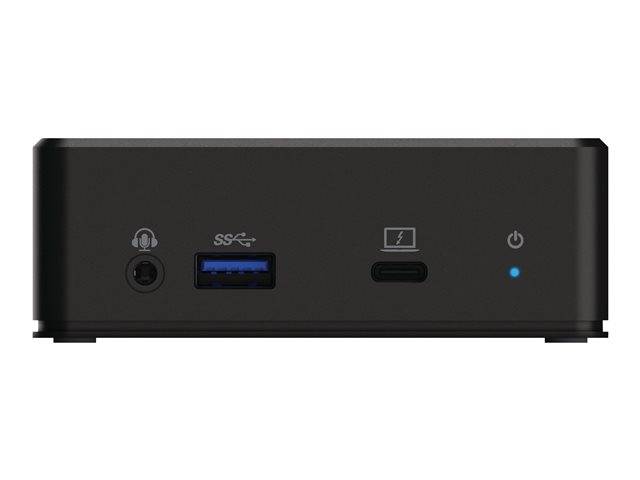
Gigabit Ethernet, three USB-A ports (one with BC 1.2 fast charging), 3.5 mm audio in and out, and 85 W back to the laptop, all over the single USB-C connection.
Ships with a proper power supply
A 135 W brick is in the box, which is why it can give the laptop 85 W and still run the peripherals. Plenty of docks at this price leave you to supply your own.
Technical Specifications
| Product |
| Belkin Part Number |
INC002VFBK |
| Official Name |
Universal USB-C Dual Display Dock (8-in-1) |
| Video Technology |
DisplayLink — driver required |
| Host Connection |
USB-C |
| Colour |
Black |
| Video |
| Outputs |
Two HDMI 1.4 |
| Maximum Resolution |
1920 x 1080 at 60 Hz on each output |
| Simultaneous Displays |
Two, independent |
| 4K Support |
No — the HDMI 1.4 hardware caps at Full HD |
| Data, Network & Audio |
| USB-A |
Two ports USB 3.1 Gen 1, plus one USB 3.1 Gen 1 with BC 1.2 charging |
| USB-C |
One host port |
| Ethernet |
Gigabit |
| Audio |
3.5 mm in and out |
| Data Rate |
5 Gbps |
| Power |
| Pass-Through to Laptop |
Up to 85 W |
| Power Supply |
135 W, 20.0 V at 6.75 A, included |
| In the Box |
Dock, USB-C to USB-C cable, 135 W power supply |
| Warranty |
| Warranty |
1-Year Warranty (Singular) |
| Manufacturer Term |
Belkin publishes a 2-year warranty on this dock, with no Connected Equipment Warranty |
Frequently Asked Questions
Do I have to install a driver?
Yes. Belkin states plainly that without the DisplayLink software you will not be able to use the external monitor function. Download DisplayLink Manager for your operating system before you set the dock up.
Will it really drive two displays from a MacBook Air M2?
Yes — that is exactly what DisplayLink is for. Apple limits base M-series chips to one extended display over native USB-C, and DisplayLink works around it by sending the video over USB instead.
Can it do 4K?
No. Both HDMI outputs are HDMI 1.4 and cap at 1920 x 1080 at 60 Hz. If you need 4K on a DisplayLink dock, look at Belkin’s Universal USB-C Triple Display Dock.
Does it charge my laptop?
Up to 85 W, from the included 135 W power supply. That covers most 13 and 14 inch laptops comfortably; a power-hungry 16 inch machine under load may charge more slowly.
Is it a current model?
Belkin has not marked it end of life, but the specification — HDMI 1.4, 5 Gbps USB — puts it in the older generation of the range. If you want headroom for 4K later, buy a newer model now.
Singular Expert Insight
This dock does one thing very well and one thing not at all. It will give a base M-series MacBook two proper extended displays, which most docks at any price cannot. It will not give you 4K — the HDMI 1.4 hardware makes 1080p a hard ceiling. Decide which of those two facts matters more to you and the choice makes itself.
Buyer's Guide
Buy it if
Buy this if you need two extended Full HD displays from a Mac or PC over one cable, and 1080p is enough.
Skip it if
Skip it if you need 4K, if you want a driver-free dock, or if you need more than 85 W to charge the laptop.
Also consider
Also worth a look: the Belkin Universal USB-C Triple Display Dock for DisplayLink at 4K, the Thunderbolt 4 Core Hub, and our wider
accessories range.