SanDisk SSD Notebook Upgrade Tool Kit SDSSD-UPG-G25 USB 3.0 to SATA Cable and Cloning Software No SSD

Brand:
Sandisk
Sandisk SSD Notebook Upgrade Tool Kit - Storage c | SDSSD-UPG-G25
SanDisk SSD Notebook Upgrade Tool Kit SDSSD-UPG-G25 USB 3.0 to SATA Cable and Cloning Software No SSD
€22.05 inc. VAT
Buy
SDSSD-UPG-G25
€18.53
€22.05 inc. VAT
Ships from EU stock: 3 item(s)
Product Code
M222368
EAN Code
0619659138059
Manufacturer
Sandisk

Quick Specs

Contents
USB 3.0 to SATA cable + software
SSD included
No
Drive types
2.5-inch SATA
Systems published
Windows 7 to 10
Delivery

Order Today...
Ships...
Delivery...
ℹ️ Large or fragile items (e.g. monitors) may require extra handling time. We'll keep you informed.
Payment options
✓ Bank Deposit
Secure checkout with flexible payment methods
Trusted Tech Choice
Buying Benefits Verified
Competitive EU pricing
Delivered to Cyprus from EU stock
Local warranty support

SanDisk SSD Notebook Upgrade Tool Kit — the cable and software, not the drive

No SSD includedUSB 3.0 to SATA cableCloning software2.5-inch SATA drives

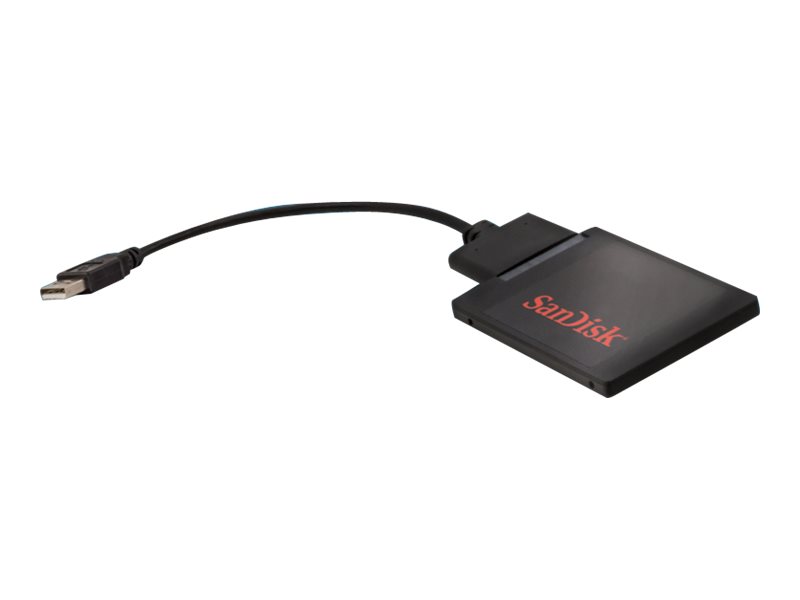
This is SanDisk’s SSD Notebook Upgrade Tool Kit, part number SDSSD-UPG-G25 — a USB 3.0 to SATA cable, cloning software and printed instructions for copying an old laptop hard disk onto a new SSD. The SSD itself is not included; you buy the drive separately and this kit is what gets your Windows installation, programs and files across to it without reinstalling anything.

Compatibility — check before buying:
Three things to check before you order. There is no drive in the box — this is the cable and software only. It connects a 2.5-inch SATA drive over USB; it will not connect an M.2 or NVMe SSD, which need a different adapter. And SanDisk’s published operating-system list stops at Windows 7, 8, 8.1 and 10 — SanDisk states no support for Windows 11 and none for macOS. If you are on Windows 11 or a Mac, talk to us first and we will suggest an enclosure and a cloning route that is supported.

Best For

✓ Replacing a slow laptop hard disk with a 2.5-inch SATA SSD
✓ Keeping Windows, programs and files exactly as they are, with no reinstall
✓ A one-off upgrade where you do not want to buy a permanent enclosure
✓ Anyone comfortable with a screwdriver and a few menu clicks
✓ Older laptops that still use a 2.5-inch drive bay
✓ Reusing the old hard disk afterwards as external storage over the same cable

Key Features

 
The cable is the useful part
A USB 3.0 to SATA lead lets the new SSD sit outside the laptop while it is being copied. When the swap is done, the same cable turns the old hard disk into external storage rather than a drawer ornament.
 
Clone instead of reinstall
The included software copies the whole drive — operating system, programs, settings and files — so the laptop boots from the SSD exactly as it did before. SanDisk does not name the software vendor or version anywhere in its own material, so we will not either.
 
SATA only, 2.5-inch only
This connects a standard 2.5-inch SATA SSD or hard disk. M.2 and NVMe drives use a different connector entirely and need a different adapter. If you are not sure which your laptop takes, tell us the model and we will check.
 
Windows 7 to 10 on SanDisk’s list
SanDisk publishes support for Windows 7, 8, 8.1 and 10 only. It lists no Windows 11 support and no macOS support at all. That is SanDisk’s published position, and it is the main reason to ask us before buying if your machine is newer.

Technical Specifications

Identification
Brand SanDisk
Product SSD Notebook Upgrade Tool Kit
Part Number SDSSD-UPG-G25
EAN / GTIN 0619659138059
MPN SDSSD-UPG-G25
What it is and is not
SSD included No — this kit contains no drive
Contents USB 3.0 to SATA cable, cloning software, step-by-step instructions
Mounting bracket Not listed by SanDisk as part of the kit
Drive types supported 2.5-inch SATA SSD or hard disk
Not supported M.2 and NVMe drives, which need a different adapter
Connections and Systems
Host interface USB 3.0 Type-A
Drive interface SATA
Operating systems published by SanDisk Windows 7, 8, 8.1 and 10
Windows 11 Not listed by SanDisk
macOS Not listed by SanDisk
Physical and support
Dimensions 137 x 132 x 33 mm (5.4 x 5.2 x 1.3 in)
Weight 34 g
Warranty 1-Year Warranty (Singular)
Manufacturer Term SanDisk publishes no warranty term for this accessory and it does not appear in SanDisk’s warranty-period table. Singular’s direct warranty is 1 year; if SanDisk offers anything beyond that we will help you pursue it, but we will not promise a term SanDisk does not state.

Frequently Asked Questions

Does this come with an SSD?
No. It is the cable, the cloning software and the instructions. You buy the SSD separately — tell us the laptop model and we will confirm which 2.5-inch SATA drive fits and what capacity makes sense.
Will it work on Windows 11?
SanDisk does not list Windows 11 support. The cable itself is a plain USB-to-SATA lead and will be recognised by any modern system, but the bundled cloning software is the part SanDisk has not certified. If you are on Windows 11, ask us and we will suggest a supported way to clone.
Can I use it with an M.2 or NVMe SSD?
No. This is a SATA cable for 2.5-inch drives. M.2 and NVMe drives use a different connector and need a different adapter. If you are not sure which your laptop uses, send us the model.
What happens to my old hard disk?
Once the laptop is running from the SSD, the same cable turns the old disk into external storage. Put it in a 2.5-inch enclosure if you want something more permanent than a bare drive on a cable.
Singular Expert Insight
This kit exists to solve one problem — moving a working Windows installation onto a new SSD without reinstalling everything — and the cable in it is genuinely handy afterwards. Be clear-eyed about two limits: there is no drive in the box, and SanDisk’s published software support stops at Windows 10. If your machine is newer, a plain 2.5-inch enclosure from our drive enclosures range plus current cloning software does the same job with fewer question marks, and leaves you with a reusable enclosure. The SSD itself comes from our internal SSDs range — ask us and we will match a drive to your laptop.

Buyer’s Guide

Buy it if

You are putting a 2.5-inch SATA SSD into an older Windows laptop, you want to clone rather than reinstall, and you do not already own a USB-to-SATA cable.

Skip it if

You expected an SSD in the box, your laptop takes an M.2 or NVMe drive, or you are on Windows 11 or a Mac — SanDisk publishes no support for either.

Also consider

A 2.5-inch drive enclosure plus a current SSD, which gives the same result and leaves you with a reusable enclosure; ask us for a drive that matches your laptop.

Features - Sandisk - SDSSD-UPG-G25

Interface
  • USB3.0,
  • SATA
More Details
Product Code
M222368
EAN Code
0619659138059
Manufacturer
Sandisk

Smart gadgets

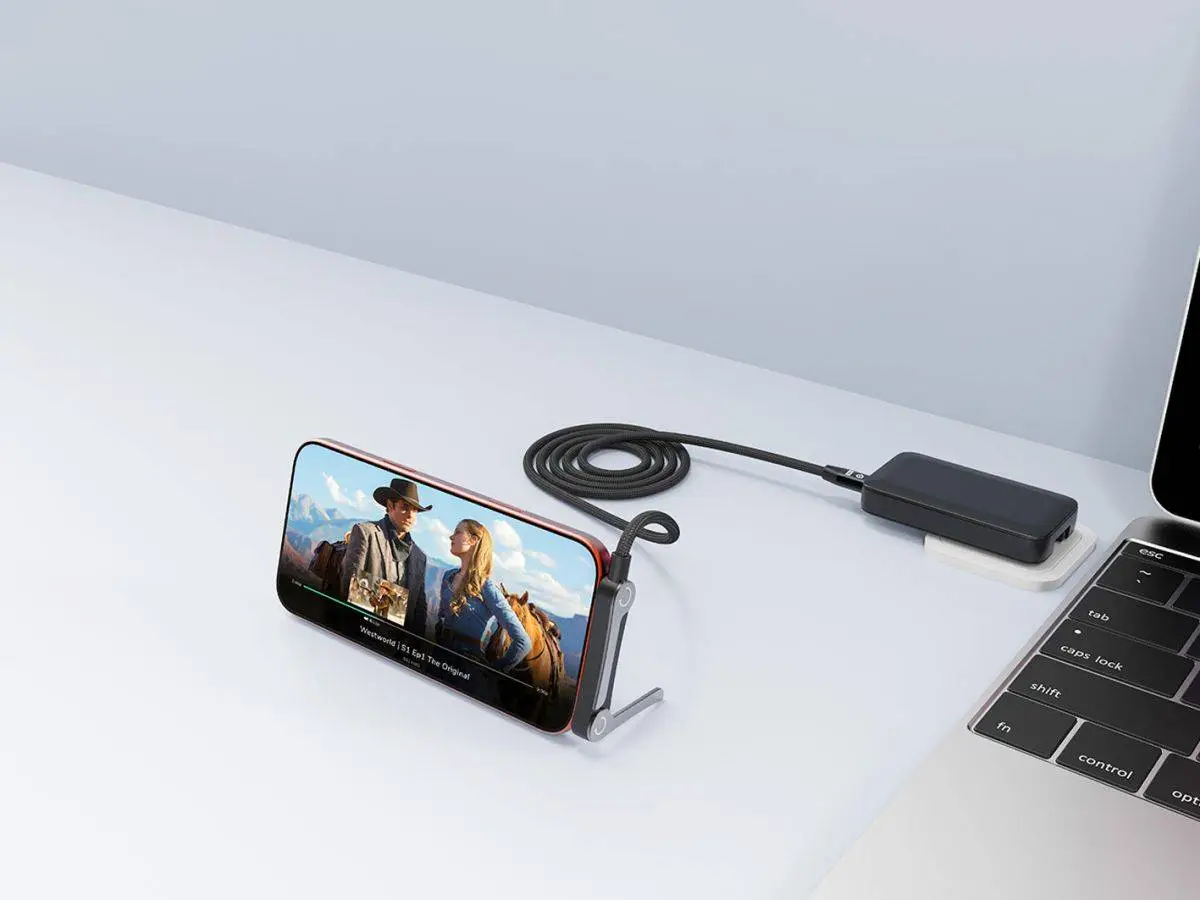
Conceptronic ETTA13B12 cable supporting a phone while connected to a separate charger

CONCEPTRONIC · ETTA13B12

Cable and phone stand

USB-C cable with a built-in phone stand.

Loading price

See how it works
Conceptronic ETTA10B15 LED cable light used with a separate power bank

CONCEPTRONIC · ETTA10B15

One cable, four uses

USB-C, LED light and electric lighter.

Loading price

See how it works

Devices and power sources shown are not included. Charging power depends on a compatible charger and device.

Why Buy from Singular

Trusted by businesses across Cyprus

Genuine products, EU stock, and expert support for every purchase.
✓ Genuine Products
Sourced through official distribution channels, with full manufacturer warranty.
✓ EU Stock
Shipped from our EU distribution network, with real-time availability on every product.
✓ B2B Ready
VAT invoices for business deduction and credit terms for verified buyers.
Expert Support
Talk to our team for sizing, configuration or volume orders.