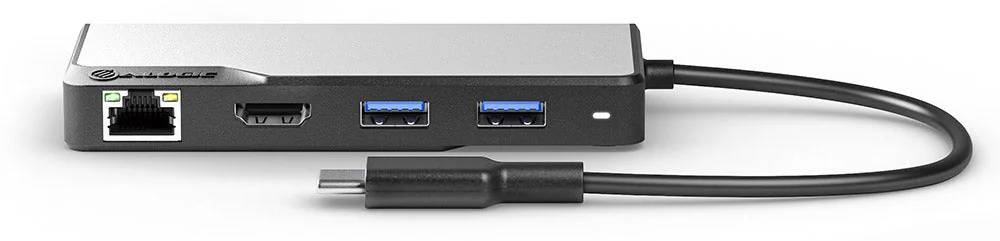
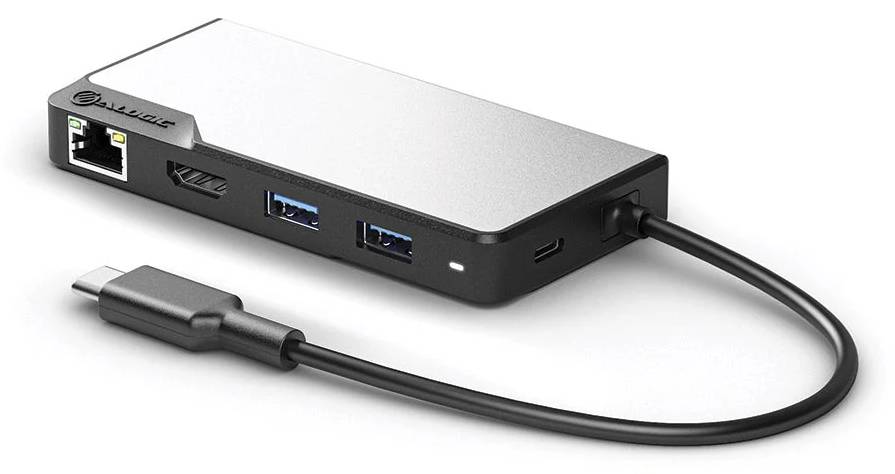
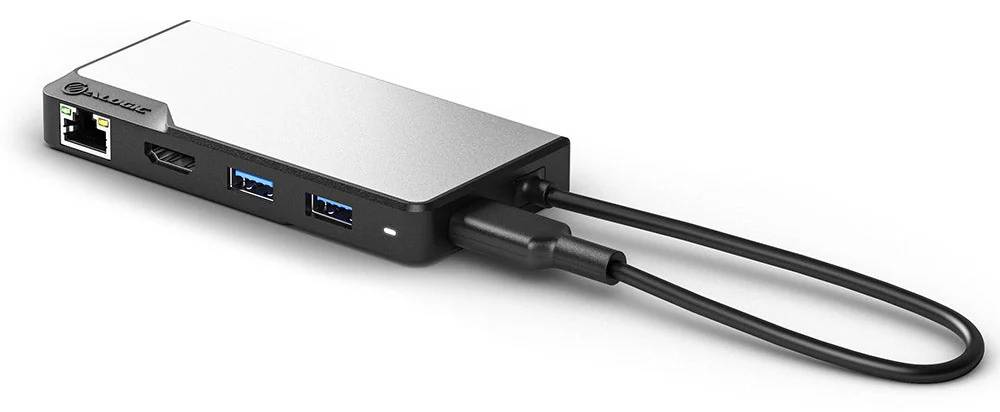
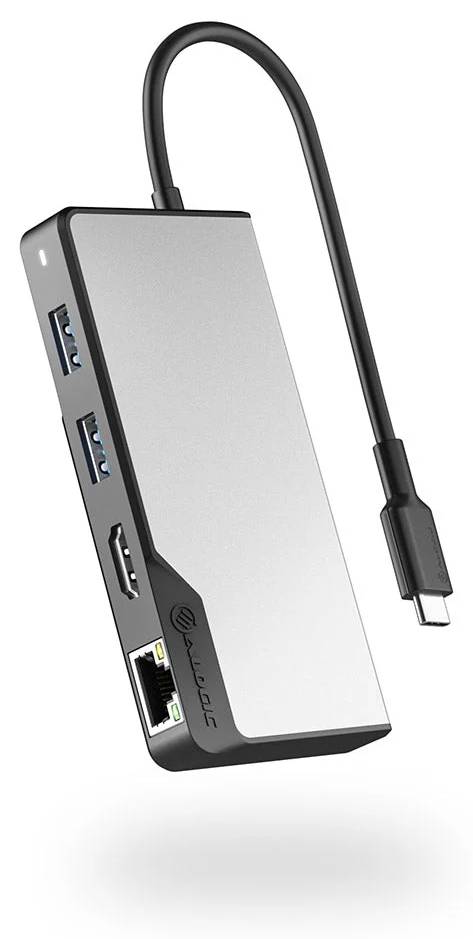
ALOGIC Fusion ALPHA 5-in-1 USB-C Hub V2 — one USB-C port, five connections
HDMI 4KGigabit Ethernet2x USB-A 5GbpsUSB-C PD up to 100W
The ALOGIC Fusion ALPHA 5-in-1 USB-C Hub V2 (UCFUPRGEV2-SGR) turns one USB-C port on a laptop, tablet or phone into an HDMI output, Gigabit Ethernet, two USB-A ports and a USB-C port with Power Delivery passthrough up to 100W. It suits anyone with a thin laptop that has only one or two USB-C ports and needs a screen, wired network and a mouse or keyboard at the same desk.
It is a compact hub, not a docking station: it hangs off a short 230 mm USB-C cable, weighs 75 g and fits in a laptop bag. ALOGIC lists it as compatible with Apple, Windows and Chromebook devices and as plug and play.
Before you order: The HDMI output only works if the USB-C or Thunderbolt 3/4 port on your device supports video output (DisplayPort Alt Mode). Many budget laptops have USB-C ports for data and charging only. If you are not sure, send us your laptop model and we will check before you order.
What's in the Box
- 1x ALOGIC Fusion ALPHA USB-C 5-in-1 Hub (attached 230 mm USB-C cable)
- 1x User manual
- No charger included — to pass power through, use your existing USB-C laptop charger
What It Means in Practice
- Connect one monitor, TV or projector over HDMI and either mirror or extend your desktop.
- Plug your laptop charger into the hub’s USB-C port and the laptop charges through the same cable it uses for the hub — one cable to the laptop instead of two.
- Wired Gigabit Ethernet gives a steadier connection for video calls and large uploads than Wi-Fi in a busy office.
- The two USB-A 5Gbps ports take a keyboard, mouse, USB stick or barcode scanner; ALOGIC lists BC 1.2 charging support on the USB-A ports for small devices.
What Will Not Work
- No video on laptops or phones whose USB-C port lacks video output (DisplayPort Alt Mode) — the USB-A, Ethernet and charging ports still work, the HDMI port will not.
- Only one external display: there is a single HDMI port and no DisplayPort or VGA output. For two monitors you need a docking station.
- The hub does not charge anything on its own: it has no power supply. Power Delivery works only when you connect a USB-C charger to its USB-C port.
- Not for iPhones with a Lightning port, or older laptops with only USB-A ports.
- The USB ports run at 5Gbps (USB 3.1 Gen 1), not 10Gbps or more — fine for peripherals and flash drives, slower than a fast external NVMe SSD can go.
Key Features
HDMI 4K output
Mirror or extend to a monitor, TV or projector in Ultra HD. ALOGIC lists 4K at 60Hz on the product page; one line of its spec sheet says 4K at 30Hz, so ask us if 60Hz at 4K is essential.
100W Power Delivery passthrough
Connect your USB-C charger to the hub and charge the laptop through the hub. ALOGIC does not publish how much power the hub keeps for itself, so expect the laptop to receive a little less than the charger delivers.
Gigabit Ethernet
RJ45 port for a wired network connection up to 1Gbps — useful in meeting rooms, hotels and offices without reliable Wi-Fi.
Compact and travel-ready
106 x 51 x 14 mm, 75 g, ABS housing in space grey and black, with EMI shielding listed by ALOGIC.
Technical Specifications
| Identification |
| Brand |
ALOGIC |
| Model |
Fusion ALPHA 5-in-1 USB-C Hub V2 |
| Part Number |
UCFUPRGEV2-SGR |
| EAN / GTIN |
9350784025289 |
| Ports |
| Host connection |
USB-C (attached cable, 230 mm) |
| HDMI |
1x HDMI, 4K (ALOGIC lists 60Hz on the product page; one spec-sheet line says 30Hz) |
| USB-A |
2x USB-A USB 3.1 Gen 1 (5Gbps), BC 1.2 charging support |
| USB-C |
1x USB-C USB 3.1 Gen 1 (5Gbps) with Power Delivery up to 100W |
| Ethernet |
1x RJ45 Gigabit Ethernet |
| Physical |
| Dimensions |
106 x 51 x 14 mm |
| Cable length |
230 mm |
| Weight |
75 g |
| Housing |
ABS |
| Colour |
Space grey and black |
| Shielding |
EMI shielding |
| Compatibility |
| Host ports |
USB-C or Thunderbolt 3/4 port with video output |
| Platforms |
Apple, Windows, Chromebook |
| Installation |
Plug and play |
| Warranty |
| Warranty |
1-Year Warranty (Singular) |
| Manufacturer Term |
ALOGIC 2-year manufacturer warranty — claims handled through Singular |
Frequently Asked Questions
Will it work with my MacBook or iPad?
MacBooks and iPads with USB-C or Thunderbolt ports support video output over USB-C, so all five ports can be used. iPhones with a Lightning port are not compatible.
Can I connect two monitors?
No. The hub has one HDMI output. For two or more external displays, choose a docking station with multiple video outputs.
Do I need my own charger?
Yes, if you want to charge the laptop through the hub. No charger is included; connect your existing USB-C laptop charger (up to 100W) to the hub’s USB-C port.
Do I need drivers?
No. ALOGIC lists the hub as plug and play on Apple, Windows and Chromebook devices.
Singular Expert Insight · Buyer's Guide
A one-cable hub like the Fusion ALPHA makes most sense for a laptop that moves between desk, meeting room and home: screen, network, USB and charging come through a single USB-C connection. If you work at a fixed desk with two monitors, our
docking stations are the better fit.
✓ Buy it if you have a USB-C laptop with video output and need one screen, wired network and USB-A ports through a single cable.
✕ Skip it if you need two external monitors, or your laptop’s USB-C port is data-only.
→ Also consider a docking station with dual video outputs and its own power supply for a permanent desk setup.
Not sure your laptop’s USB-C port supports video? Send us the model and we will check before you order.