
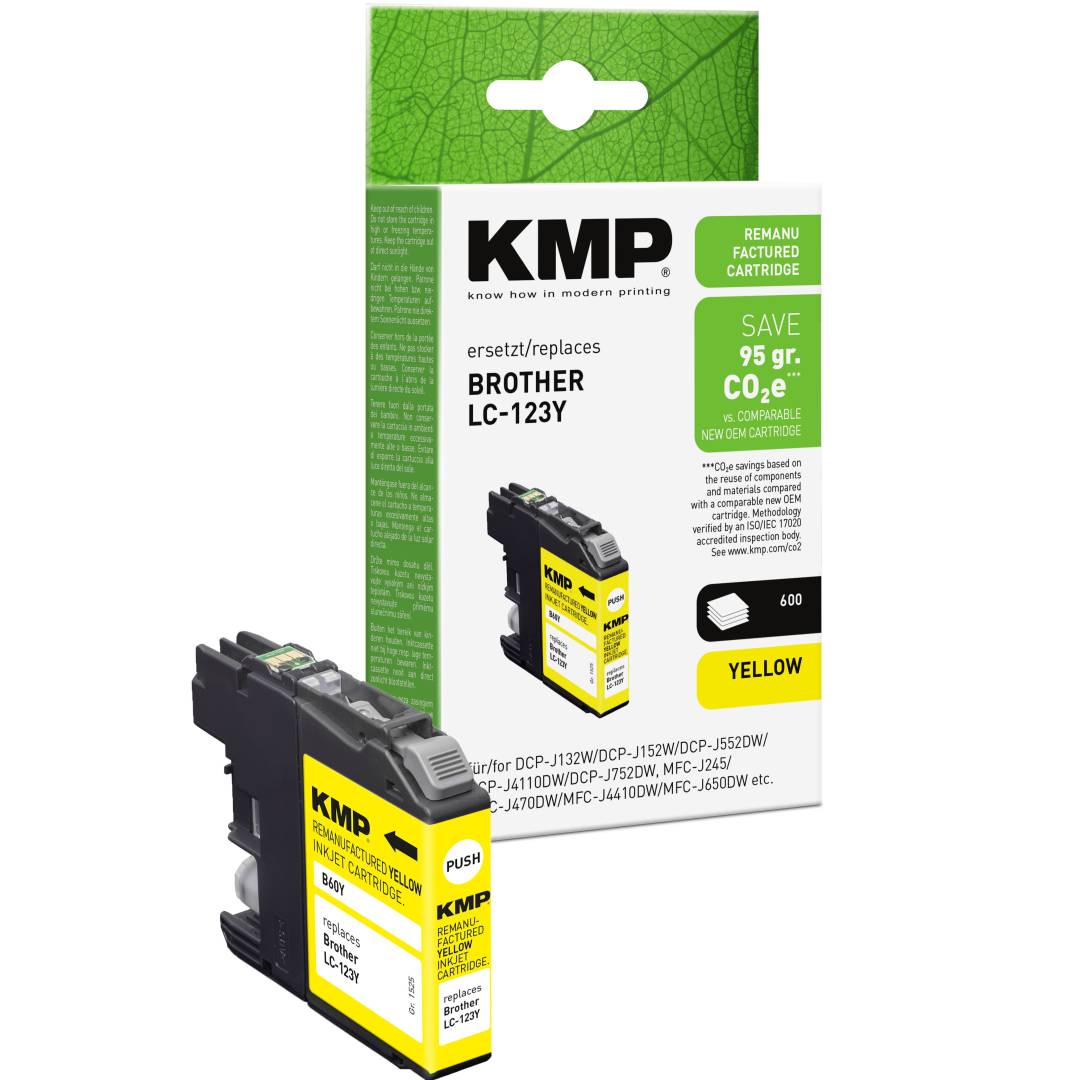
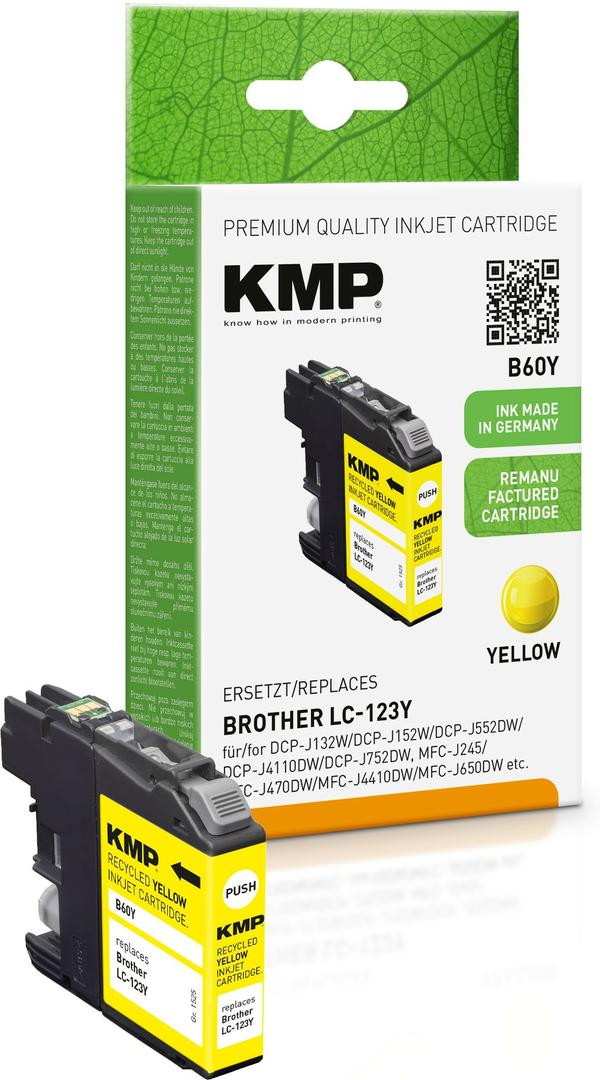
KMP B60Y Compatible Ink Cartridge for Brother LC123Y, Yellow, 6.5 ml, up to 600 Pages, with Chip
Brand:
KMP Printtechnik AG

KMP B60Y Compatible Ink Cartridge for Brother LC123Y, Yellow, 6.5 ml, up to 600 Pages, with Chip
€12.26 inc. VAT


1525,4009
Delivery
Order Today...
Ships...
Delivery...
ℹ️ Large or fragile items (e.g. monitors) may require extra handling time. We'll keep you informed.
Payment options
Trusted Tech Choice
Buying Benefits
Verified
Competitive EU pricing
Delivered to Cyprus from EU stock
Local warranty support
Please sign in so that we can notify you about a reply
KMP B60Y — Yellow Ink for Brother LC123 Printers
Replaces LC123Y6.5 mlUp to 600 pagesChip fitted
KMP B60Y is a yellow ink cartridge made by KMP PrintTechnik AG (Germany) as a compatible replacement for the Brother LC123Y, holding 6.5 ml and rated at up to 600 pages to ISO/IEC 24711 for Brother DCP-J and MFC-J inkjet printers that take LC123 cartridges.
LC123 printers use four separate cartridges — black, cyan, magenta and yellow — and each one is changed only when that colour runs out. This item is the yellow one. It carries a chip, so the printer recognises it, reads its level and keeps printing just as it does with the Brother original.
Before you order: LC123 is the standard cartridge for these printers; LC125XL and LC127XL are different cartridges for different models. Check that your printer's current cartridge says LC123 on its label before ordering.
What's in the Box
- 1 × KMP B60Y ink cartridge, yellow, 6.5 ml (replaces Brother LC123Y)
- Single cartridge only — the printer, the other colours and any printhead are not included
What It Means in Practice
- The 600-page figure is measured to ISO/IEC 24711 on A4 office documents with mixed colour content. Pages with large coloured areas, logos or photos use more ink, so expect fewer pages if you print mainly graphics.
- Install it exactly like the original: open the ink cover, press the release on the empty cartridge, slide this one in until it locks and close the cover. Remove any orange protective cap or tape first — a cartridge left with its seal on will report as empty or not print.
- Some printers display a "non-genuine" or "used cartridge" notice the first time a compatible cartridge goes in. Confirm the message on the printer panel and printing continues — this is a printer prompt, not a fault in the cartridge.
- Brother printers stop if any one colour is empty, even when you print in black only. Keeping one spare of each colour avoids that interruption.
- For colour-critical photo work, print one test page after the change and compare it with your previous output before a large job.
- Keep spare cartridges or bottles sealed until you need them; ink in an opened container slowly dries at the nozzle or outlet, and a sealed pack keeps the ink in the condition it left the factory.
What Will Not Work
- It will not fit printers that take LC1100, LC980, LC223, LC3211 or LC3213 cartridges — the shape and chip are different even when the colour matches.
- It is not an LC125XL or LC127XL high-yield cartridge; it is the standard LC123 size.
- It is one colour only — black, cyan and the remaining colour are sold separately.
- It does not repair a clogged or worn printhead. If the original ink already printed streaks or missing lines, run the printer's cleaning cycle first — new ink cannot fix a printhead fault.
Key Features
Chip fitted
The chip lets the printer recognise the cartridge and display the remaining ink level, so you get the usual low-ink warning before it runs dry.
ISO-rated yield
Up to 600 pages measured to ISO/IEC 24711 — the same test method printer brands use for their originals.
Drop-in installation
Same shape as the Brother LC123 cartridge, so it goes into the same slot with no adapter or reset tool.
German brand
KMP PrintTechnik AG is a German supplier of compatible printing supplies for the major printer brands.
Technical Specifications
Frequently Asked Questions
Singular Expert Insight · Buyer's Guide
For LC123 printers this is a straightforward per-colour replacement with a chip, so ink-level monitoring keeps working. The figure that matters most is the 600-page ISO yield, which lets you compare it directly with other cartridges for the same printer. Browse our compatible ink range to find matching colours for the same printer.
✓ Buy it if your printer takes LC123 cartridges and you want a lower-cost yellow with ink-level reporting.
✕ Skip it if your printer takes LC125XL, LC127XL or LC223 cartridges, or you need the Brother original for a service contract.
→ Also consider the matching KMP black, cyan and magenta cartridges (the magenta is B60M) for the same printer, so all four colours are replaced in one order.
Not sure which cartridge your printer takes? Tell us the exact printer model from the label on the printer and we will check it before you order.
Features - KMP Printtechnik AG - 1525,4009
Colour
yellow
More Details
Product Code
04:462874
EAN Code
4011324370867
Manufacturer
KMP Printtechnik AG