
Show in stock items only1
Manufacturer
Price
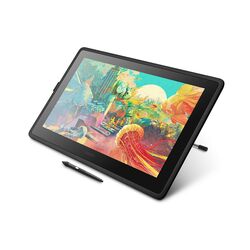

Pen input for drawing, photo editing, note taking and signatures: Wacom graphic tablets (Intuos and One by Wacom), active styluses and digital pens for iPad, Windows and Android devices, rugged notebook styluses, and replacement tips. From Wacom, Apple, Lenovo, Panasonic, Dicota, ALOGIC and Trust.
How to choose a graphic tablet or stylus
- Graphic tablet or stylus. A graphic tablet connects to a computer by USB or Bluetooth and turns pen movement into cursor control, ideal for design and photo work. A stylus is used directly on a touchscreen tablet or laptop.
- Tablet size. Small tablets (around A6) suit photo editing and signatures on a crowded desk; medium tablets give more room for drawing. Pressure levels matter for drawing, less for office use.
- Stylus compatibility. Active styluses work only with supported devices: Apple Pencil models with specific iPads, Microsoft Pen Protocol (MPP) or USI pens with supported Windows and Chromebook devices, and maker pens (Lenovo, Panasonic) with listed models. Check your device model before ordering.
- Passive styluses work on any touchscreen but without pressure sensitivity or palm rejection.
Tell us your device model or what you want to draw or sign, and we will confirm the right tablet or pen. Call +357 25 878 758 or email [email protected].