
Apple Mac Studio (2026) M5 Ultra 30-Core CPU, 64-Core GPU Desktop, 96GB Unified Memory, 2TB SSD, Silver
Brand:
Apple

Apple Mac Studio (2026) M5 Ultra 30-Core CPU, 64-Core GPU Desktop, 96GB Unified Memory, 2TB SSD, Silver
€7839.13 inc. VAT


Z1U4-22
Delivery
Order Today...
Ships...
Delivery...
ℹ️ Large or fragile items (e.g. monitors) may require extra handling time. We'll keep you informed.
Payment options
Trusted Tech Choice
Buying Benefits
Verified
Competitive EU pricing
Delivered to Cyprus from EU stock
Local warranty support
Please sign in so that we can notify you about a reply
Apple Mac Studio (2026) · M5 Ultra · 96GB · 2TB SSD
M5 Ultra 30-core CPU64-core GPU96GB unified memory2TB SSD
The Apple Mac Studio (2026) in this configuration is a compact workstation built on the M5 Ultra chip with a 30-core CPU, 64-core GPU, 32-core Neural Engine, 96GB of unified memory and a 2TB SSD, aimed at film and VFX studios, 3D artists, music producers, scientists and AI teams who need the most performance Apple offers in a desktop that still fits under a monitor.
This is a configure-to-order (CTO) build of the M5 Ultra Mac Studio. It keeps the standard M5 Ultra chip and 96GB of memory and doubles the internal SSD from 1TB to 2TB. Compared with the M5 Max model, the Ultra brings 1.2TB/s of memory bandwidth, support for up to eight external displays and Thunderbolt 5 on the front as well as the back.
Before you order: Memory and storage are part of the Apple silicon design and cannot be upgraded after purchase. 96GB suits most professional workloads; for very large AI models or scenes, ask us about the 256GB or 512GB configurations (512GB requires the 36-core CPU and 80-core GPU) before ordering. No display, keyboard or mouse is included.
What's in the Box
- Mac Studio (M5 Ultra, 30-core CPU, 64-core GPU, 96GB, 2TB SSD)
- Power cord
- No display, keyboard, mouse or trackpad — these are sold separately
What It Means in Practice
- 1.2TB/s memory bandwidth and a 64-core GPU make 8K multicam editing, heavy colour grading and GPU rendering in Redshift, Octane or Blender noticeably faster than on the M5 Max.
- 96GB of unified memory is shared by CPU and GPU, so large local AI models, big 3D scenes and orchestral sample libraries load entirely into memory.
- 30-core CPU (10 super cores and 20 performance cores) shortens compile, simulation and export times on heavily multi-threaded work.
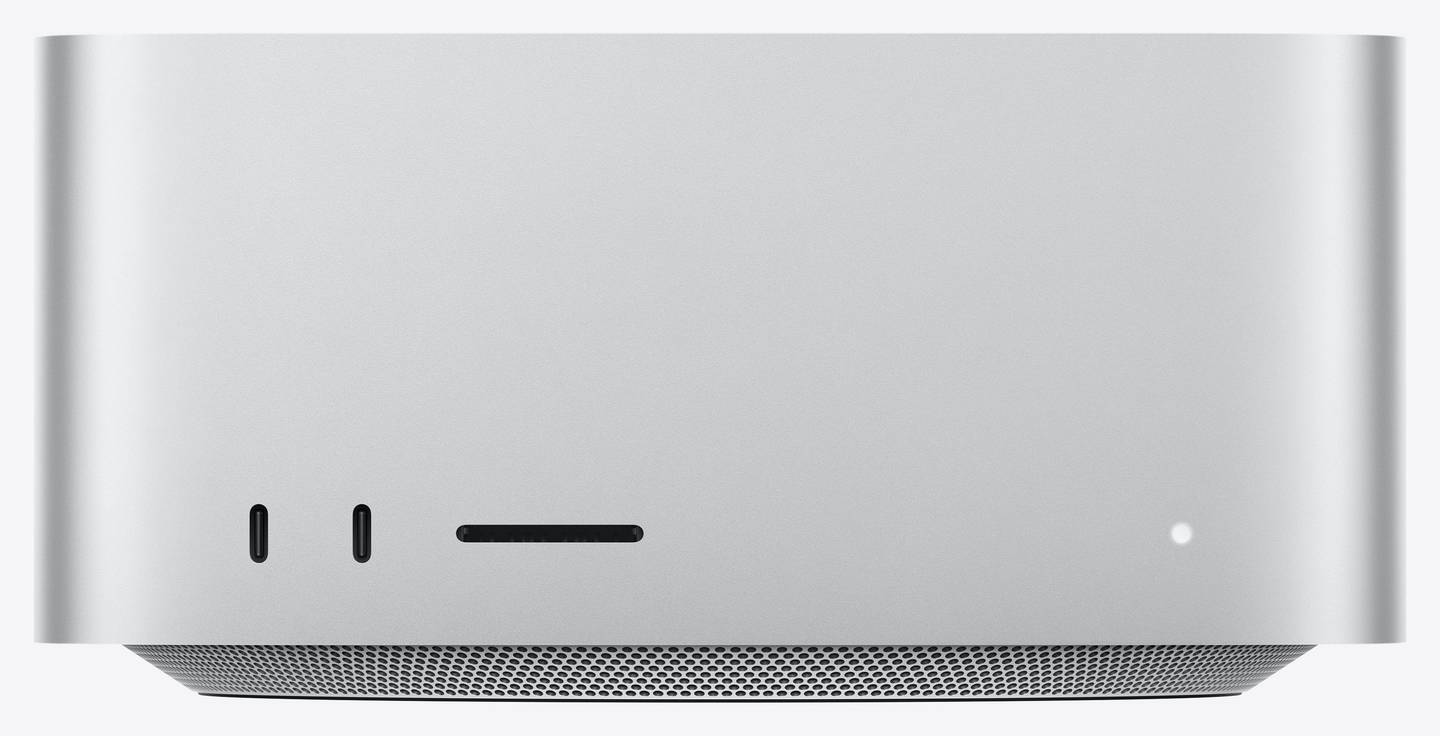
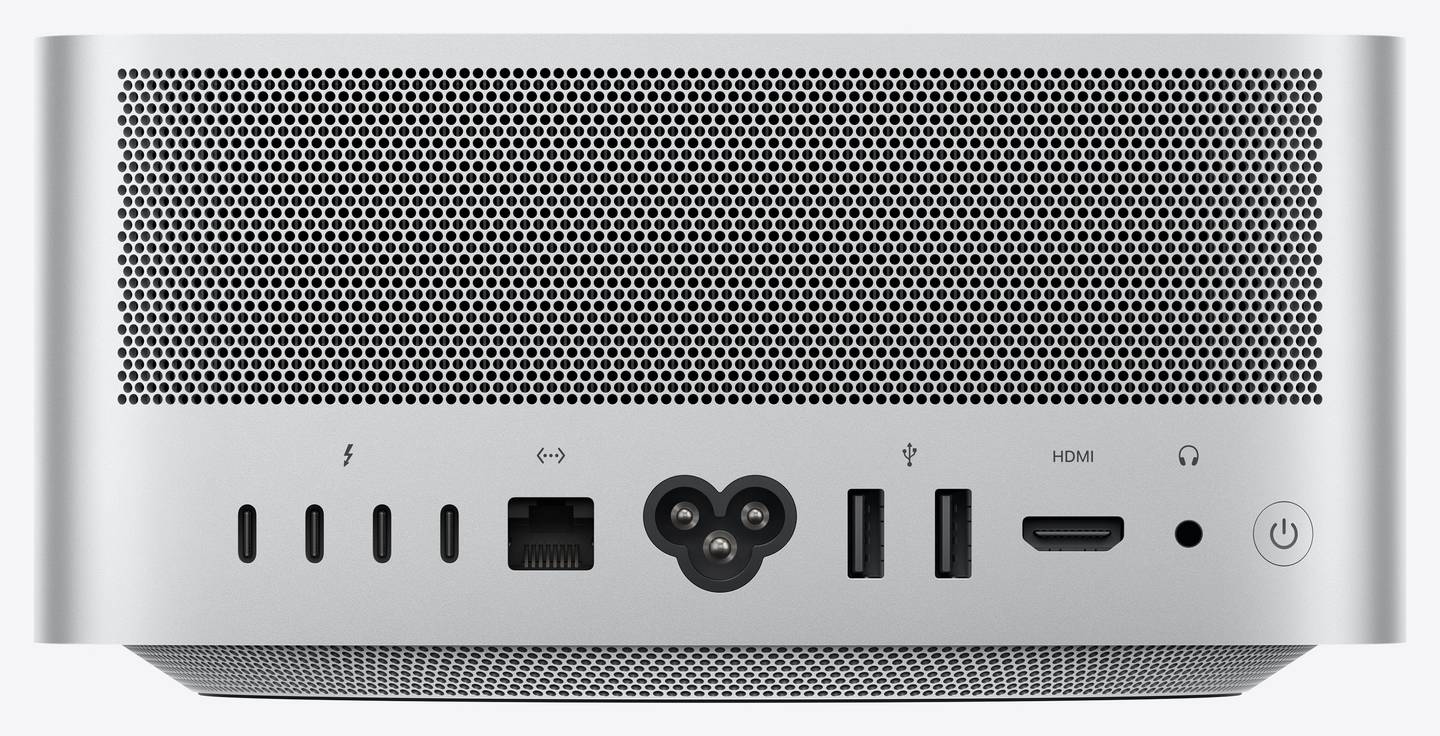
- Six Thunderbolt 5 ports at up to 120Gb/s — two on the front — connect fast RAID arrays, capture devices and docks without reaching behind the desk.
- Drive up to eight external displays at 6K 60Hz, or up to four at 8K 60Hz, 5K 120Hz or 4K 240Hz.
- 10Gb Ethernet links directly to a fast NAS or shared storage server for collaborative work.
What Will Not Work
- It is a desktop with no built-in screen, battery, keyboard or mouse — you need your own monitor and input devices.
- RAM and SSD cannot be upgraded later; further storage expansion is external only (Thunderbolt or USB enclosures, NAS).
- Windows cannot be installed natively (no Boot Camp on Apple silicon). Windows on Arm runs only through virtualisation such as Parallels Desktop, and some x86-only drivers and specialised tools will not work.
- External GPUs (eGPU) are not supported on Apple silicon Macs.
- The front has Thunderbolt 5 ports, not the 10Gb/s USB-C ports of the M5 Max model — both use USB-C connectors.
- Do not confuse it with the M5 Max Mac Studio — this unit is the M5 Ultra 30-core CPU, 64-core GPU, 96GB, 2TB configuration.
Key Features
M5 Ultra, 30-core CPU
10 super cores and 20 performance cores for the heaviest multi-threaded workloads.
64-core GPU
Twice the GPU of the standard M5 Max class, with 1.2TB/s unified memory bandwidth for rendering, effects and on-device AI.
Six Thunderbolt 5 ports
Two at the front and four at the back, up to 120Gb/s each, plus HDMI 2.1 and 10Gb Ethernet.
Up to eight displays
Eight displays at 6K 60Hz, or four at 8K 60Hz — built for edit suites and control rooms.
Technical Specifications
Frequently Asked Questions
Singular Expert Insight · Buyer's Guide
The M5 Ultra Mac Studio is the top of Apple’s desktop range, with a 64-core GPU and 1.2TB/s of memory bandwidth. This configuration adds a 2TB SSD to the standard 96GB Ultra, a balanced starting point for studios that keep media on fast external or network storage. Pair it with one of our PC monitors — 5K and 6K panels get the most out of macOS scaling.
✓ Buy it if you work in high-end video, VFX, 3D, audio or AI and the M5 Max is already your bottleneck, or you need more than five displays.
✕ Skip it if your work fits comfortably on an M5 Max — it costs much less — or you need 256GB+ memory, which must be chosen at order.
→ Also consider the Mac Studio M5 Max configurations, the M5 Ultra with 36-core CPU/80-core GPU and 256GB/512GB memory, or 4TB+ storage options.
Not sure which configuration fits your workload? Tell us the software and project sizes you use and we will recommend memory and storage before you order.
Features - Apple - Z1U4-22
Colour
silver
More Details
Product Code
CS93881
Manufacturer
Apple