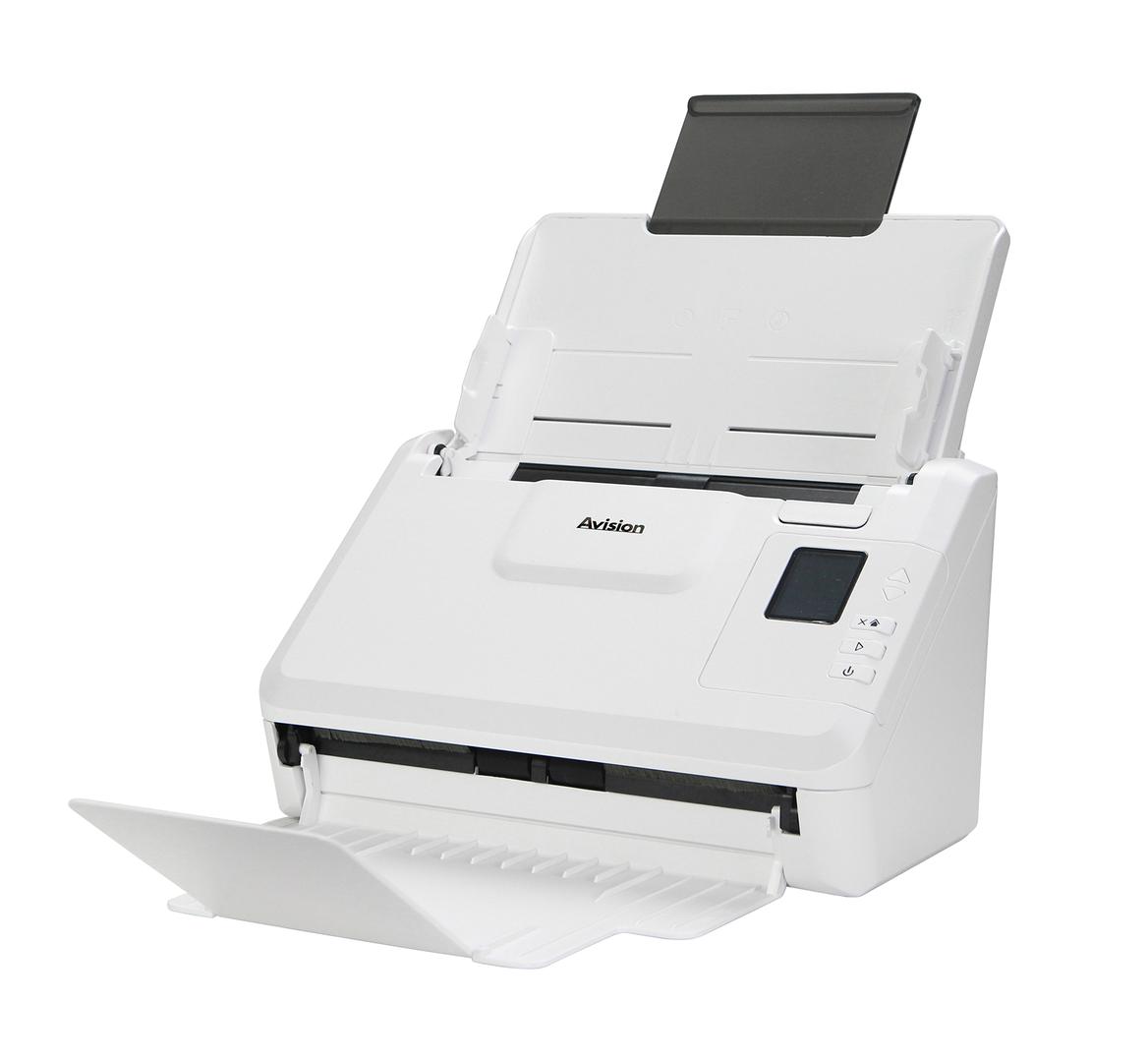
Avision AD340GWN: 40 ppm duplex scanning over Wi-Fi, LAN or USB
40 ppm / 80 ipmWi-Fi + LAN50-sheet ADF8,000 pages/day
The Avision AD340GWN is a compact A4 duplex document scanner with a 50-sheet feeder that scans at 40 ppm / 80 ipm and connects by Wi-Fi, Gigabit Ethernet or USB 3.2, made for offices that want a shared scanner where there is no network cable. It captures both sides of invoices, contracts, forms and receipts in one pass and handles paper from 27 to 413 g/m2, plus embossed cards up to 1.25 mm. Wi-Fi means you can place it on a reception counter, in a meeting room or next to the paper rather than next to a network socket, and you can still use the wired port or USB where they are available. A recommended daily volume of up to 8,000 pages covers most departments. Typical places for the AD340GWN are reception counters, branch offices, shared meeting areas and home offices where running a cable is impractical. Set it up on Wi-Fi for everyday scanning, and keep the option to switch to the Gigabit port if usage grows. Like the AD340GN, it is a feeder-only design, so plan a separate solution for passports and bound documents. The Avision software and drivers are the same across the AD340G family, which keeps support simple in offices that mix models.
Before you order: No flatbed: passports, bound books and stapled sets need a flatbed scanner. Wi-Fi is 2.4 GHz class 802.11 b/g/n, so check signal at the location before relying on it for heavy batches.
What's in the Box
- AD340GWN scanner
- Power adapter
- USB cable
- Drivers and software available from Avision (TWAIN, ISIS, WIA, Button Manager, AVScan, PaperPort)
- Exact accessory list varies by region — ask us and we confirm before you order
What It Means in Practice
- Three connection choices mean the scanner location is decided by the paper flow, not the cabling.
- A double-sided 25-page contract is scanned in well under a minute.
- Cards and receipts go through the same feeder as A4 paper.
- For large colour batches, the wired port or USB 3.2 is faster and more stable than Wi-Fi.
- At 2.5 kg it is easy to move between desks if needed.
What Will Not Work
- No flatbed for books, passports or fragile originals.
- No A3 support; maximum width 216 mm.
- No 5 GHz Wi-Fi listed; weak 2.4 GHz coverage will slow scans.
- Not designed for photos through the ADF.
Key Features
Wi-Fi, LAN and USB
IEEE 802.11 b/g/n, RJ-45 Gigabit Ethernet and USB 3.2 Gen1x1 on one scanner. Use the wired port when it is available; keep Wi-Fi for locations without a cable. You can start on Wi-Fi and move to cable later without changing scanner.
Long paper mode
Up to 240 inches at 200 dpi colour duplex for receipts and long forms. Good for statements, receipts and continuous forms longer than Legal.
512 MB memory
Keeps colour duplex batches at rated speed. This helps when scanning colour duplex with OCR.
Business drivers
TWAIN, ISIS and WIA for DMS, accounting and practice software. Ask us which driver your software vendor recommends. That makes it a drop-in replacement for older TWAIN scanners.
Technical Specifications
| Identification |
| Part Number |
000-0992-02G |
| EAN/GTIN |
4713494651806 |
| Model |
AD340GWN |
| Brand |
Avision |
| Scanning |
| Sensor |
CIS, LED light source |
| Optical Resolution |
600 x 600 dpi |
| Output Resolution |
1200 x 1200 dpi |
| Speed (A4, 200-300 dpi) |
40 ppm simplex / 80 ipm duplex |
| Recommended Daily Volume |
Up to 8,000 pages |
| Paper Handling |
| ADF Capacity |
50 sheets |
| Min Document Size |
74 x 52 mm (A8) |
| Max Document Size |
216 x 356 mm (Legal) |
| Paper Weight |
27 to 413 g/m2 |
| Card Scanning |
Embossed card, up to 1.25 mm |
| Long Paper Mode |
Up to 240 in. at 200 dpi colour duplex |
| Connectivity & Software |
| Interfaces |
USB 3.2 Gen1x1, RJ-45 Ethernet 10/100/1000, Wi-Fi IEEE 802.11 b/g/n |
| Memory |
512 MB SDRAM |
| Software |
TWAIN, ISIS, WIA drivers, Button Manager, AVScan, PaperPort, WorldCard Team |
| Operating Systems |
Windows 7/8/10/11, Windows Server, macOS 10.12 to 14, Fedora, openSUSE, Debian, Ubuntu |
| Physical & Power |
| Dimensions (max) |
282 x 457 x 334 mm |
| Dimensions (min) |
282 x 152 x 165 mm |
| Weight |
2.5 kg |
| Power Consumption |
Operating below 17 W, ready below 6 W, sleep below 1.9 W, off below 0.2 W |
| Warranty |
| Warranty |
1-Year Warranty (Singular) |
| Manufacturer Term |
Standard manufacturer warranty — claims handled through Singular |
Frequently Asked Questions
Is Wi-Fi as fast as the cable?
For single documents you will not notice, but long colour batches move more data, and a wired or USB connection is the safer choice there. Place the scanner within good 2.4 GHz coverage of your access point. For a daily big batch, connecting by cable or USB avoids slowdowns at busy Wi-Fi times.
What is the difference from the AD340GN?
The AD340GN is the same 40 ppm design without Wi-Fi. If you have a network cable at the scanner location, it saves a little. Otherwise the two models are identical in speed and paper handling. Every other specification, from speed to card scanning, is the same.
Can it scan ID cards?
Yes, embossed cards up to 1.25 mm thick feed through the ADF. Feed cards one at a time for best results. The feeder also takes receipts and long statements in long paper mode.
Does it work with Mac?
Avision lists macOS 10.12 to 14 drivers; tell us your version and we confirm. Linux drivers are listed too. Tell us your operating system version and we confirm the current driver.
Singular Expert Insight · Buyer's Guide
The AD340GWN is the most flexible model in the AD340G line, and Wi-Fi is worth paying for only when the cable is the real problem. If you can run a cable, use it: a wired connection gives steadier speed on large batches. For sending scans to a shared store, pair it with
a NAS for scan-to-folder archiving.
✓ Buy it if Buy it if the scanner must sit where there is no network socket and several people will use it.
✕ Skip it if Skip it if a cable is available at the location; the AD340GN does the same work for less.
→ Also consider Also consider the Avision AD340GN for wired-only offices, or the AN360W for a touchscreen network scanner.
Not sure which scanner fits your volume or software? Tell us your daily page count, document types and the software you scan into, and we will check compatibility before you order.