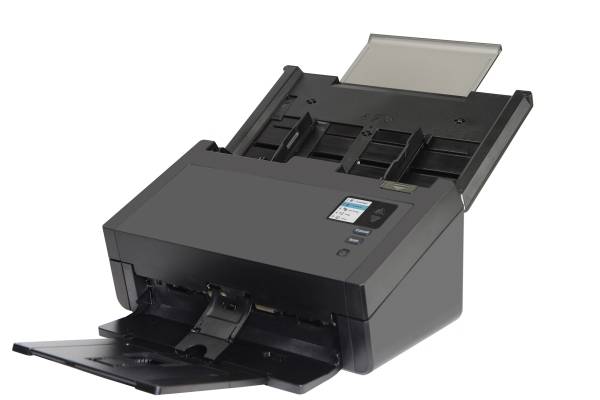
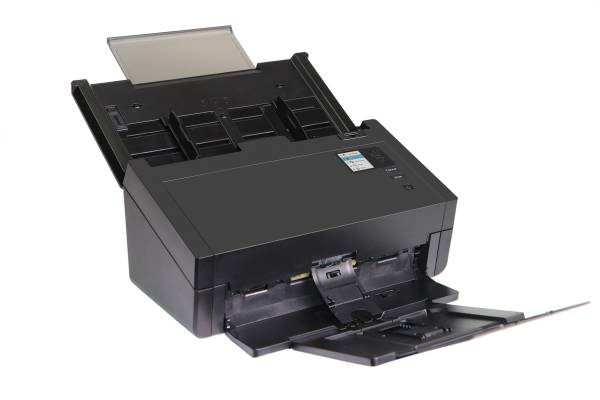
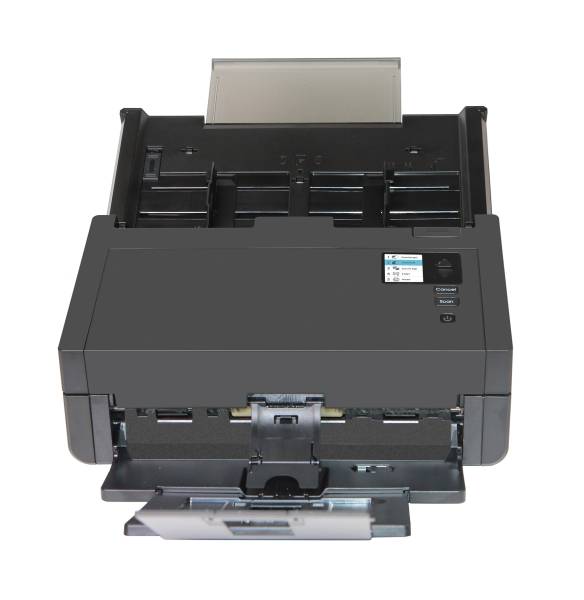
Avision AD360G: 80 ppm duplex scanning for busy departments
80 ppm / 160 ipm100-sheet ADF15,000 pages/dayCard scanning
The Avision AD360G is a high-speed A4 duplex document scanner that scans at 80 ppm / 160 ipm at 200 dpi (60 ppm / 120 ipm at 300 dpi) with a 100-sheet feeder, made for departments, scanning bureaus and back-offices that process thousands of pages a day. It accepts paper from 27 to 413 g/m2, embossed cards up to 1.25 mm and long documents, so mixed piles of invoices, receipts, forms and covers can run without sorting by type. Avision rates it for up to 15,000 pages a day. It connects to one PC by USB 3.2 Gen1x1 and includes TWAIN and ISIS drivers for document management, ERP and archiving software, with Linux and macOS drivers also listed. The AD360G is aimed at scanning teams and departments that digitise incoming mail, invoices, HR files or archive boxes in volume. Put it on a dedicated PC with a USB 3 port, load the 100-sheet feeder and let the operator prepare the next batch while it runs. For new office paper the CIS sensor gives clean results at a lower price than CCD models. If many pages are creased, folded or from old archives, the CCD-based AD380 is the better match.
Before you order: USB only: there is no network port or Wi-Fi, so it works as a scanning station attached to one computer.
What's in the Box
- AD360G scanner
- Power adapter
- USB cable
- Drivers and software available from Avision (TWAIN, ISIS, Button Manager, AVScan, PaperPort)
- Exact accessory list varies by region — ask us and we confirm before you order
What It Means in Practice
- A 100-sheet duplex batch at 200 dpi takes a little over a minute of feeding.
- At 300 dpi, the setting most OCR workflows use, it still runs 60 ppm / 120 ipm.
- Mixed paper weights and cards go through the same feeder without changing settings.
- Long paper mode handles documents up to 240 inches at 200 dpi.
- Button Manager profiles let staff scan to fixed folders or PDF with one button.
What Will Not Work
- No flatbed for books, passports or fragile originals.
- No network or Wi-Fi.
- Not A3; maximum width 216 mm for documents.
- The ADF is not for photos or delicate paper.
Key Features
100-sheet feeder
Large batches load in one go, reducing operator time. This cuts the reloading time between stacks. Keep the guides set to the paper width for the straightest feed.
Two speed points
80 ppm at 200 dpi and 60 ppm at 300 dpi, both duplex. Choose 200 dpi for black and white batches and 300 dpi for colour OCR.
512 MB memory
Keeps colour duplex batches moving. Pair it with a PC with a solid-state drive for the best throughput.
Broad driver support
TWAIN, ISIS, Windows, Windows Server, macOS and Linux. This keeps it usable in mixed operating system environments. Ask us which driver your vendor prefers, TWAIN or ISIS.
Technical Specifications
| Identification |
| Part Number |
000-1070-02G |
| EAN/GTIN |
4713494653220 |
| Model |
AD360G |
| Brand |
Avision |
| Scanning |
| Sensor |
CIS, LED light source |
| Optical Resolution |
600 x 600 dpi |
| Output Resolution |
1200 x 1200 dpi |
| Speed (A4, 200 dpi) |
80 ppm simplex / 160 ipm duplex |
| Speed (A4, 300 dpi) |
60 ppm simplex / 120 ipm duplex |
| Recommended Daily Volume |
Up to 15,000 pages |
| Paper Handling |
| ADF Capacity |
100 sheets (A4, 80 g/m2) |
| Min Document Size |
50 x 50 mm |
| Max Document Size |
216 x 356 mm (Legal) |
| Paper Weight |
27 to 413 g/m2 |
| Card Scanning |
Embossed card, up to 1.25 mm |
| Long Paper Mode |
Up to 240 in. at 200 dpi |
| Connectivity & Software |
| Interface |
USB 3.2 Gen1x1 |
| Memory |
512 MB SDRAM |
| Software |
TWAIN, ISIS, Button Manager, AVScan, PaperPort, Mac and Linux drivers |
| Operating Systems |
Windows 7/8/10/11, Windows Server 2008R2 to 2025, macOS 10.12 to 14, Fedora, openSUSE, Debian, Ubuntu |
| Physical & Power |
| Dimensions (max) |
316 x 680 x 239 mm |
| Dimensions (min) |
316 x 191 x 168 mm |
| Weight |
4.3 kg |
| Warranty |
| Warranty |
1-Year Warranty (Singular) |
| Manufacturer Term |
Standard manufacturer warranty — claims handled through Singular |
Frequently Asked Questions
How does it compare with the AD380?
Same 80 ppm class and 100-sheet feeder. The AD380 uses a CCD sensor that copes better with creased paper; the AD360G uses CIS and costs less. For archives with many folded or creased pages, the CCD AD380 copes better. For new office paper the AD360G is the better value.
Which resolution should I scan at?
300 dpi is the usual setting for OCR and archiving; at that setting the AD360G runs 60 ppm duplex. At 200 dpi it reaches the full 80 ppm, which suits black and white archive work.
Can it handle receipts?
Yes. The minimum size is 50 x 50 mm and thin paper from 27 g/m2 is supported. Group receipts together and use the long paper mode only when needed. Very small items should be fed in small groups for reliable feeding.
Is it compatible with my DMS?
If it accepts TWAIN or ISIS scanners it normally works; tell us the software and we confirm. We can also confirm the driver version your vendor recommends. If your vendor certifies specific models, we can check the list with you.
Singular Expert Insight · Buyer's Guide
The AD360G is a strong value pick for genuine volume scanning: the 100-sheet feeder and 15,000 page rating are what separate it from 40 ppm desktop models. Give it a dedicated PC and fast USB 3 port, and store archives on
external SSDs or a NAS. Remember that the operator, not the scanner, usually limits throughput at this speed, so plan preparation space next to it.
✓ Buy it if Buy it if you scan thousands of pages a day into one workstation and need speed at a sensible price.
✕ Skip it if Skip it if you need network sharing or scan only a few hundred pages a day.
→ Also consider Also consider the Avision AD380 for the same speed with a CCD sensor.
Not sure which scanner fits your volume or software? Tell us your daily page count, document types and the software you scan into, and we will check compatibility before you order.