
Epson T48U1 Photo Black Original Ink Cartridge · 350 ml · UltraChrome Pro 6 · for SureColor SC-P6500/P8500

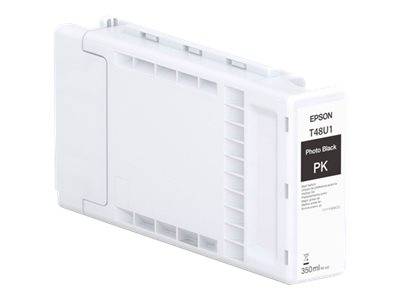
Epson T48U1 UltraChrome Pro 6 Photo Black Ink Cartridge 350 ml
Epson T48U1 UltraChrome Pro 6 Photo Black Ink Cartridge 350 ml (C13T48U100) is the genuine Epson ink cartridge holding 350 ml of UltraChrome Pro 6 photo black ink for Epson SureColor SC-P6500/P8500 users.
The SureColor SC-P6500 and SC-P8500 are 24-inch and 44-inch photo and fine-art printers using Epson's UltraChrome Pro 6 pigment ink set. Photo Black is the black for glossy, lustre and satin photo papers; the Matte Black (T48U8) handles the other paper types.
Ordering by the exact part number (C13T48U100) is the safest route: Epson uses similar names across printer families, and a supply that looks identical but carries a different number will not be recognised by the printer. If you are replacing a supply that is already installed, the part number is printed on its label and in the printer's supplies status page.
Original or compatible? A genuine Epson supply is the one the printer and its colour profiles are calibrated for, it reports ink levels correctly, and it keeps the printer within Epson's support terms. Compatible inks cost less up front but can shift colours, clog nozzles over time or be rejected after a firmware update — for business-critical printers, original is the lower-risk choice.
What's in the Box
- 1 x Epson T48U1 UltraChrome Pro 6 Photo Black Ink Cartridge 350 ml (350 ml)
- Factory-sealed retail packaging with the manufacturer's installation guidance on the pack
- No printer, printhead or cables are included
What It Means in Practice
- Photo Black pigment ink gives deep, stable blacks on glossy and lustre media with high fade resistance.
- 350 ml is the smaller of the two cartridge sizes for these printers; a 700 ml size is available for high-volume work.
- Epson does not publish a page yield for large-format ink: consumption is set by print area and coverage, so plan by millilitres.
- The printer shows remaining ink per colour and warns before empty, so you can replace it between jobs.
- Installation is tool-free: open the ink door, release the empty cartridge, insert the new one until it locks and close the door — the printer confirms the new supply on its panel.
- Used supplies can go to manufacturer recycling schemes rather than general waste; keep the empty in its bag to avoid ink stains in transport.
- Need several colours or a spare? Send us your printer model and current ink status and we will quote the full set in one order.
What Will Not Work
- SureColor SC-P6000/P7000/P8000/P9000 (UltraChrome HDX/HD) and SC-P7500/P9500 (UltraChrome PRO 12).
- Do not order Photo Black when the Matte Black (T48U8) is low — they are different cartridges.
- Desktop SureColor SC-P700/P900 — different cartridge format.