
Epson WorkForce DS-1730 A4 Flatbed and Duplex ADF Scanner
Brand:
Epson

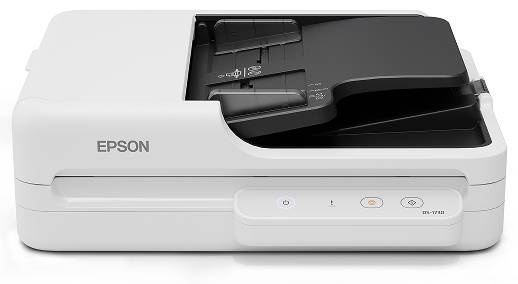
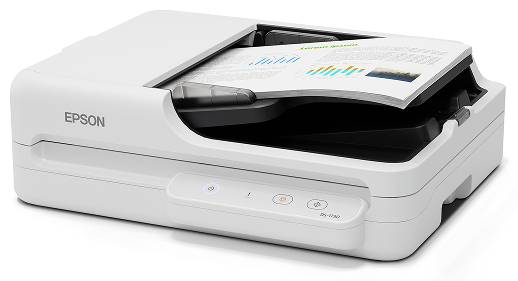
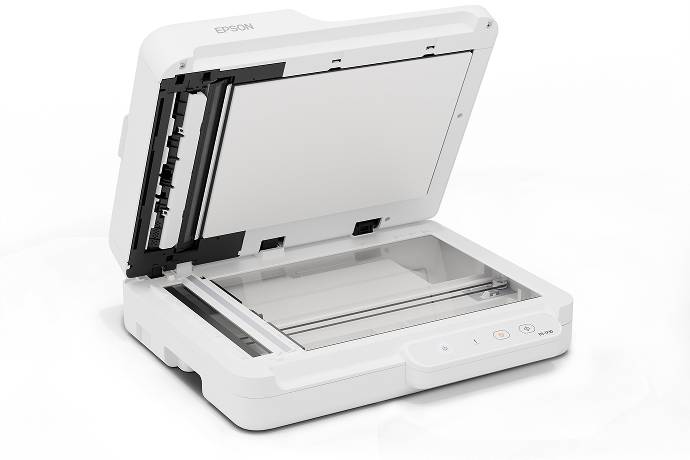


B11B273401
Delivery
Order Today...
Ships...
Delivery...
ℹ️ Large or fragile items (e.g. monitors) may require extra handling time. We'll keep you informed.
Payment options
Trusted Tech Choice
Buying Benefits
Verified
Competitive EU pricing
Delivered to Cyprus from EU stock
Local warranty support
Please sign in so that we can notify you about a reply
One desktop scanner for duplex paper batches and careful flatbed work
A4 flatbed60-sheet duplex ADFUp to 30ppm / 60ipmUSB 2.0
The Epson WorkForce DS-1730 combines an A4 flatbed with a 60-sheet automatic document feeder. Use the single-pass duplex ADF for supported paper batches, then switch to the glass for fragile, irregular or individual originals. This exact B11B273401 model connects to a compatible computer over USB 2.0 and includes Epson scanning software.
Best For: Small businesses and home offices digitising mixed paperwork, multi-page files and originals that need careful glass scanning.
Before you order: Choose the correct scanning path. Optical resolution is 600dpi through the ADF and 1200dpi on the glass;30ppm/ 60ipm is rated at 300dpi. The DS-1730 has USB 2.0, not Wi-Fi or Ethernet. Email, FTP and network-folder workflows require compatible connected-computer software.
What's in the Box
- Epson WorkForce DS-1730 main unit.
- Power cable and USB cable.
- Quick Setup Guide and warranty card.
- Computer and sample documents are not included.
What It Means in Practice
- Load supported 50–120g/m² paper into the ADF for duplex batch capture.
- Use the flatbed for fragile, irregular or small originals that are unsuitable for the feeder.
- Create searchable PDFs and apply deskew or blank-page removal through compatible software.
- Integrate captured files with office workflows using Document Capture Pro on Windows or Document Capture on Mac.
What Will Not Work
- Do not apply1200dpi glass resolution to the ADF.
- Do not feed fragile originals or media outside ADF limits.
- Long-document ADF capability does not make the A4 glass a long-document bed.
- USB connection requires a compatible computer; network destination support is software based.
- Speed, OCR results and software features depend on resolution, originals, host and operating system.
Key Features
Two useful scanning paths
ADF for supported paper batches and A4 glass for careful individual-original handling.
Single-pass duplex
The ADF captures both sides with a 60-sheet capacity and rated30ppm/ 60ipm at 300dpi.
Document-oriented software
Epson Scan 2, Document Capture Pro for Windows and Document Capture for Mac support compatible capture workflows.
Image clean-up tools
Supported functions include automatic deskew, skip blank pages, text enhancement and colour adjustment.
Technical Specifications
Frequently Asked Questions
Singular Expert Insight
Match the scanning path to the original. A duplex feeder saves handling time for supported paper, while the glass protects flexibility for irregular material. Confirm the required software works on the chosen computer before planning searchable-PDF or network-folder workflows.
Buyer’s Guide
✓ Buy it if You need both a duplex ADF and A4 glass scanning with a USB-connected computer.
✕ Skip it if You need a standalone network scanner, Wi-Fi or long-document flatbed scanning.
→ Also consider Original sizes and condition, ADF paper limits, host software and counter space.
Features - Epson - B11B273401
Colour
white
Interface
- USB2.0
More Details
Product Code
04:589855
EAN Code
8715946737560
Manufacturer
Epson