Gigabyte X870 AORUS INFINITY — 2-DIMM AM5 board built for extreme overclocking
AMD X870 · Socket AM52x DDR5 · up to 11400 MT/s (OC)5GbE · Wi-Fi 7 320 MHzDual BIOS · OC buttons
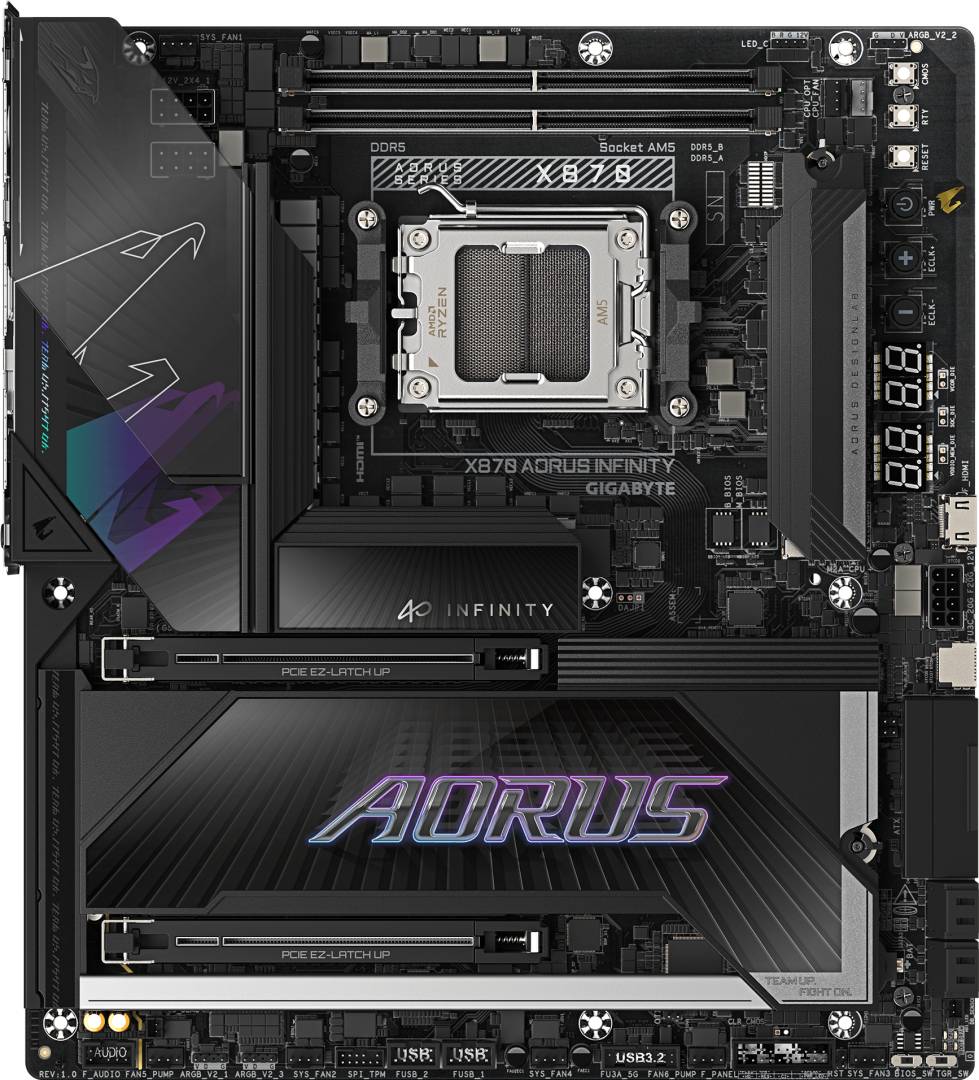
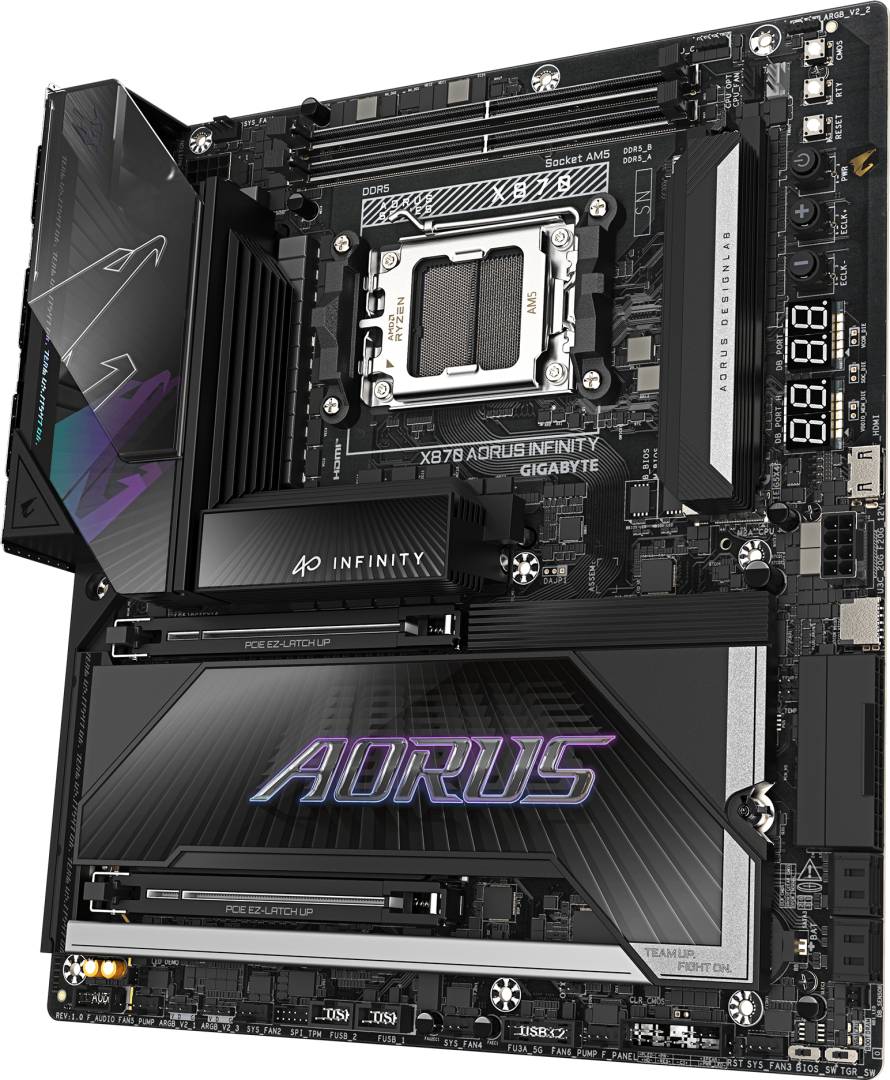
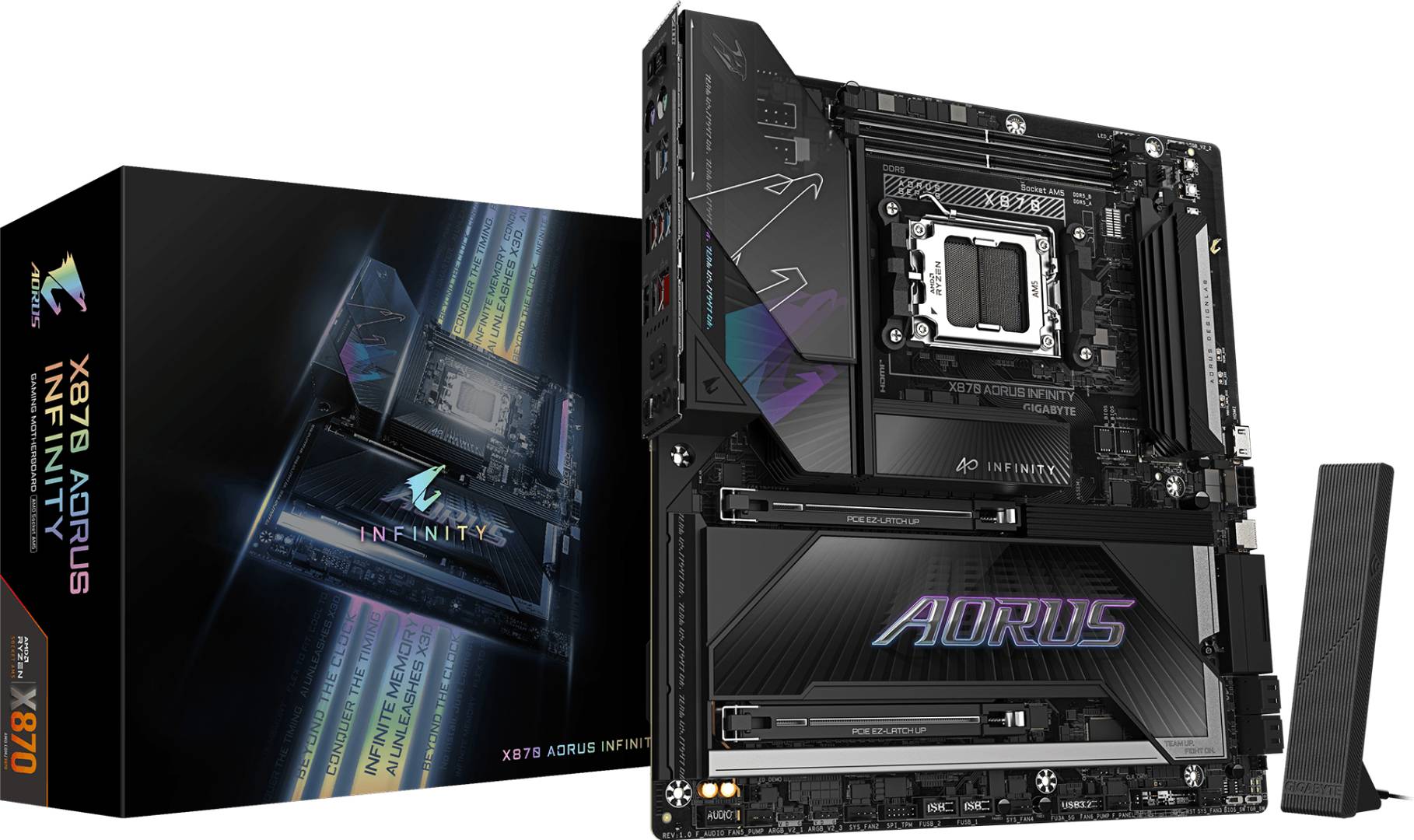
The Gigabyte X870 AORUS INFINITY (part number X870 AORUS INFINITY) is an E-ATX motherboard for AMD Socket AM5 on the X870 chipset, designed for memory and CPU overclocking with Ryzen 9000, 8000 and 7000 processors. It is part of the 40th-anniversary AORUS INFINITY series.
It uses two DDR5 slots (up to 128GB) to shorten memory traces, with EXPO/XMP kits rated to 9600 MT/s and manual overclocking to 11400 MT/s. The main PCIe 5.0 x16 slot is joined by a second x16-length PCIe 5.0 x8 slot, two PCIe 5.0 x4 M.2 slots from the CPU and one PCIe 4.0 x4 M.2 from the chipset.
Onboard overclocking tools include power, reset, Clear CMOS, Cold Reset and CPU clock up/down buttons, BIOS and OC Trigger switches, voltage measurement points and DualBIOS. Connectivity covers Realtek 5GbE, Qualcomm Wi-Fi 7 (320 MHz) with Bluetooth 5.4, USB4 with DisplayPort, HDMI 2.1 and ALC1220 audio with DTS:X Ultra.
Compatibility note: Only two DIMM slots (max 128GB) — choose a 4-DIMM board if you need more memory. The M2B_CPU slot shares lanes with the USB4 controller (both drop to x2 when used), and filling the PCIEX8 slot drops the graphics slot to x8. The E-ATX (30.5 x 27.5 cm) layout needs a case with E-ATX support. Wi-Fi 7 needs Windows 11.
Best For
✓ Extreme DDR5 memory overclocking
✓ Ryzen 9000 X3D gaming with tuned memory
✓ Benchmarking and competitive OC
✓ Enthusiast builds using PS/2 keyboards
✓ High-bandwidth 5GbE + Wi-Fi 7 setups
✓ Showcase E-ATX builds
Key Features
2-DIMM overclocking layout
Two DDR5 slots with short traces support EXPO/XMP to 9600 MT/s and manual tuning up to 11400 MT/s.
Built-in OC toolkit
Power, reset, CMOS, Cold Reset and CPU clock up/down buttons, OC Trigger and BIOS switches, voltage read points, DualBIOS and an OC Ignition button on the rear.
Gen5 everywhere it counts
PCIe 5.0 x16 plus a PCIe 5.0 x8 slot and two PCIe 5.0 x4 M.2 slots from the CPU, with a third Gen4 M.2 from the chipset.
5GbE, Wi-Fi 7 and USB4
Realtek 5GbE, Qualcomm Wi-Fi 7 at 320 MHz with Bluetooth 5.4, USB4 Type-C with DisplayPort and a 65W PD front USB-C header.
Technical Specifications
| Identification |
| Part Number |
X870 AORUS INFINITY |
| EAN/GTIN |
4719331882617 |
| MPN |
X870 AORUS INFINITY |
| Brand |
Gigabyte (AORUS) |
| Processor & Chipset |
| Socket |
AMD AM5 |
| Supported CPUs |
Ryzen 9000 / 8000 / 7000 Series |
| Chipset |
AMD X870 |
| VRM |
18+2+2 digital, 10-layer PCB |
| CPU power |
2x 8-pin ATX 12V + 24-pin ATX · PCIe power connector |
| Memory |
| Slots |
2x DDR5 DIMM, dual channel |
| Maximum |
128GB (64GB per DIMM) |
| Speed |
4400–5200 MT/s native · EXPO/XMP up to 9600 MT/s · manual OC up to 11400 MT/s |
| Type |
Non-ECC unbuffered · AMD EXPO and XMP |
| Expansion & Storage |
| PCIe x16 (CPU) |
1x PCIe 5.0 x16 (x8 when PCIEX8 used) |
| PCIe x16 (CPU) |
1x PCIe 5.0, runs x8 |
| M.2 CPU |
M2A_CPU PCIe 5.0 x4 (25110/22110/2580/2280) · M2B_CPU PCIe 5.0 x4 (22110/2280) |
| M.2 chipset |
M2D_SB PCIe 4.0 x4 (22110/2280) |
| SATA |
4x SATA 6Gb/s |
| RAID |
NVMe RAID 0/1/5/10 (RAID 5 on Ryzen 9000) · SATA RAID 0/1/10 |
| Networking & Audio |
| LAN |
Realtek 5GbE |
| Wireless |
Qualcomm Wi-Fi 7 QCNCM865 (2.4/5/6 GHz, 320 MHz) + Bluetooth 5.4 |
| Audio |
Realtek ALC1220 · DTS:X Ultra · 7.1-channel · S/PDIF out |
| Rear I/O |
| USB |
1x USB4 Type-C (DP out) · 3x USB-A 3.2 Gen 2 · 4x USB-A 3.2 Gen 1 |
| Video |
1x HDMI 2.1 (4096x2160@60) · USB4 DP up to 3840x2160@240 Hz |
| Other |
Q-Flash Plus and OC Ignition buttons · PS/2 keyboard + PS/2 mouse · RJ-45 · 2x antenna (2T2R) · optical S/PDIF · 2 audio jacks |
| Internal Connectors |
| USB headers |
1x USB-C 3.2 Gen 2x2 (65W PD/QC 4+) · 1x USB 3.2 Gen 1 · 2x USB 2.0 |
| Fans & RGB |
CPU fan · CPU fan/pump · 4x system fan · 2x system fan/pump · 3x ARGB Gen2 · 1x RGB |
| OC controls |
Power, reset, CMOS, Cold Reset, ECLK+/ECLK- buttons · BIOS and OC Trigger switches · voltage measurement points · 2x temp sensor headers |
| Other |
Front HDMI (1080p30) · TPM header |
| General |
| Form factor |
E-ATX, 30.5 x 27.5 cm |
| BIOS |
2x 512 Mbit AMI UEFI · DualBIOS · Q-Flash Plus |
| OS |
Windows 11 64-bit |
| Software |
GIGABYTE Control Center |
Frequently Asked Questions
Why does the X870 AORUS INFINITY have only two memory slots?
A 2-DIMM layout shortens and simplifies memory traces, allowing much higher DDR5 speeds — Gigabyte rates it up to 11400 MT/s with manual overclocking. The trade-off is a 128GB maximum.
Is it X870 or X870E?
This model uses the AMD X870 chipset (a separate X870E AORUS INFINITY exists). X870 still provides USB4 and PCIe 5.0 graphics and M.2 from the CPU.
Is it a good board for everyday gaming?
It works very well, but its value lies in overclocking features; gamers not tuning memory get similar frame rates from a cheaper X870 or B850 AORUS board.
Does it fit a standard ATX case?
It is E-ATX (27.5 cm deep), so check that your case lists E-ATX support.
Singular Expert Insight
The INFINITY is a specialist board: two DIMMs, a full OC button panel and DualBIOS make it a memory overclocker and benchmarker favourite. If you need 192–256GB of RAM or simply want a quiet high-end gaming PC, a 4-DIMM X870E or B850 AORUS board is the more practical choice. Pair it with a high-bin DDR5 kit from our
DDR5 memory range.
✓ Buy it if you want to push DDR5 and Ryzen overclocking to the limit on AM5 with pro-grade onboard controls.
✕ Skip it if you need more than 128GB of memory or a standard ATX-size board.
→ Also consider the X870E AORUS MASTER X3D for a 4-DIMM flagship, or the B850 AORUS ELITE-P ICE for mainstream builds.