
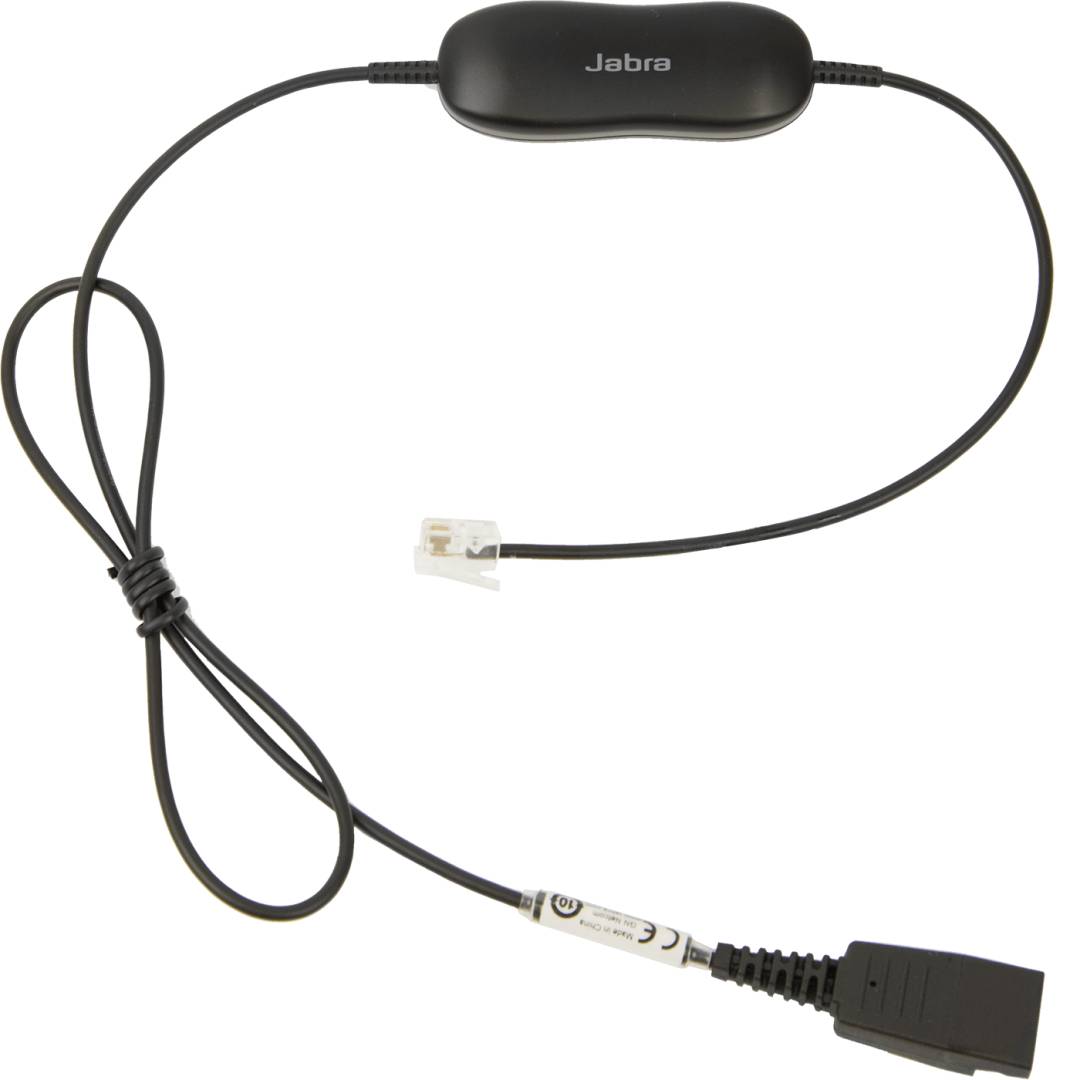
Jabra GN1216 Avaya Headset Cord, QD to RJ9, 80 cm Straight, for Avaya one-X 9600/1600 and J169/J179 Phones
Brand:
Jabra

Jabra GN1216 Avaya Headset Cord, QD to RJ9, 80 cm Straight, for Avaya one-X 9600/1600 and J169/J179 Phones
€50.93 inc. VAT
88001-03
Delivery
Order Today...
Ships...
Delivery...
ℹ️ Large or fragile items (e.g. monitors) may require extra handling time. We'll keep you informed.
Payment options
Trusted Tech Choice
Buying Benefits
Verified
Competitive EU pricing
Delivered to Cyprus from EU stock
Local warranty support
Please sign in so that we can notify you about a reply
Jabra GN1216 Avaya Cord — QD Headsets on Avaya Phones
Avaya one-X 9600 / 1600QD → RJ9Straight, 80 cmPart 88001-03
The Jabra GN1216 Avaya Cord (part 88001-03) connects any corded Jabra Quick Disconnect (QD) headset to the headset port of Avaya one-X Deskphone 9600 and 1600 series phones, and Avaya J169/J179. It is a straight cord, 80 cm long, with a QD plug at one end and an RJ9 modular plug at the other.
Jabra built the GN1216 specifically for Avaya: an 8-position slide on the cord sets the microphone volume so the caller hears you clearly, and the cord supports wideband audio. Jabra notes it works only on these Avaya phones and is not a universal cord like the Jabra GN1200.
Before you order: Avaya one-X 9600/1600 series and J169/J179 only, plugged into the phone's HEADSET port. Phones without a headset port cannot use this cord.
What's in the Box
- Jabra GN1216 Avaya cord, QD to RJ9 (part 88001-03)
- Headset not included
What It Means in Practice
- Set-up is one step: plug RJ9 into the Avaya headset port, click the headset onto the QD and slide the mic switch until the other party hears you clearly.
- Jabra guarantees it with all Jabra QD headsets and publishes mic settings for BIZ 1500, BIZ 1900, GN2000, GN2100, BIZ 2300 and BIZ 2400 families.
- The QD lets the user unclip the headset and walk away without unplugging anything at the phone.
- The straight 80 cm cord keeps the desk tidy when the phone sits close to the user.
What Will Not Work
- Avaya phones without a headset port, or other Avaya ranges not listed (use a GN1200 or ask us).
- Phones from other brands — the GN1216 wiring is Avaya-specific.
- USB, wireless or 3.5 mm headsets — only Jabra QD headsets connect.
- Non-Jabra quick disconnect headsets (e.g. Poly QD).
Key Features
Made for Avaya
Wired for Avaya one-X 9600/1600 and J169/J179 headset ports.
8-position mic volume
Slide to match your voice level to the caller.
Wideband support
Supports wideband audio on supported phones and headsets.
QD quick release
Unclip the headset without unplugging from the phone.
Technical Specifications
Frequently Asked Questions
Singular Expert Insight · Buyer's Guide
On Avaya one-X desks the GN1216 is the cord to choose: it is wired for Avaya and lets you set the mic level instead of guessing. Plug it into the HEADSET port, not the handset port. Matching corded headsets are in our Office & VoIP headsets range.
✓ Buy it if you use corded Jabra QD headsets on Avaya one-X 9600/1600 or J169/J179 phones.
✕ Skip it if your phones are not Avaya, have no headset port, or your headsets are USB or wireless.
→ Also consider the 88001-04 (coiled, up to 2 m) version, or the universal Jabra GN1200 cord for other phone brands.
Not sure your Avaya model is supported? Send us the phone model and we will check before you order.
Features - Jabra - 88001-03
Colour
black
Length
1.0m
More Details
Product Code
Q710475
EAN Code
5706991012781
Manufacturer
Jabra