
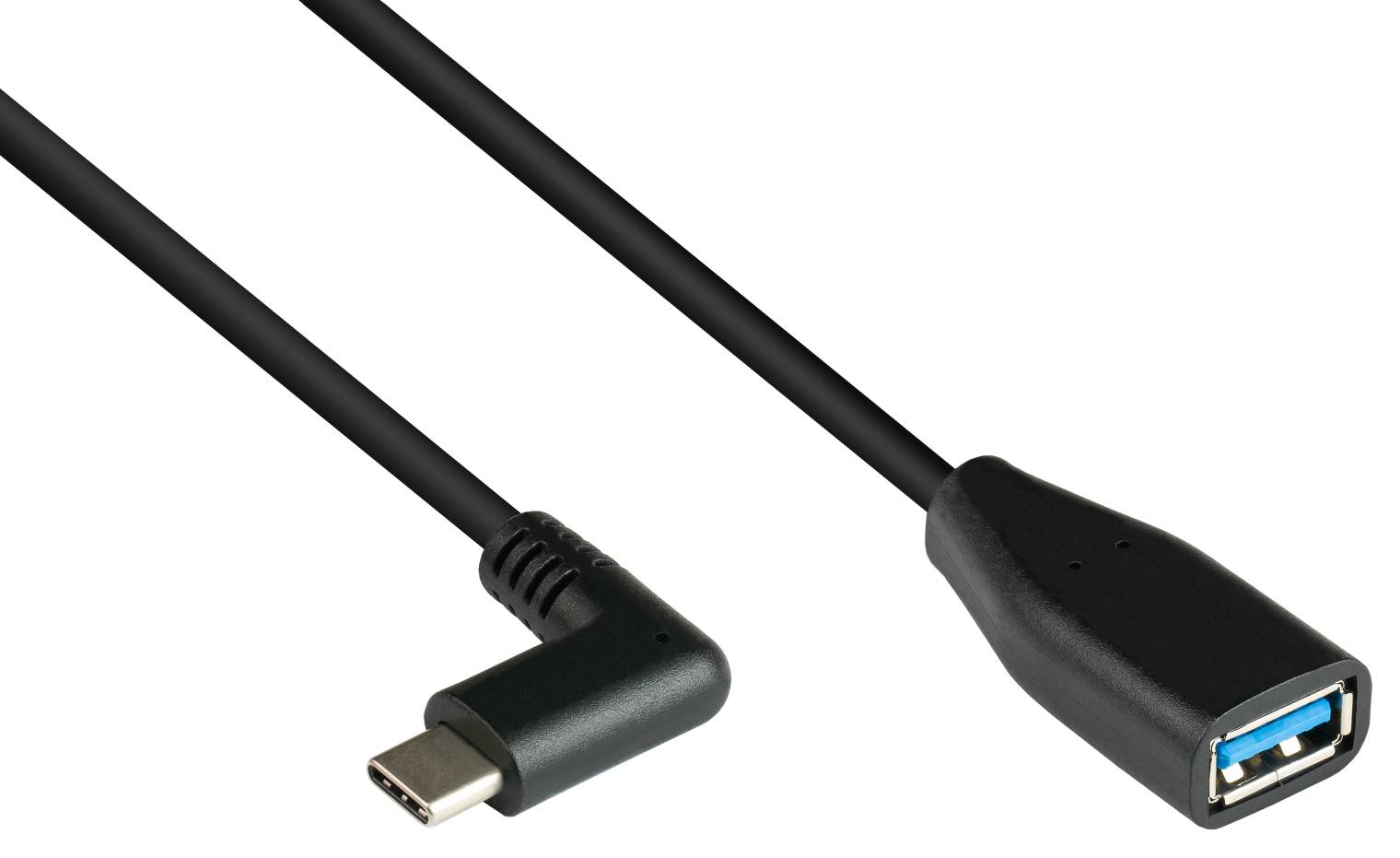
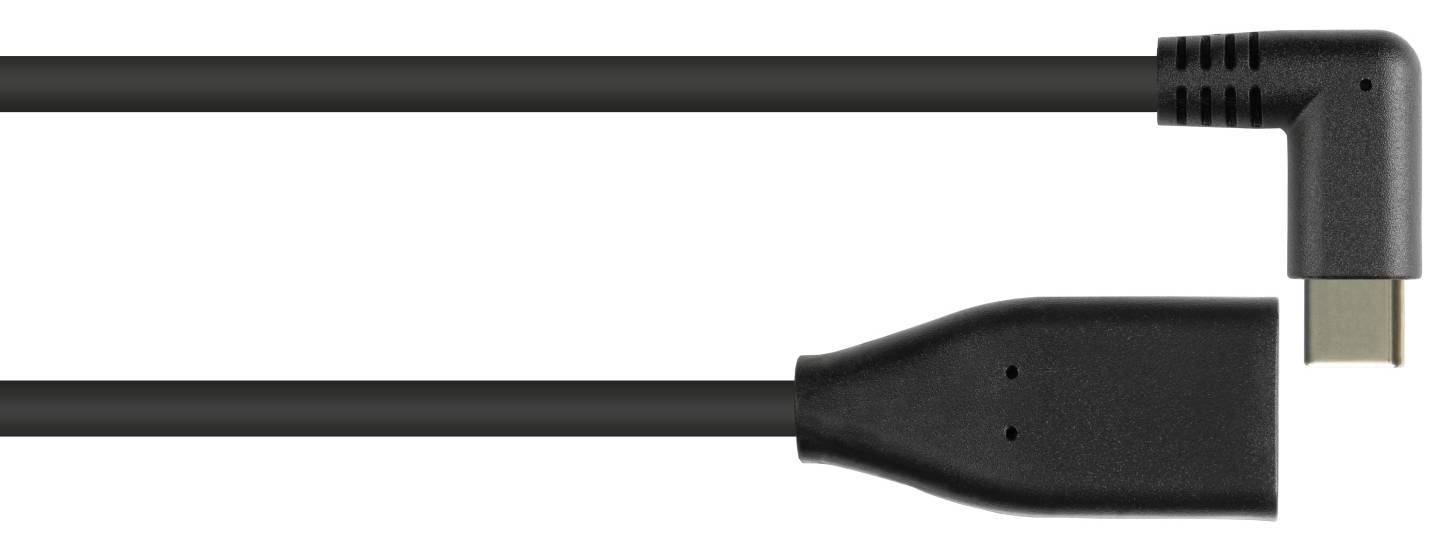
Good Connections USB 3.2 Gen 1 OTG Adapter Cable, USB-C Male Side-Angled to USB-A Female, 5 Gbit/s, Shielded, 10 cm, Black
Brand:
GoodConnections

Good Connections USB 3.2 Gen 1 OTG Adapter Cable, USB-C Male Side-Angled to USB-A Female, 5 Gbit/s, Shielded, 10 cm, Black
€6.31 inc. VAT


2811-OTGW
Delivery
Order Today...
Ships...
Delivery...
ℹ️ Large or fragile items (e.g. monitors) may require extra handling time. We'll keep you informed.
Payment options
Trusted Tech Choice
Buying Benefits
Verified
Competitive EU pricing
Delivered to Cyprus from EU stock
Local warranty support
Please sign in so that we can notify you about a reply
Good Connections USB-C to USB-A OTG Adapter Cable (Side-Angled) — 5 Gbit/s, 10 cm
USB 3.2 Gen 15 Gbit/sOTGSide-angled
The Good Connections 2811-OTGW is a USB-C (male) to USB-A (female) OTG adapter cable (10 cm) with 5 Gbit/s data transfer. It lets you plug ordinary USB-A devices — flash drives, card readers, keyboards, mice, external drives, MIDI keyboards — into a phone, tablet, laptop or handheld console that only has USB-C ports.
OTG (On-The-Go) means the USB-C device acts as the host and powers what you plug in. Almost every current laptop, MacBook, iPad with USB-C and Android phone supports it; on older phones check that USB OTG is enabled in the settings.
Before you order: Direction matters: the USB-C end plugs into your computer, phone or tablet; the USB-A socket takes the device. It does not let a USB-C device plug into a USB-A computer port.
What's in the Box
- 1 × Good Connections USB 3.2 Gen 1 OTG adapter cable, USB-C plug, side-angled to USB-A socket, 10 cm, black
What It Means in Practice
- The side-angled USB-C plug lets the cable run along the side of a phone or tablet — handy when you hold the device or it sits in a case or stand.
- At 5 Gbit/s a USB 3 flash drive, external hard drive or SATA SSD runs at its own full speed — roughly 400+ MB/s for an SSD — rather than being held back by the adapter.
- Power for the attached device comes from the USB-C port: a bus-powered 2.5" hard drive may need more than a phone can supply — laptops are fine.
- Plug-and-play on Windows, macOS, iPadOS, Android, ChromeOS and Linux — no driver for the adapter itself.
What Will Not Work
- No video: a USB-A device cannot output video, and the adapter does not add DisplayPort.
- It is not a charger adapter: you cannot plug a USB-C phone into a USB-A charger with it (that needs the opposite, USB-A male to USB-C female).
- No USB Power Delivery pass-through — the computer cannot be charged through it.
- Do not order it by mistake instead of the straight version (2811-OTG).
Key Features
USB-A socket on USB-C
Connect standard USB-A sticks, readers, keyboards and mice to USB-C-only laptops, tablets and phones.
5 Gbit/s data
USB 3.2 Gen 1 — full speed for USB 3 sticks, drives and card readers.
OTG host mode
The USB-C device becomes the host and powers the connected accessory — no extra power supply for small devices.
Shielded copper
Braid-and-foil shielding with AWG 23 power wires keeps USB 3 transfers stable.
Technical Specifications
Frequently Asked Questions
Singular Expert Insight · Buyer's Guide
Good Connections builds this OTG lead like a proper USB 3 cable — copper, braid-and-foil shielding, gold contacts — which is what keeps a USB 3 stick or SSD at full speed. The side-angled plug is the version to choose for phones and tablets held in landscape. Pair it with fast storage from our USB flash drives.
✓ Buy it if you connect USB-A storage or accessories to a USB-C phone or tablet and want USB 3 speed.
✕ Skip it if you need several USB-A ports — choose a USB-C hub.
→ Also consider A USB-C hub if you need several USB-A ports at once; a USB-C flash drive if you only need storage.
Not sure it fits your setup? Send us the model of your rack, switch or device and we will check compatibility before you order.
Features - GoodConnections - 2811-OTGW
Colour
black
Interface
- USB3.2,
- USB Type-C,
- USB3.0
Port Speed
- 5 Gbps
More Details
Product Code
04:479124
EAN Code
4014619557592
Manufacturer
GoodConnections