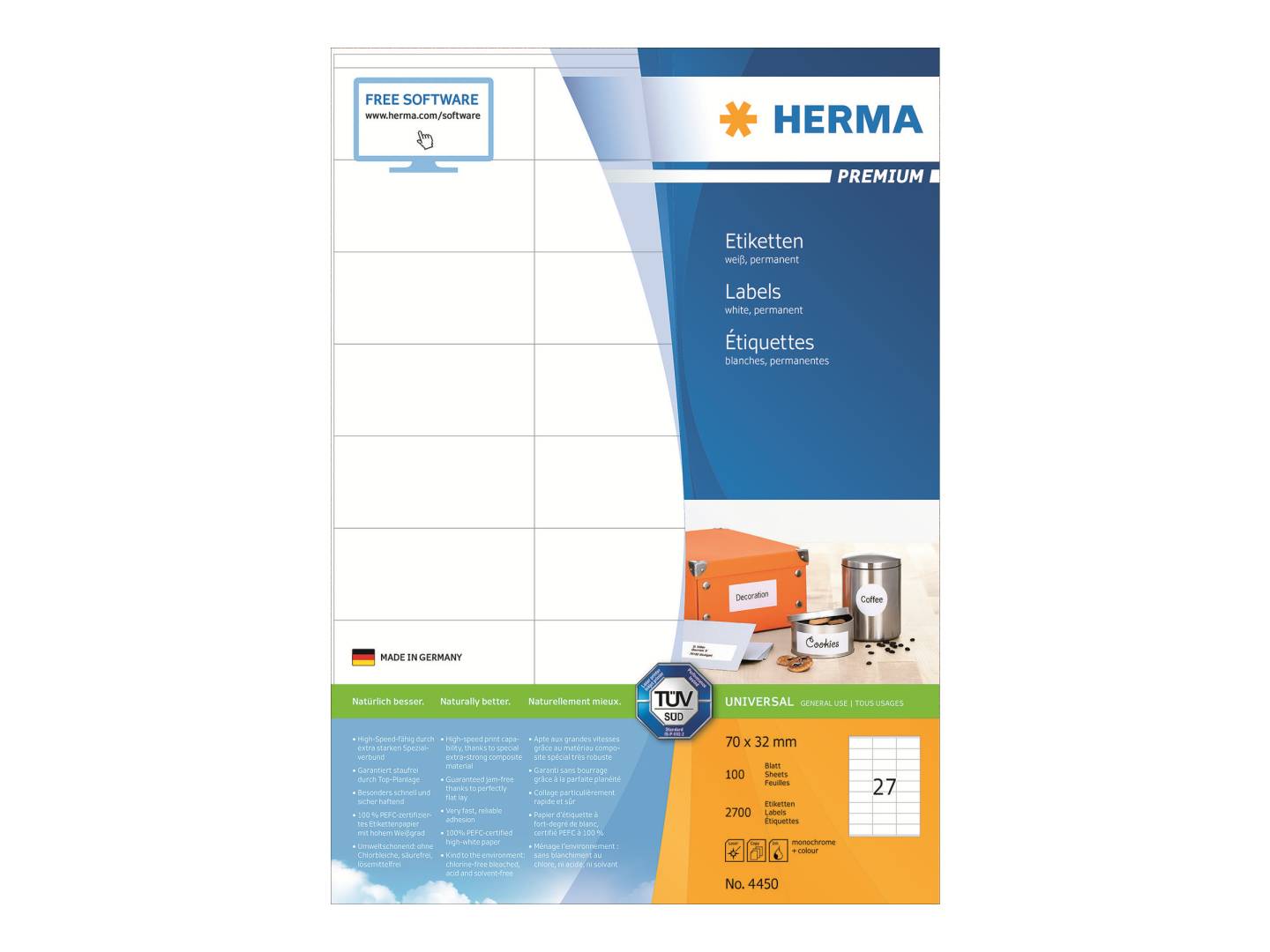
HERMA PREMIUM Labels A4, 70 x 32 mm — 27 per Sheet, 2,700 Labels
A4 sheets · 27 per sheet70 x 32 mm2,700 labels / 100 sheetsLaser · Inkjet · Copier
The HERMA PREMIUM labels 4450 are white, matt paper labels measuring 70 x 32 mm, supplied 27 to an A4 sheet with 100 sheets (2,700 labels) in the box, for offices that print small address and product labels on an ordinary laser or inkjet printer.
PREMIUM is HERMA's main office label range: the label stock uses an extra-strong laminate that HERMA states is certified jam-free by TÜV SÜD, a bright white face for sharp black or colour print, and a permanent adhesive that HERMA says grips fast even on cool or slightly damp surfaces. The labels have square corners and the paper is FSC Mix Credit certified with a solvent-free adhesive.
Before ordering, check two things: the label size and the number of labels per sheet in your software or existing template. Label layouts that look similar on screen are often a few millimetres apart, and a template that is off by even 0.3 mm accumulates over a column of labels. If you are replacing labels you already use, the HERMA item number or the size printed on the old box is the quickest way to match them.
What's in the Box
- 100 A4 sheets (210 x 297 mm), each carrying 27 self-adhesive labels of 70 x 32 mm
- 2,700 labels in total, white matt paper, permanent adhesive
- No software, template or printer included
What It Means in Practice
- Compact address, product and file labels — 27 per A4 sheet
- Labels for storage boxes, shelves and samples
- Print straight from Word, Excel mail-merge or label software: choose the HERMA 4450 layout (or enter 70 x 32 mm, 27 per sheet) so the text lands inside each label
- Works in the single-sheet or multi-purpose tray of standard office printers; you can print one sheet at a time and keep the rest for later
- Matt paper takes ballpoint, felt-tip and pencil too, so the labels can also be written by hand
What Will Not Work
- Not for label printers that use rolls or tape (thermal, Dymo, Brother P-touch, Zebra) — these are A4 sheets for office printers
- Not weatherproof: it is a paper label, so rain, condensation or wiping can damage it; for outdoor or wet use look at HERMA weatherproof labels
- Not removable: the adhesive is permanent, so peeling the label off usually tears it or leaves residue
- Not intended for franking machines — HERMA makes dedicated franking labels for that
Key Features
Jam-free guarantee
HERMA states the PREMIUM stock is TÜV SÜD certified for trouble-free printing; the extra-strong laminate is designed not to curl or peel inside the printer.
Fast, permanent grip
The adhesive is designed to hold quickly and securely, including on cool and slightly damp surfaces such as boxes stored in a warehouse.
Sharp print
High-whiteness matt paper gives crisp black text and clean colour on laser and inkjet printers.
Lower environmental impact
Chlorine-free bleached, FSC Mix Credit certified paper with a solvent-free adhesive; HERMA states the label material is recyclable with waste paper.
Technical Specifications
| Identification |
| Part Number |
4450 |
| EAN / GTIN |
4008705044509 |
| Brand |
HERMA |
| Series |
PREMIUM labels A4 |
| Label |
| Label size |
70 x 32 mm |
| Labels per sheet |
27 |
| Sheets per pack |
100 |
| Labels per pack |
2,700 |
| Sheet format |
A4 (210 x 297 mm) |
| Corners |
Square corners |
| Material |
| Material |
Paper, matt |
| Colour |
White |
| Adhesive |
Permanent, solvent-free |
| Certification |
TÜV SÜD (jam-free printing), FSC Mix Credit |
| Printing |
| Suitable for |
Laser, inkjet and copiers |
| Hand writing |
Yes (ballpoint, felt-tip, pencil) |
| Warranty |
| Warranty |
1-Year Warranty (Singular) |
| Manufacturer Term |
No separate manufacturer warranty term published for this consumable — faulty or damaged packs are handled through Singular |
Frequently Asked Questions
Which template do I use in Word or label software?
Select HERMA 4450 if your software lists it, or create a custom label of 70 x 32 mm with 27 labels on an A4 page. HERMA also offers a free online label designer where you search by item number.
Can I print only part of a sheet?
Yes, but print the partly used sheet only once more: feeding a sheet with gaps through a laser printer several times can make the remaining labels lift at the edges. Starting with full sheets is the safest routine.
Inkjet or laser — which gives the better result?
Both are supported by HERMA. Laser toner is smudge-resistant straight away; inkjet ink needs a few seconds to dry and is not water-resistant on paper labels.
How do I get the print to line up perfectly?
Print the first page on plain paper, hold it against a label sheet up to the light and adjust the template margins if needed. Set the paper type to "Labels" or "Heavy paper" in the printer driver and feed one sheet at a time from the manual or multi-purpose tray where your printer has one.
Singular Expert Insight · Buyer's Guide
These are dependable everyday labels: the jam-free laminate matters most when you print long mail-merge runs on a shared office printer, and the 100-sheet box suits regular use rather than a one-off job. The 27-up layout fits three columns of 70 mm; there is room for three or four short lines of text. If you need a different size or a smaller pack, browse our
labels and label rolls range.
✓ Buy it if you need a compact 70 x 32 mm label, 27 to a sheet, for products or short addresses.
✕ Skip it if you need weatherproof, removable or roll labels for a thermal or label printer — those are different products.
→ Also consider HERMA 4668 (70 x 42.3 mm, 21 per sheet) for a taller label in the same width.
Not sure which size fits your envelopes, folders or software template? Tell us what you are labelling and the printer model, and we will point you to the right HERMA item.