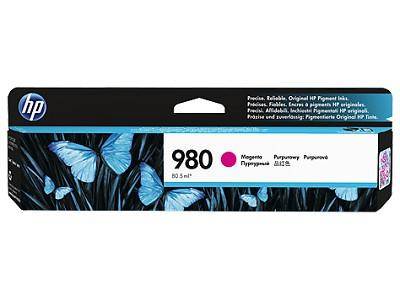
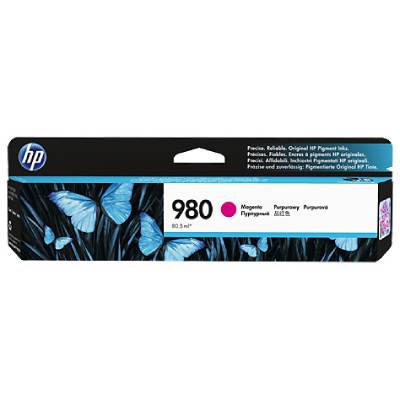
HP 980 Magenta Original Ink Cartridge
Original HPMagenta~6,600 pagesOfficeJet Enterprise X555/X585
HP 980 Magenta Original Ink Cartridge (D8J08A) is the genuine HP ink cartridge with an HP-rated yield of about 6,600 pages for HP OfficeJet Enterprise Color X555 and X585 printers.
The OfficeJet Enterprise X555/X585 are page-wide colour printers built for workgroups, and HP 980 is the single cartridge size HP makes for them. Pigment ink gives crisp, fast-drying text and business colour on plain office paper.
Ordering by the exact part number (D8J08A) is the safest route: HP uses similar names across printer families, and a supply that looks identical but carries a different number will not be recognised by the printer. If you are replacing a supply that is already installed, the part number is printed on its label and in the printer's supplies status page.
Original or compatible? A genuine HP supply is the one the printer and its colour profiles are calibrated for, it reports ink levels correctly, and it keeps the printer within HP's support terms. Compatible inks cost less up front but can shift colours, clog nozzles over time or be rejected after a firmware update — for business-critical printers, original is the lower-risk choice.
Before you order: HP 980 fits only the OfficeJet Enterprise Color X555 and X585 series. It does not fit the OfficeJet Pro X451/X476/X551/X576 (HP 971) or the PageWide Enterprise 556/586 (HP 981).
What's in the Box
- 1 x HP 980 Magenta Original Ink Cartridge
- Factory-sealed retail packaging with the manufacturer's installation guidance on the pack
- No printer, printhead or cables are included
What It Means in Practice
- About 6,600 pages at ISO/IEC 24711 coverage; colour-heavy documents use ink faster.
- Pigment ink resists smudging and highlighter on plain paper.
- Replace magenta alone when the printer reports it low — no need to change the full set.
- Black is the separate HP 980 Black cartridge.
- Installation is tool-free: open the ink door, release the empty cartridge, insert the new one until it locks and close the door — the printer confirms the new supply on its panel.
- Used supplies can go to manufacturer recycling schemes rather than general waste; keep the empty in its bag to avoid ink stains in transport.
- Need several colours or a spare? Send us your printer model and current ink status and we will quote the full set in one order.
What Will Not Work
- OfficeJet Pro X451/X476/X551/X576 (HP 970/971) and PageWide Enterprise 556/586 (HP 981).
- PageWide Pro 452/477/552/577 (HP 973X).
- Ink does not fix a faulty print bar; streaks that survive cleaning need service.
Key Features
Single HP 980 size
One cartridge size for the X555/X585 — about 6,600 pages.
Pigment ink
Durable, sharp office output.
Individual colours
Replace only magenta when it runs out.
Genuine HP chip
Accurate level reporting without warnings.
Technical Specifications
| Identification |
| Part Number |
D8J08A |
| EAN/GTIN |
0887758769133 |
| MPN |
D8J08A |
| Brand |
HP |
| Series |
HP 980 |
| Product |
| Product type |
Ink cartridge |
| Colour |
Magenta |
| Page yield |
~6,600 pages (ISO/IEC 24711) |
| Ink type |
HP pigment ink |
| Print technology |
HP PageWide (OfficeJet Enterprise X) |
| Compatibility |
| Compatible printers |
HP OfficeJet Enterprise Color X555dn, HP OfficeJet Enterprise Color X555xh, HP OfficeJet Enterprise Color MFP X585dn, HP OfficeJet Enterprise Color MFP X585f, HP OfficeJet Enterprise Color Flow MFP X585z |
| Physical |
| Cartridge dimensions |
241.7 x 28.7 x 71.6 mm |
| Weight |
~0.18 kg (cartridge) |
| Warranty |
| Warranty |
1-Year Warranty (Singular) |
| Manufacturer Term |
HP limited warranty: free from defects in materials and workmanship until the warranty-end date on the product or until the HP ink is depleted, whichever comes first — claims handled through Singular |
Frequently Asked Questions
Is there an XL version of HP 980?
No — HP 980 is the only size for the X555/X585.
How long does 6,600 pages last?
At 1,000 colour pages a month, around six months.
Can I install it before the old cartridge is empty?
Yes, but wait for the very-low warning to use all the ink you paid for.
How should I store a spare?
Keep it sealed in its original pack, upright where the pack indicates, at normal room temperature and away from direct sun. Install it before the date printed on the pack — out-of-date ink can cause banding and is not covered as a defect.
Singular Expert Insight · Buyer's Guide
The X555/X585 are mature models, so it is worth keeping a spare of the colour you use most. Browse our
original ink range for HP 980 cyan, yellow and black.
✓ Buy it if you run an OfficeJet Enterprise X555 or X585 and the magenta is low.
✕ Skip it if your printer is an OfficeJet Pro X-series (HP 971) or PageWide Enterprise (HP 981).
→ Also consider the other HP 980 colours for a full replacement set.
Not sure this is the right ink cartridge? Tell us your printer model (it is on the front panel or the label at the back) and we will check it against HP's compatibility list before you order.