
Kensington SD4842P EQ USB-C 10Gbps Docking Station, Triple Video Driverless, 100W Power Delivery, 2x HDMI 2.1 + DP, Black
Brand:
Kensington

Kensington SD4842P EQ USB-C 10Gbps Docking Station, Triple Video Driverless, 100W Power Delivery, 2x HDMI 2.1 + DP, Black
€194.26 inc. VAT



K32810EU
Delivery
Order Today...
Ships...
Delivery...
ℹ️ Large or fragile items (e.g. monitors) may require extra handling time. We'll keep you informed.
Payment options
Trusted Tech Choice
Buying Benefits
Verified
Competitive EU pricing
Delivered to Cyprus from EU stock
Local warranty support
Please sign in so that we can notify you about a reply
Kensington SD4842P EQ — Driverless Triple Video USB-C Dock with 100W Power Delivery
USB-C 10Gbps2x HDMI 2.1 + DP 1.4100W PDGigabit Ethernet
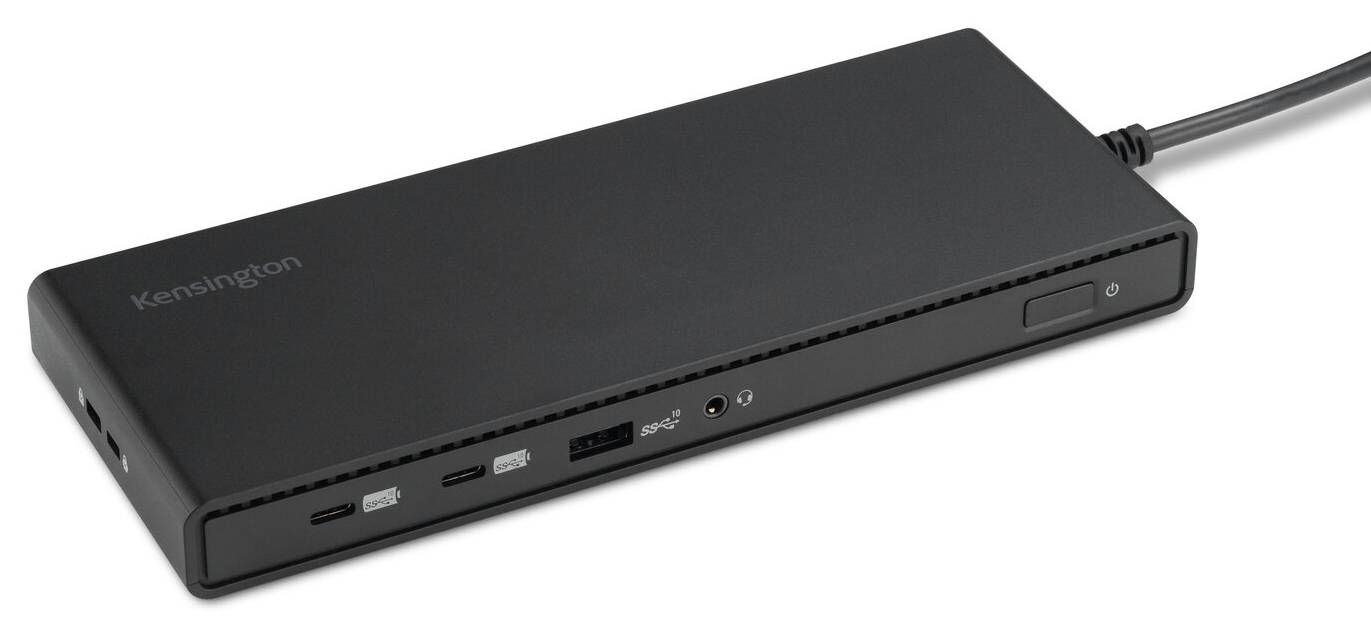
The Kensington SD4842P EQ (K32810EU) is a USB-C 10Gbps docking station that turns one USB-C port on a laptop into up to three monitors, wired Gigabit networking, five fast USB ports and up to 100W of laptop charging — built for office and hybrid desks running Windows laptops.
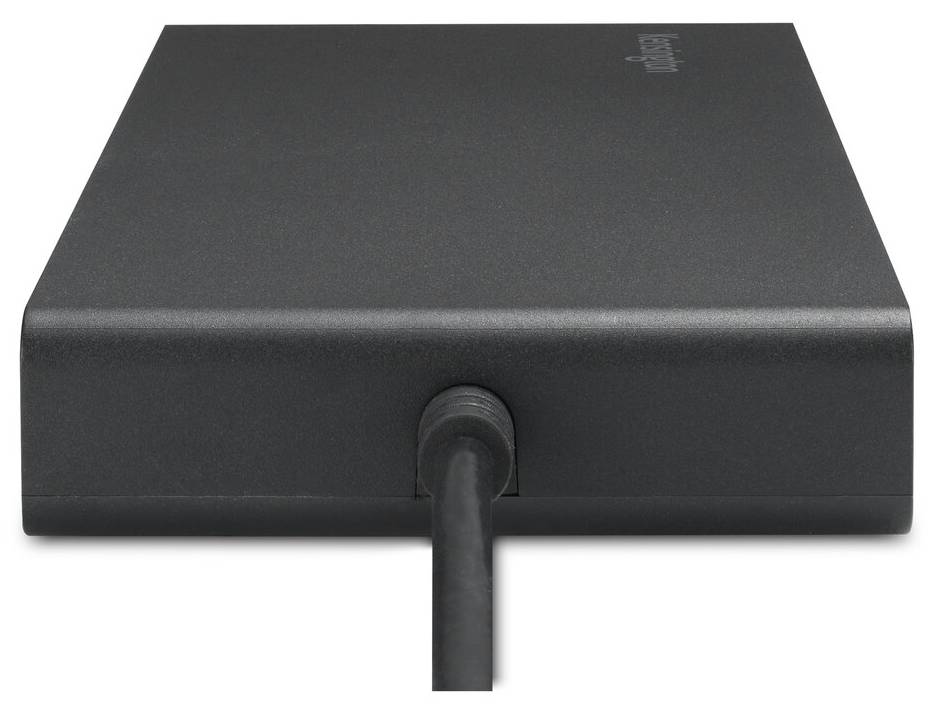
It is driverless: video runs over USB-C DisplayPort Alt Mode with DSC, not DisplayLink, so there is nothing to install on Windows 10 or later and no compression software sitting between the laptop and the screens. The host cable is fixed to the dock, and a 149.1W GaN power supply powers both the dock and the laptop. The EU SKU ships with both EU and UK power cords, so it suits Cyprus offices whichever socket type is on the desk.
Before you order: The laptop USB-C port must support DisplayPort Alt Mode for video and USB Power Delivery for charging. A data-only USB-C port will not drive monitors. On Apple M-series MacBooks the dock gives one extended monitor only (Kensington chart, M1 to M5).
What's in the Box
- SD4842P EQ docking station with tethered USB-C host cable
- 149.1W power supply unit (21V DC)
- EU power cord and UK power cord
- Quick Installation Guide, compliance sheet, warranty and welcome cards
What It Means in Practice
- One cable to the laptop carries video, network, USB data and up to 100W of charging — plug in at the desk and everything comes up.
- On Windows you can run three monitors: two on HDMI 2.1 and one on DisplayPort 1.4. Real limits depend on the laptop graphics; with a DSC-capable laptop and monitors you get single 8K@30Hz, dual 4K@60Hz or triple 1080p@120Hz.
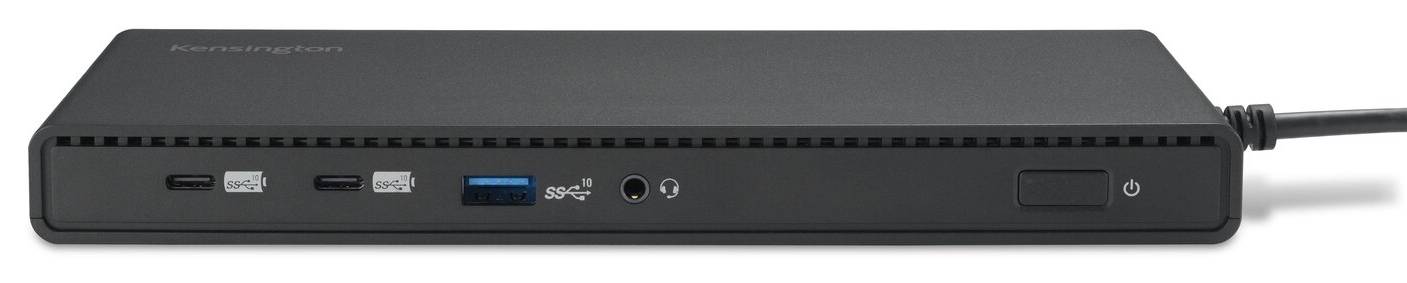
- Five USB ports at 10Gbps (two USB-C, three USB-A) are enough for keyboard, mouse, webcam, headset and an external SSD at full speed.
- The five USB ports keep charging phones and accessories even with the laptop unplugged.
What Will Not Work
- No video from a USB-C port without DisplayPort Alt Mode (data-only or data + charging ports are not supported).
- MacBooks with Apple M-series chips get one extended monitor through this dock — not two or three. For multi-monitor Macs, ask us for a DisplayLink or Thunderbolt alternative.
- It is a 10Gbps dock: on a Thunderbolt 3/4 or USB4 laptop it works, but data stays at 10Gbps, not 40Gbps.
- No SD card reader on this model.
Key Features
Driverless triple video
DP Alt Mode with DSC — no DisplayLink driver, plug-and-play on Windows 10 and later.
100W Power Delivery
USB PD 3.0 up to 100W (20V/5A) keeps most business laptops charged under load.
Ten-gig USB everywhere
2x USB-C and 3x USB-A, all USB 3.2 Gen 2 at 10Gbps, front USB-C at 5V/3A.
EU + UK cords in the box
One SKU for both socket types; 149.1W GaN power supply.
Technical Specifications
Frequently Asked Questions
Singular Expert Insight · Buyer's Guide
The SD4842P EQ is the dock we suggest for Windows fleets that want three screens without DisplayLink drivers to deploy and maintain. Check the laptop port first — DP Alt Mode and PD are non-negotiable — then compare it with our other docking stations if you need Thunderbolt speeds or multi-monitor on Mac.
✓ Buy it if you run Windows laptops with a full-function USB-C port and want up to three monitors, Gigabit Ethernet and 100W charging from one cable, with no driver to install.
✕ Skip it if you use an Apple M-series MacBook and need two or more extended monitors, or your laptop needs more than 100W.
→ Also consider a Thunderbolt 4 dock for 40Gbps hosts, or a DisplayLink dock for multi-monitor on Mac.
Not sure your laptop port supports DP Alt Mode? Send us the laptop model and we will check it before you order.
Features - Kensington - K32810EU
Colour
black
More Details
Product Code
04:463756
EAN Code
5028252637626
Manufacturer
Kensington