
Lenovo ThinkStation P2 Tower Gen 2 Workstation Core Ultra 9 285K 64GB DDR5 512GB SSD GeForce RTX 5060 Windows 11 Pro
Brand:
Lenovo

Lenovo ThinkStation P2 Tower Gen 2 Workstation Core Ultra 9 285K 64GB DDR5 512GB SSD GeForce RTX 5060 Windows 11 Pro
€4994.98 inc. VAT

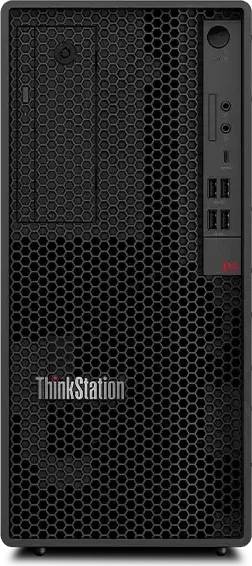
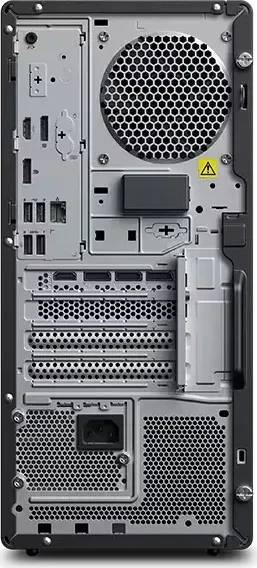
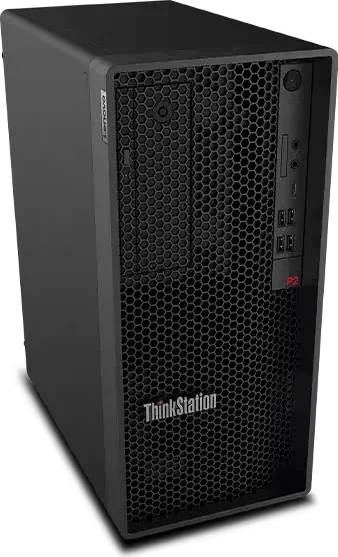


30JQ00BMGE
Delivery
Order Today...
Ships...
Delivery...
ℹ️ Large or fragile items (e.g. monitors) may require extra handling time. We'll keep you informed.
Payment options
Trusted Tech Choice
Buying Benefits
Verified
Competitive EU pricing
Delivered to Cyprus from EU stock
Local warranty support
Please sign in so that we can notify you about a reply
ThinkStation P2 Tower Gen 2 — 24-core Core Ultra 9 285K with GeForce RTX 5060
Core Ultra 9 285K, 24 coresGeForce RTX 506064 GB DDR5-5600Windows 11 Pro
This ThinkStation P2 Tower Gen 2 is the processor-heavy configuration of Lenovo’s entry workstation: a 24-core Intel Core Ultra 9 285K reaching 5.7 GHz, 64 GB of DDR5-5600 fitted as two modules, a 512 GB NVMe SSD, and an NVIDIA GeForce RTX 5060 graphics card, running Windows 11 Pro. The choice of a GeForce card rather than a professional RTX card is the defining feature of this build — it is aimed at work where processor throughput and general GPU acceleration matter more than certified professional drivers, in a chassis with workstation-grade management and expansion.
Compatibility — check before buying:
The graphics card here is a GeForce RTX 5060, not a professional RTX card, and that is the thing to be clear about before ordering. GeForce drivers are not the ones CAD, BIM and visualisation vendors certify against — if your software support contract depends on a certified card, this is the wrong configuration and you want a P2 or P3 fitted with an RTX 2000 Ada or an RTX PRO card instead. If your work is rendering, video, general GPU compute or development, the GeForce card gives more raw performance for the money. Note also that the P2 platform tops out at 128 GB of memory, so the 64 GB fitted here can only be doubled. Lenovo does not publish the power supply wattage, the exact graphics card variant or a warranty term against this configuration code — we will confirm all three with the distributor in writing before you order. No monitor, keyboard or mouse is included.
Best For
✓ Rendering, video and GPU-accelerated compute
✓ Software development and compilation
✓ Simulation and analysis that scale with cores
✓ Offices wanting workstation management with consumer graphics
✓ Builds that will add memory and storage over time
✓ Windows 11 Pro fleets with Intel vPro management
Key Features
24-core Intel Core Ultra 9 285K
Eight performance cores and sixteen efficient cores, 24 threads, 36 MB of cache and a 5.7 GHz peak. This is the top desktop processor the P2 chassis accepts, and it is what makes this configuration worth choosing over the Core Ultra 7 builds.
64 GB of DDR5-5600, doubleable
Two 32 GB modules in a four-slot board, with a 128 GB platform ceiling. For rendering and development work, 64 GB is a comfortable starting point and the two free slots mean the machine can grow without being replaced.
NVIDIA GeForce RTX 5060 graphics
A current-generation GeForce card for GPU acceleration, rendering and general compute. It is not a certified professional card — that is a deliberate choice in this configuration, trading driver certification for performance per euro.
Workstation chassis, business management
Four PCIe slots, three M.2 positions, bays for two 3.5-inch and two 2.5-inch drives, Infineon TPM 2.0, UEFI Secure Boot, BIOS Guard and Boot Guard, and Intel vPro with AMT for remote management. The chassis is a workstation even where the card is not.
Technical Specifications
Frequently Asked Questions
Singular Expert Insight
This is an unusual configuration and worth understanding rather than assuming. Everything about the chassis — TPM, vPro, on-site service, four PCIe slots — is workstation; the graphics card is not. That combination makes sense for rendering, video and development, where the 24-core processor and a fast consumer GPU do more work per euro than a certified card would. It makes no sense at all if your software support depends on certification, and it is the one thing to check before you order. The other limit is memory: 128 GB is the platform ceiling, half of what the P3 accepts. Ask us and we will confirm the exact card variant, the power supply and the warranty in writing rather than leave you with our reading of a distributor line. Displays sit in our PC monitors section, and memory covers the upgrade to 128 GB.
Buyer’s Guide
Buy it if
Your work is rendering, compute or development rather than certified CAD, and you want the fastest processor the P2 chassis takes with 64 GB of memory and business management features. Twenty-four cores at 5.7 GHz is the reason to choose this code.
Skip it if
Your software requires a certified professional graphics card — this has a GeForce, and that is a support problem waiting to happen. Skip it too if you will need more than 128 GB of memory, or if 512 GB of local storage is not enough on day one.
Also consider
A P2 or P3 Tower fitted with an RTX 2000 Ada or an RTX PRO card if you need certification, or the Core Ultra 7 265 build of this same chassis if the processor is not what you are waiting on.
Features - Lenovo - 30JQ00BMGE
More Details
Product Code
04:590370
EAN Code
0199276525291
Manufacturer
Lenovo