
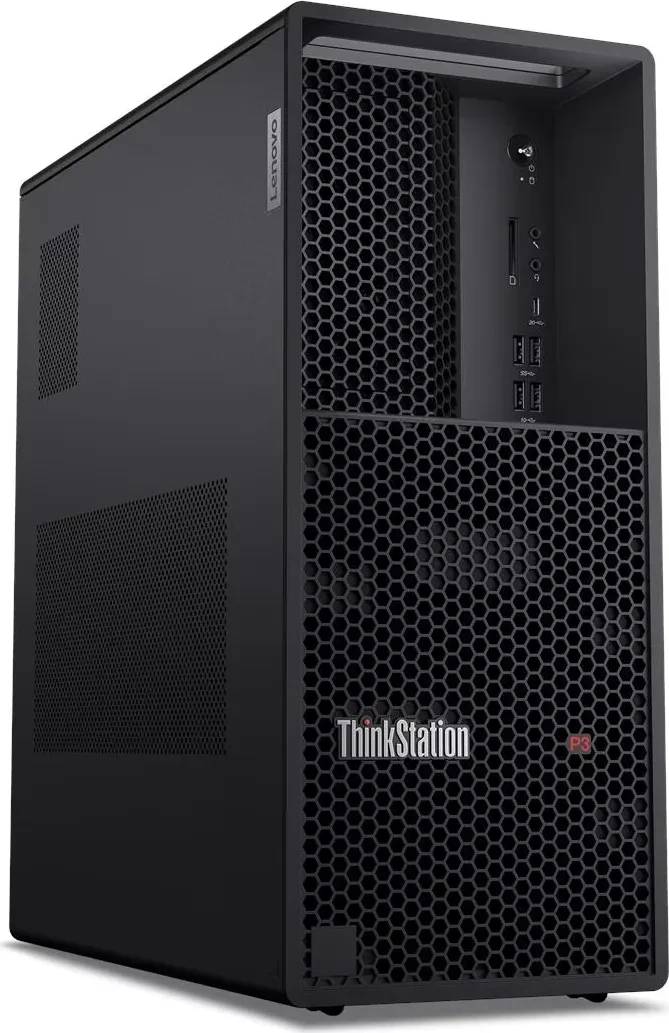
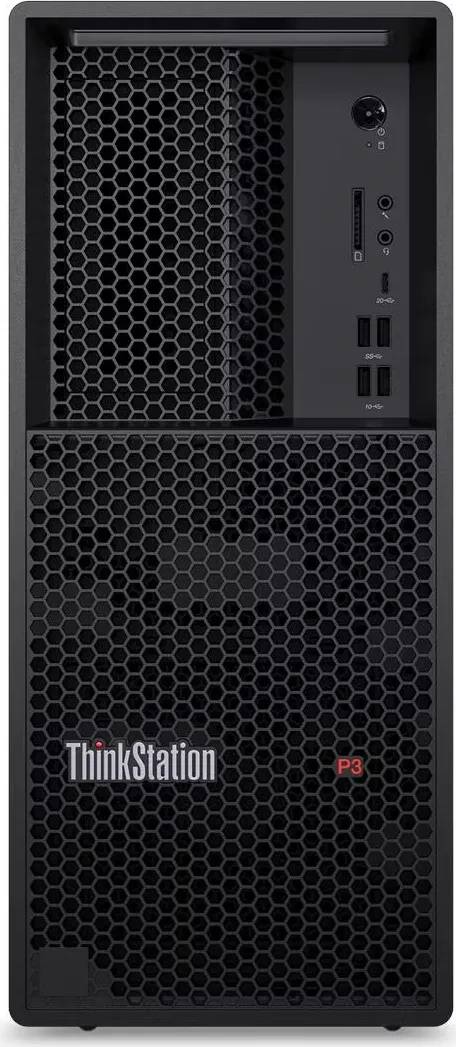
Lenovo ThinkStation P3 Tower Gen 2 Workstation Core Ultra 9 285K 64GB DDR5 1TB SSD RTX PRO 2000 Windows 11 Pro
Brand:
Lenovo


30HT00AHGE
Delivery
Order Today...
Ships...
Delivery...
ℹ️ Large or fragile items (e.g. monitors) may require extra handling time. We'll keep you informed.
Payment options
Trusted Tech Choice
Buying Benefits
Verified
Competitive EU pricing
Delivered to Cyprus from EU stock
Local warranty support
Please sign in so that we can notify you about a reply
ThinkStation P3 Tower Gen 2 — 24-core Core Ultra 9 285K with RTX PRO 2000
Core Ultra 9 285K, 24 coresRTX PRO 2000 16 GB64 GB DDR5-56001 TB PCIe 5.0 NVMe
This ThinkStation P3 Tower Gen 2 is the high-processor configuration of Lenovo’s certified desktop workstation: an Intel Core Ultra 9 285K with 24 cores and a 5.7 GHz peak, an NVIDIA RTX PRO 2000 Blackwell with 16 GB of GDDR7, 64 GB of DDR5-5600 fitted as two modules, and a 1 TB PCIe 5.0 NVMe SSD with hardware encryption support. It runs Windows 11 Pro. Where the Core Ultra 7 version of this machine is aimed at drawing and modelling, this one is built for the jobs that finish faster with more cores — simulation, batch rendering, compilation and large data processing — while keeping the same certified graphics and the same 27-litre chassis.
Compatibility — check before buying:
Two things to note before ordering. This unit is supplied with a German-language Windows 11 Pro image; the licence is Windows 11 Pro and additional display languages can be installed, but the machine arrives set up in German. If that matters for your deployment, tell us and we will confirm what the distributor can supply. Second, the graphics card is the RTX PRO 2000 with 16 GB — Lenovo builds the same chassis with an RTX PRO 4000 and 24 GB under a different code, and that GPU tier is the specification most often ordered wrong in this range. The processor here is the Core Ultra 9 285K, not the 265K used in the other P3 configurations, and storage is 1 TB rather than 512 GB. No monitor, keyboard or mouse is included.
Best For
✓ Simulation, analysis and batch rendering that scale with cores
✓ CAD and BIM offices that also run heavy background jobs
✓ Software development and compilation workloads
✓ Media and visualisation work needing fast local storage
✓ Teams standardising on ISV-certified workstations
✓ Deployments that want TPM 2.0 and self-encrypting storage
Key Features
24-core Intel Core Ultra 9 285K
Eight performance cores and sixteen efficient cores, 24 threads, up to 5.7 GHz, with 36 MB of cache. The split lets a long render or simulation occupy the efficient cores while the interface and the modelling work stay responsive on the performance cores.
NVIDIA RTX PRO 2000 Blackwell, 16 GB GDDR7
A professional card with certified drivers — the thing CAD, BIM and visualisation vendors validate against. 16 GB of GDDR7 covers substantial assemblies, and driver stability under a large model is what separates this from a consumer card.
1 TB of PCIe 5.0 NVMe with Opal encryption
An M.2 2280 drive on a PCIe 5.0 x4 link with TCG Opal support, so full-disk encryption is handled by the drive itself rather than costing processor time. Fast local storage is what keeps a 24-core machine fed during large project loads.
Secure and expandable
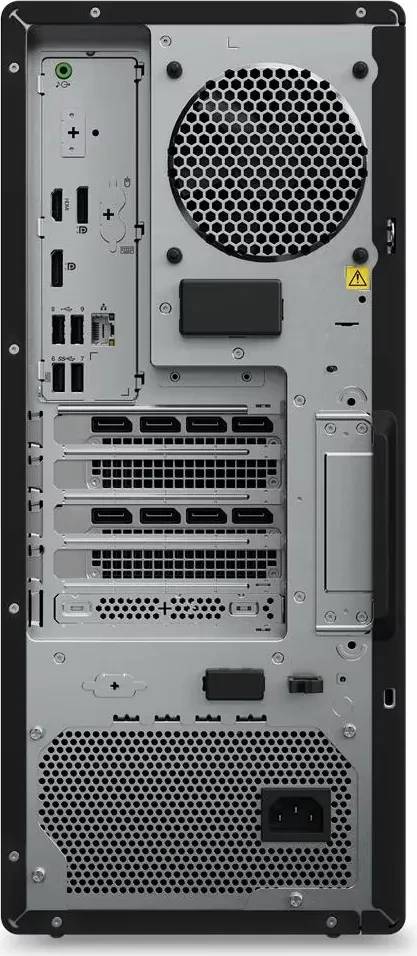
A discrete TPM 2.0 module certified to FIPS 140-2 and a Kensington lock slot, in a 27-litre tower with two free memory slots, additional M.2 positions and four PCIe slots. The machine is designed to be opened and upgraded rather than replaced.
Technical Specifications
Frequently Asked Questions
Singular Expert Insight
The Core Ultra 9 285K is what separates this configuration from the rest of the P3 Tower Gen 2 line, and it is worth paying for only if your day contains jobs you actually wait on. Twenty-four cores do nothing extra for a viewport; they cut a render or a simulation. If your bottleneck is the model on screen rather than the job in the queue, the Core Ultra 7 version with the same RTX PRO 2000 saves real money. The 1 TB PCIe 5.0 drive here is the other meaningful difference from the 512 GB configurations, and it is the one people regret skimping on. Plan the screens alongside it — our PC monitors section covers what pairs with a professional card — and memory is where to go when 64 GB runs short. Tell us your applications and we will confirm the certification.
Buyer’s Guide
Buy it if
You run long, core-hungry jobs alongside certified CAD or BIM work, and you want 1 TB of fast encrypted local storage rather than 512 GB. The 3-year on-site manufacturer term and TPM 2.0 make it straightforward to deploy as an office standard.
Skip it if
Your bottleneck is the graphics card rather than the processor — the RTX PRO 4000 version of this chassis is the one to ask for. Skip it too if you need an English image out of the box without reconfiguring, or if a Core Ultra 7 would do the same work for less.
Also consider
The Core Ultra 7 265K version of the same machine if the processor is not your limit, or the RTX PRO 4000 configuration if your scenes need 24 GB of graphics memory. A ThinkStation P5 if you need registered ECC memory and a Xeon platform.
Features - Lenovo - 30HT00AHGE
More Details
Product Code
04:590378
EAN Code
0199275407253
Manufacturer
Lenovo