LG UltraFine 40WT95UF-W 40" 5K2K Curved Monitor with Thunderbolt 5
5120×2160 Nano IPS Black · 120Hz · DisplayHDR 600 · 96W Thunderbolt 5 docking · built-in KVM
5K2K 5120×2160120Hz · 5ms GtGThunderbolt 5 · 96W PD99% DCI-P3 · 2000:1
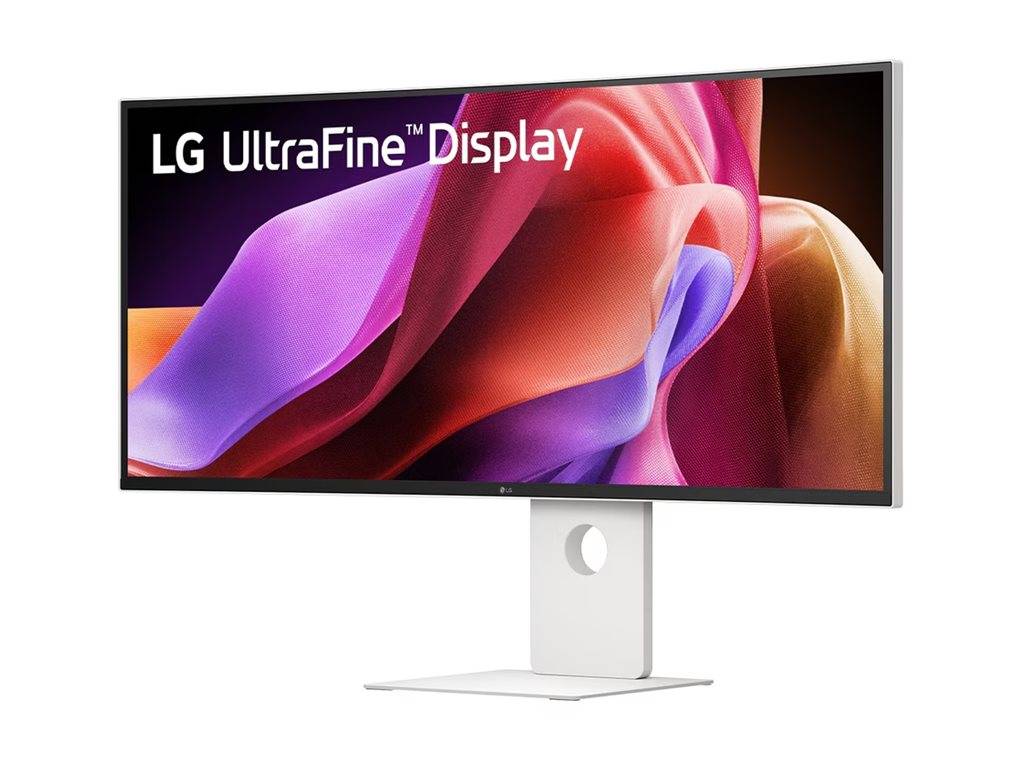
The LG UltraFine 40WT95UF-W is a 40-inch (39.7" viewable) 2500R curved ultrawide monitor with a 5120×2160 (5K2K WUHD) Nano IPS Black panel and 120Hz refresh, built for creative professionals, engineers and multitaskers who want the workspace of two 27-inch 4K screens on one seamless display. It is one of the first monitors with Thunderbolt 5, delivering picture, data, 96W laptop charging and daisy-chaining over a single cable.
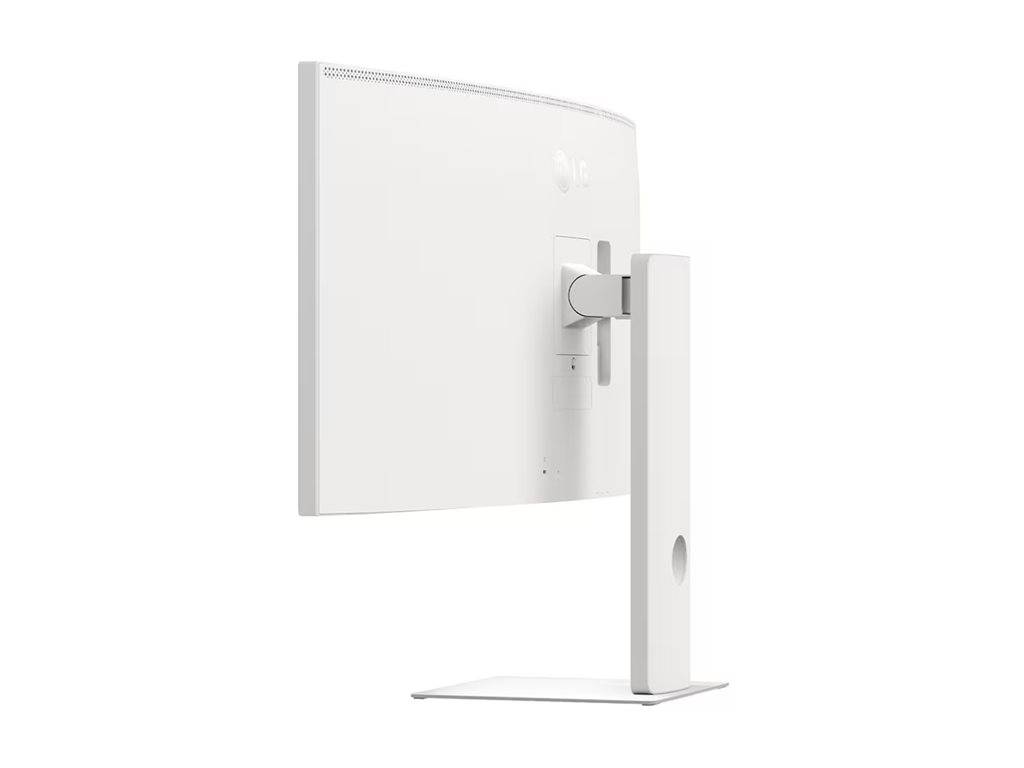
Part number 40WT95UF-W is the white-finish version, with a textured white back cover and stand. Colour work is covered by 99% DCI-P3, 10-bit (1.07 billion colours), a 2000:1 IPS Black contrast ratio, VESA DisplayHDR 600 and factory calibration with a printed report, while a 4-port USB-C hub, RJ-45 LAN, dual 10W speakers and a built-in KVM turn it into a complete desk hub.
Typically in stock with fast delivery across Cyprus.
Compatibility note: 5120×2160 at 120Hz needs a source that can drive it — Thunderbolt 5, Thunderbolt 4/USB4 or DisplayPort 2.1 / HDMI 2.1 on a recent GPU. Older laptops with DisplayPort 1.2 Alt Mode or HDMI 2.0 may be limited to lower refresh rates or resolutions. Thunderbolt 5 speeds and daisy-chaining require a Thunderbolt 5 host. The monitor uses an external 300W power adapter; the stand offers tilt, height and swivel (no pivot). VESA 100×100 for arms.
Best For
✓ Photo & video editing with 99% DCI-P3 and HDR600
✓ Replacing a dual-monitor setup with one 40" canvas
✓ MacBook Pro & Thunderbolt laptops — one-cable docking
✓ CAD, timelines and wide spreadsheets at 5K2K
✓ Two-PC desks using the built-in KVM
✓ Developers and traders needing sharp ~140 PPI text
Key Features
5K2K on a 2500R curve
5120×2160 on a 39.7" 21:9 panel gives ~140 PPI — about 33% more pixels than 4K — so you get the width of two 27" 4K screens without a centre bezel. The gentle 2500R curve keeps the edges in view at desk distance.
Nano IPS Black colour & contrast
IPS Black technology doubles typical IPS contrast to 2000:1, with 99% DCI-P3, 10-bit colour, 450 nits (600 nits peak HDR) and VESA DisplayHDR 600. Each unit ships factory-calibrated with a report and supports LG Calibration Studio hardware calibration.
Thunderbolt 5 single-cable dock
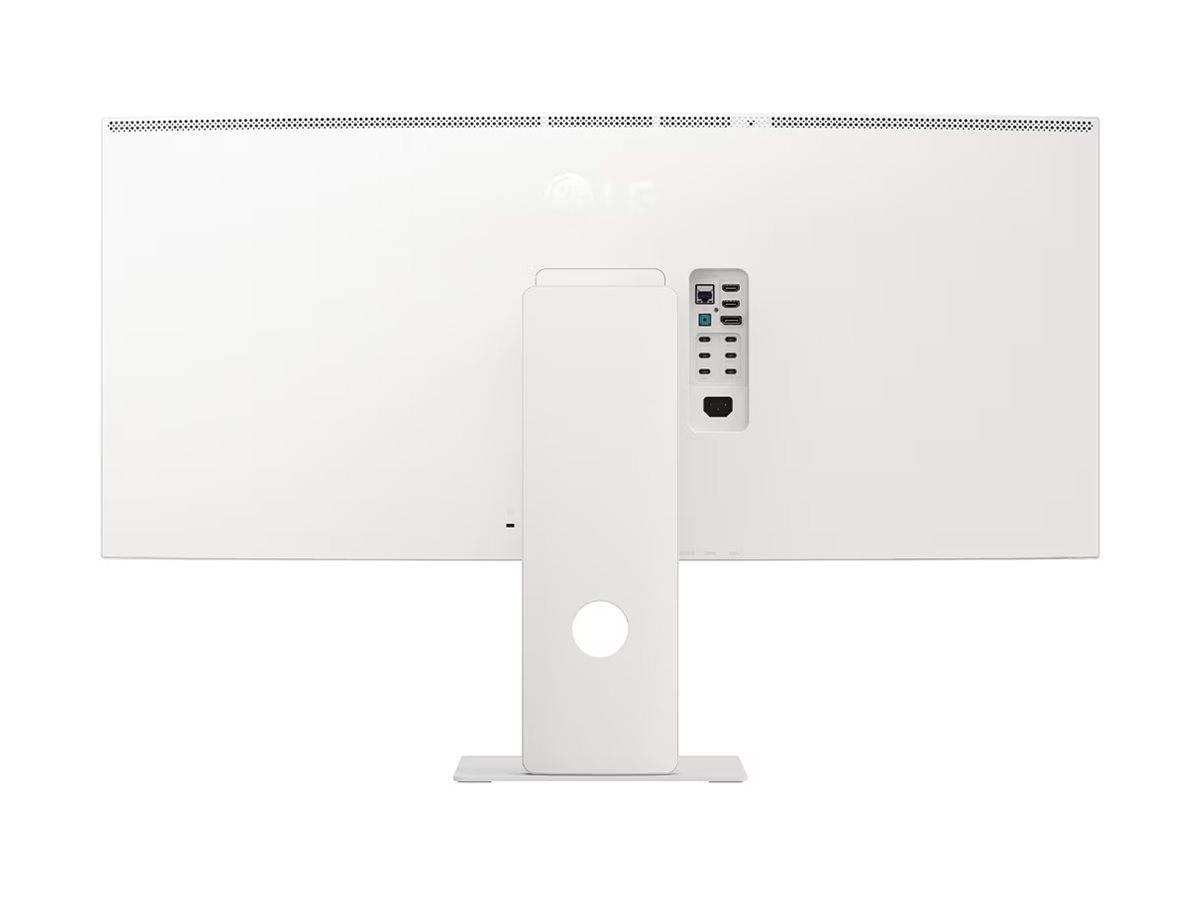
Thunderbolt 5 in/out carries 5K2K@120Hz video, high-speed data and 96W Power Delivery on one cable, and daisy-chains a second display. A 4× USB-C + 2× USB-A (USB 3.2 Gen 2) hub and RJ-45 LAN make it a full workstation dock.
120Hz, KVM & multitasking
120Hz with AMD FreeSync Premium and 5ms GtG keeps scrolling and cursor movement smooth. The built-in KVM lets one keyboard and mouse control two computers, with PIP/PBP to show both side by side.
Technical Specifications
| Identification |
| Brand |
LG |
| Series |
UltraFine |
| Part Number |
40WT95UF-W |
| EAN / GTIN |
8806096578070 |
| MPN |
40WT95UF-W |
| Colour |
White (textured back cover, cabinet and stand) |
| Display |
| Screen Size |
40" class (39.7" / 100.9 cm viewable) |
| Panel Type |
Nano IPS Black — IPS with higher contrast and wide colour gamut |
| Curvature |
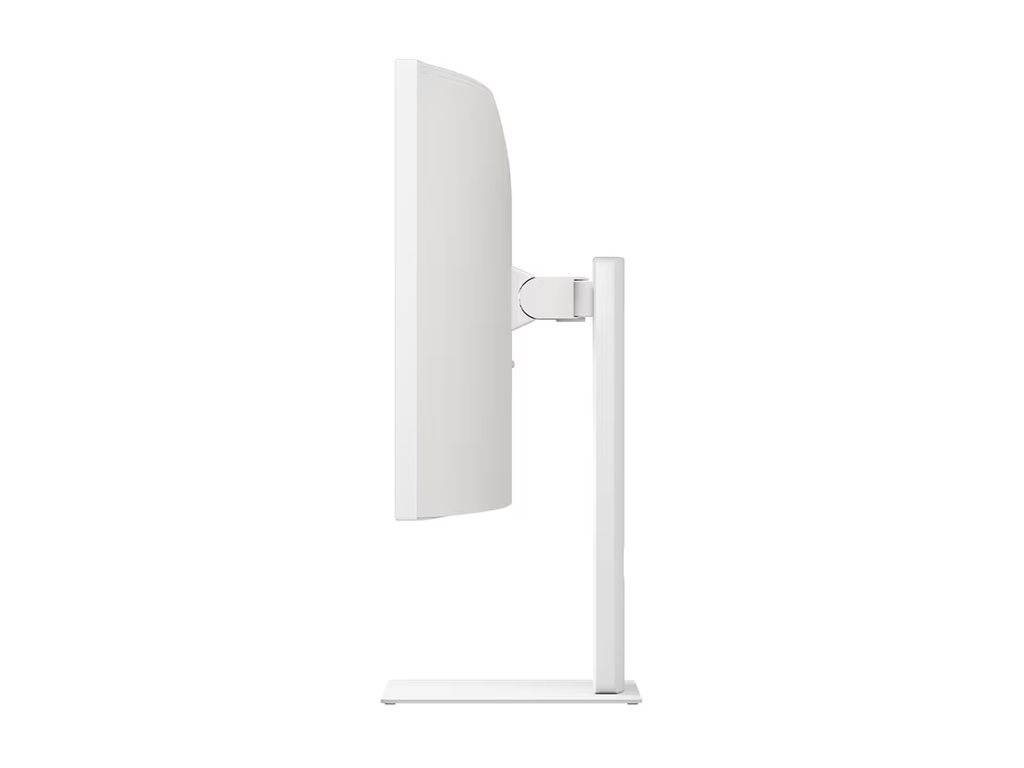
2500R — gentle curve, radius of 2.5 m |
| Resolution |
5K2K WUHD 5120×2160 |
| Aspect Ratio |
21:9 |
| Pixel Pitch |
0.18 mm (~140 PPI) |
| Refresh Rate |
120Hz |
| Response Time |
5ms (GtG) |
| Brightness |
450 cd/m² typical · 600 cd/m² peak (HDR) |
| Contrast Ratio |
2000:1 typical |
| Colour Gamut |
DCI-P3 99% (CIE 1976) |
| Colour Depth |
10-bit — 1.07 billion colours |
| HDR |
VESA DisplayHDR 600 — certified 600-nit peak HDR, HDR10 support |
| Local Dimming |
8 zones |
| Adaptive Sync |
AMD FreeSync Premium |
| Connectivity |
| Thunderbolt 5 |
1× in + 1× out — 96W Power Delivery, 5120×2160@120Hz, daisy chain |
| DisplayPort |
1× DisplayPort 2.1 (UHBR13.5) |
| HDMI |
2× HDMI 2.1 |
| USB-C |
1× upstream + 4× downstream (USB 3.2 Gen 2) |
| USB-A |
2× downstream (USB 3.2 Gen 2) |
| LAN |
RJ-45 Ethernet |
| Audio |
4-pole headphone/mic jack |
| KVM |
Built-in — control two PCs with one keyboard and mouse |
| Features |
| Speakers |
2× 10W with Rich Bass |
| Calibration |
Factory calibrated (report included) · LG Calibration Studio hardware calibration |
| Other |
PIP/PBP, Reader Mode, Flicker Safe, 3-side borderless design |
| Ergonomics & Mounting |
| Tilt |
-5° to 20° |
| Height Adjustment |
130 mm |
| Swivel |
±20° |
| Pivot |
No |
| VESA Mount |
100×100 mm |
| Power |
| Power Supply |
External adapter, 100–240V AC 50/60Hz (300W output) |
| Consumption (On) |
43.57W typical |
| Sleep / Off |
<1.2W / <0.3W |
| Physical |
| Dimensions with Stand (W×H×D) |
947.7 × 614.3 × 260 mm |
| Dimensions without Stand |
947.7 × 419.8 × 106.3 mm |
| Weight with Stand |
14.1 kg |
| Weight without Stand |
9.2 kg |
| In the Box & Certifications |
| Included Cables |
DisplayPort, HDMI, Thunderbolt, USB-C and power cord |
| Certifications |
TÜV Eye Comfort, ENERGY STAR, EPEAT Bronze, Thunderbolt certified |
Frequently Asked Questions
Does the LG 40WT95UF-W work with a MacBook Pro?
Yes. Apple silicon MacBook Pro and Mac Studio models connect over the Thunderbolt 5 port with a single cable for video, USB hub, Ethernet and up to 96W charging. Thunderbolt 5 Macs (M4 Pro/Max) get the full feature set; Thunderbolt 4 Macs also work, and base M-series MacBooks support one external display.
Is the LG 40WT95UF-W suitable for gaming?
It handles casual gaming well with 120Hz, AMD FreeSync Premium and 5ms GtG, but it is a professional productivity and colour monitor. Competitive gamers will be better served by 240Hz+ OLED or fast-IPS gaming monitors.
What is the difference between the 40WT95UF-W and the LG 40WP95C-W?
Both are 40" 5K2K curved LG monitors, but the 40WT95UF-W upgrades to 120Hz (vs 72Hz), Thunderbolt 5 with 96W PD (vs Thunderbolt 4), a higher-contrast Nano IPS Black panel (2000:1), DisplayHDR 600 and dual HDMI 2.1 plus DisplayPort 2.1.
What do I need to know before buying the LG 40WT95UF-W?
You need about 95 cm of desk width and a source able to output 5120×2160 — ideally Thunderbolt 5/4, DisplayPort 2.1 or HDMI 2.1 for 120Hz. The stand tilts, swivels and adjusts height but does not pivot, and a VESA 100×100 arm can be used instead.
Singular Expert Insight
The 40WT95UF-W is the current flagship among 5K2K
PC monitors: against the Dell UltraSharp U4025QW it matches the 120Hz 5K2K IPS Black formula and adds Thunderbolt 5, DisplayHDR 600 and 99% DCI-P3, while the Dell offers more USB-C charging power (140W). If your laptop only has Thunderbolt 4 and you do not need HDR or 120Hz, the older LG 40WP95C-W is a cheaper route to the same 5K2K canvas. For a cleaner desk, pair it with a VESA arm from our
monitor stands range.
Buyer's Guide
Buy it if
You want one 40" 5120×2160 screen instead of two monitors, colour-accurate 99% DCI-P3 HDR600 work, and single-cable Thunderbolt 5 docking with 96W charging.
Skip it if
Your desk is under 1 m wide, your main use is competitive gaming (120Hz max), or your laptop needs more than 96W to charge at full speed.
Also consider
Dell UltraSharp U4025QW for 140W USB-C charging, or the LG 40WP95C-W if 72Hz and Thunderbolt 4 are enough for your workflow.