
LG UltraFine 27U730A 27-inch IPS Monitor 4K UHD 3840x2160 60Hz USB-C 90W Power Delivery Speakers Black
Brand:
LG



27U730A-B
Delivery
Order Today...
Ships...
Delivery...
ℹ️ Large or fragile items (e.g. monitors) may require extra handling time. We'll keep you informed.
Payment options
Trusted Tech Choice
Buying Benefits
Verified
Competitive EU pricing
Delivered to Cyprus from EU stock
Local warranty support
Please sign in so that we can notify you about a reply
LG UltraFine 27U730A — 27″ 4K over one USB-C cable, with 90 W charging
4K UHD 3840 × 2160USB-C with 90 W PD90% DCI-P35 W × 2 speakers
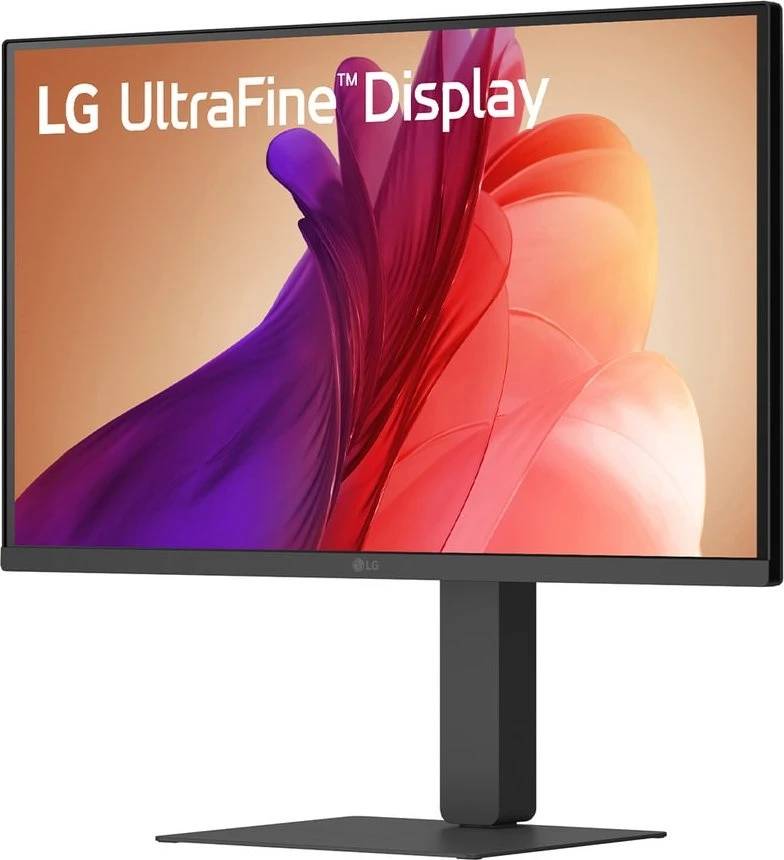
The LG UltraFine 27U730A is a 27-inch 4K UHD monitor built for desk work rather than gaming. Its defining feature is the USB-C port: one cable carries 3840 × 2160 video at 60 Hz, data for the two-port USB hub, and 90 W of Power Delivery back to a laptop, so a machine docks and charges with a single connection. The IPS panel covers 90% of DCI-P3, there are 5 W stereo speakers with Waves MaxxAudio processing built in, and the stand adjusts for height, tilt, swivel and pivot. It is a productivity monitor, and the specification below is clear about where that shows.
Compatibility — check before buying:
This is a 60 Hz panel with a 5 ms grey-to-grey response and no published adaptive-sync support — no FreeSync, no G-SYNC certification. It is not a gaming monitor and should not be bought as one. HDR is HDR10 signal support without a VESA DisplayHDR certification, and with 300 cd/m² typical brightness and a 1000:1 contrast ratio, HDR content will be accepted rather than shown with real impact. On the connectivity side, the 90 W Power Delivery is the headline and is genuine, but check your laptop’s charging requirement: a machine that wants more than 90 W will charge slowly under load. LG does not state the HDMI version on this model’s specification page, so if you are connecting something that needs a specific HDMI generation, tell us and we will confirm before you order.
Best For
✓ Laptop docking — one cable for video, data and 90 W charging
✓ Office and home-office desks that want 4K detail
✓ Photo and document work needing 90% DCI-P3
✓ Setups with no room for external speakers
✓ Ergonomic setups — height, tilt, swivel and pivot
✓ Two-screen desks where a second input is needed
Key Features
One cable does video, data and 90 W charging
The USB-C port carries 3840 × 2160 at 60 Hz over DisplayPort Alt Mode, feeds the two USB-A downstream ports, and delivers 90 W back to the laptop. That single connection replaces a dock for most machines and is the main reason to choose this monitor over a cheaper 4K panel.
4K on 27 inches, at 90% DCI-P3
3840 × 2160 on a 27-inch IPS panel puts roughly 163 pixels per inch on the desk — text is noticeably cleaner than QHD at this size. Colour coverage is 90% DCI-P3 typical (86% minimum) with 1.07 billion colours, which is enough for serious photo and layout work.
Speakers that are actually there
5 W per channel with Waves MaxxAudio processing. They will not replace desk speakers, but for calls, video and background listening they mean one fewer thing on the desk and one fewer cable behind it.
A stand that moves in every direction
150 mm of height adjustment, -5° to 21° tilt, 45° of swivel each way and pivot to portrait. Full ergonomic adjustment is not a given at this price, and it is what makes a monitor comfortable over an eight-hour day. VESA 100 × 100 if you prefer an arm.
Technical Specifications
Frequently Asked Questions
Singular Expert Insight
Judge this monitor on the USB-C port, because that is what you are paying for. A 4K 27-inch IPS panel is not unusual; one that also charges a laptop at 90 W, feeds a USB hub and has real speakers and a fully adjustable stand replaces a separate dock, and that is where the money goes. What you give up is anything gaming-related — 60 Hz, 5 ms, no adaptive sync — and HDR that is nominal rather than certified. Both are the right trade for a work desk and the wrong one for a games room. The 90 W figure is the number to check against your own laptop before ordering; send us the model and we will tell you honestly whether it will keep up. More options are in our PC monitors section, and docking stations is the alternative if your laptop needs more power than this can supply.
Buyer’s Guide
Buy it if
You want a 4K work monitor that doubles as a laptop dock, charging at 90 W over the same cable that carries the picture. The fully adjustable stand, the USB hub and the built-in speakers together clear a lot of clutter off a desk.
Skip it if
You game seriously — 60 Hz with no adaptive sync is the wrong panel. Skip it too if your laptop needs more than 90 W to charge under load, or if you were buying it for HDR, which here is signal support rather than a certified experience.
Also consider
An LG UltraGear if refresh rate matters more than resolution, or a Thunderbolt docking station alongside a plain 4K monitor if your laptop needs more charging power than 90 W.
Features - LG - 27U730A-B
Colour
black
More Details
Product Code
04:547003
EAN Code
8806096506806
Manufacturer
LG