
Logitech MX Creative Console 920-012932 Creator Keypad 9 LCD Keys plus Dialpad USB-C Bluetooth Pale Grey
Brand:
Logitech
920-012932
Delivery
Order Today...
Ships...
Delivery...
ℹ️ Large or fragile items (e.g. monitors) may require extra handling time. We'll keep you informed.
Payment options
Trusted Tech Choice
Buying Benefits
Verified
Competitive EU pricing
Delivered to Cyprus from EU stock
Local warranty support
Please sign in so that we can notify you about a reply
Logitech MX Creative Console
9 LCD KeysContextual DialpadUSB-C + BluetoothAdobe & Logi Options+
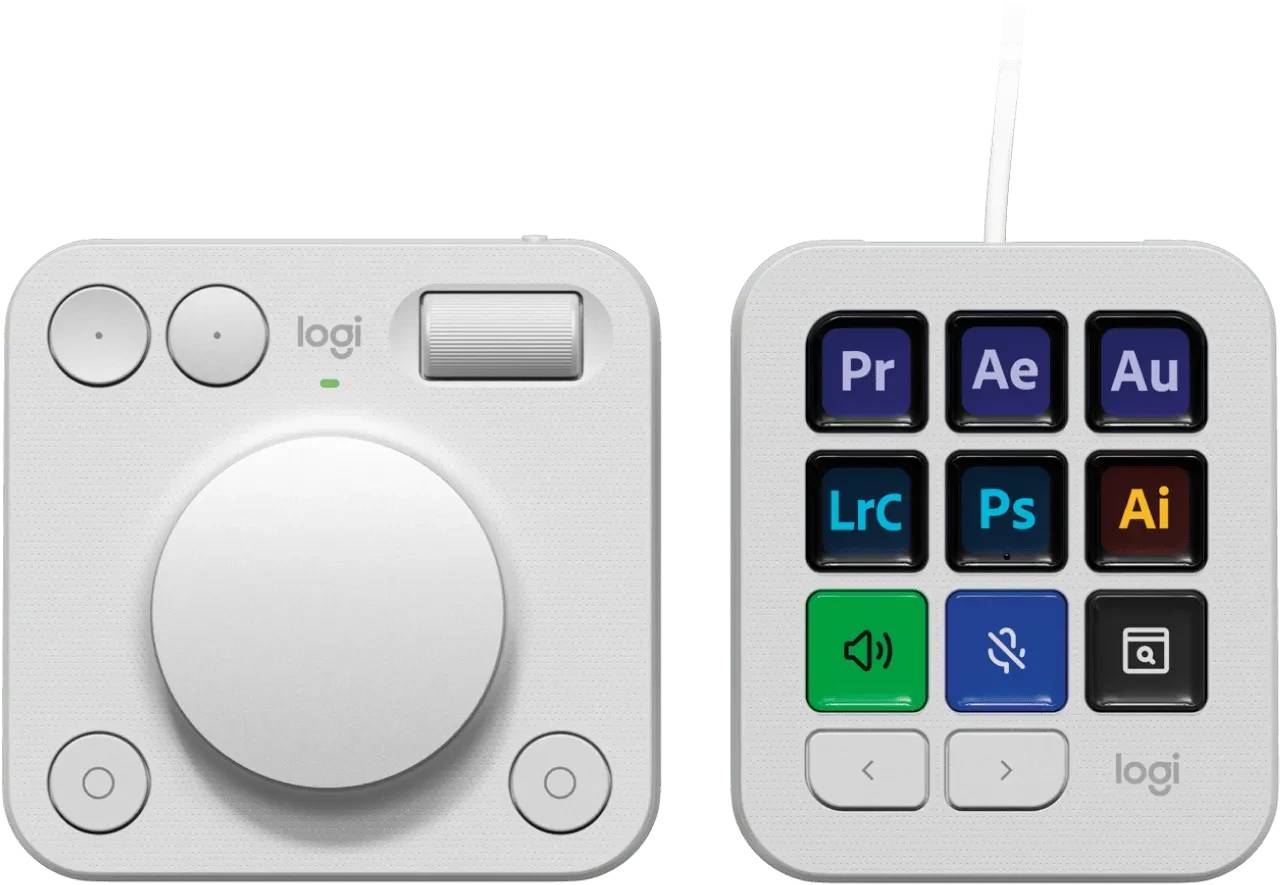
The Logitech MX Creative Console (part number 920-012932) is a two-piece creator control surface — a keypad with nine customizable LCD keys plus a separate dialpad with a tactile dial, roller and buttons — designed for video editors, photographers, designers and other creatives who want hands-on control of their favourite apps. It maps shortcuts, tools and adjustments to physical controls so you spend less time hunting through menus. This is the Pale Grey colour. Typically in stock with fast delivery across Cyprus.
Before you buy — setup & compatibility
The MX Creative Console requires the free Logi Options+ app on Windows or macOS to configure keys, dials and app profiles. The keypad connects by wired USB-C, while the dialpad is wireless over Bluetooth Low Energy and is battery-powered. Deep, native integrations are available for Adobe Creative Cloud apps (Premiere Pro, Photoshop, Lightroom, Illustrator, After Effects) plus Spotify and Zoom; other apps can be controlled with customizable shortcuts.
Best For
✓Video editors in Premiere Pro & After Effects
✓Photographers in Lightroom & Photoshop
✓Graphic designers in Illustrator
✓Streamers and content creators
✓Anyone who lives in keyboard shortcuts
✓Cleaner, faster app workflows
Key Features
Keypad with 9 LCD Keys
Nine customizable keys with individual LCD displays show exactly what each button does, and change automatically as you switch apps or pages of actions.
Contextual Dialpad
A precise rotary dial, scroll roller and action buttons give analog control over values like exposure, scrubbing, brush size and volume — adjust by feel, not by dragging sliders.
Adobe & Logi Options+ Integration
Native plugins for Adobe Creative Cloud, Spotify and Zoom, all managed in Logi Options+, let you build per-app profiles and assign macros, shortcuts and tools.
Technical Specifications
Frequently Asked Questions
Singular Expert Insight
The MX Creative Console earns its place if you spend hours daily in Adobe apps — the dialpad’s analog control over exposure, scrubbing and brush size is genuinely faster than mouse-dragging, and the LCD keys remove the need to memorise shortcuts. If you mostly stream or run scenes in OBS, a Stream Deck may integrate more tightly with broadcasting tools. For Adobe-centric photo and video work, this is one of the most ergonomic control surfaces available, and it lives in the same Logi Options+ app as MX keyboards and mice.
Buyer’s Guide
Buy it if
You edit photo or video in Adobe apps daily and want analog dial control plus dynamic LCD shortcut keys to speed up your workflow.
Skip it if
You only need occasional shortcuts, or your main apps have no plugin and you would not invest time building custom profiles in Logi Options+.
Also consider
An Elgato Stream Deck if your focus is live streaming and broadcasting integrations rather than Adobe creative editing.
Features - Logitech - 920-012932
Colour
grey
Interface
- USB Type-C,
- Bluetooth
More Details
Product Code
CL37730
EAN Code
5099206124714
Manufacturer
Logitech