
Longshine LCS-PS130 3-Port Parallel Network Print Server 3 x DB25 Bi-directional 10/100 Mbps LAN LPR IPP SNMP for Legacy Printers
Brand:
LogiLink

Longshine LCS-PS130 3-Port Parallel Network Print Server 3 x DB25 Bi-directional 10/100 Mbps LAN LPR IPP SNMP for Legacy Printers
€95.99 inc. VAT
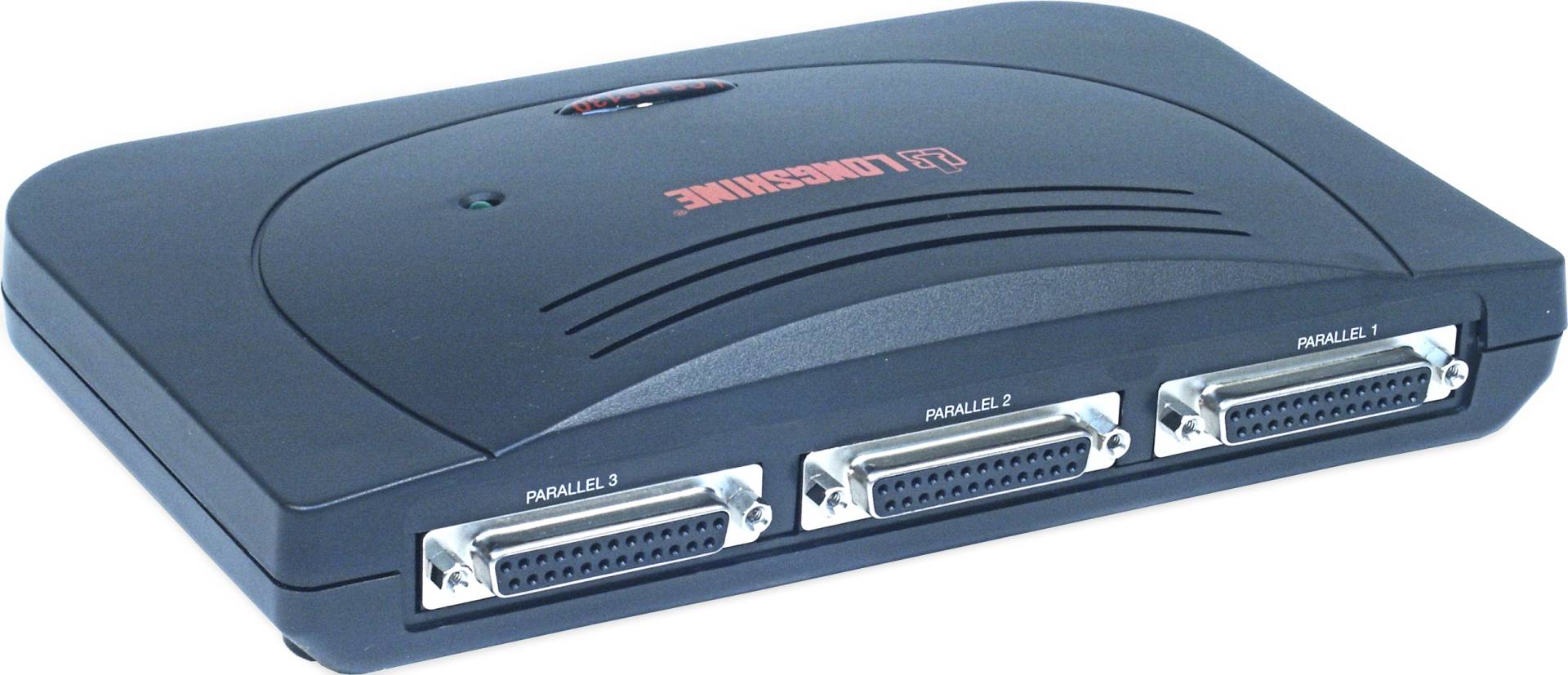
LCS-PS130
Delivery
Order Today...
Ships...
Delivery...
ℹ️ Large or fragile items (e.g. monitors) may require extra handling time. We'll keep you informed.
Payment options
Trusted Tech Choice
Buying Benefits
Verified
Competitive EU pricing
Delivered to Cyprus from EU stock
Local warranty support
Please sign in so that we can notify you about a reply
Longshine LCS-PS130 — 3-Port Parallel Print Server
Three parallel printersBi-directional IEEE 128410/100 EthernetNetWare & Unix ready
The Longshine LCS-PS130 is a multi-protocol print server with three parallel ports, built to put up to three parallel printers on a network at the same time. It supports bi-directional IEEE 1284 communication, TCP/IP printing with LPR and IPP, SMB, SNMP and DHCP, and also serves NetWare and Unix environments, with firmware updates over TFTP or the web interface. In practice it keeps a room of reliable older printers — dot-matrix forms printers, label printers or older lasers — shared across the office without a PC acting as print host.
Compatibility — check before buying:
No USB ports — USB-only printers cannot connect; for those choose the LCS-PS112. The three ports are 25-pin D-sub (female), so each printer needs a DB25-to-Centronics parallel cable, not included. The manufacturer lists Windows 98 to XP, Mac, Unix and Linux; Windows 10 and 11 are not on that list. The server supports LPR and RAW printing, so a current PC can add it as a standard TCP/IP printer port, but the maker’s setup utility is only listed for the older systems. It shares printing only — scanning, fax and ink or toner status of multifunction printers are not listed, and host-based (GDI) printers that rely on a special driver link are not confirmed. Tell us your printer model and we check it.
Best For
✓ Dot-matrix and forms printers
✓ Label printers in warehouses
✓ Legacy lasers in back offices
✓ Invoice and delivery-note printing
✓ NetWare and Unix sites
✓ Replacing a PC used as print host
Key Features
Three parallel ports
Shares up to three parallel printers at once from one box.
Bi-directional
IEEE 1284 bi-directional communication for printer status where supported.
Mixed networks
TCP/IP, IPX, NetBEUI and AppleTalk, with NetWare 3.12, 4.x and 5.x support.
Standard tools
Web interface, SNMP, DHCP client and firmware upgrade over TFTP or web.
Technical Specifications
Frequently Asked Questions
Singular Expert Insight
We suggest the LCS-PS130 where several parallel printers still do daily work, such as dot-matrix forms or label printing. Connect it to one of our network switches. For offices moving to USB or network printers, see our laser printers.
Buyer’s Guide
Buy it if
You need to share two or three parallel printers on the network.
Skip it if
Any of your printers are USB only (LCS-PS112).
Also consider
Longshine LCS-PS112, 2 × USB + 1 × parallel.
Features - LogiLink - LCS-PS130
More Details
Product Code
04:32978
EAN Code
4016621004811
Manufacturer
LogiLink