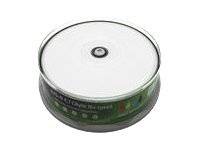
MediaRange DVD+R 4.7 GB 16x — 25 discs, spindle
DVD+R · write-once4.7 GB · 120 minUp to 16x25 discs · spindle
The MediaRange MR408 is a 25-pack of DVD+R blank discs with 4.7 GB per disc and up to 16x writing speed, for anyone who still needs to burn discs and hand them out with a printed label — event videos, client deliveries, software or photo archives.
MediaRange states reliable recording stability, a scratch-resistant recording layer, UV-light resistance and long archival life, with excellent compatibility across DVD burners and players.
Before you order: The printable top needs an inkjet printer with a CD/DVD print tray. Laser printers and ordinary inkjets without a disc tray cannot print on it.
What's in the Box
- 25 × MediaRange DVD+R 4.7 GB blank discs, 120 mm
- Spindle pack — discs stacked on a centre spindle, no individual cases
- No burning software, sleeves or labels — use the burning tool built into Windows or macOS, or your own software
What It Means in Practice
- The 4.7 GB on the label shows as about 4.37 GB in Windows and macOS (decimal vs binary units) — plan your burn around that figure.
- Single files larger than 4 GB need the UDF file system — most burning tools choose it automatically, but an older ISO 9660 setting will refuse the file.
- Write-once: after the disc is finalised the data cannot be erased or changed — useful for archives and deliveries the recipient should not alter.
- For a disc that plays in a standard DVD player, burn it as DVD-Video (VIDEO_TS folder) with authoring software; a disc of MP4 files only plays on players that support data discs.
- Print before or after burning, and let the ink dry fully before the disc goes into a drive — MediaRange describes this surface as quick-drying.
- Store discs upright in their case or on the closed spindle, away from heat and sunlight, and handle them by the edges — the readable side is the shiny underside.
What Will Not Work
- Will not work in CD-only drives (CD-R/CD-RW writers or CD-ROM readers).
- Most current laptops and Mac computers have no optical drive — you need an external USB DVD writer to burn or read these discs.
- Cannot be erased or reused — for repeated writing choose a rewritable DVD+RW.
- No printing with laser printers or with inkjets that lack a CD/DVD tray, and do not stick paper labels on — they can unbalance the disc at high speed.
Key Features
4.7 GB per disc
Standard single-layer DVD capacity — about 4.37 GB of usable space as shown by your operating system.
Up to 16x writing
Maximum rated speed — the real speed depends on your burner, and many users pick a lower speed for discs meant for older players.
Scratch-resistant recording layer
MediaRange states UV-light resistance and long archival life for this disc.
Printable 23–118 mm
Inkjet-printable top for professional-looking labels on a printer with a CD/DVD tray.
Technical Specifications
| Identification |
| Part Number |
MR408 |
| EAN / GTIN |
4260057125095 |
| Brand |
MediaRange |
| Disc |
| Format |
DVD+R |
| Capacity |
4.7 GB per disc |
| Video recording time |
120 min (DVD-Video) |
| Max. writing speed |
16x |
| Recording |
Write-once |
| Disc diameter |
120 mm |
| Surface |
| Top surface |
White inkjet printable, full surface |
| Printable area |
23–118 mm |
| Packaging |
| Quantity |
25 discs |
| Packaging |
spindle |
| Storage conditions |
23 °C ±2 °C, 50% ±5% RH |
| Warranty |
| Warranty |
1-Year Warranty (Singular) |
| Manufacturer Term |
Defective discs due to material or manufacturing faults are replaced by MediaRange (no liability for data loss) — claims handled through Singular |
Frequently Asked Questions
DVD-R or DVD+R — which should I buy?
Current DVD writers and most players handle both. DVD-R is the safer pick for older standalone players and some recorders; DVD+R works well for data. If you are matching an older device, send us its model.
Which printers can print on these discs?
Inkjet printers with a CD/DVD print tray — several Epson and Canon models have one. Check your printer's specifications for CD/DVD printing and set the inner and outer print diameter to match 23–118 mm.
How long will the data last?
MediaRange states long archival life but publishes no figure in years. Storage matters most: cool, dark, upright, in a case. For important data keep a second copy on another medium.
Singular Expert Insight · Buyer's Guide
Optical discs still make sense where someone needs a physical copy that cannot be edited — client and legal deliveries, medical or accounting records, car and home DVD players. A spindle-style pack is the economical choice when you burn in volume and store the discs yourself; for discs you hand over, add sleeves or cases. For data that changes often, a
USB flash drive is faster and reusable.
✓ Buy it if you hand out burned discs and want a printed, professional label on each one.
✕ Skip it if your computer has no DVD writer, or you need more than 4.7 GB per disc — a Blu-ray disc or a USB drive suits that better.
→ Also consider MR407 (printable DVD-R version) or MR404 (DVD+R with a branded, non-printable top)
Not sure which format your burner or player accepts? Send us its model and we will check before you order.