Rackmount.IT RM-OM-T2: 19-inch rack kit for TP-Link Omada ER706W, ER707-M2 and ER7206
1U · 19-inchJet BlackFront-facing portsPower supply fixed in rack
The Rackmount.IT RM-OM-T2 is a custom 19-inch rack mount kit for TP-Link Omada ER706W, ER706W-4G, ER707-M2, ER7206, OC200 Cloud Controller, ES205G, ES205GP that places the router in 1U of rack space with its connections brought to the front, for IT teams and installers who want a desktop router to sit properly in a network cabinet.
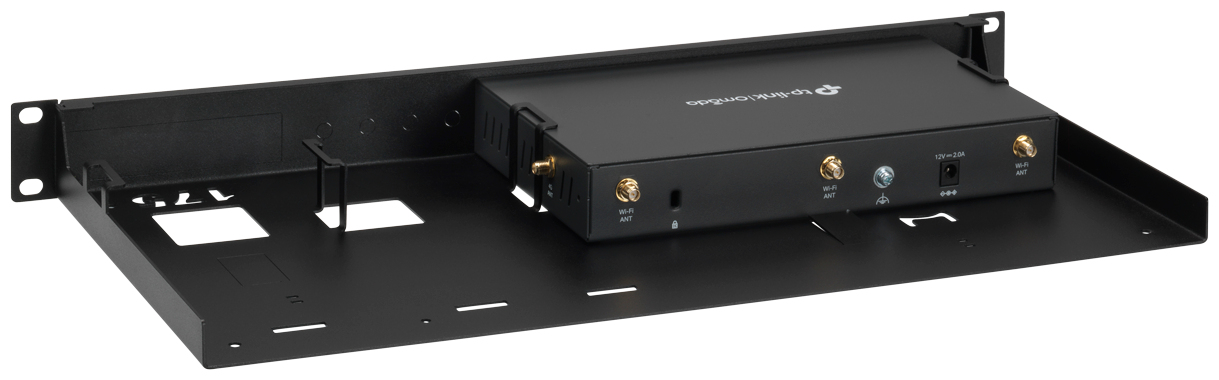
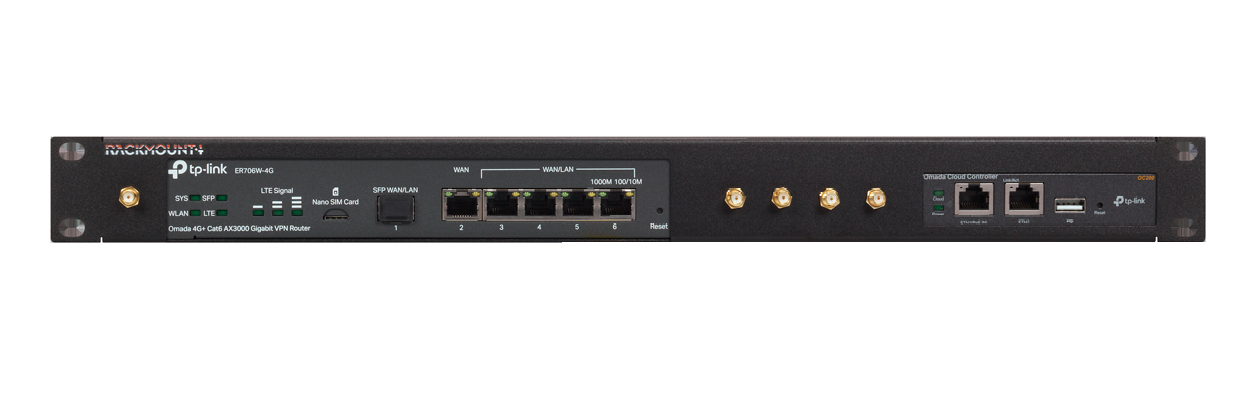
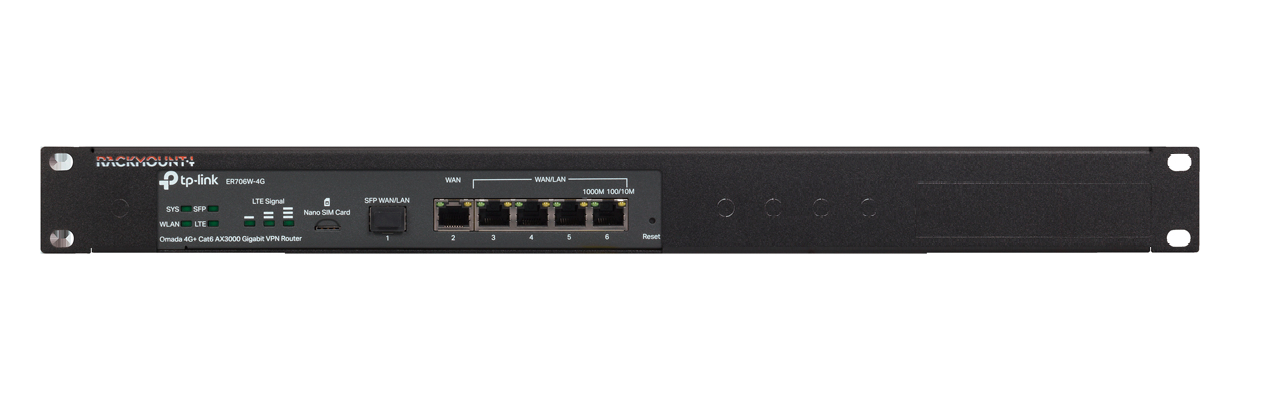
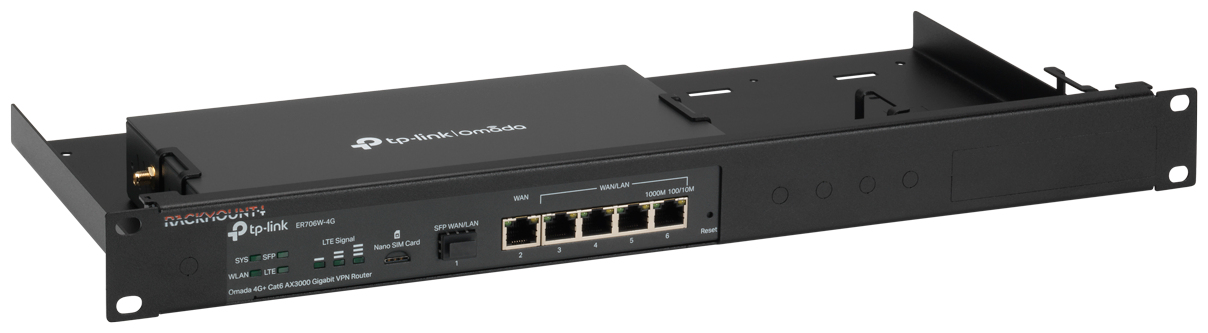
Desktop routers are built to stand on a shelf, with ports at the back and a loose external power adapter. In a cabinet that usually means a device lying on a shelf and cables you cannot reach. This kit replaces that: the router slides into a tray made for its exact shape, retainers hold it in place, the included cables link its ports to keystones on the front plate, and the power supply is fixed to the rack. Rackmount.IT quotes an assembly time of under three minutes. Rackmount.IT lists the Omada OC200 controller and the ES205G/ES205GP switch as options next to the gateway.
Before you order: This kit fits only the models Rackmount.IT lists: TP-Link Omada ER706W, ER706W-4G, ER707-M2, ER7206, OC200 Cloud Controller, ES205G, ES205GP. It is not a universal shelf, so check the exact model name on the label of your device. The Omada ER605 uses RM-OM-T1 instead.
What's in the Box
- 1 x Rackmount.IT RM-OM-T2 rack kit, 1U, Jet Black
- Retainers that hold the router in the tray
- Keystones on the front plate plus the cables that connect them to the device ports
- Fixing for the external power supply inside the rack
- Not included: the router itself, its power adapter and rack screws or cage nuts (use the set that came with your cabinet)
What It Means in Practice
- Patch cables plug into the front keystones, so you never reach behind the router to add or move a connection.
- The power adapter is fixed in the rack, so a pulled cable or a cleaning session cannot switch the router off by accident.
- It uses 1U (43.5 mm high) at standard 19-inch width and is only 216 mm deep, so it suits shallow wall cabinets as well as full-depth racks.
- Replacing the router later is quick: release the retainers, unplug the short cables and slide it out.
What Will Not Work
- Models that are not on the list, even from the same product family: the tray is shaped for specific housings. The ER605 has a different housing and uses RM-OM-T1.
- Mixed or unlisted desktop equipment: for that use a standard fixed or cantilever 19-inch shelf.
- It adds no ports, PoE, cooling or power; the router's own connections are only extended to the front.
- External antennas on the ER706W or ER706W-4G without an extension: the punch-outs are provided, the SMA cable is not.
Key Features
Custom-fit tray
Shaped for the listed router housings, so the device sits firmly without shelves, straps or cable ties.
Front-facing connections
The included cables run from the device ports to keystones on the front plate, so all patching is done from the front of the rack.
Power supply fixed in the rack
The external adapter is secured inside the kit, which prevents accidental power loss when cables are moved.
Technical Specifications
| Identification |
| Part Number |
RM-OM-T2 |
| EAN / GTIN |
8720297440229 |
| Brand |
Rackmount.IT |
| Product type |
19-inch rack mount kit |
| Physical |
| Rack height |
1U |
| Dimensions (H x W x D) |
43.5 x 483 x 216 mm |
| Width |
19-inch (483 mm) |
| Colour |
Jet Black |
| Weight |
1.2 kg |
| Compatibility |
| Compatible models |
TP-Link Omada ER706W, ER706W-4G, ER707-M2, ER7206, OC200 Cloud Controller, ES205G, ES205GP |
| Wireless / antennas |
Punch-out holes for antennas and an SMA connector (SMA cable not included) |
| Installation |
| Mounting |
Standard 19-inch rack or cabinet |
| Assembly time |
Under 3 minutes (manufacturer figure) |
| Connections |
Front keystones with included cables |
| Warranty |
| Warranty |
1-Year Warranty (Singular) |
| Manufacturer Term |
Rackmount.IT does not publish a warranty term on its product page — claims handled through Singular |
Frequently Asked Questions
Does the kit include the router?
No. The kit is only the rack mount; the router and its power adapter are ordered separately and fitted into the tray.
Do I need a deep rack?
No. The kit is 216 mm deep, so it fits most wall-mount cabinets as well as standard server racks. You only need 1U of free space at the front rails.
Singular Expert Insight · Buyer's Guide
The RM-OM-T2 is made for TP-Link's current Omada gateways, including the ER706W Wi-Fi and 4G models. For the wireless versions, plan an SMA extension cable if you want the antennas at the front; everything else goes in with the included cables. Browse more mounting parts in our
rack accessories range.
✓ Buy it if you run an Omada ER706W, ER706W-4G, ER707-M2 or ER7206 and want it in 1U of a 19-inch cabinet.
✕ Skip it if your router is an ER605 — use RM-OM-T1.
→ Also consider RM-OM-T1 for the ER605.
Not sure which kit matches your device? Send us the exact model from its label and we will confirm the right Rackmount.IT kit before you order.