Special B2B pricing available after sign-in

StarTech Thunderbolt 4 Docking Station, Quad 4K Windows / Dual Mac, 2x HDMI 2x DP, 2.5GbE, 98W PD, 7-Port USB

Brand:
StarTech.com
StarTech.com Thunderbolt 4 MultiDisplay 132UETB4USB4DOCK
StarTech Thunderbolt 4 Docking Station, Quad 4K Windows / Dual Mac, 2x HDMI 2x DP, 2.5GbE, 98W PD, 7-Port USB
€452.03 inc. VAT
Buy
132UE-TB4USB4DOCK
€379.86
€452.03 inc. VAT
Ships from EU stock: 10 item(s)
Product Code
CK10462
EAN Code
0065030899680
Manufacturer
StarTech.com

Quick Specs

Host & Power
Thunderbolt 4 (40Gbps) · 98W Power Delivery
Displays
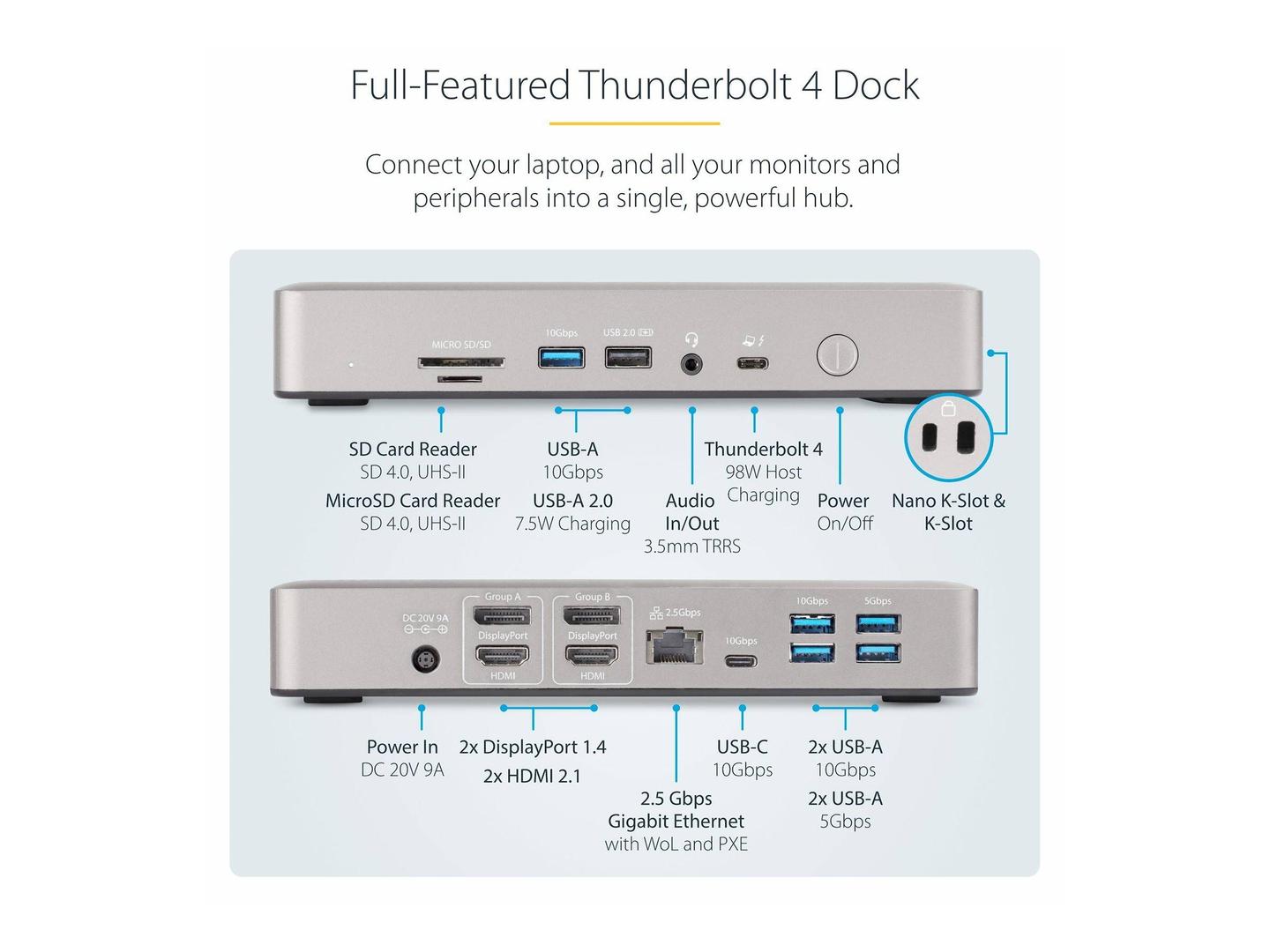
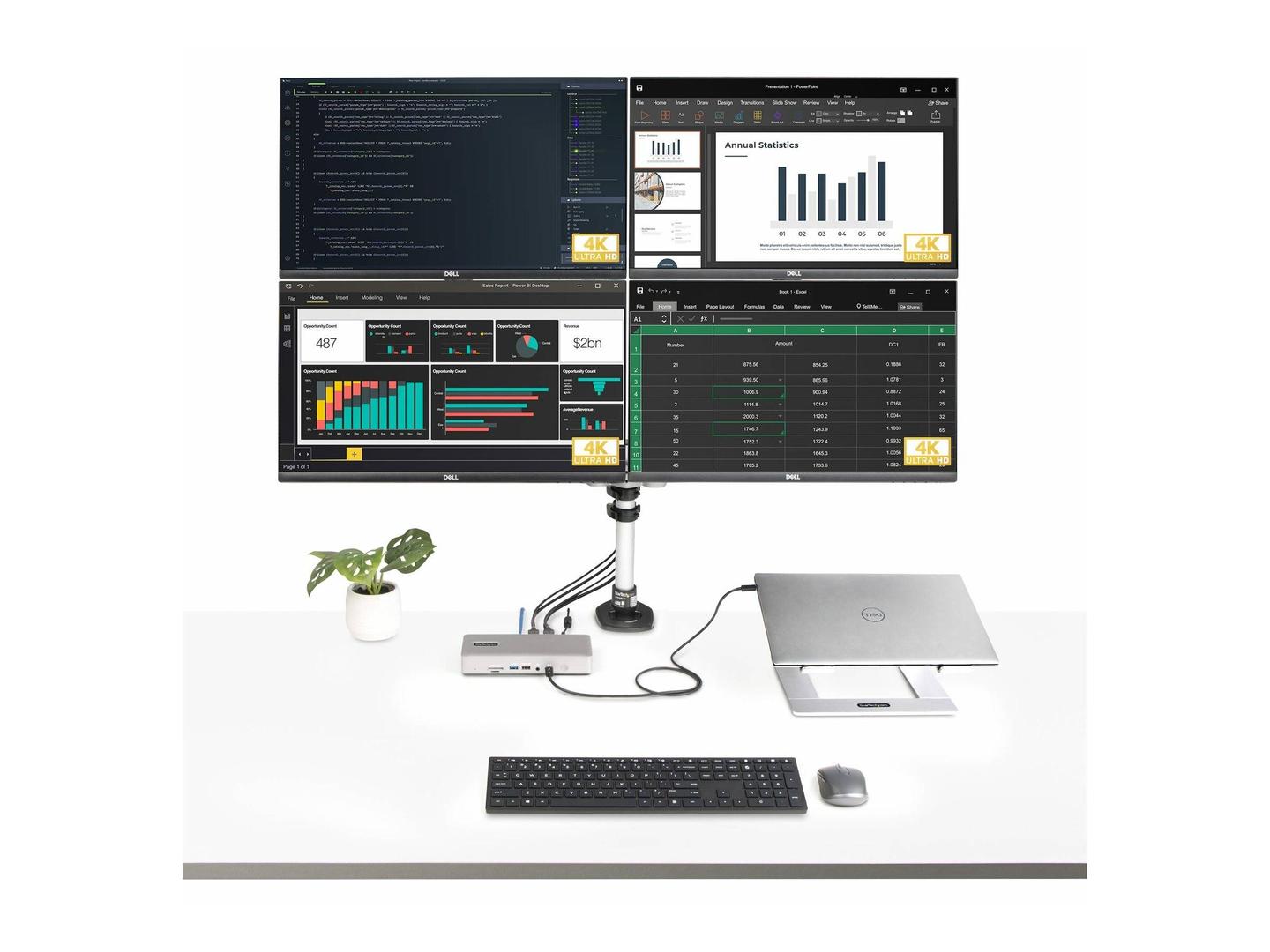
Quad 4K on Windows · Dual on Mac · 2x HDMI + 2x DP 1.4
Connectivity
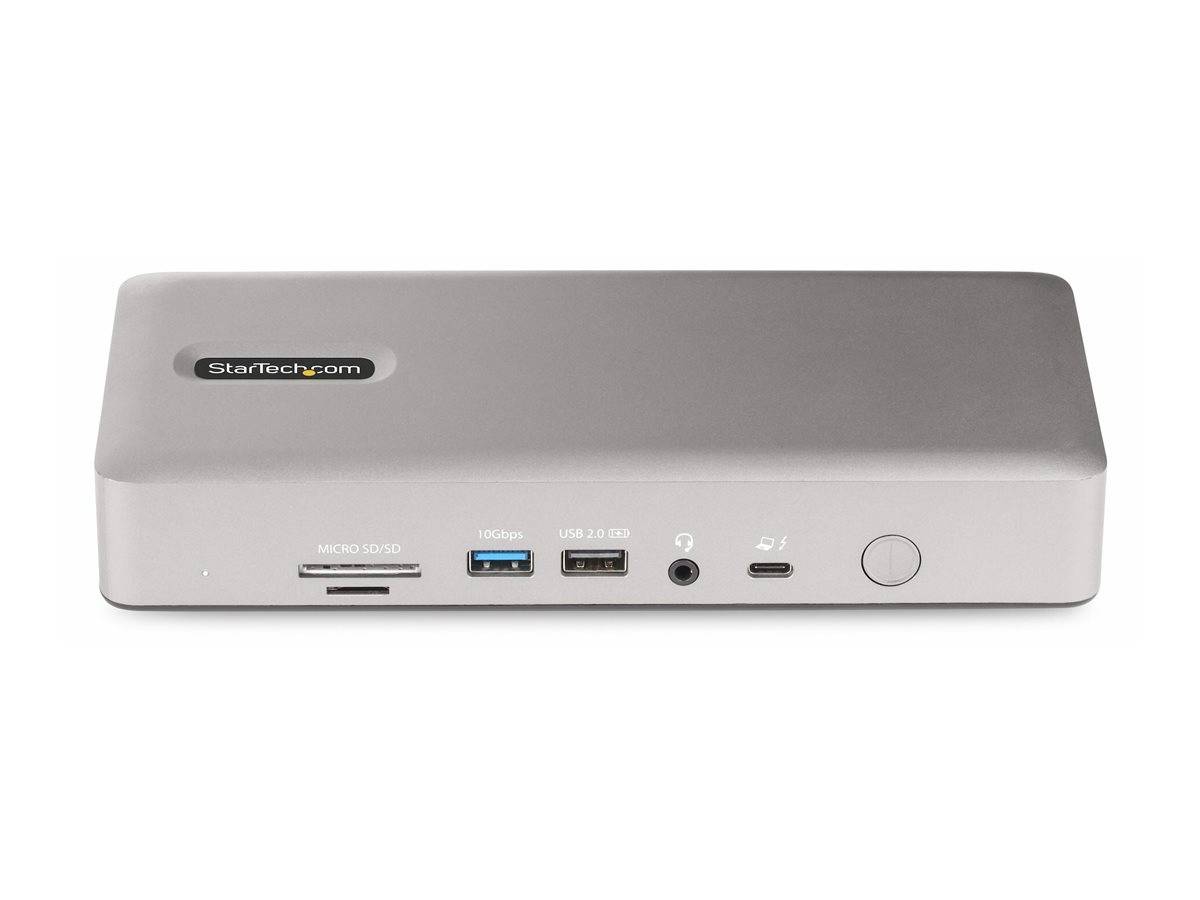
7-port USB hub · 2.5GbE · SD + microSD · 3.5mm audio
Build
Space-grey aluminium · 180W adapter · 1-Year Warranty (Singular)
Delivery

Order Today...
Ships...
Delivery...
ℹ️ Large or fragile items (e.g. monitors) may require extra handling time. We'll keep you informed.
Payment options
✓ Bank Deposit
Secure checkout with flexible payment methods
Trusted Tech Choice
Buying Benefits Verified
Competitive EU pricing
Delivered to Cyprus from EU stock
Local warranty support

The StarTech.com 132UE-TB4USB4DOCK is a Thunderbolt 4 multi-display docking station built to turn a single-cable connection into a complete desktop workstation. It drives up to four independent displays on Windows, delivers 98W of charging back to your laptop, and adds fast wired networking, high-speed USB, dual card readers and audio — all through one Thunderbolt 4 cable. It is equally at home behind a MacBook Pro, a Thunderbolt-equipped ultrabook, or any USB4-compatible host.

Because it is a native Thunderbolt 4 dock (not a DisplayLink or MST-only adapter), video and data share the full 40Gbps of bandwidth with no extra drivers required. That means clean, low-latency 4K output, real Gigabit-class Ethernet, and 10Gbps USB storage speeds working simultaneously.

Full Specifications

Identification
Part Number / MPN 132UE-TB4USB4DOCK
EAN / GTIN 0065030899680
Brand StarTech.com
Category Thunderbolt 4 / USB4 Docking Station
Host Connection Thunderbolt 4 (USB4 & Thunderbolt 3 compatible), 40Gbps, 1m TB4 cable included
Power Delivery to Laptop 98W USB Power Delivery 3.0 (charges the host over the single TB4 cable)
Included Power Adapter 180W external AC adapter (100–240V)
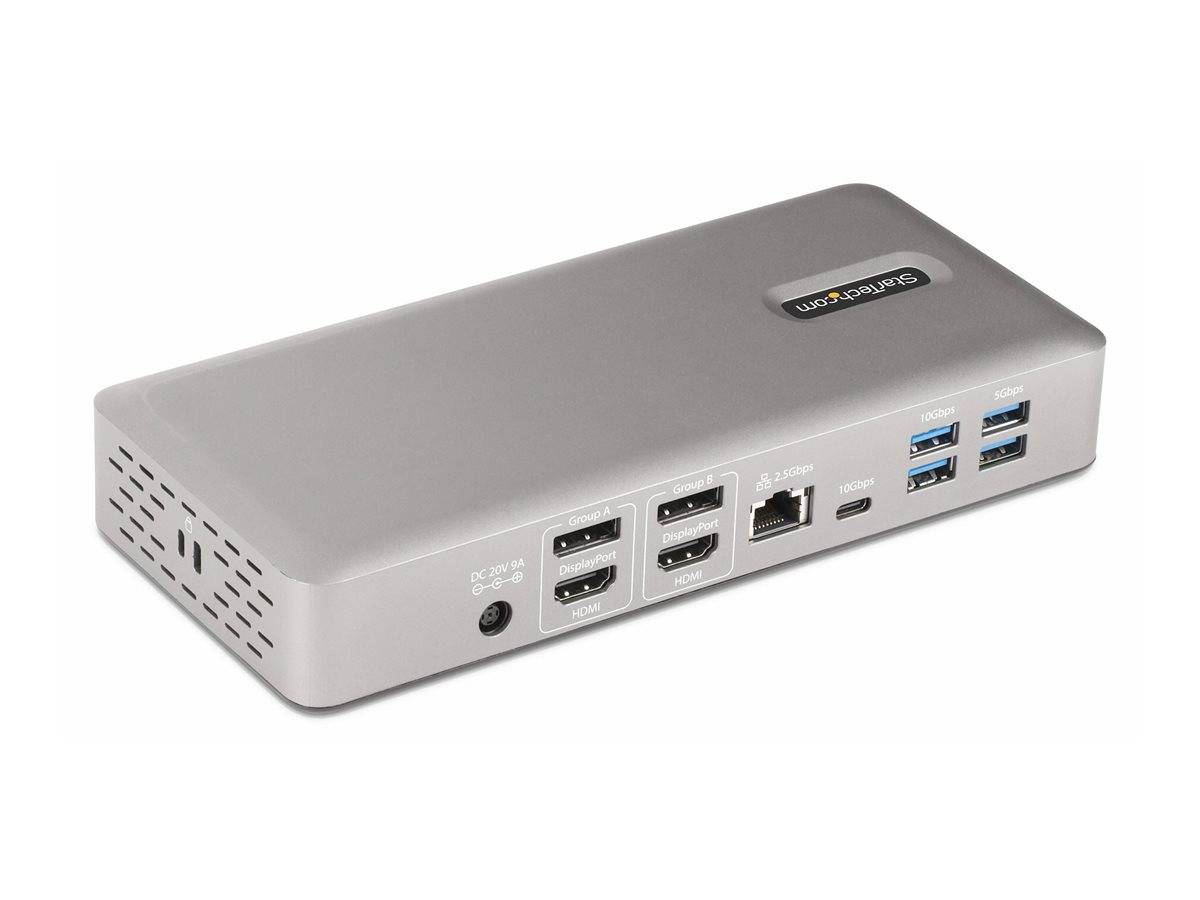
Video Outputs 2x HDMI + 2x DisplayPort 1.4 (with DSC)
Max Single Display Up to 8K (7680×4320) @ 60Hz on a single output
Multi-Monitor — Windows Up to 4x 4K @ 60Hz (quad). Requires DP 1.4 DSC and a modern GPU / Intel 12th Gen or newer for four streams
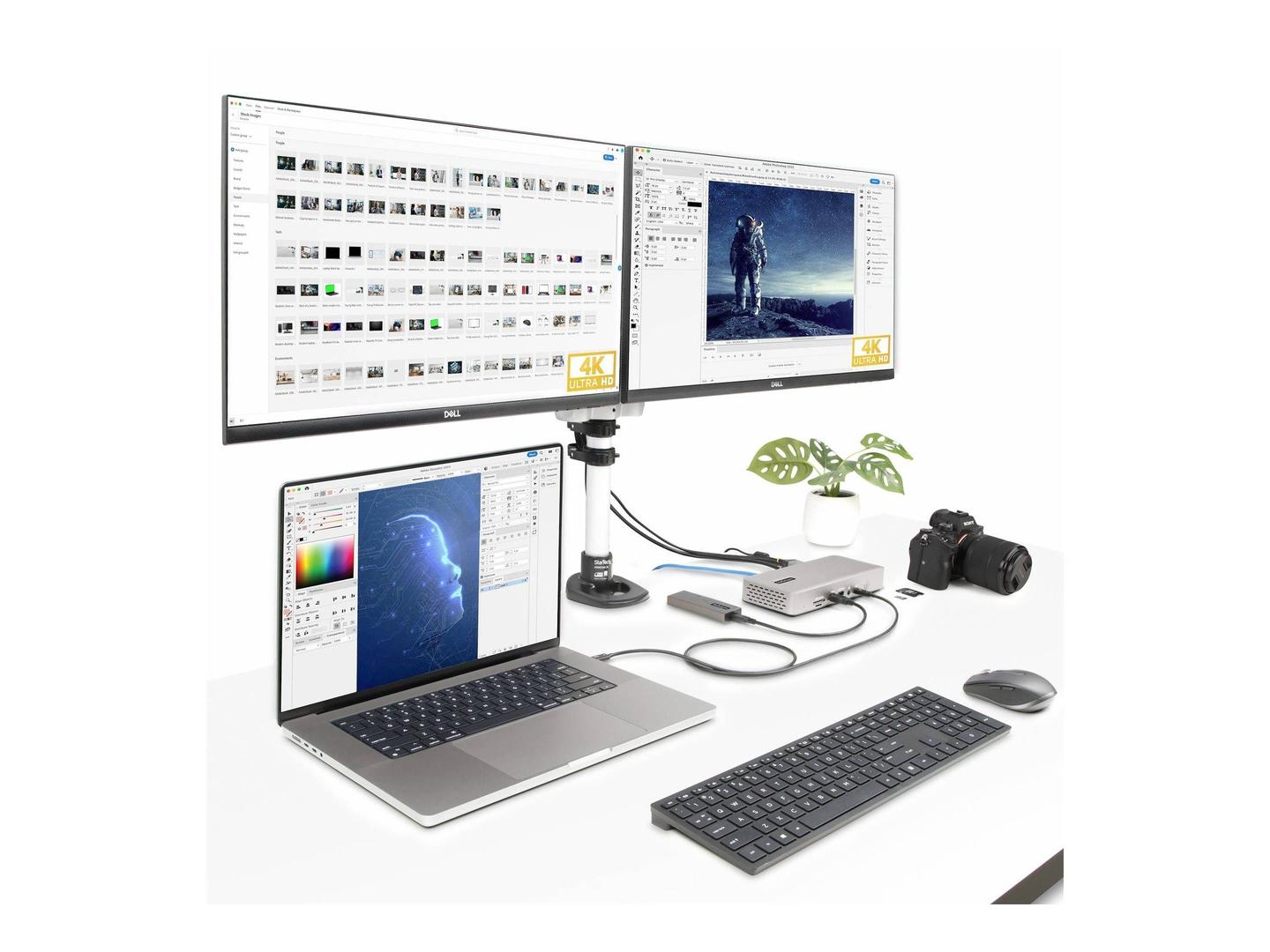
Multi-Monitor — macOS Up to 2 external displays on Apple-silicon MacBook Pro (M-series Pro/Max); base M1/M2 MacBooks mirror to a single external display (Apple hardware limit, not a dock limit)
USB Hub 7-port hub — USB-A up to 10Gbps (USB 3.2 Gen 2), USB-C 10Gbps, plus USB 2.0 for keyboard/mouse
Networking 2.5 Gigabit Ethernet (RJ-45, 2.5GBASE-T, backward compatible with 1GbE/100Mb)
Card Readers SD/MMC + microSD (UHS-I)
Audio 3.5mm headset combo jack (headphone + mic)
Dimensions / Weight Approx. 21 × 9.6 × 3.4 cm · ~200g
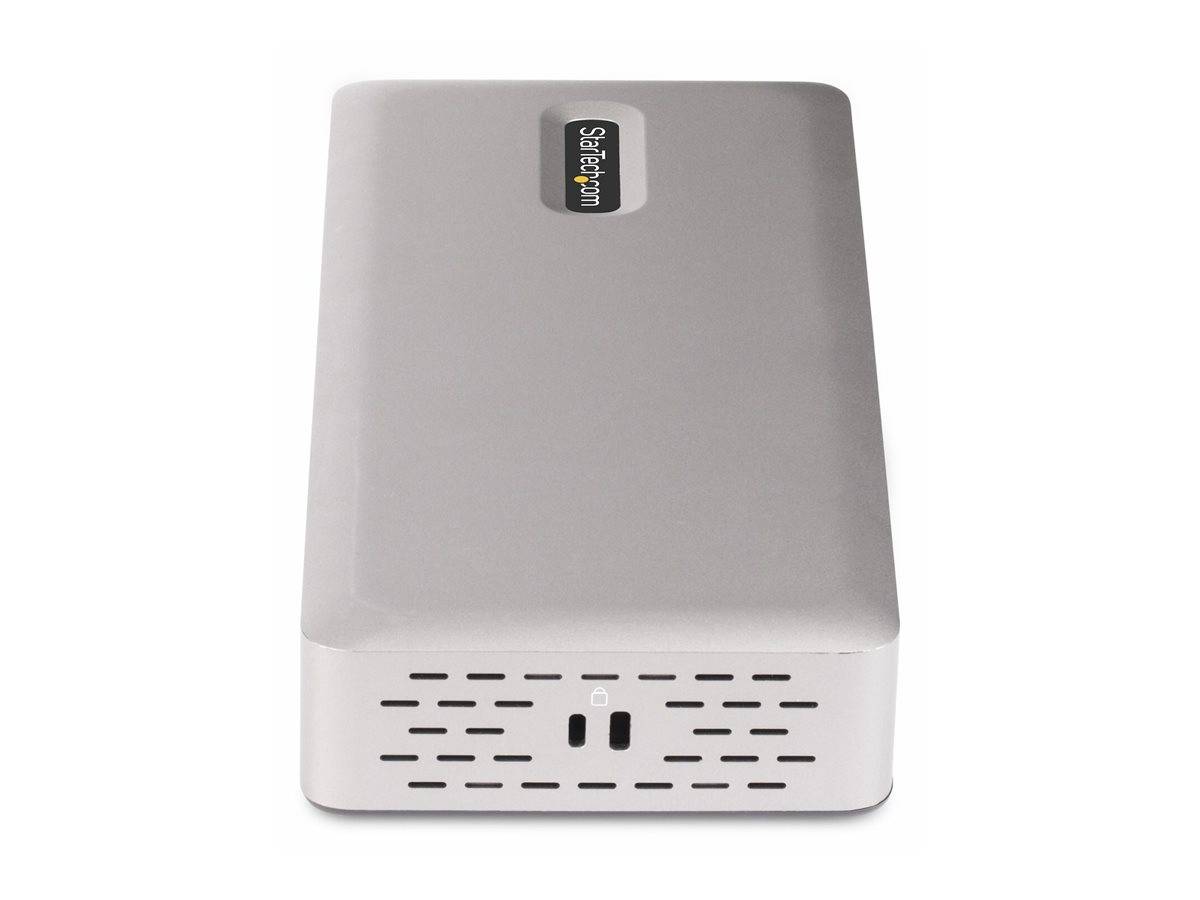
Colour / Build Space grey aluminium chassis
Warranty 1-Year Warranty (Singular)

Key Features

Quad-display productivity on Windows
Two HDMI and two DisplayPort 1.4 outputs drive up to four independent 4K monitors at 60Hz, using DisplayPort DSC to pack all four streams down the single Thunderbolt 4 link. Spread spreadsheets, editing timelines, dashboards and reference docs across a genuine four-screen setup.
True Thunderbolt 4 — no DisplayLink drivers
Video runs natively over the Thunderbolt 4 controller, so there is no compression-driver overhead, no per-app quirks and no software to babysit. Plug in and the displays, network and USB devices appear instantly on Windows and macOS.
98W laptop charging over one cable
A single Thunderbolt 4 cable carries video, data and 98W of USB Power Delivery, enough to keep most 13–16″ laptops charged at full performance. Undock and redock with one connector.
7-port USB hub at up to 10Gbps
Connect SSDs, docks, webcams and peripherals to a mix of USB-A and USB-C ports, with the fast ports running USB 3.2 Gen 2 (10Gbps) and a USB 2.0 port reserved for keyboard and mouse so your high-speed lanes stay free.
2.5GbE wired networking + dual card readers
On-board 2.5 Gigabit Ethernet gives you stable, low-latency wired networking well beyond standard Gigabit, while SD/MMC and microSD slots let photographers and videographers offload cards without a separate reader.

Expert Insight

This dock sits in the sweet spot for a modern hybrid desk: one Thunderbolt 4 cable replaces a tangle of chargers, network cables and video leads. The key nuance to understand is the difference between Windows and macOS display support. On Windows, the four video outputs work independently for a full quad-monitor workspace. On Apple-silicon MacBooks, the number of external screens is capped by the Mac itself — M-series Pro/Max chips support two external displays, while base M1/M2 chips support one — so the dock is not the limiting factor there.

If you are building or refreshing a workstation, it pairs naturally with the rest of our docking stations range, and the 2.5GbE port makes it a strong match for anyone upgrading their wired setup with faster network cards and switches. Buy the Thunderbolt 4 model (this one) rather than a USB-C-only dock if you want guaranteed 40Gbps bandwidth and native multi-stream video.

Buyer's Guide

Buy it if

You run a Windows laptop and want a genuine quad-4K desktop, need 98W charging over one cable, and want native Thunderbolt 4 video with no DisplayLink drivers — plus 2.5GbE and card readers built in.

Skip it if

You only need one or two screens and a couple of USB ports — a smaller USB-C hub will cost less. Also note base-model M1/M2 MacBooks are limited to a single external display regardless of this dock.

Also consider

A Thunderbolt 5 or USB4-v2 dock if you are on the very latest hardware and want future headroom, or a compact travel dock if portability matters more than a four-monitor workstation.

Frequently Asked Questions

Will it charge my laptop?
Yes — it delivers 98W of USB Power Delivery to the host over the Thunderbolt 4 cable, which covers most 13–16″ ultrabooks and many performance laptops. Very high-wattage gaming laptops may still need their own charger for peak load.
Can I really run four monitors?
On Windows, yes — up to four independent 4K displays at 60Hz using the two HDMI and two DisplayPort 1.4 outputs with DSC. On macOS, the external-display count is set by your Mac (two on M-series Pro/Max, one on base M1/M2).
Do I need to install drivers?
No. Video runs natively over Thunderbolt 4, so displays, Ethernet and USB work out of the box on Windows and macOS without DisplayLink software.
Is the Ethernet real 2.5GbE?
Yes — the RJ-45 port is 2.5GBASE-T, and it is backward compatible with standard Gigabit and 100Mb networks.

Features - StarTech.com - 132UE-TB4USB4DOCK

Colour
grey
Interface
  • USB Type-C,
  • USB3.0,
  • Ethernet,
  • Thunderbolt
More Details
Product Code
CK10462
EAN Code
0065030899680
Manufacturer
StarTech.com
  • Recently Viewed
  • Customers Also Bought
 
Why Buy from Singular

Trusted by businesses across Cyprus

Genuine products, EU stock, and expert support for every purchase.
✓ Genuine Products
Sourced through official distribution channels, with full manufacturer warranty.
✓ EU Stock
Shipped from our EU distribution network, with real-time availability on every product.
✓ B2B Ready
VAT invoices for business deduction and credit terms for verified buyers.
Expert Support
Talk to our team for sizing, configuration or volume orders.