Ubiquiti UniFi AI Port — Adds Face and Licence Plate Recognition to Cameras You Already Own
Face and licence plate recognitionWorks with UniFi and ONVIF camerasUp to 5 cameras per unitPoE+ / PoE++ with passthrough
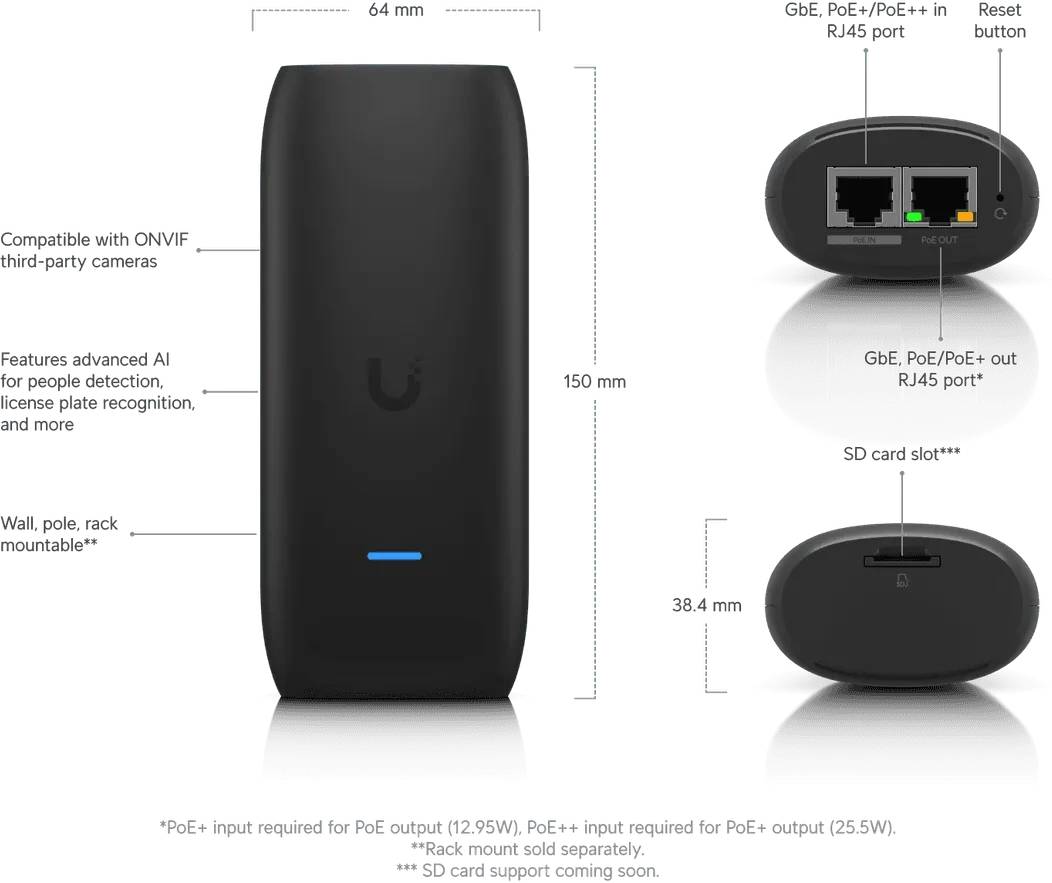
The Ubiquiti UniFi AI Port is a compact AI appliance that adds advanced detection, classification and recognition to cameras that do not have it built in — including third-party ONVIF models. It carries the part number UP-AI-Port and connects to the network through a single Gigabit Ethernet port, adding motion, people, vehicle, animal and speech detection, vehicle colour and type classification, and both face recognition and licence plate recognition inside UniFi Protect. One AI Port handles up to five cameras depending on resolution, and it passes PoE through to a connected camera at up to 12.95 W from a PoE+ input or 25.5 W from a PoE++ input. The polycarbonate body measures 150 x 64 x 38.4 mm and weighs 258 g, with a pole mount supplied for pipes over 45 mm in diameter. Typically in stock with fast delivery across Cyprus.
Compatibility — check before buying:
Capacity depends on camera type and resolution, and the limits are lower than the headline number suggests. With UniFi Protect cameras: up to 2 at 4K, up to 3 at 2K, or up to 5 at HD. With third-party ONVIF cameras: only 1 at 4K, up to 2 at 2K, or up to 3 at HD. Maximum supported resolution is 4K at 30 fps within a 3840 x 2160 aspect. It is not compatible with UniFi AI series cameras or multisensor models, which already have their own processing. It requires UniFi Protect version 5.1 or later on a UniFi console. Cameras do not have to plug into the AI Port — it works with any compatible camera on the same network, wired or wireless — but a camera connected directly still has to be paired within Protect. On power: the PoE passthrough gives 12.95 W with a PoE+ input or 25.5 W with a PoE++ input, so higher-power cameras need their own switch port or injector. One documented limitation: audio detection does not work on cameras whose microphones are limited to 0 to 4 kHz — the full audio spectrum is required. Ubiquiti does not publish an IP rating or a maximum power consumption figure for this unit.
Best For
✓ Adding face and plate recognition to existing cameras
✓ Sites with third-party ONVIF cameras that lack AI
✓ Car parks and gates needing licence plate recognition
✓ Upgrading an older UniFi Protect camera fleet
✓ Installations wanting AI without replacing hardware
✓ Sites that need vehicle type and colour classification
Key Features
Face and licence plate recognition on any compatible camera
The AI Port adds face recognition and licence plate recognition to cameras that have no such capability of their own, including third-party ONVIF models. For a gate, a car park or a reception area, that turns an ordinary camera into a system that identifies rather than just records.
Detection and classification beyond simple motion
Alongside recognition, the unit detects motion, people, vehicles, animals and speech, and classifies vehicles by colour and type. Those distinctions are what make alerts useful — a notification for a person at the gate rather than for every cat and every passing car.
Up to five cameras from one appliance
A single AI Port covers up to five UniFi Protect cameras at HD, three at 2K or two at 4K. Third-party ONVIF cameras are more demanding, at three, two and one respectively. Cameras do not need to be plugged into the unit — anything compatible on the same network can use it.
PoE passthrough and pole mounting
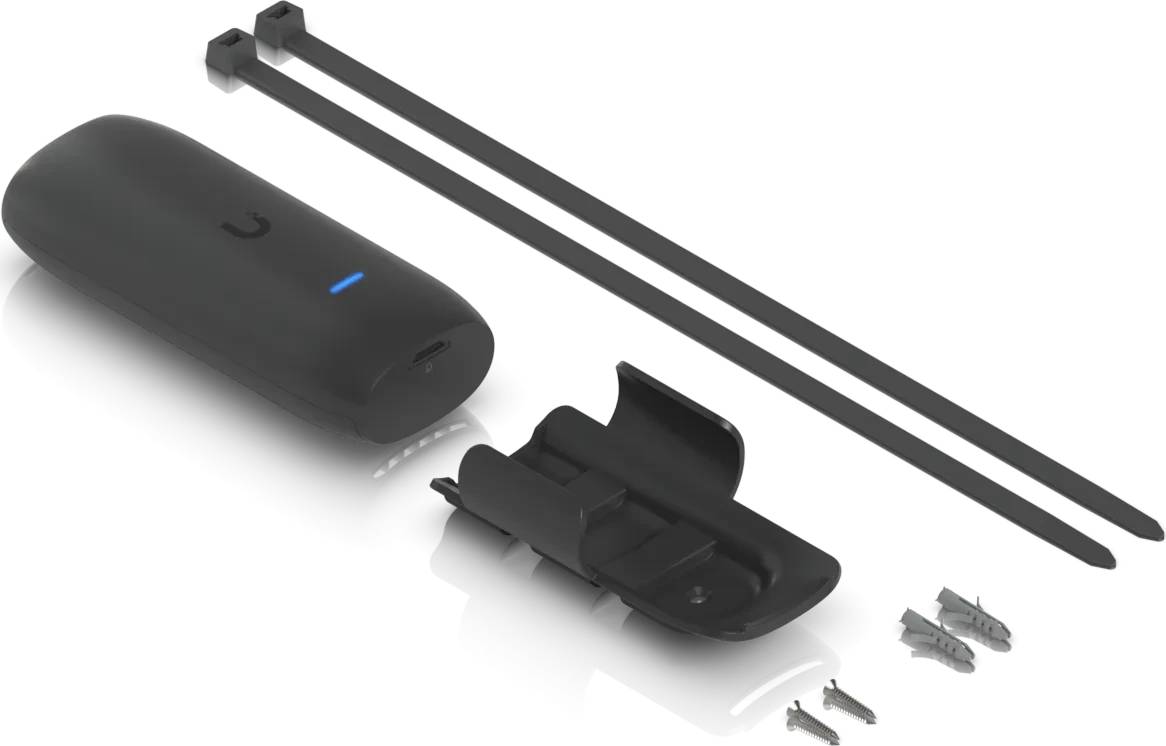
The AI Port takes PoE and passes power through to a connected camera at up to 12.95 W from a PoE+ input or 25.5 W from a PoE++ input, so it can sit inline on an existing camera run. A pole mount for pipes over 45 mm is supplied, and the unit operates from -20 to 40 °C.
Technical Specifications
| Identification |
| Brand |
Ubiquiti |
| Series |
UniFi Protect |
| Product |
UniFi AI Port |
| Part Number / MPN |
UP-AI-Port |
| Colour |
Black |
| AI Capability |
| Detection |
Motion, people, vehicles, animals, speech |
| Classification |
Vehicle colour, vehicle type |
| Recognition |
Face recognition, licence plate recognition |
| Maximum Resolution |
3840 x 2160 (4K) at 30 fps |
| Camera Capacity |
| UniFi Protect Cameras |
Up to 2 at 4K, up to 3 at 2K, up to 5 at HD |
| Third-Party ONVIF Cameras |
1 at 4K, up to 2 at 2K, up to 3 at HD |
| Not Compatible With |
UniFi AI series cameras and multisensor models |
| Connection |
Cameras may be anywhere on the same network, wired or wireless; directly connected cameras must be paired in Protect |
| Extras |
PTZ control on ONVIF third-party cameras; edge recording via SD card |
| Networking and Power |
| Network Port |
1 x Gigabit Ethernet RJ45 |
| Power Method |
PoE |
| PoE Passthrough |
Up to 12.95 W from a PoE+ input; up to 25.5 W from a PoE++ input |
| Maximum Power Consumption |
Not published by Ubiquiti |
| Physical and Environment |
| Dimensions |
150 x 64 x 38.4 mm without mount; 152.7 x 69 x 47.8 mm with mount |
| Weight |
258.3 g without mount; 294 g with mount |
| Enclosure |
Polycarbonate |
| Mounting |
Pole mount for pipes over 45 mm outer diameter |
| Operating Temperature |
-20 to 40 °C |
| Operating Humidity |
20 to 90% non-condensing |
| IP Rating |
Not published by Ubiquiti |
| Software and Compliance |
| Software |
UniFi Protect version 5.1 or later, plus iOS and Android apps |
| Certifications |
FCC, IC, CE |
| NDAA |
Compliant |
| Warranty |
| Warranty |
1-Year Warranty (Singular) |
Frequently Asked Questions
How many cameras can one AI Port handle?
Up to five, but the real figure depends on resolution and camera type. With UniFi Protect cameras it manages two at 4K, three at 2K or five at HD. With third-party ONVIF cameras the numbers drop to one at 4K, two at 2K or three at HD, because those streams are more demanding to process. Size the number of AI Ports from the cameras you actually have, not from the headline five.
Does it work with cameras that are not Ubiquiti?
Yes. It supports third-party ONVIF cameras, and it can even provide PTZ control on them. What it will not do is work with UniFi AI series cameras or multisensor models — those already carry their own AI processing, so the AI Port has nothing to add. Everything is managed from UniFi Protect version 5.1 or later.
Does the camera have to plug into the AI Port?
No. Ubiquiti states it works with any compatible camera on the same network, wired or wireless, so the AI Port can sit anywhere convenient on the LAN. If you do connect a camera directly, it still has to be paired within Protect, and the PoE passthrough will power it at up to 12.95 W (PoE+ input) or 25.5 W (PoE++ input).
Are there any limitations I should know about?
Two worth noting. Audio detection does not work on cameras whose microphones only cover 0 to 4 kHz — the full audio spectrum is required, and this is a documented Ubiquiti issue rather than a fault. And Ubiquiti does not publish an IP rating for the unit, so despite the pole mount and the -20 to 40 °C range, treat exposed outdoor siting with caution and use a housing if needed.
Singular Expert Insight
The appeal of the AI Port is that it upgrades cameras you already own rather than replacing them. Face recognition and licence plate recognition are the features people actually want from a modern system, and buying new cameras with that built in across a whole site is expensive. One appliance covering several existing cameras, including third-party ONVIF ones, is a far cheaper route. The number to plan around is capacity, not the headline: five cameras only applies to HD UniFi Protect streams, and a single 4K ONVIF camera consumes an entire AI Port. Work backwards from your fleet before deciding how many to order. Also check the camera list — UniFi AI series and multisensor models are excluded because they already do this themselves. Pair it with cameras from our
IP cameras range, and note that if you use the PoE passthrough you will want a PoE++ port from our
network switches range to leave the full 25.5 W available for the camera downstream.
Buyer's Guide
Buy it if
You want face recognition, licence plate recognition and proper object classification on cameras that do not have it, including third-party ONVIF models, without replacing the cameras themselves.
Skip it if
Your cameras are UniFi AI series or multisensor models, which are not supported, or your fleet is mostly 4K third-party ONVIF cameras — one AI Port per camera makes the economics unattractive.
Also consider
A UniFi AI series camera if you are buying new hardware anyway, or additional AI Ports if your camera count or resolution exceeds what one unit can process.