
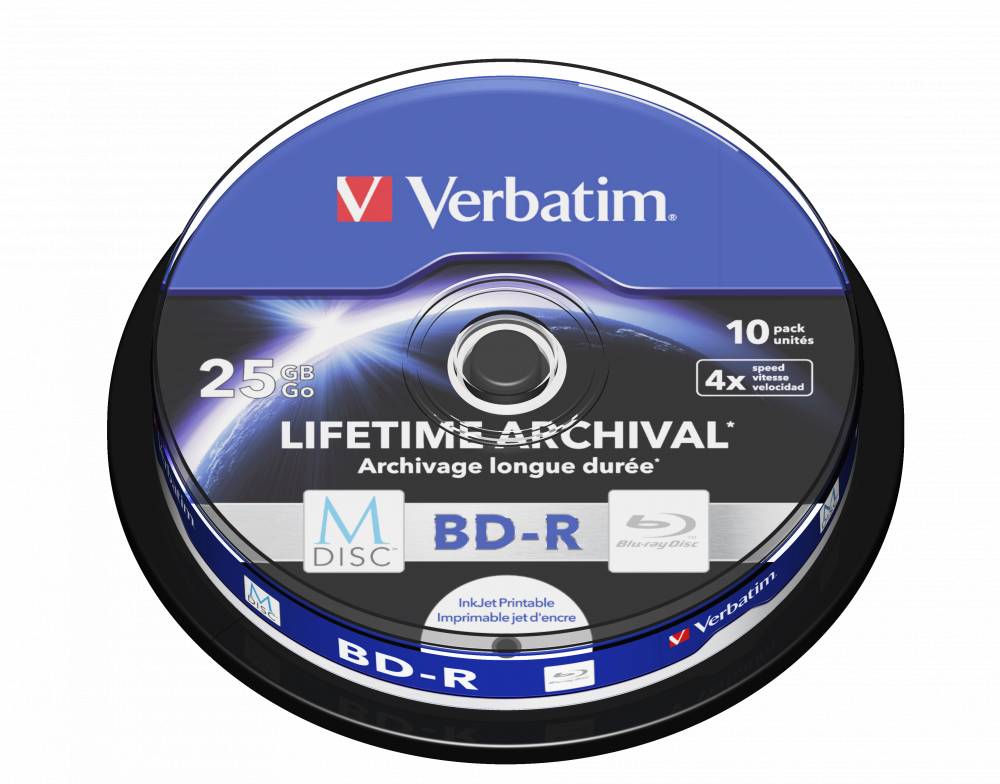
Verbatim M-DISC BD-R Blu-ray Disc 25GB 4x, Archival, 10-Pack Spindle, Inkjet Printable
Brand:
Verbatim

Verbatim M-DISC BD-R Blu-ray Disc 25GB 4x, Archival, 10-Pack Spindle, Inkjet Printable
€55.57 inc. VAT


43825
Delivery
Order Today...
Ships...
Delivery...
ℹ️ Large or fragile items (e.g. monitors) may require extra handling time. We'll keep you informed.
Payment options
Trusted Tech Choice
Buying Benefits
Verified
Competitive EU pricing
Delivered to Cyprus from EU stock
Local warranty support
Please sign in so that we can notify you about a reply
Verbatim M-DISC BD-R 25 GB 4x — 10-Pack, Printable
M-DISC BD-R 25 GB4x speed10 discsInkjet printable
Verbatim 43825 is a pack of 10 M-DISC BD-R Blu-ray discs with 25 GB per disc (single layer), rated for up to 4x writing and supplied in a spindle — aimed at long-term archiving of documents, photos and records that must stay readable for years.
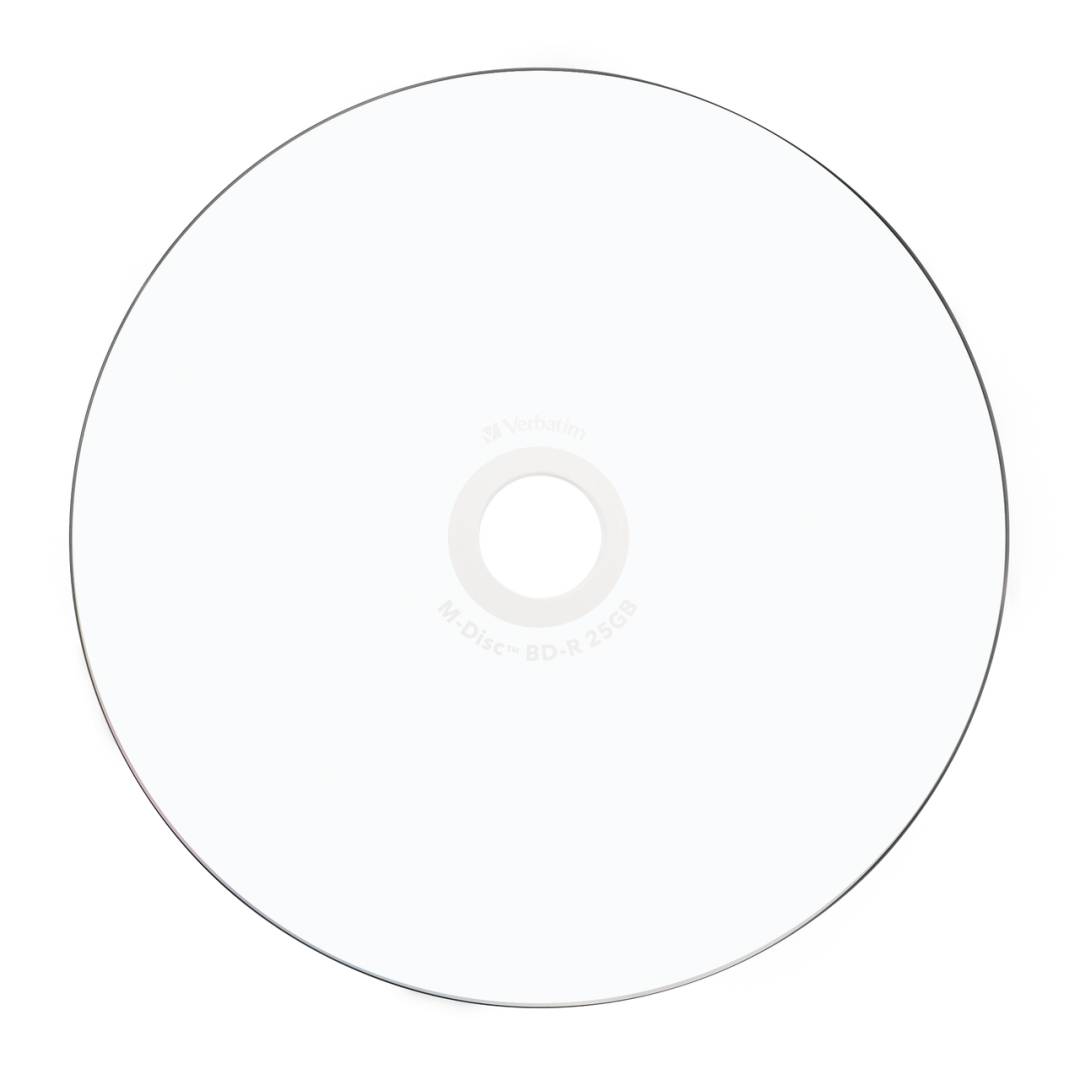
M-DISC is Verbatim's archival format: instead of the dye used in conventional recordable discs, the data is written into a rock-like inorganic layer that Verbatim designs to resist light, temperature and humidity. The top is inkjet-printable with a print area of Ø 40–118 mm, so you can print titles, logos or artwork directly onto the disc with a compatible inkjet printer.
Before you order: M-DISC BD-R must be burned in an M-DISC Ready BD-R writer (Verbatim's requirement). Once written, Verbatim states the discs are readable in most current BD-R drives.
What's in the Box
- 10 × Verbatim M-DISC BD-R discs, 25 GB each (250 GB total)
- A spindle tub with the discs stacked on the centre post — no individual sleeves or cases
- Blank discs with the inkjet-printable surface ready for your own artwork — no printer, ink or labelling software included
What It Means in Practice
- 25 GB per disc is about five times a single-layer DVD — enough for a large photo library, a full system image of a small PC or a long Full HD recording.
- Rated 4x (144 Mbps). Actual speed depends on your writer and burning software; for archive copies a moderate speed with verification after burning is a sensible habit.
- Archival focus: Verbatim positions M-DISC for data that must survive decades; it is still good practice to keep a second copy in a different location.
- Print area Ø 40–118 mm: you need an inkjet printer with a CD/DVD/Blu-ray print tray; let the ink dry fully before stacking or burning.
- Inkjet-printable top (Ø 40–118 mm) so each archive disc can carry its own title and date.
- A spindle is the most economical way to buy discs in quantity; if you hand discs to clients or store them long-term, budget for separate jewel or slim cases.
- Windows and macOS can write simple data discs from the file manager; for verification after burning, multi-session control or Blu-ray video authoring, use dedicated burning software.
- For important archives burn two copies on separate discs and keep them in different locations — one disc is a copy, two discs in two places are a backup.
What Will Not Work
- CD or DVD-only drives cannot read or write these discs — you need a Blu-ray writer to burn them and a Blu-ray drive or player to read them.
- A standard BD-R writer without M-DISC Ready support is not supported for burning these discs.
- Laser printers, thermal disc printers and adhesive labels are not the intended method — this surface is for inkjet disc printing.
- Most current laptops and all current Macs have no optical drive; you will need an external USB Blu-ray writer.
- A data disc is not automatically a playable movie: to play in a Blu-ray player, video must be authored as a Blu-ray video disc with suitable software.
Key Features
Capacity
25 GB per disc, single layer — 250 GB across the pack.
Speed
Up to 4x (144 Mbps) with a compatible writer.
Surface
Inkjet-printable, Ø 40–118 mm — print titles and artwork directly on the disc.
Protection
Rock-like M-DISC recording layer built for archiving.
Technical Specifications
Frequently Asked Questions
Singular Expert Insight · Buyer's Guide
Blu-ray remains one of the few offline, write-protected storage options that small businesses can afford: an archive disc cannot be encrypted by ransomware once it is on the shelf. M-DISC is the choice when the archive must outlast normal media; the price is the need for an M-DISC Ready writer. For daily backups of hundreds of gigabytes, an external hard drive is faster and pairs well with periodic Blu-ray archive copies.
✓ Buy it if you need archive copies built to last and have, or will buy, an M-DISC Ready Blu-ray writer.
✕ Skip it if your writer is not M-DISC Ready — a standard BD-R costs less and burns in any Blu-ray writer.
→ Also consider Verbatim 43823 — the same M-DISC BD-R 25 GB in a 5-pack jewel case.
Not sure your drive or printer supports these discs? Send us the model of your Blu-ray writer or disc-printing printer and we will check compatibility before you order.
Features - Verbatim - 43825
Colour
white
More Details
Product Code
04:300675
EAN Code
0023942438250
Manufacturer
Verbatim