
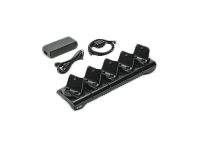
Zebra ZQ300 Series 5-Slot Docking Charger Cradle for ZQ310 and ZQ320 Mobile Printers, EU Power Cord and Supply Included
Brand:
Zebra

Zebra ZQ300 Series 5-Slot Docking Charger Cradle for ZQ310 and ZQ320 Mobile Printers, EU Power Cord and Supply Included
€607.54 inc. VAT
CRD-MPM-5SCHGEU1-01
Delivery
Order Today...
Ships...
Delivery...
ℹ️ Large or fragile items (e.g. monitors) may require extra handling time. We'll keep you informed.
Payment options
Trusted Tech Choice
Buying Benefits
Verified
Competitive EU pricing
Delivered to Cyprus from EU stock
Local warranty support
Please sign in so that we can notify you about a reply
Zebra ZQ300 Series 5-slot charging cradle for shared printer fleets
5 printers at onceUnder 4 h full chargeEU power cordZQ310 and ZQ320
The Zebra ZQ300 Series 5-Slot Docking Charger (CRD-MPM-5SCHGEU1-01) docks and charges up to five ZQ310 or ZQ320 mobile receipt printers at the same time, taking each battery from empty to full in under 4 hours, for retail floors, hospitality and field teams that share a pool of printers between shifts.
Instead of a tangle of individual chargers, staff drop the printers into one cradle at the end of a shift and pick up charged units at the start of the next. Zebra ships the cradle complete with its power supply and power cord - this SKU comes with the EU power cord, so it plugs straight into a standard Cyprus or European outlet without extra parts.
Before you order: This is the 5-slot cradle with EU power cord. Do not order the 1-slot cradle (CRD-MPM-1SCHGxx1-01) if you need to charge several printers, and do not order the US, UK or AU versions - the UK version would need a different wall socket.
What's in the Box
- Zebra ZQ300 Series 5-slot docking charger cradle
- Power supply and EU power cord (Zebra: ships complete with power supply and power cord)
- Printers and batteries are not included
What It Means in Practice
- One power socket charges up to five printers - tidy charging station for a store back office, hotel front desk or delivery depot
- A fully drained printer is ready again in under 4 hours, so printers docked at the end of a shift are charged for the next
- The printer can be used while docked - handy for printing at a counter - but the media cover cannot be opened while it sits in the cradle, so change paper rolls before docking
- Two cups can be removed to fit a 3-slot battery charger in a custom configuration, if you also want to charge spare batteries in the same footprint
- Supports ZQ310 Plus and ZQ320 Plus as well as the original ZQ310 and ZQ320, so mixed fleets can share one cradle
What Will Not Work
- It will not charge other Zebra printer series such as ZQ500 or ZQ600 - it is designed for the ZQ300 Series form factor
- It is not a data or network cradle; Zebra publishes it as a docking charger, so printer connectivity stays on Bluetooth or Wi-Fi
- You cannot replace paper rolls while a printer is docked - the media cover stays closed in the cradle
- It does not include printers, spare batteries or the optional 3-slot battery charger
- The UK, US and AU versions are separate SKUs; this one has the EU cord only
Key Features
Five printers, one plug
Docks and charges up to five ZQ310/ZQ320 printers simultaneously from a single power supply - fewer adapters, fewer sockets and no loose chargers left on counters or in drawers.
Fast turnaround
Empty to full in under 4 hours, so a shift's printers are recharged well before the next shift begins.
Print while docked
Printers remain usable in the cradle, useful for counter or desk printing between rounds.
Flexible configuration
Two cups can be removed to mount a 3-slot battery charger for custom printer-plus-battery charging stations.
Technical Specifications
Frequently Asked Questions
Singular Expert Insight · Buyer's Guide
A charging station is also a good moment to tidy up the counter or back-office desk where it sits, including the Ethernet runs for POS terminals and access points nearby. Browse our network cables if the area needs new patch leads.
✓ Buy it if Buy it if you run three to five ZQ310/ZQ320 printers that share one charging point and you want an EU-plug cradle with everything needed to power it.
✕ Skip it if Skip it if you have only one or two printers (consider the 1-slot cradle), if your printers are a different Zebra series, or if you need a UK-plug version.
→ Also consider Also consider spare batteries and a 3-slot battery charger for long shifts. Send us your printer models and quantities and we check the right combination.
Not sure it fits your setup? Send us the model of your rack, switch or device and we will check compatibility before you order.
Features - Zebra - CRD-MPM-5SCHGEU1-01
More Details
Product Code
V369308
EAN Code
5706998249425
Manufacturer
Zebra