
ALOGIC MX2 Lite DisplayPort Edition U1CAD-SGR USB-C Dual Display Docking Station 2x DP 4K 85W PD Gigabit LAN USB Hub
Μάρκα:
Alogic

ALOGIC MX2 Lite DisplayPort Edition U1CAD-SGR USB-C Dual Display Docking Station 2x DP 4K 85W PD Gigabit LAN USB Hub
€117.25 inc. VAT


U1CAD-SGR
Delivery
Order Today...
Ships...
Delivery...
ℹ️ Large or fragile items (e.g. monitors) may require extra handling time. We'll keep you informed.
Payment options
Trusted Tech Choice
Buying Benefits
Verified
Competitive EU pricing
Delivered to Cyprus from EU stock
Local warranty support
Συνδεθείτε για να μπορέσουμε να σας ειδοποιήσουμε σχετικά με μια απάντηση
ALOGIC MX2 Lite DisplayPort Edition U1CAD-SGR USB-C Dual Display Dock
Dual DisplayPort4K 60Hz Single85W PD — Adapter IncludedGigabit Ethernet
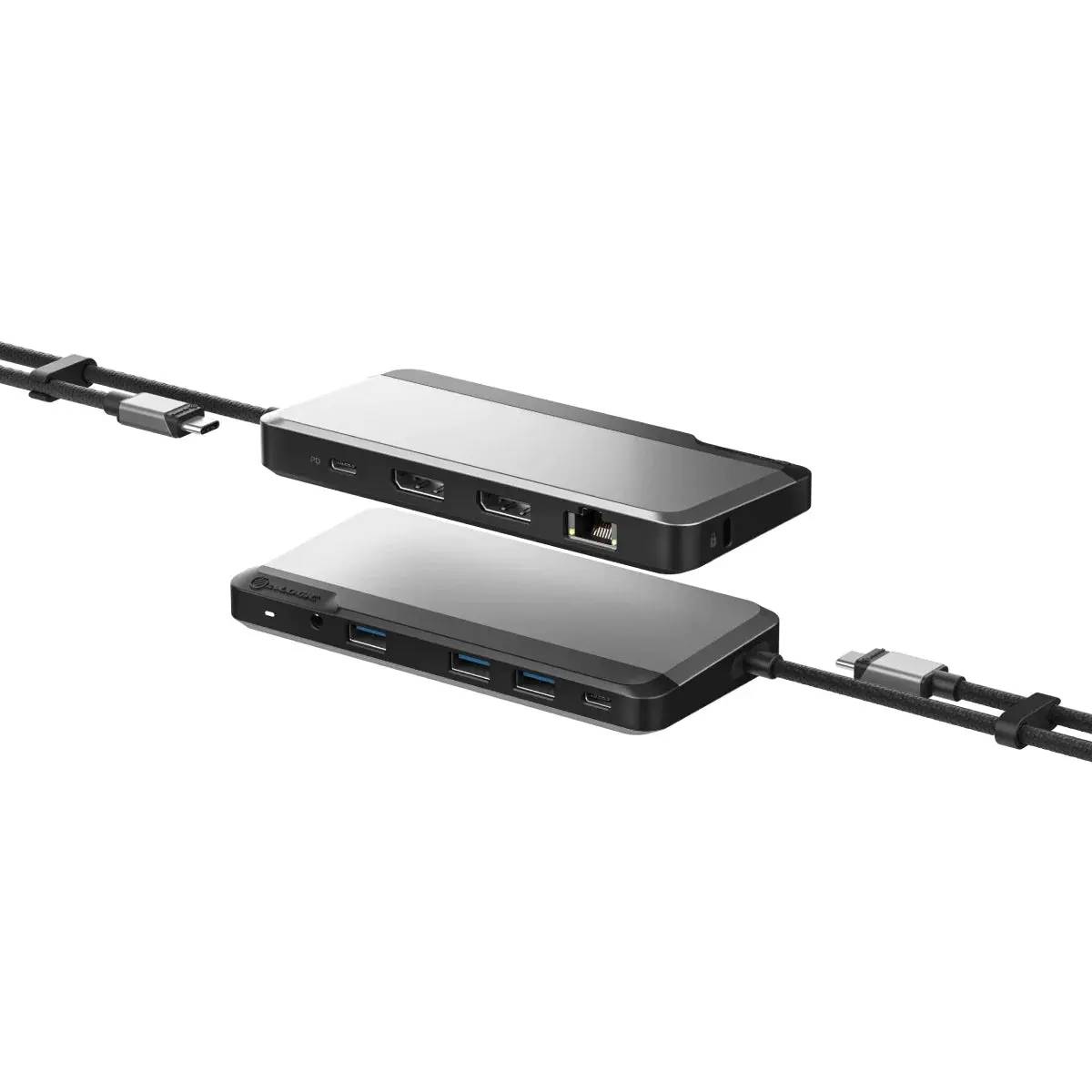
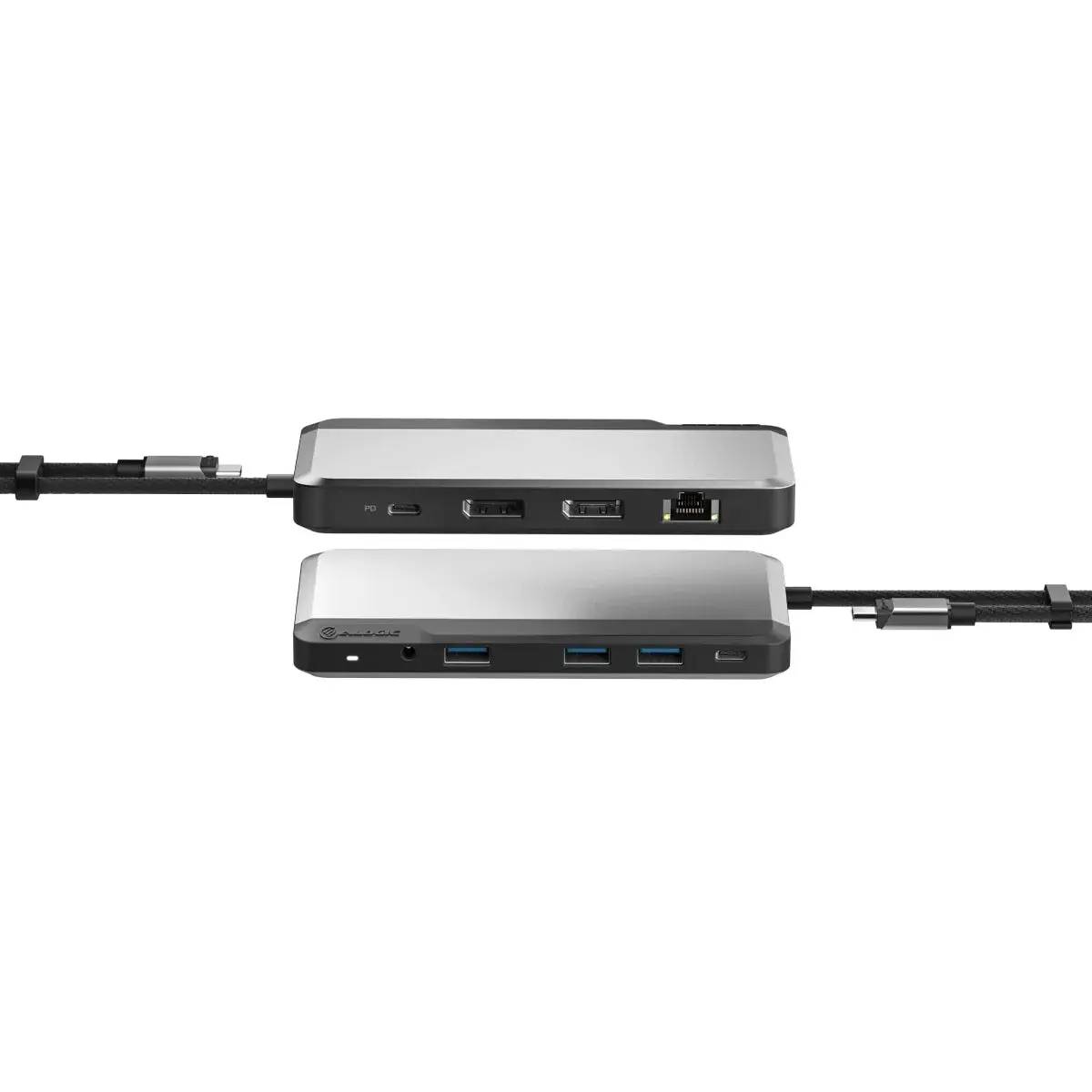
The ALOGIC MX2 Lite DisplayPort Edition (U1CAD-SGR) is a USB-C dual display docking station that connects two DisplayPort monitors, a USB hub, wired Gigabit networking and 85W charging through a single integrated USB-C cable. It drives a single display at up to 4K 60 Hz or dual displays at 1080p 60 Hz, and — unlike many docks — ships with its own USB-C power adapter, so it charges your laptop out of the box. With three USB-A and two USB-C ports, Gigabit Ethernet, a headset jack and a security slot, it is a tidy desk dock for Windows, macOS and ChromeOS. Identified by part number U1CAD-SGR (EAN 9350784025043). Typically in stock with fast delivery across Cyprus.
Before you buy — compatibility
This dock connects over USB-C and requires a host port with DisplayPort Alt Mode. Its outputs are DisplayPort (not HDMI), so DisplayPort monitors or DP cables are needed. A single display runs at up to 4K 60 Hz; dual displays run at up to 2x 1080p 60 Hz. Multi-display uses MST, so on macOS the dock is limited to a single external (mirrored) display. Charging is handled by the included USB-C power adapter, delivering up to 85W of Power Delivery to the laptop.
Best For
✓DisplayPort dual-monitor office desks
✓Single 4K 60Hz or dual Full HD setups
✓Charging a USB-C laptop out of the box (85W)
✓Adding wired Gigabit Ethernet to thin laptops
✓Securing the dock with the built-in lock slot
✓Windows, macOS and ChromeOS workstations
Key Features
Dual DisplayPort Video
Two DisplayPort outputs drive a single 4K 60 Hz display or two Full HD monitors, ideal for productivity on displays with DisplayPort inputs.
85W Charging — Adapter Included
The dock ships with its own USB-C power adapter and delivers up to 85W of Power Delivery, so your laptop charges from the moment you connect it — no extra charger to buy.
USB Hub & Networking
Three USB-A 3.2 Gen 1 (5 Gbps) and two USB-C ports connect peripherals and storage, while Gigabit Ethernet provides a stable wired connection.
Security & Audio
A built-in security lock slot protects the dock at shared desks, and the 3.5 mm combo jack adds headset audio for calls and media.
Technical Specifications
Frequently Asked Questions
Singular Expert Insight
The MX2 Lite DisplayPort Edition is a great-value dual-monitor dock for DisplayPort users, and the fact that it includes its own 85W power adapter sets it apart from docks that require a separate charger. If your monitors are HDMI, choose the MX2 Lite HDMI Edition; if you need dual 4K or Mac multi-display, step up to a higher-end model in our docking stations range. The built-in Gigabit port also removes the need for a separate USB network adapter.
Buyer's Guide
Buy it if
You use DisplayPort monitors and want a dual-display dock with Gigabit LAN, a USB hub, a security slot and 85W charging — with the adapter included.
Skip it if
Your monitors are HDMI-only, or you need dual 4K or true Mac multi-monitor — this dock is DisplayPort, dual 1080p and MST-based.
Also consider
ALOGIC MX2 Lite HDMI Edition for HDMI monitors, or a DisplayLink dock for Mac dual-display.
Χαρακτηριστικά
Product Code
CF51860
EAN Code
9350784025043
Manufacturer
Alogic