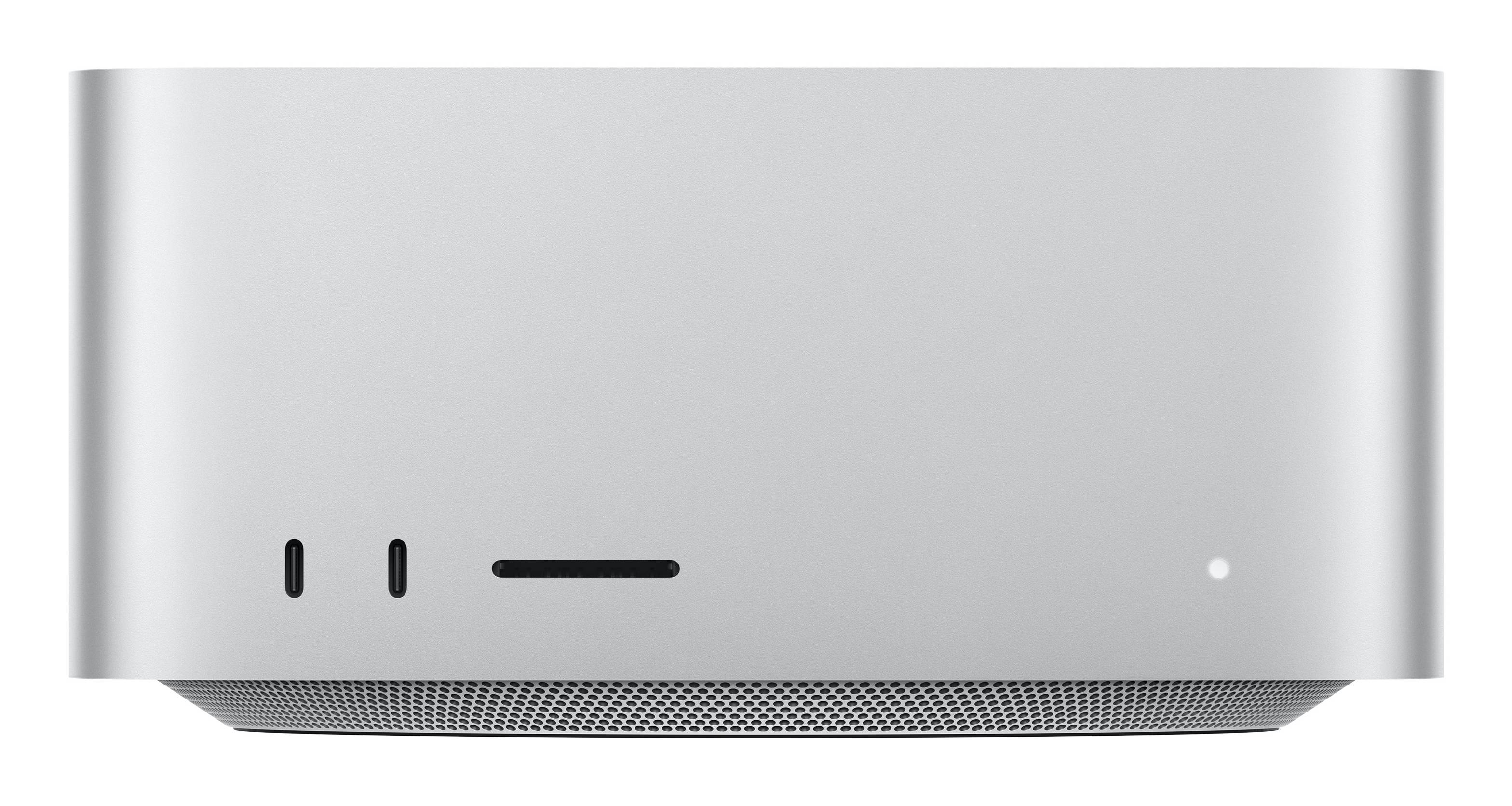
Apple Mac Studio — M4 Max, 36GB, 2TB SSD
M4 Max · 14-core CPU, 32-core GPU36GB unified memory · 410GB/s2TB SSD4 × Thunderbolt 5 · up to 5 displays
The Apple Mac Studio with M4 Max (built-to-order configuration Z1CD-03) is a compact professional desktop for video editors, 3D artists, developers, photographers and music producers who have outgrown a laptop or a Mac mini. This build pairs the M4 Max chip — a 14-core CPU with 10 performance and 4 efficiency cores, a 32-core GPU and a 16-core Neural Engine — with 36GB of unified memory running at 410GB/s and a 2TB SSD in place of the standard 512GB, so large photo libraries, 4K and 8K video projects and sample libraries live on fast internal storage. Four Thunderbolt 5 ports at up to 120Gb/s, 10Gb Ethernet, HDMI 2.1 and a front SDXC card slot connect a full studio, and it drives up to five displays — all from a 19.7 cm-square aluminium body that sits quietly on the desk.
Compatibility — check before buying:
Mac Studio is the computer only: in the box you get the Mac Studio and a power cord — no display, keyboard, mouse or trackpad. This is a built-to-order (CTO) configuration: memory (36GB) and storage (2TB) are set when the Mac is built and cannot be upgraded later, so choose the capacity you will need for the life of the machine. It drives up to four displays over Thunderbolt plus one over HDMI. For very large 3D scenes, local AI models or many virtual machines, a higher-memory configuration may suit better. Tell us your software and displays and we confirm the right setup.
Best For
✓ Video editing in Final Cut Pro, DaVinci Resolve, Premiere
✓ Photographers with large RAW libraries on 2TB
✓ Music production with big sample libraries
✓ Software development and virtual machines
✓ Multi-monitor desks — up to five displays
✓ Studios needing 10Gb Ethernet to a NAS
Key Features
M4 Max: 14-core CPU, 32-core GPU
Ten performance cores and four efficiency cores handle compiling, rendering and exports, while the 32-core GPU drives effects, colour grading and 3D viewports. The 16-core Neural Engine accelerates on-device AI features in macOS and pro apps.
36GB unified memory at 410GB/s
CPU and GPU share one pool of 36GB high-bandwidth memory, so large timelines, layered images and GPU tasks draw on the same fast memory without copying between separate pools. Apple offers 48GB, 64GB or 128GB only as build-time configurations.
Thunderbolt 5 and pro connectivity
Four rear Thunderbolt 5 ports run at up to 120Gb/s and support USB 4, USB 3 and DisplayPort 2.1. Also on the back: two USB-A (5Gb/s), HDMI 2.1, 10Gb Ethernet and a 3.5 mm jack with support for high-impedance headphones. On the front: two USB-C ports (10Gb/s) and an SDXC (UHS-II) card slot.
Up to five displays, pro media engine
Run four 6K displays at 60Hz over Thunderbolt plus a 4K display at 144Hz over HDMI, or two 6K displays with one 8K at 60Hz or 4K at 240Hz over HDMI. The media engine accelerates H.264, HEVC, ProRes and ProRes RAW, with two video encode engines for faster exports.
Technical Specifications
| Identification |
| Brand |
Apple |
| Model |
Mac Studio (2025) |
| Configuration |
Z1CD-03 — M4 Max 14-core CPU / 32-core GPU / 16-core Neural Engine, 36GB, 2TB |
| EAN |
4069812429481 |
| Colour |
Silver |
| Chip & Memory |
| Chip |
Apple M4 Max |
| CPU |
14-core — 10 performance, 4 efficiency |
| GPU |
32-core |
| Neural Engine |
16-core |
| Unified memory |
36GB, 410GB/s bandwidth (48/64/128GB available only as build-time options) |
| Storage |
2TB SSD (standard configuration: 512GB) |
| Media engine |
Hardware-accelerated H.264, HEVC, ProRes and ProRes RAW; video decode engine; two video encode engines |
| Ports |
| Rear |
4 × Thunderbolt 5 (USB-C) up to 120Gb/s — USB 4 up to 120Gb/s, USB 3 up to 10Gb/s, DisplayPort 2.1 |
| Rear |
2 × USB-A (USB 3, up to 5Gb/s) |
| HDMI |
HDMI 2.1 — one display up to 8K at 60Hz or 4K at 240Hz; VRR, HDR, multichannel audio |
| Ethernet |
10Gb Ethernet, Nbase-T (1Gb, 2.5Gb, 5Gb, 10Gb), RJ-45 |
| Audio |
3.5 mm headphone jack with support for high-impedance headphones |
| Front |
2 × USB-C (up to 10Gb/s), SDXC card slot (UHS-II) |
| Displays & Wireless |
| Display support |
Up to five displays: four 6K at 60Hz over Thunderbolt + one 4K at 144Hz over HDMI; or two 6K at 60Hz over Thunderbolt + one 8K at 60Hz or 4K at 240Hz over HDMI |
| Wi-Fi |
Wi-Fi 6E (802.11ax) |
| Bluetooth |
5.3 |
| Physical & Power |
| Dimensions |
9.5 × 19.7 × 19.7 cm (H × W × D) |
| Weight |
2.74 kg |
| Power |
100–240V AC; maximum continuous power 480W |
| Operating temperature |
10–35 °C |
| Operating system |
macOS |
| In the Box |
| Included |
Mac Studio, power cord |
| Not included |
Display, keyboard, mouse or trackpad, cables for displays |
| Warranty |
| Warranty |
1-Year Warranty (Singular) |
| Manufacturer Term |
Apple publishes a one-year limited warranty on Mac. Singular’s direct warranty is 1 year and runs alongside it; we assist you with the Apple warranty process for its full duration. |
Frequently Asked Questions
Does the Mac Studio M4 Max come with a keyboard, mouse or monitor?
No. The box contains the Mac Studio and a power cord only. Add any USB or Bluetooth keyboard and mouse and one or more displays — Apple’s own or any Thunderbolt, USB-C, DisplayPort or HDMI monitor.
Is 36GB of memory enough for video editing and development?
For 4K and most 8K editing, photo work, music production and typical development with a few virtual machines, 36GB is a comfortable fit. Very large 3D scenes, local AI models or many simultaneous VMs benefit from 64GB or 128GB, which have to be chosen when the Mac is built.
Can I use my existing monitors with the Mac Studio M4 Max?
Yes. Thunderbolt 5 ports support DisplayPort 2.1 and USB-C displays, and the HDMI 2.1 port connects any HDMI monitor or TV. You can run four 6K displays at 60Hz over Thunderbolt plus a 4K display at 144Hz over HDMI. Older DisplayPort or HDMI monitors connect with a suitable USB-C cable or adapter — tell us the models and we check them.
What do I need to know before buying?
Memory and storage cannot be added later, so this 36GB / 2TB configuration is final. Four displays over Thunderbolt plus one over HDMI is the maximum. It runs from 100–240V mains with a standard power cord. We can set it up, migrate data from your old Mac and handle the Apple warranty process for you.
Singular Expert Insight
Mac Studio is the step up when a Mac mini or MacBook starts to throttle on long exports: the M4 Max GPU, 410GB/s memory bandwidth and Thunderbolt 5 make a clear difference in video, 3D and multi-display work, and the 2TB SSD in this build avoids juggling external drives from day one. If your work is mostly office, web and light photo editing, a Mac mini does the job for far less — compare both in our
Mac mini and Mac Studio range. Pair it with a high-resolution screen from our
PC monitors.
Buyer’s Guide
Buy it if
you edit video, work in 3D or code with heavy builds and want an M4 Max with a 32-core GPU, 36GB unified memory at 410GB/s, 2TB of internal storage, Thunderbolt 5 and up to five displays.
Skip it if
you mostly do office work and light editing (a Mac mini is enough), or need more than 36GB of memory for large AI, 3D or multi-VM workloads.
Also consider
A Mac mini for lighter workloads, or a higher-memory Mac Studio configuration for large 3D, AI and multi-VM work.