ASRock Jupiter H610 Barebone Mini PC (65W)
An ultra-compact 1.1-litre chassis that takes desktop-socket processors — ready for office, kiosk and edge deployments.
Intel LGA1700 · 65W2× DDR4 SO-DIMMGigabit LAN1.1 L · VESA
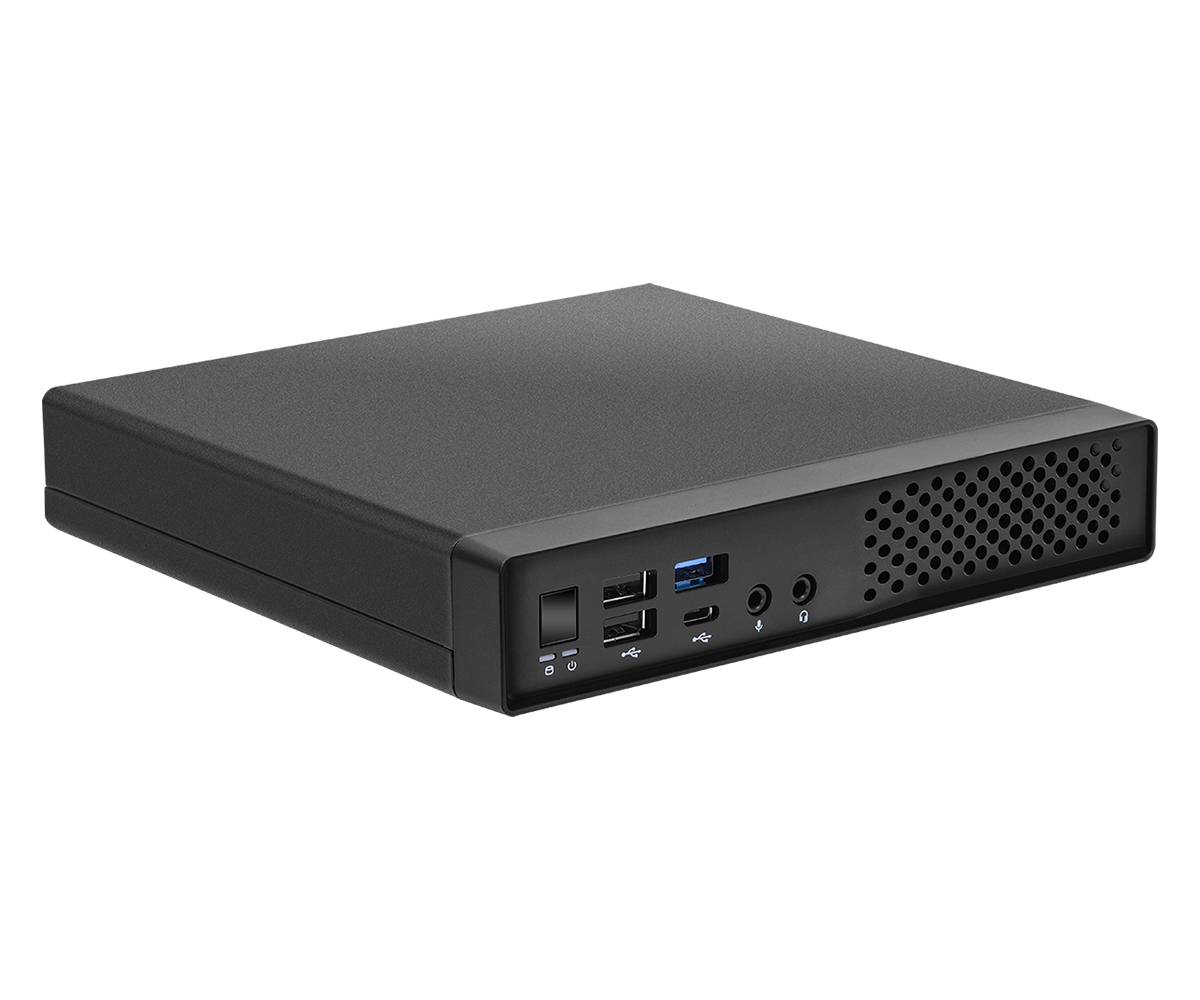
The ASRock Jupiter H610 (part number 90BXG4Q01-A10GA0F) is a barebone mini PC that fits a socketed Intel LGA1700 Core 14th/13th/12th Gen processor of up to 65W into a 179 × 178 × 34 mm chassis. It is supplied without CPU, memory, storage or operating system, so you can build exactly the system you need.
The Intel H610 platform supports 2× DDR4-3200 SO-DIMM, up to 64GB non-ECC, with storage via 1× M.2 2280 PCIe Gen4 x4 , 1× M.2 2280 PCIe Gen3 x4 (NVMe boot) , 1× 2.5" SATA 6Gb/s (7/9.5 mm). Video output is 1× HDMI , 1× DisplayPort 1.4 , 1× DisplayPort 1.2 (DP2 co-lay D-Sub). Networking is Gigabit (Intel I219V) Ethernet, and wireless is Default Intel AC3168 or AzureWave AW-XB611NF module.
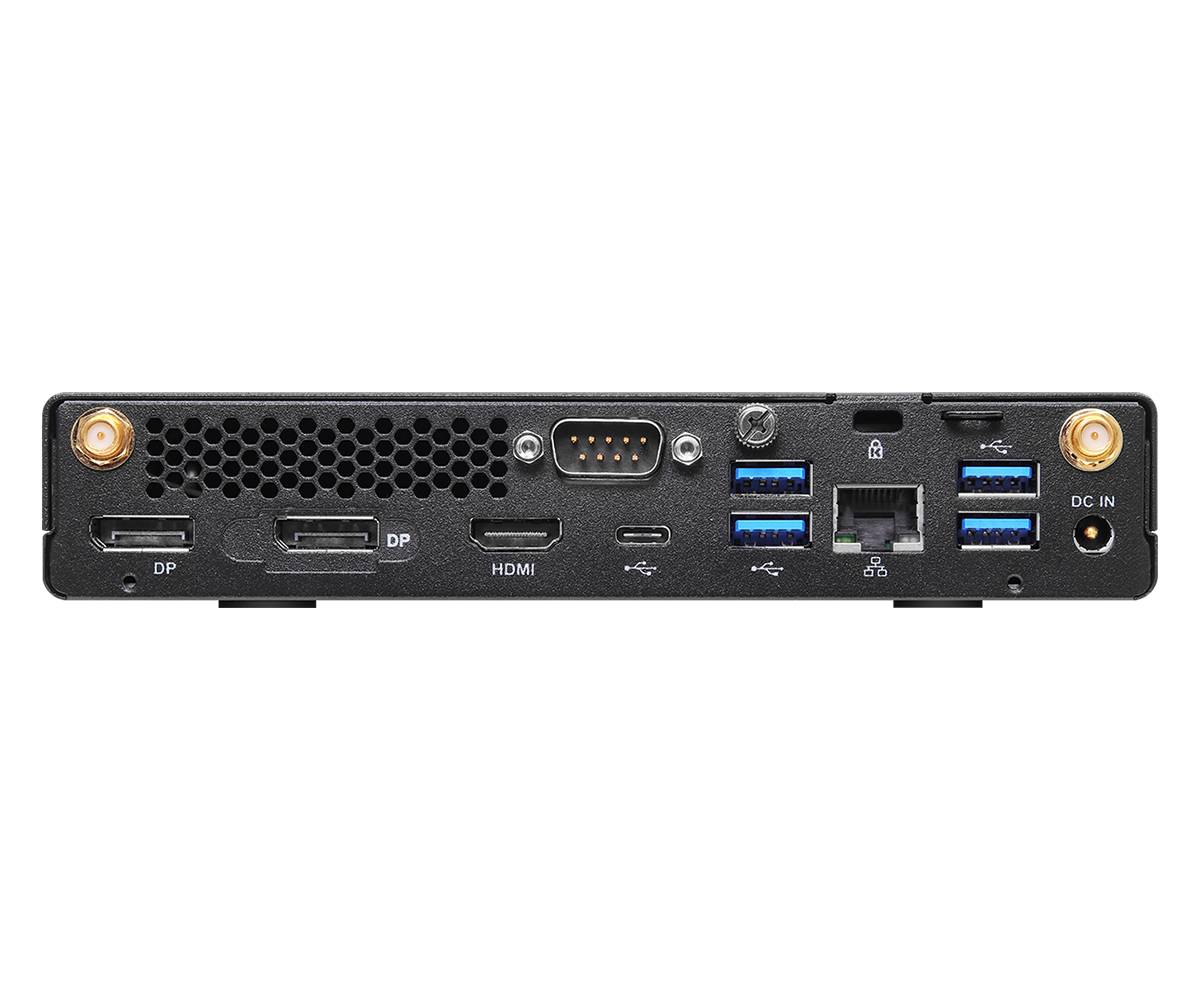
Designed for business desks and embedded roles, the Jupiter H610 includes a COM port on the rear panel, VESA mounting for installation behind a monitor, a Kensington lock slot and an integrated cooling solution, powered by a 120W / 19V external adapter.
Compatibility note: Barebone kit: add a Intel LGA1700 Core 14th/13th/12th Gen CPU with a TDP of 65W or less, DDR4 SO-DIMM memory (not desktop DIMMs), an M.2 NVMe or 2.5" drive and an operating system. There is no PCIe graphics slot — graphics come from the CPU's integrated GPU, so choose a processor with integrated graphics (avoid "F" models).
Best For
✓ Office and front-desk PCs
✓ Thin-client and VDI replacements
✓ Digital signage and kiosks (VESA mount)
✓ Point-of-sale and retail systems
✓ Edge and industrial PCs (COM port)
✓ Home media and light home-server builds
Key Features
Desktop socket, 1-litre size
Uses standard LGA1700 processors up to 65W in a chassis just 34 mm thick, with an integrated cooling solution.
Flexible storage
1× M.2 2280 PCIe Gen4 x4 · 1× M.2 2280 PCIe Gen3 x4 (NVMe boot) · 1× 2.5" SATA 6Gb/s (7/9.5 mm) — plenty of room for a fast NVMe boot drive plus bulk storage.
Multi-display output
1× HDMI · 1× DisplayPort 1.4 · 1× DisplayPort 1.2 (DP2 co-lay D-Sub) for multi-monitor desks and signage.
Business-ready connectivity
Gigabit (Intel I219V) Ethernet, Intel AC3168 or AzureWave AW-XB611NF module, Kensington lock and VESA mounting.
Technical Specifications
| Identification |
| Part Number |
90BXG4Q01-A10GA0F |
| Model |
Jupiter H610 65W (barebone) |
| EAN / GTIN |
4610211383104 |
| Brand |
ASRock |
| Colour |
Black |
| Platform |
| CPU support |
Intel LGA1700 — 14th/13th/12th Gen Core, max. TDP 65W |
| Chipset |
Intel H610 |
| Cooling |
Integrated cooling solution |
| Memory |
2× DDR4-3200 SO-DIMM, max. 64GB non-ECC |
| Storage & Graphics |
| Storage |
1× M.2 2280 PCIe Gen4 x4 · 1× M.2 2280 PCIe Gen3 x4 (NVMe boot) · 1× 2.5" SATA 6Gb/s (7/9.5 mm) |
| Video outputs |
1× HDMI · 1× DisplayPort 1.4 · 1× DisplayPort 1.2 (DP2 co-lay D-Sub) |
| Connectivity |
| LAN |
Gigabit (Intel I219V) |
| Wireless |
Default Intel AC3168 or AzureWave AW-XB611NF module; optional Intel AX210 |
| Audio |
Realtek ALC269 · headset jack · mic-in · 1W speaker (optional) |
| Front I/O |
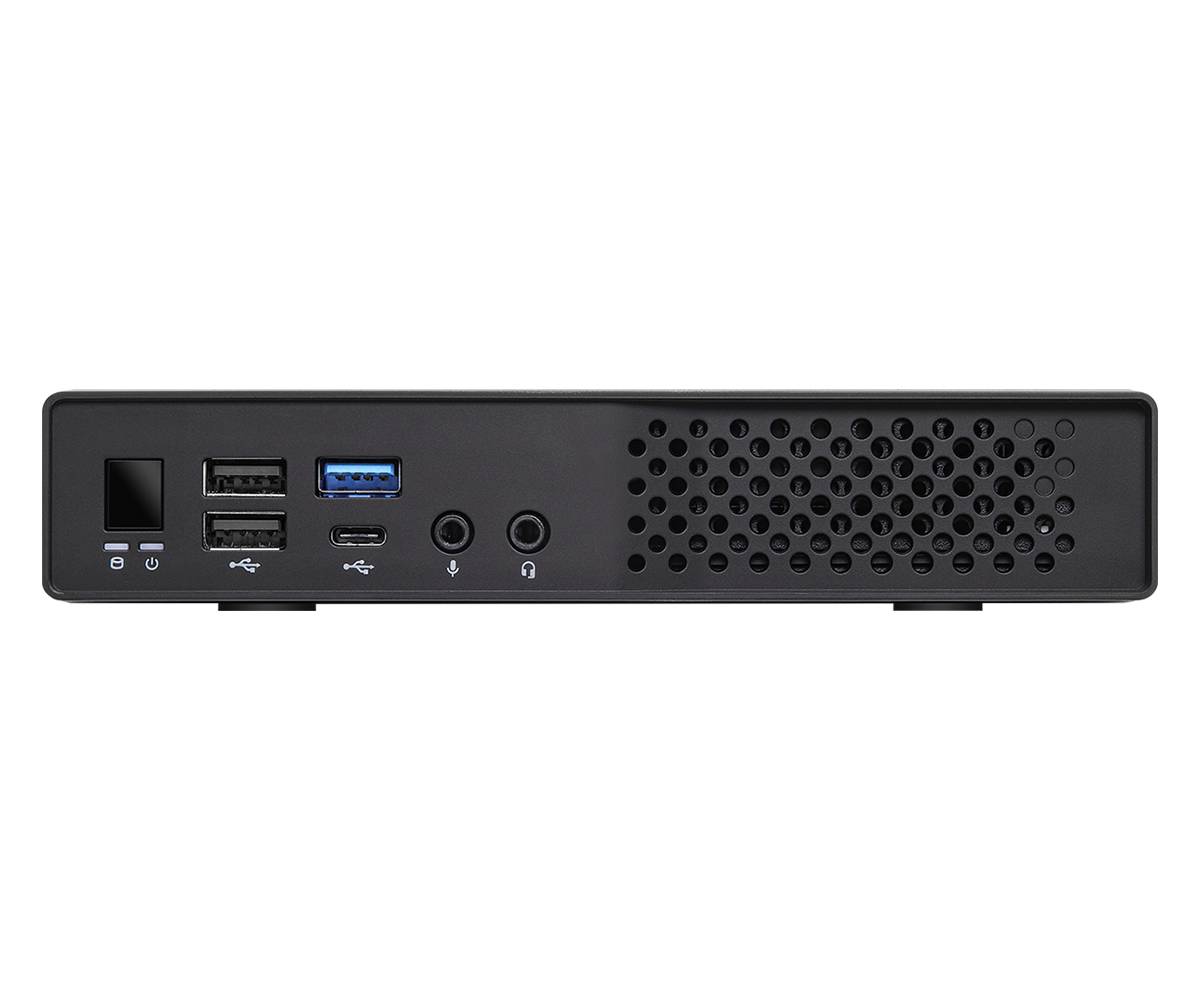
Power button · headset jack · mic-in · 1× USB 3.2 Gen 1 Type-A · 1× USB 3.2 Gen 1 Type-C · 2× USB 2.0 |
| Rear I/O |
DC-in · 1× HDMI · 2× DisplayPort · 1× COM · 4× USB 3.2 Gen 1 Type-A · 1× USB 3.2 Gen 1 Type-C · 1× RJ45 |
| Power & Physical |
| Power supply |
120W / 19V external adapter |
| Dimensions |
179 × 178 × 34 mm (1.1 litres) |
| Security |
Kensington lock · TPM 2.0 IC (optional) |
| Mounting |
VESA mount |
| OS support |
Windows 10/11 64-bit compliant (not included) |
| In the Box |
| Included |
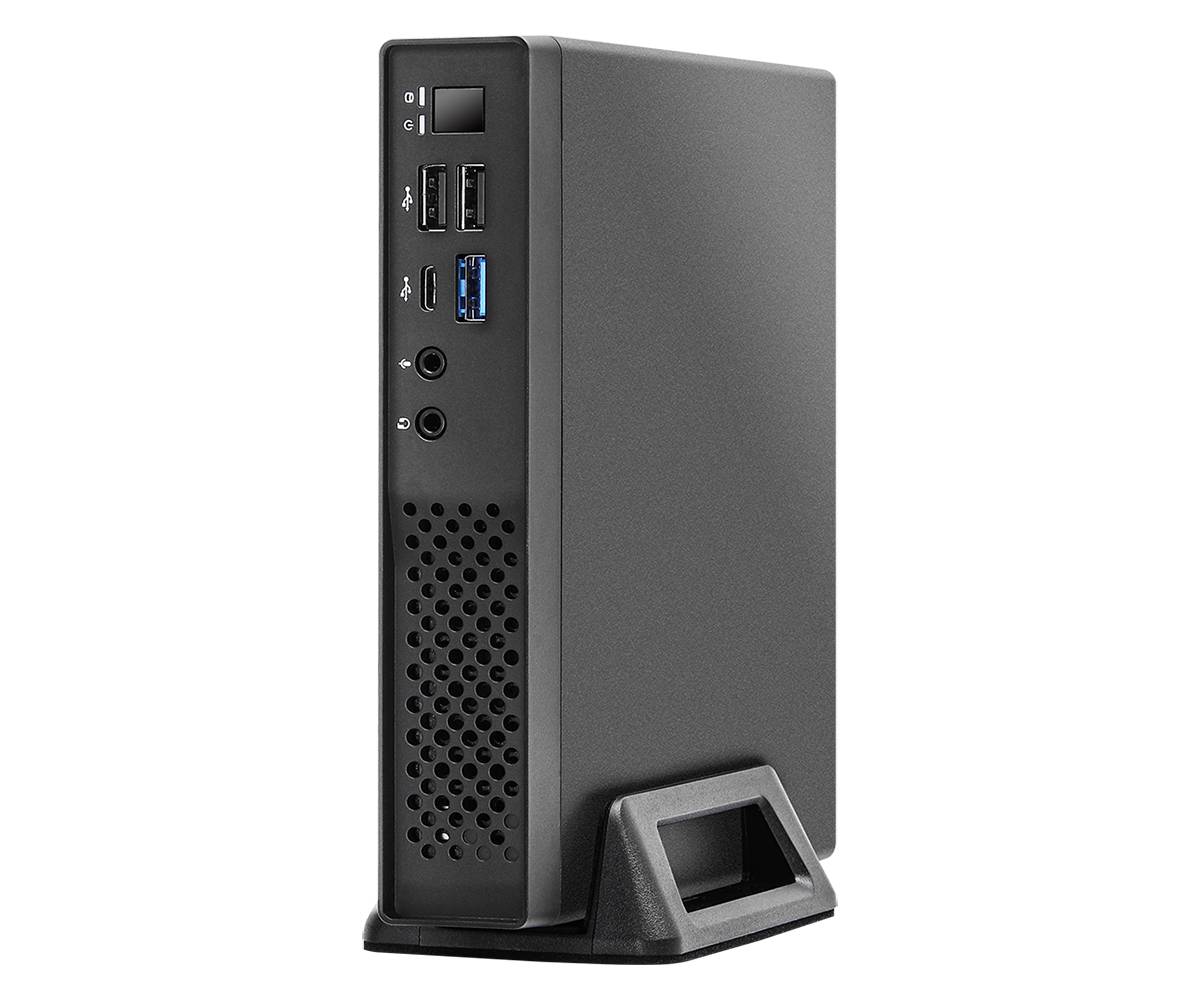
Quick installation guide · SATA data/power cable · screw pack · VESA mount · 2× Wi-Fi antennas · stand (optional) |
Frequently Asked Questions
What do I need to add to the ASRock Jupiter H610?
A Intel LGA1700 Core 14th/13th/12th Gen processor of up to 65W with integrated graphics, DDR4 SO-DIMM memory, at least one M.2 NVMe or 2.5" SATA drive, and a Windows licence.
Which processor should I choose?
A 65W chip such as a Core i5-14400 or Core i7-14700 gives the best performance within the thermal limit; lower-power 35W models run cooler and quieter for 24/7 or kiosk use.
What is the difference between the Jupiter H610 and the Jupiter X600 (AMD AM5, 90BXG4S01-A20GA0F)?
The H610 uses Intel LGA1700 with DDR4 (up to 64GB) and Gigabit LAN; the X600 uses AMD AM5 with DDR5 (up to 128GB), USB4 and 2.5G LAN.
Can I mount the Jupiter H610 behind a monitor?
Yes. A VESA mount is supported, so the unit can be fixed to the back of a monitor or under a desk for a clean, cable-tidy workstation.
Singular Expert Insight
The Jupiter H610 is a smart base for fleet and embedded PCs: socketed desktop CPUs in a 1-litre box, easy upgrades and business touches such as a COM port and VESA mounting. There is no GPU slot, so it targets office and edge work rather than gaming. Complete your build with
memory and
NVMe SSDs.
✓ Buy it if you want a tiny, upgradeable Intel LGA1700 Core 14th/13th/12th Gen PC for office, kiosk or edge use.
✕ Skip it if you need a discrete graphics card or more than 64GB of RAM.
→ Also consider the ASRock Jupiter X600 (AMD AM5, 90BXG4S01-A20GA0F); or the DeskSlim series if you need a PCIe x16 slot.