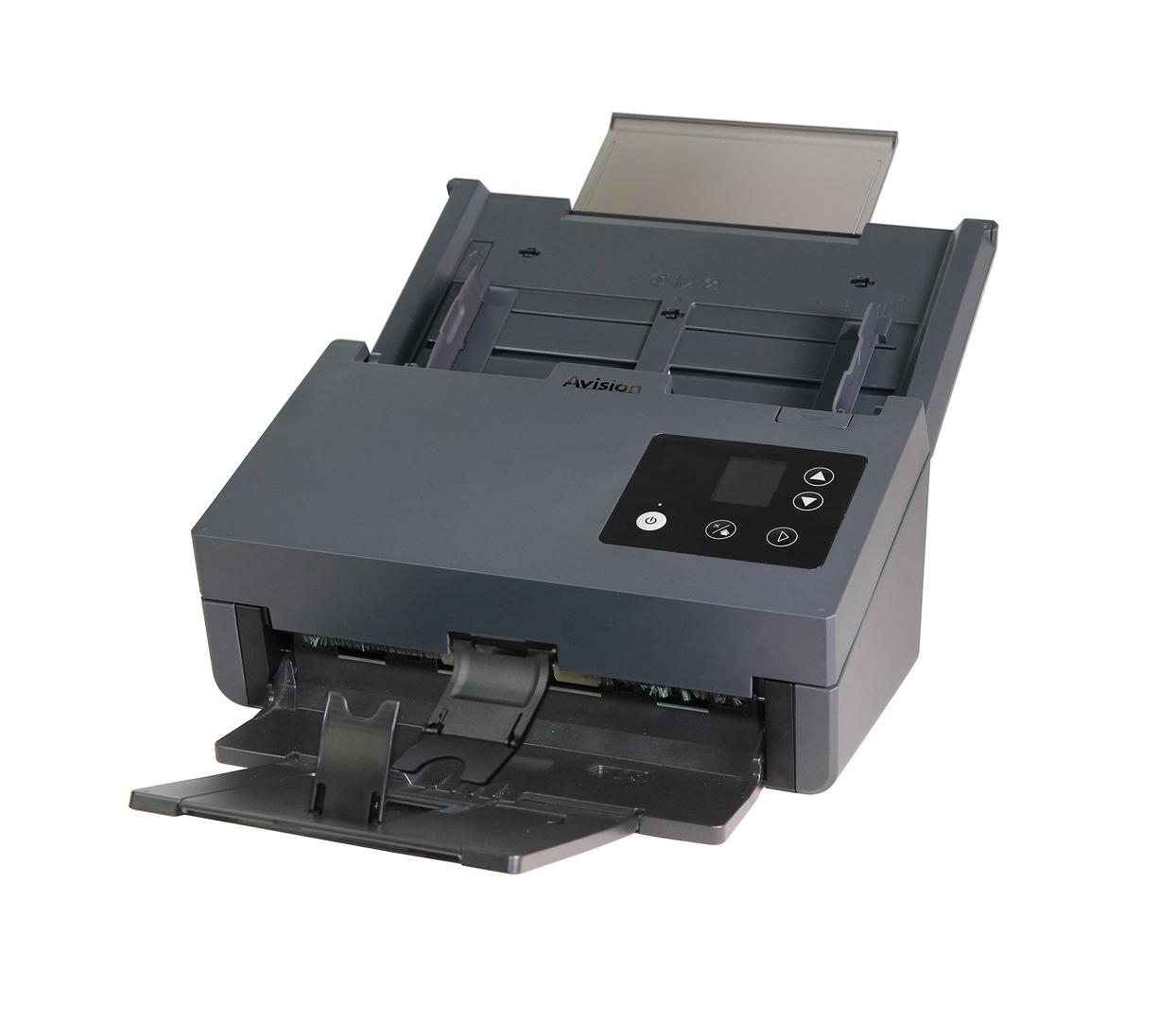
Avision AD380: 80 ppm CCD document scanner for heavy daily batches
80 ppm / 160 ipm100-sheet ADF15,000 pages/dayCCD sensor
The Avision AD380 is a sheetfed A4 duplex document scanner that captures both sides of a page at 80 ppm / 160 ipm, built for offices, archives and back-offices that digitise thousands of pages every day. It uses a CCD sensor with LED lighting, a 100-sheet automatic document feeder and a recommended daily volume of up to 15,000 pages, so it is sized for centralised scanning rather than an occasional receipt on a reception desk. The AD380 connects to one PC over USB 3.2 Gen1x1 and includes TWAIN and ISIS drivers, so it works with most document management and accounting software that accepts a scanner. It handles thin paper from 27 g/m2 up to 413 g/m2 card stock, embossed plastic cards up to 1.25 mm, and long documents in long-paper mode. Choose it when page volume is the real bottleneck and you want one scanner that keeps up with a whole department. In practice the AD380 is a scanning station: put it next to a dedicated PC, load the feeder with up to 100 sheets and let the operator prepare the next batch while the current one runs. Profiles in Button Manager or AVScan decide the output, for example searchable PDF per document, separated by blank pages or barcodes in your capture software, and saved into a fixed folder structure. If your archive includes many older, folded or creased pages, the CCD sensor is the reason to choose this model over cheaper CIS scanners. If your documents are mostly clean new office paper, the AD360G does the same speed for less.
Before you order: USB-only: the AD380 has no network port or Wi-Fi, so it scans to the one computer it is plugged into. For shared scanning across a team you need a network model or a PC that acts as the scanning station.
What's in the Box
- AD380 scanner
- Power adapter
- USB cable
- Software and drivers available from Avision (Button Manager, AVScan, PaperPort, TWAIN/ISIS)
- Exact accessory list varies by region — ask us and we confirm before you order
What It Means in Practice
- A 100-page stack runs through in well under two minutes in duplex at 200 dpi, so batch work is limited by paper preparation, not by the scanner.
- The 15,000 pages per day rating means it can be the single production scanner for a busy office or a scanning bureau shift.
- Paper from 27 to 413 g/m2 and embossed cards up to 1.25 mm let you mix invoices, delivery notes, thick covers and ID or loyalty cards in one workflow.
- TWAIN and ISIS drivers plus Linux and macOS drivers mean it plugs into most DMS, ERP and archiving software without middleware.
- Button Manager lets you set one-touch profiles, for example scan to searchable PDF in a fixed folder, so staff do not need to touch settings.
What Will Not Work
- No flatbed: bound books, passports, fragile originals and stapled sets must be scanned on a separate flatbed.
- No network or Wi-Fi: it cannot be shared on the LAN by itself or scan directly to email or a NAS.
- Not A3: the widest page is 216 mm (Legal), so drawings and A3 forms need an A3 scanner.
- The ADF is not designed for photos or delicate originals; use a flatbed for anything you cannot risk feeding.
- It does not include capture or indexing software beyond the Avision bundle; large projects may need a dedicated capture application.
Key Features
CCD optics
A CCD sensor gives depth of field, so slightly creased or curled pages stay sharp rather than going soft where the paper lifts. This matters most on archive boxes where pages have been folded into envelopes or files for years.
Long paper mode
Receipts, ECGs and long forms can be scanned well beyond Legal length, up to 240 inches at 200 dpi colour duplex. Use it for ECG strips, till rolls and long statements that a standard Legal-length feeder rejects.
512 MB memory
Onboard SDRAM keeps the paper moving while images are processed, so speed holds on colour duplex jobs. On a slow PC the scanner still keeps feeding, so the bottleneck is usually the computer's storage, not the scanner.
Broad OS support
Windows 7 to 11 and Windows Server, macOS 10.12 to 14 and major Linux distributions are listed by Avision. That makes it practical in mixed IT environments where scanning PCs are not all Windows.
Technical Specifications
| Identification |
| Part Number |
000-1016-07G |
| EAN/GTIN |
4713494651950 |
| Model |
AD380 |
| Brand |
Avision |
| Scanning |
| Sensor |
CCD, LED light source |
| Optical Resolution |
600 x 600 dpi |
| Output Resolution |
1200 x 1200 dpi |
| Speed (A4, 200 dpi, colour or mono) |
80 ppm simplex / 160 ipm duplex |
| Recommended Daily Volume |
Up to 15,000 pages |
| Paper Handling |
| ADF Capacity |
100 sheets (A4, 80 g/m2) |
| Min Document Size |
50 x 50 mm |
| Max Document Size |
216 x 356 mm (Legal) |
| Paper Weight |
27 to 413 g/m2 |
| Card Scanning |
Embossed card, up to 1.25 mm |
| Long Paper Mode |
Up to 240 in. at 200 dpi colour duplex |
| Connectivity & Software |
| Interface |
USB 3.2 Gen1x1 |
| Memory |
512 MB SDRAM |
| Drivers and Software |
TWAIN, ISIS, Button Manager, AVScan, PaperPort, Virtual Scanner Link |
| Operating Systems |
Windows 7/8/10/11, Windows Server 2008R2 to 2025, macOS 10.12 to 14, Fedora, openSUSE, Debian, Ubuntu |
| Physical & Power |
| Dimensions (max) |
316 x 680 x 239 mm |
| Dimensions (min) |
316 x 191 x 168 mm |
| Weight |
4.7 kg |
| Noise |
Operating below 52 dB, ready below 25 dB |
| Warranty |
| Warranty |
1-Year Warranty (Singular) |
| Manufacturer Term |
Standard manufacturer warranty — claims handled through Singular |
Frequently Asked Questions
Can I scan plastic ID cards on the AD380?
Yes. Avision lists embossed card scanning up to 1.25 mm thickness through the feeder, so you do not need a separate card scanner for occasional cards. Feed cards one at a time and keep them separate from paper batches for best results.
How is the AD380 different from the AD360G?
Both run at 80 ppm with a 100-sheet ADF. The AD380 uses a CCD sensor and is rated for up to 15,000 pages per day, while the AD360G uses a CIS sensor in the same class. If speed is the only factor and documents are clean, the AD360G is the more economical choice.
Will it work with my document management software?
If your software accepts TWAIN or ISIS scanners it will normally work. Tell us the software name and version and we check before you order. We can also confirm the driver version your software vendor recommends.
Does it need a powerful PC?
Any current PC with a USB 3 port is fine; a USB 3 port matters, because a USB 2 port will slow colour duplex batches. A solid-state drive on the scanning PC also helps when saving large colour PDF batches.
Singular Expert Insight · Buyer's Guide
The AD380 is the scanner we suggest when a customer tells us they are scanning boxes, not folders. The CCD sensor is the main reason to pick it over cheaper CIS models at the same speed, because creased and folded paper from archives comes out sharper. Pair it with a dedicated scanning PC and keep the output on fast storage, for example
an external SSD for archive scans. Plan the paper preparation too: removing staples and sorting sizes is what really sets daily output on any 80 ppm scanner.
✓ Buy it if Buy it if you scan several thousand pages a day into one PC and need speed, card support and mixed paper weights in one feeder.
✕ Skip it if Skip it if you scan a few hundred pages a day or need network scanning, where an AD340GN or AN360W fits better.
→ Also consider Also consider the Avision AD360G for the same 80 ppm class with a CIS sensor at a lower price.
Not sure which scanner fits your volume or software? Tell us your daily page count, document types and the software you scan into, and we will check compatibility before you order.