
Belkin USB 3.1 SuperSpeed Plus USB-A to USB-C Cable 1 m 10Gbps 3A Charging Reversible Connector Black
Μάρκα:
BELKIN

Belkin USB 3.1 SuperSpeed Plus USB-A to USB-C Cable 1 m 10Gbps 3A Charging Reversible Connector Black
€40.57 inc. VAT
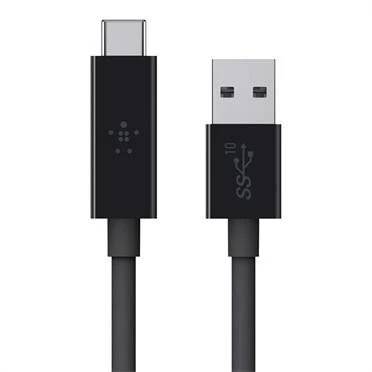
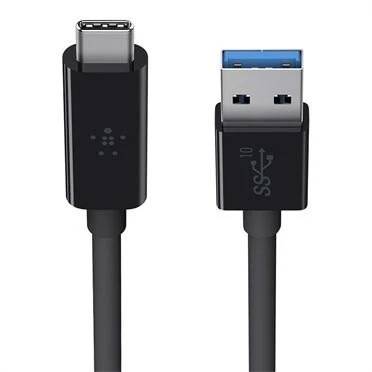
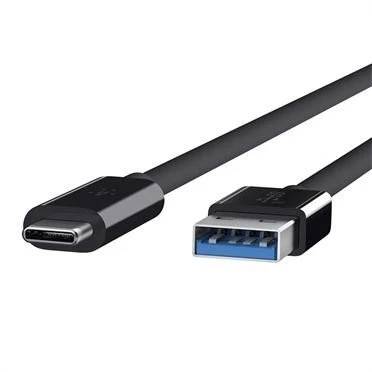


F2CU029BT1M-BLK
Delivery
Order Today...
Ships...
Delivery...
ℹ️ Large or fragile items (e.g. monitors) may require extra handling time. We'll keep you informed.
Payment options
Trusted Tech Choice
Buying Benefits
Verified
Competitive EU pricing
Delivered to Cyprus from EU stock
Local warranty support
Συνδεθείτε για να μπορέσουμε να σας ειδοποιήσουμε σχετικά με μια απάντηση
Belkin USB 3.1 USB-A to USB-C Cable — 1 m, 10Gbps
10 Gbps SuperSpeed+ dataUp to 3 A charging outputUSB-A source, USB-C deviceReversible USB-C connector
The Belkin USB 3.1 cable (part number F2CU029BT1M-BLK) connects a standard USB-A port — on a laptop, a desktop, a charger or a power bank — to a USB-C device, and it is built to the USB 3.1 SuperSpeed+ specification rather than the USB 2.0 most USB-A to USB-C cables use. That means 10 Gbps of data: twenty times USB 2.0, twice USB 3.0, fast enough to move an HD film in about thirty seconds. It also carries up to 3 A of charging current, so it is a proper charging cable as well as a data one. The USB-C end is reversible, and at 1 m it is a desk length rather than something to trail across a room.
Compatibility — check before buying:
USB-A at the source end, USB-C at the device end. It suits USB-C phones, tablets, laptops, external drives and card readers connected to a computer or charger that still has USB-A — which is most desktops, most docks and nearly every older laptop. Belkin lists compatibility with USB-C devices and Thunderbolt 3, 4 and 5 ports, on Windows, macOS and ChromeOS. To reach 10 Gbps both ends must support USB 3.1 Gen 2; on a USB 2.0 port the cable simply runs at that port’s speed. Note this is not a USB-C to USB-C Power Delivery cable: charging is up to 3 A over USB-A, not PD wattage.
Best For
✓ Anyone moving large files between a computer and a USB-C drive
✓ Desktop users whose machine has USB-A but whose devices are USB-C
✓ People connecting a USB-C phone to a laptop for backups
✓ Anyone who has discovered their USB-A to USB-C cable is USB 2.0
✓ Users of USB-C card readers and external SSDs
✓ Travellers charging a USB-C phone from a USB-A charger or power bank
Key Features
10 Gbps, not 480 Mbps
Most USB-A to USB-C cables are USB 2.0 and cap at 480 Mbps — which is why an external SSD feels slow on a cable that fits perfectly. This one is USB 3.1 SuperSpeed+, twenty times faster.
3 A charging output
Enough current to charge a USB-C phone or tablet properly rather than trickling, from any USB-A charger or power bank that can supply it.
Reversible at the USB-C end
No wrong way round on the device side, which is the end you plug in and out most often.
Works with what you already have
USB-A is still on most desktops, docks, hubs, car chargers and power banks. This cable is how those keep serving a USB-C phone, tablet or drive.
Technical Specifications
Frequently Asked Questions
Singular Expert Insight
This is the cable that solves a specific annoyance: a USB-C external drive that crawls when plugged into a desktop. Nine times out of ten the cause is the cable, because USB-A to USB-C cables are overwhelmingly USB 2.0 — they charge fine and move data at a twentieth of the drive’s speed. A USB 3.1 SuperSpeed+ cable removes that bottleneck for the cost of a cable rather than a new dock. Two things to be clear on: 10 Gbps needs a USB 3.1 Gen 2 port at the computer end, and charging here is 3 A over USB-A, not USB-C Power Delivery. See our USB cables and adapters and USB-C cables.
Buyer's Guide
Buy it if
You connect USB-C devices to USB-A ports and you want real transfer speed rather than a charging-only cable.
Skip it if
Both ends of your connection are USB-C — a USB-C to USB-C Power Delivery cable will charge far faster — or you only ever charge and never transfer data.
Also consider
A USB-C to USB-C cable for fast charging from a modern charger, and a USB-C hub if the computer is short of ports.
Colour
black
Interface
- USB Type-C,
- USB3.1
Length
1.0m
Χαρακτηριστικά
Product Code
086C755
EAN Code
0745883692309
Manufacturer
BELKIN