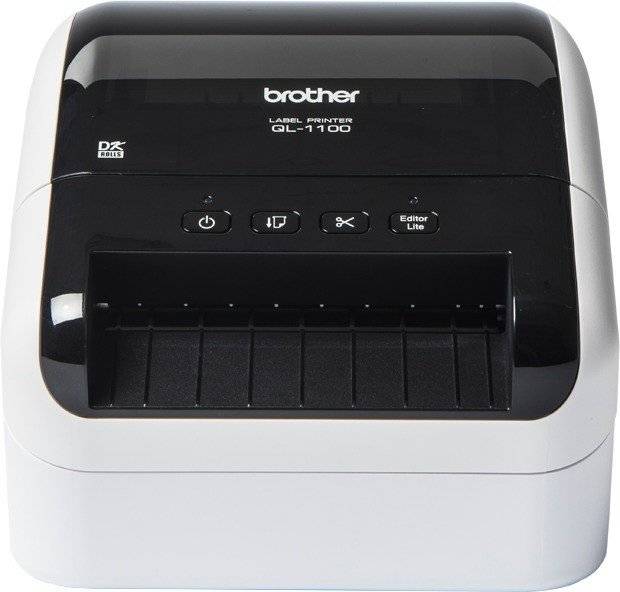
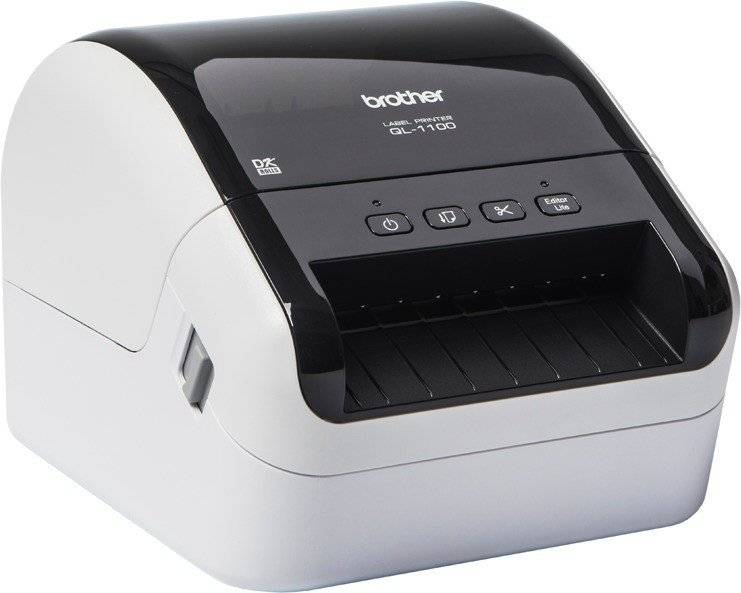
Brother QL-1100c — 4-inch direct thermal desktop label printer, 300 dpi
Direct Thermal300 dpiUp to 110 mm/sUSB
The Brother QL-1100c is a 4-inch desktop label printer that prints by direct thermal at 300 dpi and up to 110 mm/s, made for shipping labels including 4 × 6 in marketplace and FBA labels, address and file labels.
It connects over USB 2.0. Labels are designed in Brother's free P-touch Editor or printed straight from Word, Excel and Outlook through the Office add-in; SDKs are available for custom apps. It is a compact, single-user or workgroup printer for counters, packing benches, back offices and small warehouses rather than a 24/7 industrial line printer.
In practice it sits between a PC or POS terminal and a roll of labels: you design labels in label software such as BarTender, or print them straight from your ERP, WMS, e-shop back office or courier portal. Label size, gap and darkness are set once in the driver or by a quick media calibration, and after that every print lands in the same place on the label.
Before you order: It prints only on genuine Brother DK rolls (die-cut labels or continuous tape) — standard 4-inch label rolls from other desktop printers do not fit. DK labels are direct thermal, so they suit addresses, shipping, files and badges rather than labels that must survive sunlight or heat.
What's in the Box
- QL-1100c label printer
- 62 mm black-on-white continuous label roll (8 m)
- Large shipping die-cut labels (41 labels)
- USB cable and power cord
- User guide and quick setup guide
What It Means in Practice
- Brother DK labels and continuous tape up to 103.6 mm wide — wide enough for 4-inch shipping labels, with the built-in cutter trimming continuous tape to any length up to 3 m.
- At up to 110 mm/s a 150 mm long label prints in roughly 1.4 seconds, so batches of a few hundred labels are a matter of minutes.
- With USB 2.0 only, it prints from the PC it is cabled to; to use it from several PCs, share it from that PC or choose the network version.
- No ribbon to buy or change: running cost is the labels only, and loading a new roll takes seconds.
- PDF Crop Print takes a shipping-label PDF from Amazon FBA or a courier portal and prints just the label area, without manual cropping.
What Will Not Work
- Non-Brother label rolls and media wider than 103.6 mm.
- Ribbons and thermal transfer-only labels — this model has no ribbon mechanism.
- Colour printing, photos or ordinary A4 office printing — it prints one colour (black) on label media.
- Network, Wi-Fi or phone printing — the QL-1100c is USB only; the QL-1110NWBc adds LAN, Wi-Fi and Bluetooth.
Key Features
True 4-inch head
A 101.66 mm print head covers the full width of 4-inch shipping labels at 300 dpi.
Simple USB connection
Plugs into one Windows PC or Mac by USB — no network setup, ideal for a single desk.
Automatic cutter
Cuts every die-cut label or a custom length from continuous tape, so labels come out ready to use.
Office integration
Free P-touch Editor, an add-in for Word, Excel and Outlook, database import and SDKs for Windows, iOS and Android.
Technical Specifications
| Identification |
| Part Number |
QL1100CZG1 |
| EAN / GTIN |
4977766826068 |
| Brand |
Brother |
| Model |
QL-1100c |
| Printing |
| Print method |
Direct thermal |
| Resolution |
300 dpi (12 dots/mm) |
| Max print speed |
110 mm/s |
| Max print width |
101.66 mm |
| Max print length |
3000 mm |
| Media |
| Media width |
up to 103.6 mm (DK rolls) |
| Max roll outer diameter |
Brother DK roll |
| Media types |
Brother DK die-cut labels and DK continuous-length tape |
| Connectivity |
| Interfaces |
USB 2.0 |
| Memory |
Up to 99 label templates |
| Cutter |
Built-in automatic cutter |
| Physical |
| Dimensions |
170 × 222 × 151 mm (W × D × H) |
| Weight |
1.71 kg |
| Power |
Mains power cord (internal supply) |
| Colour |
Black |
| Warranty |
| Warranty |
1-Year Warranty (Singular) |
| Manufacturer Term |
Brother does not publish a single EU warranty term for this model on its product page — claims handled through Singular |
Frequently Asked Questions
Does it use standard 4 × 6 thermal labels?
No — it takes Brother DK rolls only. Brother offers DK die-cut shipping labels and wide continuous tape for 4-inch shipping labels.
Can several people print to it?
Only through the PC it is connected to (printer sharing). For direct network or phone printing choose the QL-1110NWBc.
Does it print in red?
No. Black/red two-colour printing is a feature of the 62 mm QL-800 series (for example QL-820NWBc), not of the wide QL-1100 series.
Can I print courier labels from the carrier website?
Yes. Courier and marketplace portals offer labels as PDF, which prints through the Windows driver once the label size is set.
Singular Expert Insight · Buyer's Guide
The QL-1100c is the USB version of Brother's wide QL: the same 4-inch, 300 dpi head and automatic cutter for shipping and address labels, for one desk without network setup. If you opt for a networked version instead, connect it with a patch cable from our
network cables range.
✓ Buy it if one person prints shipping and address labels from one computer.
✕ Skip it if several people or phones must print to it — choose the QL-1110NWBc.
→ Also consider Brother QL-1110NWBc (LAN, Wi-Fi, Bluetooth) or BIXOLON XD3-40dK for generic 4-inch rolls.
Not sure it fits your setup? Send us the model of your rack, switch or device and we will check compatibility before you order.