Canon imageFORMULA DR-M160II: 60ppm workhorse for paper-heavy departments
60ppm / 120ipm duplex75-sheet ADF7,500-13,000 scans/dayWindows and Mac
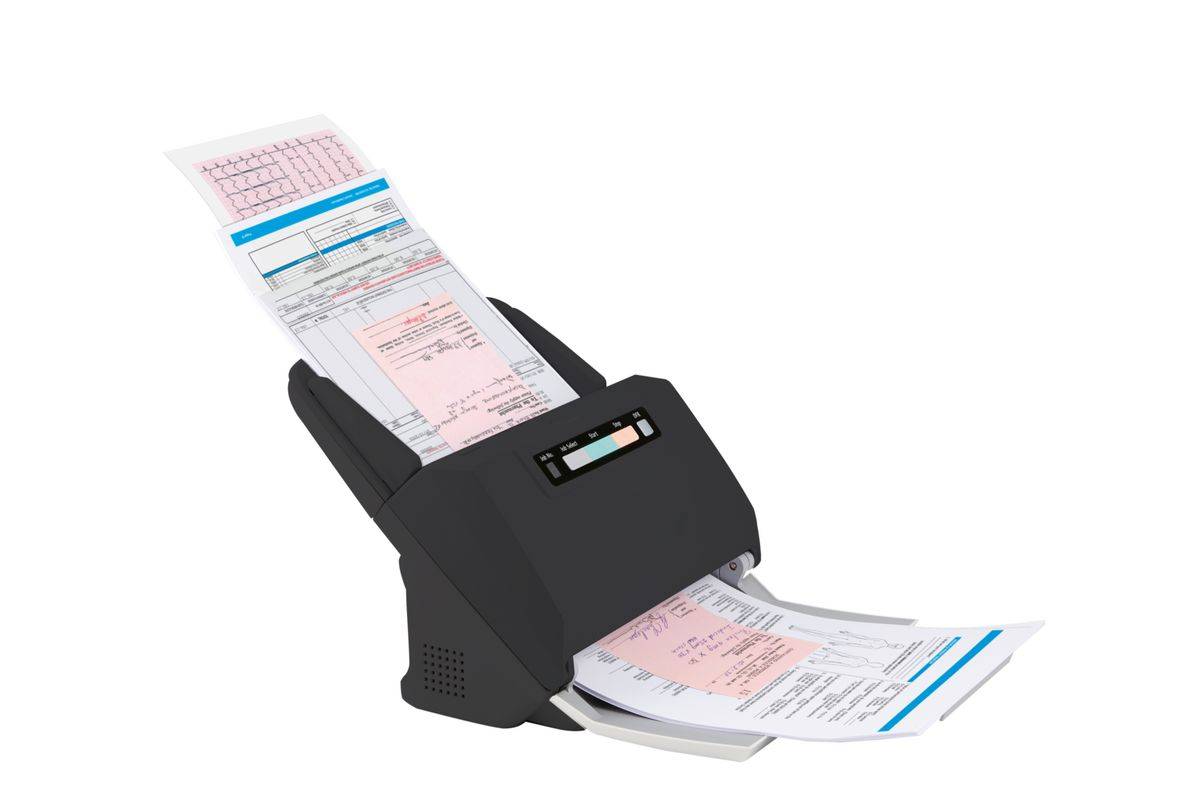
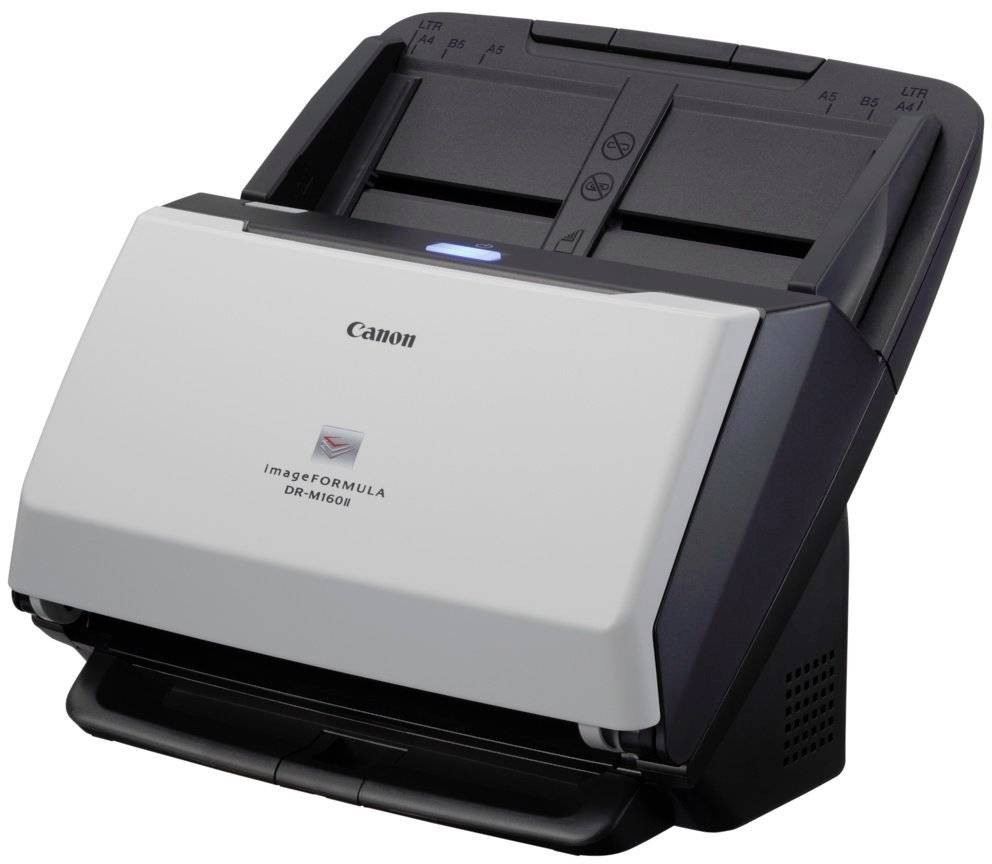
The Canon imageFORMULA DR-M160II is an A4 duplex document scanner that scans both sides at 60 pages (120 images) per minute from a 75-sheet feeder, built for paper-intensive departments such as accounts, HR and legal. Automatic separation retry re-feeds a page if two sheets are picked together, so batches keep running without an operator stepping in. CaptureOnTouch Pro with Full Auto Mode handles everyday jobs, and the bundle adds OCR and barcode recognition for indexing and splitting large batches. Canon rates it from 7,500 to 13,000 scans per day and it takes paper from 27 to 209 g/m2, long documents up to 3,000 mm and embossed cards. The feeder tray folds up when not in use, giving a 280 x 172 mm footprint, and opens to 606 mm deep while scanning. Power draw is 27W or less while scanning and 1.8W in sleep. The bundled software includes ReadIRIS PDF for OCR, Tungsten VRS for automatic image enhancement and the DR Management Tool for settings and counters. Who is it for? Accounting and payroll departments, legal and insurance back offices, schools and public-sector counters where large daily batches are fed from one workstation. Mac support makes it one of the few high-speed options for Mac-based studios and agencies, while Windows users get the larger software bundle. Its separation-retry system is especially useful when operators load mixed stacks and cannot watch every page. Set-up is standard for a USB scanner: install the driver and CaptureOnTouch Pro, connect the USB and power cables, and create jobs for your main document types. Separate jobs for invoices, contracts and HR files with their own folders and file names save the most time in daily use. A long-document mode handles receipts and forms up to 3,000 mm.
Before you order: The DR-M160II connects by USB 2.0 to one Windows or Mac computer; it has no network port. Canon's full software bundle is Windows-based, with a TWAIN driver and CaptureOnTouch for Mac.
What's in the Box
- Canon imageFORMULA DR-M160II scanner
- AC adapter and power cord
- USB cable (Type A / Type B, 1.8 m)
- Feed tray
- Setup guide
- Setup disc
What It Means in Practice
- A full 75-sheet stack in duplex takes just over a minute, so daily batches of hundreds of invoices are routine.
- The 7,500-13,000 scans per day rating covers a full shift of scanning.
- Separation retry and double-feed detection reduce the number of pages you need to re-scan.
- Barcode/2D code recognition lets you split a batch into separate files using cover sheets.
- Folio mode scans folded A3 sheets on both halves and stitches them into one image.
What Will Not Work
- No network or Wi-Fi.
- No very thick card: the feeder is rated up to 209 g/m2; the DR-M260 goes to 413 g/m2.
- No flatbed for books; add the Flatbed Scanner Unit 102 or 202.
- No A3: maximum width is 216 mm.
- No LCD job panel: jobs are chosen in software on the computer.
Key Features
Separation retry
When a double feed is detected the scanner automatically retries the feed, cutting operator interventions.
Full Auto Mode
CaptureOnTouch Pro detects colour, page size and orientation and skips blank pages.
Recognition and indexing
Barcode/2D code recognition plus OCR software for searchable files.
Expandable
Connects with Canon's optional A4 or A3 flatbed units for bound material.
Technical Specifications
| Identification |
| Part Number |
9725B003 |
| EAN/GTIN |
4528472106274 |
| Model |
imageFORMULA DR-M160II |
| Brand |
Canon |
| Scanning |
| Type |
Desktop sheet-fed duplex scanner |
| Sensor |
CMOS CIS 1-line, RGB LED |
| Optical Resolution |
600 dpi |
| Output Resolution |
150-600 dpi |
| Speed |
60ppm / 120ipm colour and mono |
| Daily Volume |
7,500-13,000 scans/day |
| Paper Handling |
| ADF Capacity |
75 sheets (A4, 80 g/m2) |
| Document Width |
50.8-216 mm |
| Document Length |
54-356 mm, long mode up to 3,000 mm |
| Paper Weight |
27-209 g/m2 |
| Cards |
53.9 x 85.5 mm, embossed supported |
| Connectivity & Software |
| Interface |
High-speed USB 2.0 |
| Windows |
CaptureOnTouch Pro, ReadIRIS PDF, Tungsten VRS, DR Management Tool |
| Mac |
TWAIN driver, CaptureOnTouch |
| Physical & Power |
| Dimensions (W x D x H) |
280 x 172 x 178 mm closed, 280 x 606 x 366.4 mm open |
| Weight |
Approx. 3.2 kg |
| Power |
AC 100-240V, 50/60 Hz |
| Consumption |
27W or less scanning, 1.8W or less sleep, under 0.5W off |
| Options |
Exchange Roller Kit, Flatbed Scanner Unit 102 / 202 |
| Warranty |
| Warranty |
1-Year Warranty (Singular) |
| Manufacturer Term |
Standard manufacturer warranty — claims handled through Singular |
Frequently Asked Questions
DR-M160II or DR-M260?
Same 60ppm speed. The DR-M260 adds a 90-sheet feeder, card up to 413 g/m2, USB 3.1 and an LCD panel; the DR-M160II is the simpler USB 2.0 option.
Does it work with a Mac?
Yes, Canon lists a TWAIN driver and CaptureOnTouch for Mac; the Windows bundle is larger.
Can it scan embossed cards?
Yes, Canon lists 53.9 x 85.5 mm cards with embossed card support.
What wears out?
Feed rollers wear with use. Canon sells an Exchange Roller Kit for this model; replacing it when misfeeds start to appear restores reliable feeding, and we can supply it.
Singular Expert Insight · Buyer's Guide
The DR-M160II is a proven high-volume USB scanner; it makes most sense where Mac support matters or the extra media range of the DR-M260 is not needed. Above roughly 10,000 pages a day, check whether a network model or production scanner would fit your workflow better. Plan scanning stations around paper preparation, not scanner speed: removing staples and sorting a stack usually takes longer than feeding it at 60ppm.
✓ Buy it if Buy it if a department scans thousands of standard-weight pages a day from one computer.
✕ Skip it if Skip it if you scan heavy card or need network sharing.
→ Also consider Also consider the Canon imageFORMULA DR-M260 for a 90-sheet feeder and heavier media.
Not sure which scanner fits your volume or software? Tell us your daily page count, document types and the software you scan into, and we will check compatibility before you order.