
Cisco Room Bar BYOD Video Bar with 12 MP Camera 120°, Beamforming Mics and Stereo Speakers, USB-C Laptop Connection, First Light
Brand:
Cisco

Cisco Room Bar BYOD Video Bar with 12 MP Camera 120°, Beamforming Mics and Stereo Speakers, USB-C Laptop Connection, First Light
€3453.08 inc. VAT


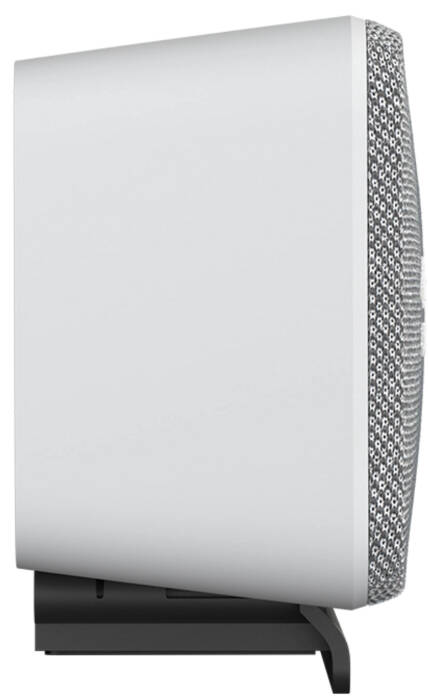


CS-BAR-L-UK9
Delivery
Order Today...
Ships...
Delivery...
ℹ️ Large or fragile items (e.g. monitors) may require extra handling time. We'll keep you informed.
Payment options
Trusted Tech Choice
Buying Benefits
Verified
Competitive EU pricing
Delivered to Cyprus from EU stock
Local warranty support
Please sign in so that we can notify you about a reply
Cisco Room Bar BYOD — Plug-in Video Bar for Small Rooms, Driven by Your Laptop over One USB-C Cable
12 MP · 120°4-mic beamformingSingle USB-CFirst Light
The Cisco Room Bar BYOD is a video bar in the light First Light finish for small meeting rooms that turns the room camera, microphones and speakers into a USB peripheral for the laptop: one USB-C cable connects the laptop, and the bar connects to the room display over HDMI. Because the laptop runs the meeting, it works with whichever meeting app the user already has.
It combines a 12 MP camera with a 120° horizontal field of view, a 4-element beamforming microphone array with AI noise removal and stereo speakers, and Cisco recommends it for up to five people within 3 m.
Before you order: This is the BYOD model: no Room Navigator is included, so meetings are started from the laptop. USB-C and HDMI cables are not in the box. Extending the laptop display at 4K30 over USB-C needs a laptop with DisplayPort Alt Mode.
What's in the Box
- Cisco Room Bar BYOD, First Light
- Power supply (PSU-12VDC-86W)
- Mounting kit
- USB-C and HDMI cables are sold separately
What It Means in Practice
- Walk in, plug one USB-C cable into the laptop and the room camera, mics and speakers appear in Teams, Zoom, Webex or any other app.
- Auto framing, speaker tracking and Frames mode keep everyone visible on the 120° view.
- Beamforming mics with AI noise removal reduce keyboard and room noise for the far end.
- If the room later needs laptop-free meetings, adding a Cisco Room Navigator unlocks RoomOS room features.
What Will Not Work
- It will not start meetings by itself without a laptop — there is no Room Navigator in the box.
- Joining Webex directly from the bar works only when the bar is registered in Webex Control Hub.
- AirPlay does not work in BYOD mode.
- It is sized for small rooms; Cisco recommends up to five people within 3 m.
Key Features
12 MP wide camera
120° horizontal and 95° vertical view with 5x digital zoom, auto framing and speaker tracking.
Beamforming audio
4-element microphone array with AI noise removal; stereo speakers 100 Hz–20 kHz, 93 dB max.
One-cable BYOD
A single USB-C cable carries camera, microphones and speakers to the laptop.
Ready to grow
PoE port for a Room Navigator and an IP microphone when the room is upgraded.
Technical Specifications
Frequently Asked Questions
Singular Expert Insight · Buyer's Guide
Room Bar BYOD is the low-friction way to make a small room meeting-ready: people bring their own laptop and meeting app, and the room supplies proper camera and audio. Order the USB-C and HDMI cables at the same time and pair it with one of our commercial displays.
✓ Buy it if your small rooms are used by people who join from their own laptops on mixed meeting apps.
✕ Skip it if you want laptop-free one-touch meetings — choose the standard Room Bar with a Room Navigator.
→ Also consider Cisco Room Navigator table stand version to add RoomOS controls later.
Not sure BYOD suits your rooms? Send us the room size and the laptops your team uses and we will check before you order.
Features - Cisco - CS-BAR-L-UK9
More Details
Product Code
CN45711
EAN Code
0889728643603
Manufacturer
Cisco