Contour RollerMouse Red — Centred Ergonomic Mouse
Rollerbar2800 DPIMemory foamCompact footprint
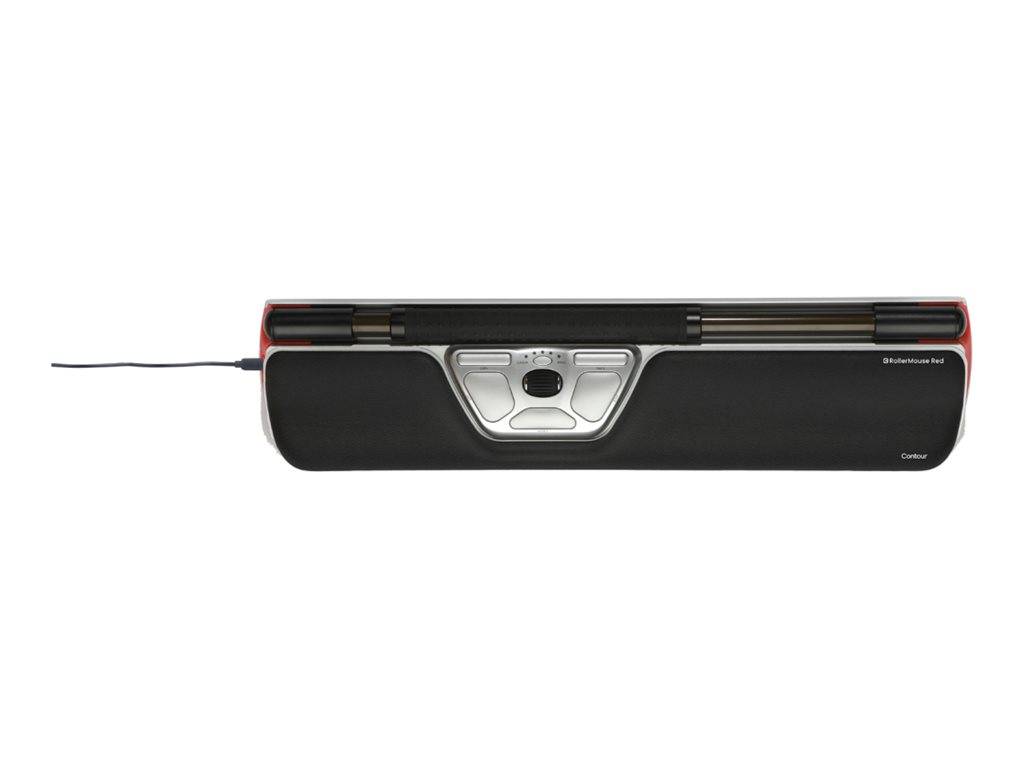
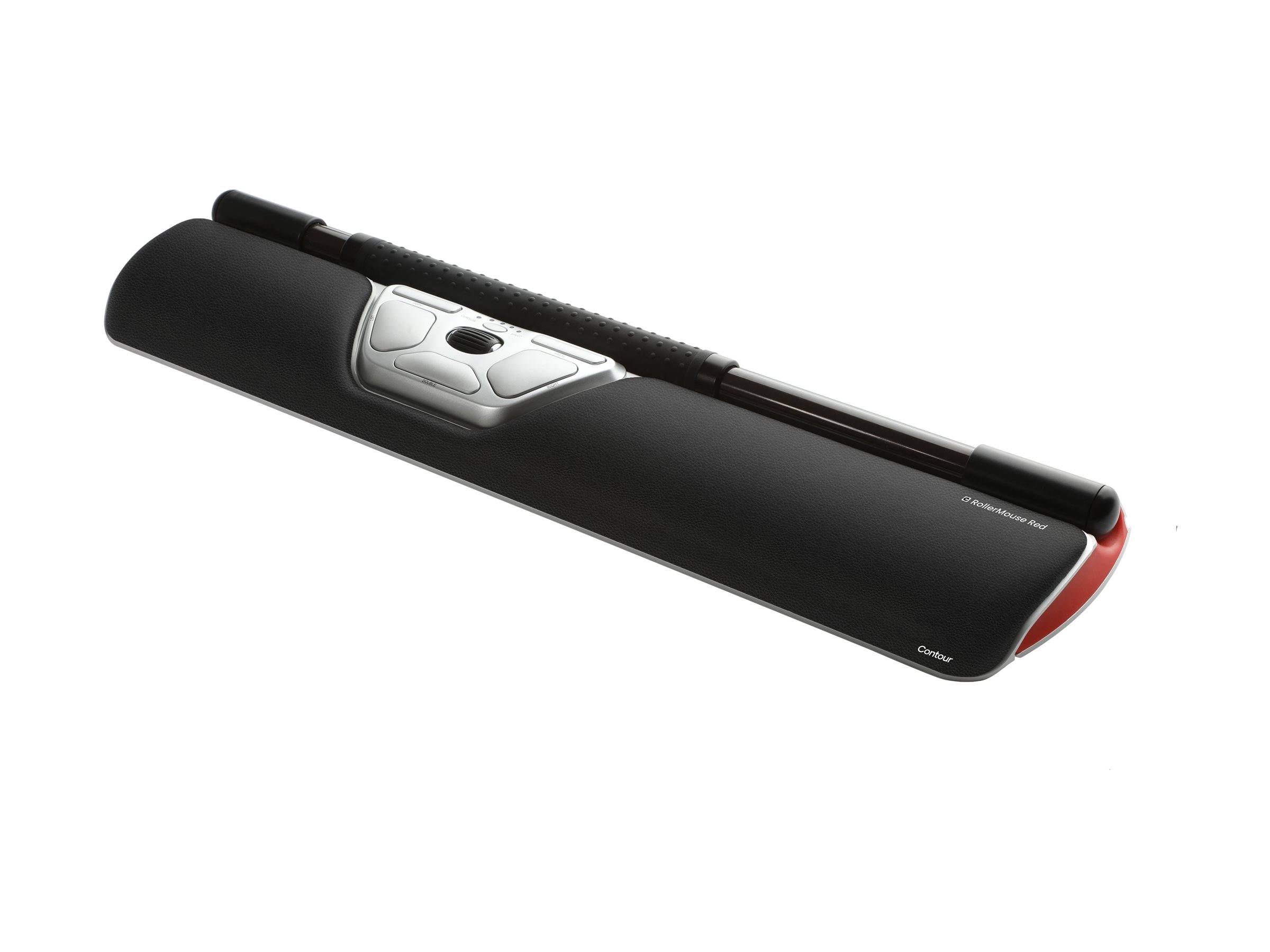
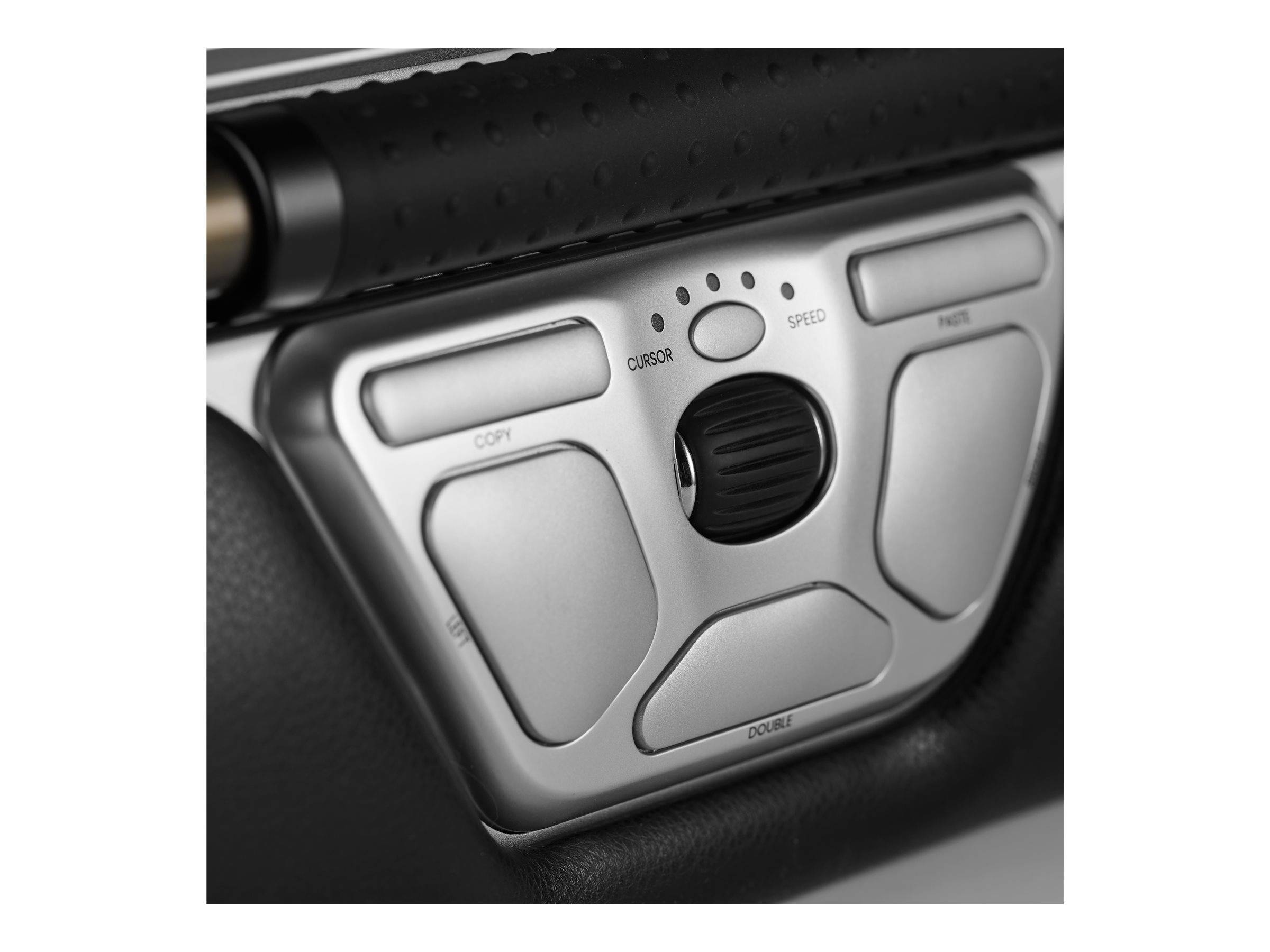
The RollerMouse Red is the device that made the category, and Contour still describes it plainly: your mouse is why your shoulders hurt. It fixes that by putting a rollerbar directly in front of the keyboard — you push it to move the cursor and roll it to scroll, with either hand, so the arm never travels out to the side. The bar itself is larger and textured for tactile feedback, the body is recycled aluminium, and the wrist rest is memory foam rather than a plastic ledge. Underneath is an optical sensor at up to 2800 DPI in 10 steps from 600, with 6 buttons carrying 7 programmable shortcuts set in the Contour Personalization App. This part number is the wired version: USB-C plug with a USB-A adapter supplied, nothing to charge and nothing to pair. This is the standard Red, with the compact wrist rest. 410 x 100 x 24 mm (16.14 x 3.94 x 0.94 in), 821 g (1.81 lb). Windows and macOS, 2-year warranty.
Compatibility — check before buying:
Size first. Contour builds the Red in two footprints and they are not interchangeable: the Red is the compact one, and the Red Plus carries a larger palm support designed for bigger hands, which makes the unit considerably deeper. This is the Red at 410 x 100 x 24 mm (16.14 x 3.94 x 0.94 in) — measure the depth of your desk in front of the keyboard before ordering, because a centred device needs room that a mouse does not. Two more points. This is the wired version; Contour also builds a wireless Red under different part numbers, so check the code rather than the photograph. And the switch itself takes time — most people need a week or two before the rollerbar stops feeling deliberate, which is why Contour ships a 30-day money-back guarantee. Contour publishes no cable length for this model, so we quote none.
Best For
✓ Shoulder and neck pain traced to mouse use
✓ Anyone already using a vertical mouse without enough relief
✓ Left-handed users and anyone who alternates hands
✓ Desks where footprint is tight
✓ Occupational-health and ergonomics-led procurement
✓ All-day pointer-heavy work
Key Features
A bar, not a mouse
Push the rollerbar to move, roll it to scroll. The pointer is in front of the keyboard, so the arm never reaches out to the side — which is the movement that costs the shoulder.
Textured for feedback
Contour makes the bar larger and textured specifically so you can feel where it is and how fast it is moving, without looking down at it.
Memory foam and recycled aluminium
A memory foam wrist rest rather than a moulded plastic ledge, on a recycled aluminium body — built to sit under the hands all day.
Seven shortcuts, either hand
Six buttons carrying seven programmable shortcuts in the Contour Personalization App, all within the centre line, usable left-handed or right-handed.
Technical Specifications
| Identification |
| Brand |
Contour Design |
| Series |
RollerMouse Red |
| Part Number |
CDRMRED20110 |
| EAN / GTIN |
0743870003886 |
| Pointing |
| Type |
Centred rollerbar, ambidextrous |
| Rollerbar |
Larger and textured, for tactile feedback |
| Sensor |
Optical sensor |
| Resolution |
2800 DPI, 10 levels from 600 to 2800 DPI |
| Buttons |
6 |
| Programmable shortcuts |
7 |
| Software |
Contour Personalization App |
| Connection and system |
| Connection type |
Wired |
| Connectivity |
USB-C plug, USB-A adapter supplied |
| Operating systems |
Windows and macOS |
| Cable length |
Not published by Contour Design |
| Physical |
| Dimensions |
410 x 100 x 24 mm (16.14 x 3.94 x 0.94 in) |
| Weight |
821 g (1.81 lb) |
| Wrist rest |
Memory foam |
| Body |
Recycled aluminium |
| Warranty |
| Warranty |
1-Year Warranty (Singular) |
| Manufacturer Term |
Contour Design publishes a 2-year warranty for this model on its product specification table. Singular’s direct warranty is 1 year; beyond that we assist you with the manufacturer’s warranty process for its full duration. |
Frequently Asked Questions
Red or Red Plus?
Same rollerbar and same electronics. The Red Plus has a larger palm support built for bigger hands, which makes it deeper on the desk. This one is the Red at 410 x 100 x 24 mm (16.14 x 3.94 x 0.94 in).
How long does it take to get used to?
Most people need one to two weeks before the rollerbar stops feeling deliberate. Contour ships a 30-day money-back guarantee for exactly that reason.
Is there a wireless version?
Yes, under different part numbers. This code is the wired one — USB-C plug with a USB-A adapter, nothing to charge. Check the part number rather than the picture.
Singular Expert Insight
Thirty years on, the Red is still the reference for centred pointing: everything since has been a refinement of this shape. If a vertical mouse only half solved your shoulder, this is the next step rather than another mouse. See our
keyboard accessories and our
wireless mice.
Buyer’s Guide
Buy it if
You want the original centred rollerbar, wired, with a memory foam rest.
Skip it if
Your desk is too shallow for a centred device, or you need a wireless connection.
Also consider
The RollerMouse Pro if you want a slimmer current-generation body, or the Red Plus if you have larger hands.