
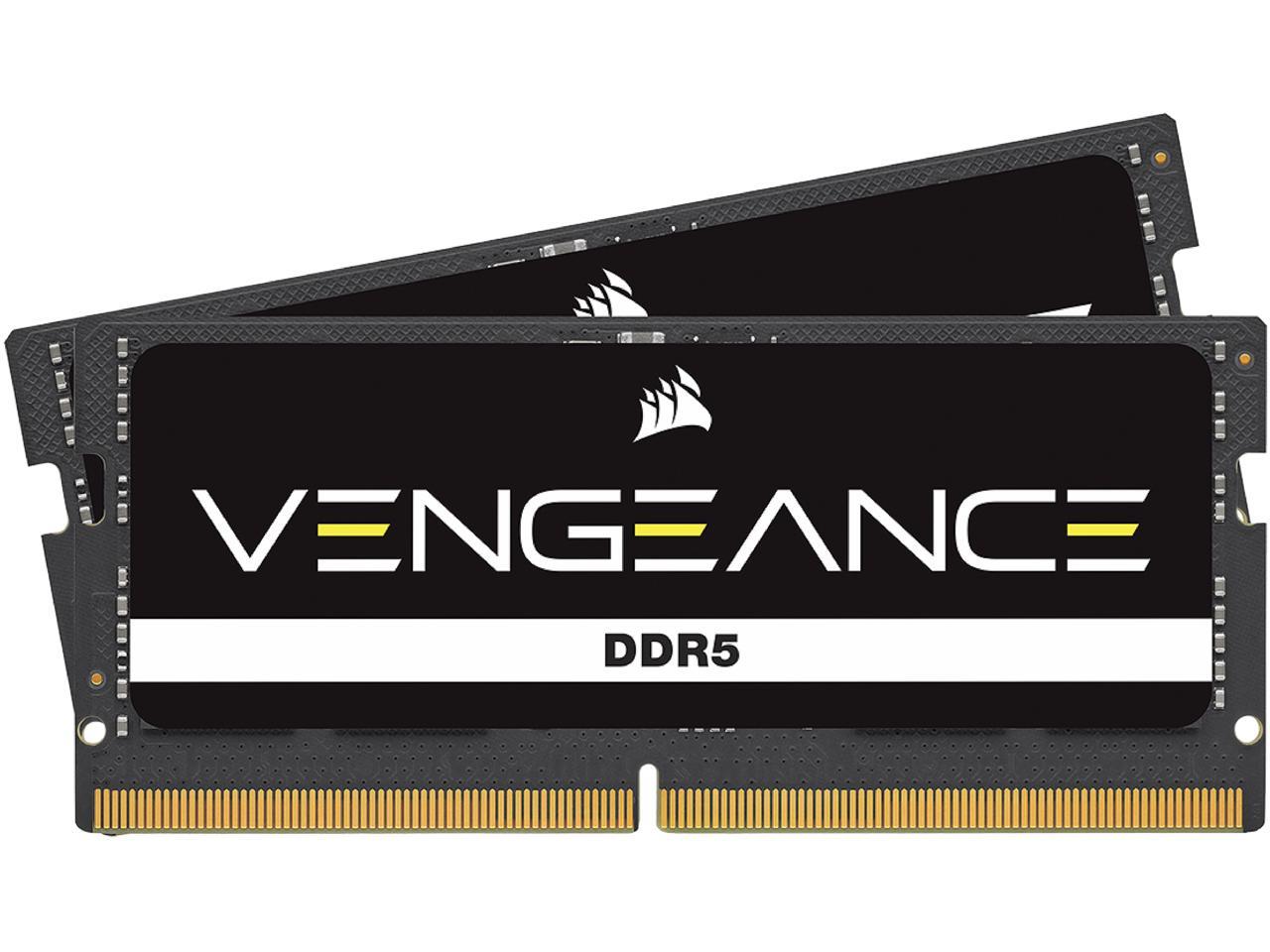
Corsair VENGEANCE 64GB (2x32GB) DDR5-5600 CL48 SO-DIMM Laptop Memory Kit for Intel and AMD Laptops
Brand:
Corsair

Corsair VENGEANCE 64GB (2x32GB) DDR5-5600 CL48 SO-DIMM Laptop Memory Kit for Intel and AMD Laptops
€1811.06 inc. VAT
CMSX64GX5M2A5600C48
Delivery
Order Today...
Ships...
Delivery...
ℹ️ Large or fragile items (e.g. monitors) may require extra handling time. We'll keep you informed.
Payment options
Trusted Tech Choice
Buying Benefits
Verified
Competitive EU pricing
Delivered to Cyprus from EU stock
Local warranty support
Please sign in so that we can notify you about a reply
Corsair VENGEANCE 64GB (2x32GB) DDR5-5600 CL48 SO-DIMM
64GB (2x32GB)DDR5-5600 CL48JEDEC plug-and-playDDR5 SO-DIMM
The Corsair VENGEANCE CMSX64GX5M2A5600C48 is a 64GB (2x32GB) DDR5-5600 CL48 laptop SO-DIMM memory kit for laptops, small-form-factor PCs and Intel NUC kits with DDR5 SO-DIMM slots that need 64GB. It ships as a matched set of 2 x 32GB modules, tested together by Corsair, so every module runs the same timings in the same system.
It runs at its rated setting, stored in its SPD (DDR5-5600 CL48, 1.1V), with no BIOS changes. Because the SPD itself is programmed at 5600 MT/s, compatible systems use the full speed automatically — there is no profile to enable.
Before you order: The laptop or mini PC must have two DDR5 SO-DIMM slots (many thin laptops have soldered memory or only one slot) and must accept 32GB per slot. Corsair lists 13th Gen Intel Core or newer; for other systems check the manufacturer’s maximum memory first.
What's in the Box
- 2 x 32GB DDR5 SO-DIMM modules (64GB (2x32GB) total)
- Retail packaging from Corsair
- No tools are included — a small screwdriver is usually needed to open the laptop base
What It Means in Practice
- Install both modules together — two SO-DIMMs run in dual channel, which matters a lot for laptops with integrated graphics.
- Replace the existing memory rather than mixing: remove the factory modules and fit this matched pair.
- If the system runs the memory slower than 5600 MT/s, that is the laptop’s own limit — many platforms cap SO-DIMM speed, and the modules simply follow.
- 64GB suits mobile workstations used for virtual machines, large photo/video projects, data analysis and local development.
- The first boot after a memory change can take noticeably longer while the system trains the new modules.
What Will Not Work
- Desktop motherboards — these are 262-pin SO-DIMMs, not 288-pin desktop DIMMs.
- DDR4 or DDR5 LPDDR laptops — DDR4 SO-DIMM slots are keyed differently and LPDDR5/LPDDR5X memory is soldered, not upgradeable.
- Laptops with only one SO-DIMM slot or a 32GB/48GB maximum — you would not get the full 64GB.
- Apple Silicon Macs and most ultrabooks — their memory is integrated and cannot be replaced.
Key Features
Runs at 5600 automatically
The 5600 MT/s CL48 setting is the module’s default, so no BIOS profile is needed — important because most laptop BIOSes do not offer XMP.
Fallback speeds
Corsair lists 4800 CL40 and 5200 CL44 as supported settings, so older or slower platforms still run the kit at their own maximum.
64GB in two slots
Two 32GB modules give the maximum capacity most current DDR5 laptops accept, in dual channel.
Standard 1.1V
JEDEC 1.1V operation keeps power and heat at the level laptop designs expect — no extra voltage is applied.
Technical Specifications
Frequently Asked Questions
Singular Expert Insight · Buyer's Guide
For a laptop upgrade the deciding factors are slot count and the maximum memory the manufacturer supports, not the speed rating — confirm both before ordering. This kit then runs at whatever speed the platform allows. Browse our memory range for other SO-DIMM capacities.
✓ Buy it if your laptop, mini PC or NUC has two DDR5 SO-DIMM slots and supports 64GB.
✕ Skip it if the memory is soldered (LPDDR) or the system has only one slot.
→ Also consider A 2 x 16GB DDR5 SO-DIMM kit if your laptop is limited to 32GB.
Not sure it fits? Send us your motherboard or PC model and we will check compatibility before you order.
Features - Corsair - CMSX64GX5M2A5600C48
More Details
Product Code
04:473710
EAN Code
0840006691013
Manufacturer
Corsair