
Cudy BU530 Nano USB Bluetooth 5.3 Adapter Realtek RTL8761BUV USB-A Dongle for Windows 11 10 8.1 and 7 Plug and Play 2 g
Μάρκα:
Cudy

Cudy BU530 Nano USB Bluetooth 5.3 Adapter Realtek RTL8761BUV USB-A Dongle for Windows 11 10 8.1 and 7 Plug and Play 2 g
€7.22 inc. VAT


BU530
Delivery
Order Today...
Ships...
Delivery...
ℹ️ Large or fragile items (e.g. monitors) may require extra handling time. We'll keep you informed.
Payment options
Trusted Tech Choice
Buying Benefits
Verified
Competitive EU pricing
Delivered to Cyprus from EU stock
Local warranty support
Συνδεθείτε για να μπορέσουμε να σας ειδοποιήσουμε σχετικά με μια απάντηση
Cudy BU530 — Bluetooth 5.3 in a Nano USB-A Dongle
Bluetooth 5.3Realtek RTL8761BUV20 x 15 x 8 mm, 2 gAuto driver on Windows 10 and 11
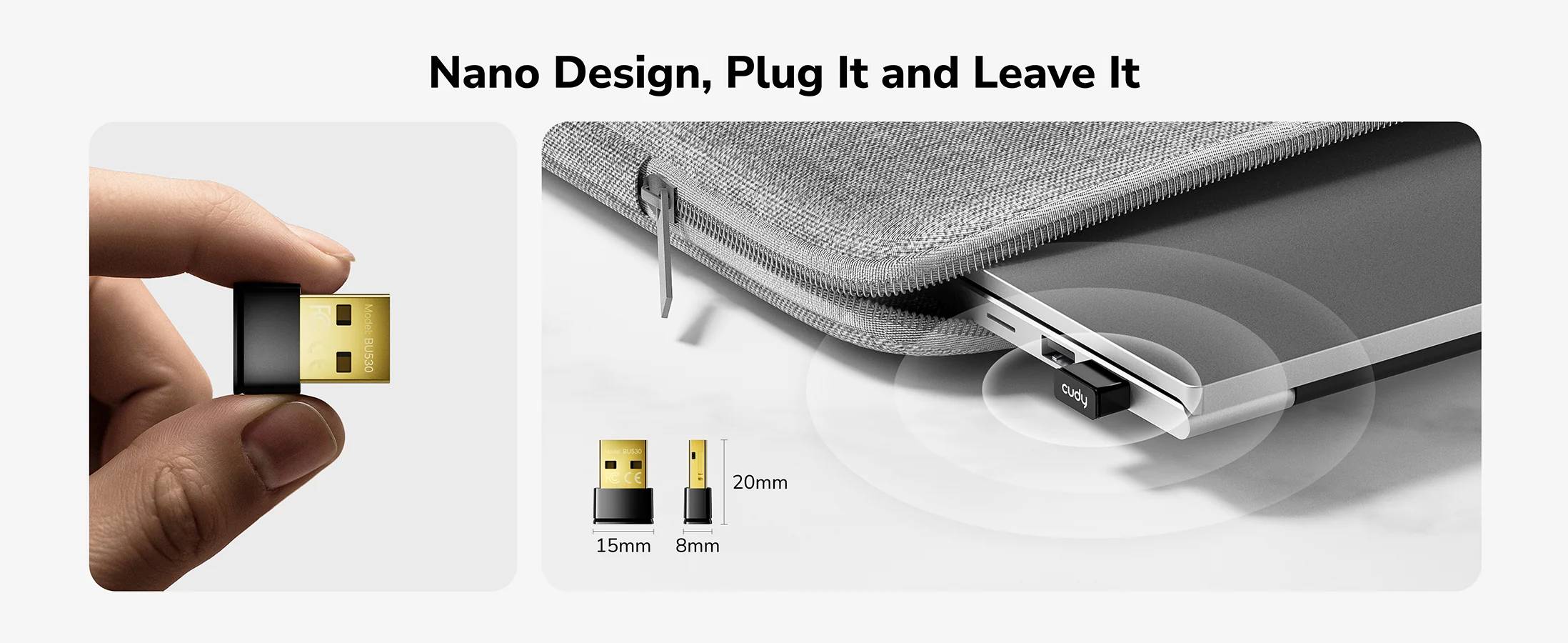
The Cudy BU530 is a nano USB-A dongle that adds Bluetooth 5.3 to a desktop or laptop that has none, or replaces a tired built-in radio that keeps dropping a headset. It is 20 x 15 x 8 mm and 2 g, so it sits almost flush in a USB port and can stay there permanently, and on Windows 10 and 11 it installs its own driver the moment it is plugged in.
Compatibility — check before buying:
Two things decide whether this is the right part. First, the connector is USB-A: if the machine only has USB-C ports, the BU530C is the USB-C version, and the BU530H is the larger long-range model with an antenna. Second, macOS is not supported — Cudy makes no macOS claim for the BU530 at all, so do not buy it for a Mac. On Windows 10 and 11 the driver installs automatically; on Windows 8.1 and Windows 7 the driver must be downloaded and run manually from Cudy’s download centre, so have the file ready before you are in front of the machine. Cudy lists Linux support on the product page but not in the datasheet.
Best For
✓ Desktop PCs with no built-in Bluetooth
✓ Replacing a flaky onboard radio that drops headsets
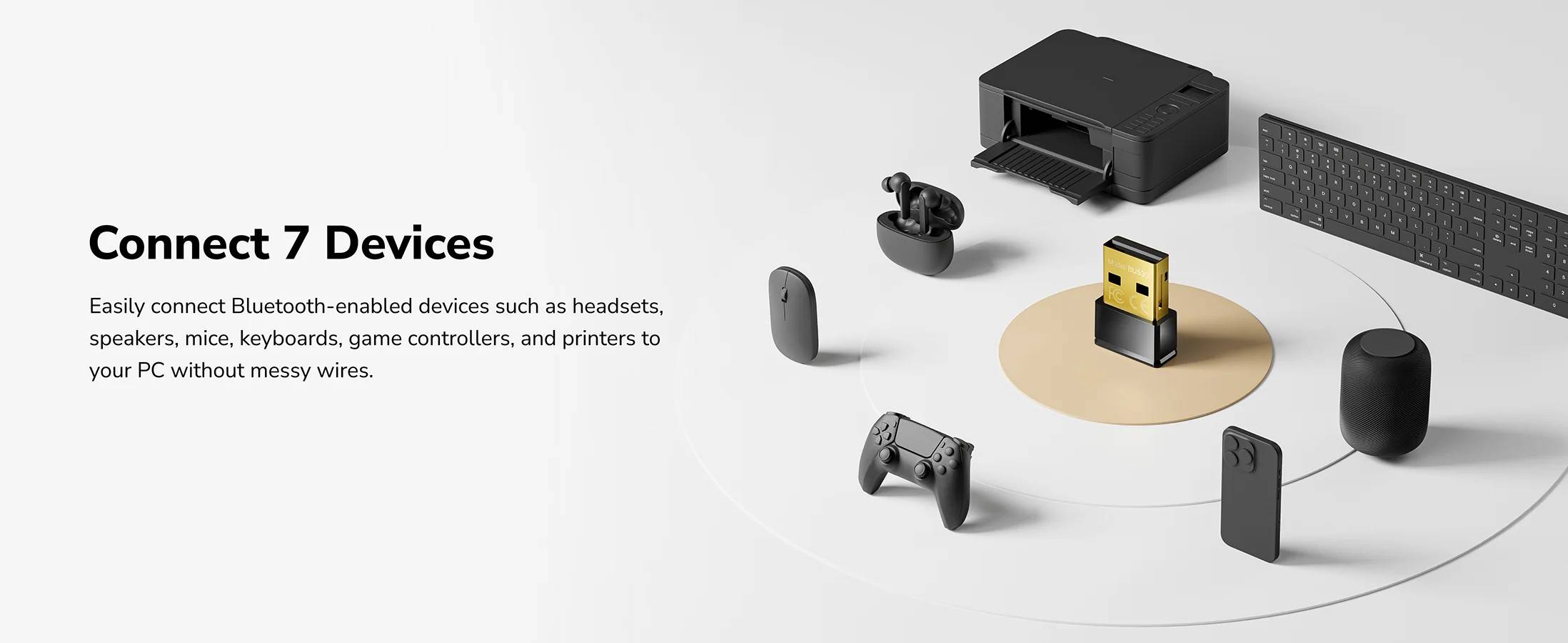
✓ Pairing a wireless keyboard, mouse or game controller
✓ Office rollouts where one small dongle per PC is simplest
✓ Laptops whose internal Bluetooth has failed
✓ Machines that must stay on Windows 8.1 or 7
Key Features
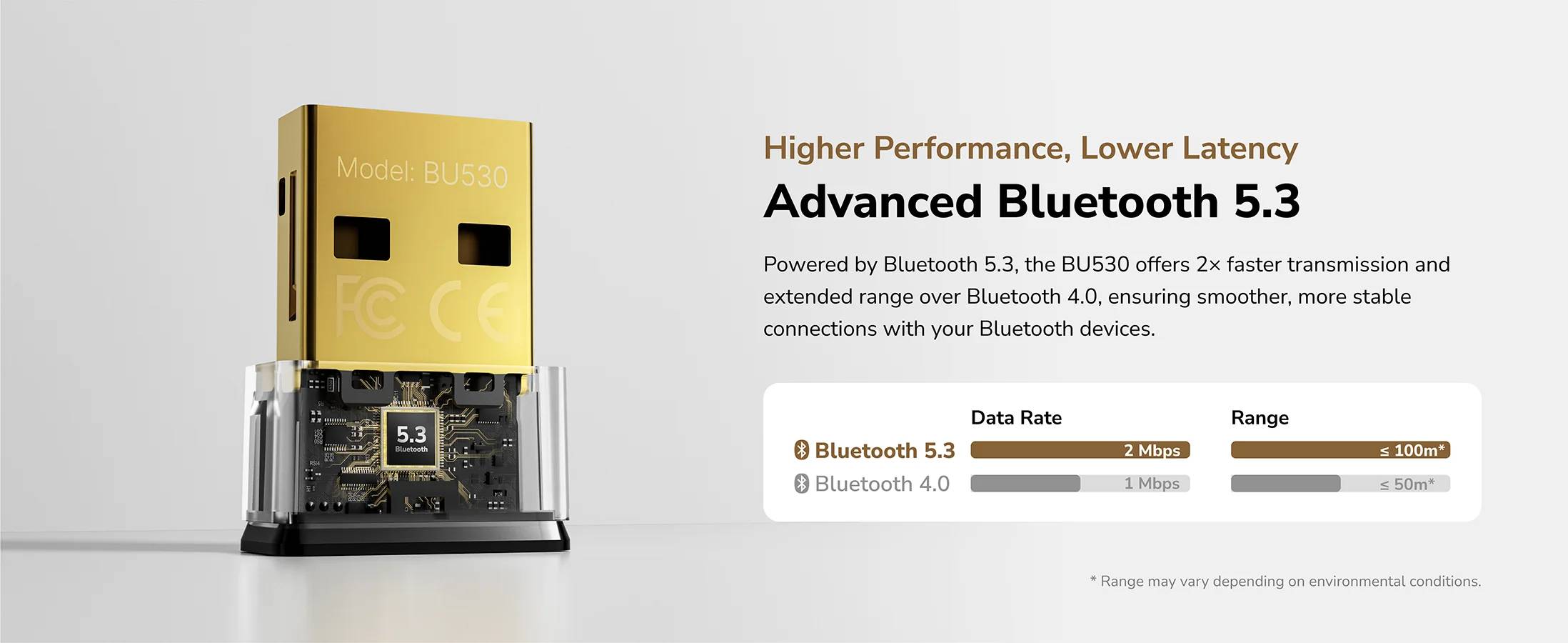
Bluetooth 5.3 on a Realtek RTL8761BUV
A current Bluetooth 5.3 controller rather than an old 4.0 chipset, on a named Realtek part so drivers are easy to find and keep working after a Windows rebuild.
Nano form factor
20 x 15 x 8 mm and 2 g. It stays in the port of a laptop that goes in and out of a bag without catching on anything, and it does not block the neighbouring USB socket.
Installs itself on Windows 10 and 11
Cudy publishes automatic driver installation on Windows 10 and 11. Plug it in, wait, pair. For Windows 8.1 and 7 the driver package is a download from Cudy and is run once with setup.exe.
Works on any USB 2.0 port or newer
Cudy specifies a USB 2.0 or higher standard USB port, so there is no need for a USB 3 socket and no benefit in using one.
Technical Specifications
Frequently Asked Questions
Singular Expert Insight
This is a five-minute fix for a common annoyance: a desktop with no Bluetooth, or a laptop whose built-in radio has started dropping the headset mid-call. Bluetooth 5.3 on a named Realtek controller is the sensible specification — drivers stay available and a Windows rebuild does not turn it into a mystery device. Just be exact about which BU530 you order: plain is USB-A, the C is USB-C, and the H is the long-range model with an antenna. And it is a Windows and Linux part; Cudy does not claim macOS. If the machine also needs Wi-Fi, look at the network cards and adapters range rather than stacking two dongles.
Buyer’s Guide
Buy it if
A desktop or laptop needs Bluetooth 5.3 now, it runs Windows, and you want the dongle to sit almost flush in a USB-A port and stay there.
Skip it if
The machine is a Mac, or it only has USB-C ports, or the devices are far enough away to need the long-range BU530H. Each of those points at a different part.
Also consider
The Cudy BU530C if the machine only has USB-C, and the BU530H where the distance between the PC and the device is more than a room.
Χαρακτηριστικά
Product Code
03:280594
EAN Code
6971690793913
Manufacturer
Cudy