
Dell Pro Precision 7 T1 Tower Workstation · Core Ultra 7 265 · 32GB DDR5 · 1TB SSD · NVIDIA RTX A1000 8GB · Win 11 Pro
Brand:
Dell

Dell Pro Precision 7 T1 Tower Workstation · Core Ultra 7 265 · 32GB DDR5 · 1TB SSD · NVIDIA RTX A1000 8GB · Win 11 Pro
€3647.2 inc. VAT


PDW8Y
Delivery
Order Today...
Ships...
Delivery...
ℹ️ Large or fragile items (e.g. monitors) may require extra handling time. We'll keep you informed.
Payment options
Trusted Tech Choice
Buying Benefits
Verified
Competitive EU pricing
Delivered to Cyprus from EU stock
Local warranty support
Please sign in so that we can notify you about a reply
Dell Pro Precision 7 T1 — Core Ultra 7 265, 32GB, 1TB, RTX A1000
RTX A1000Core Ultra 7 26532GB DDR515L tower
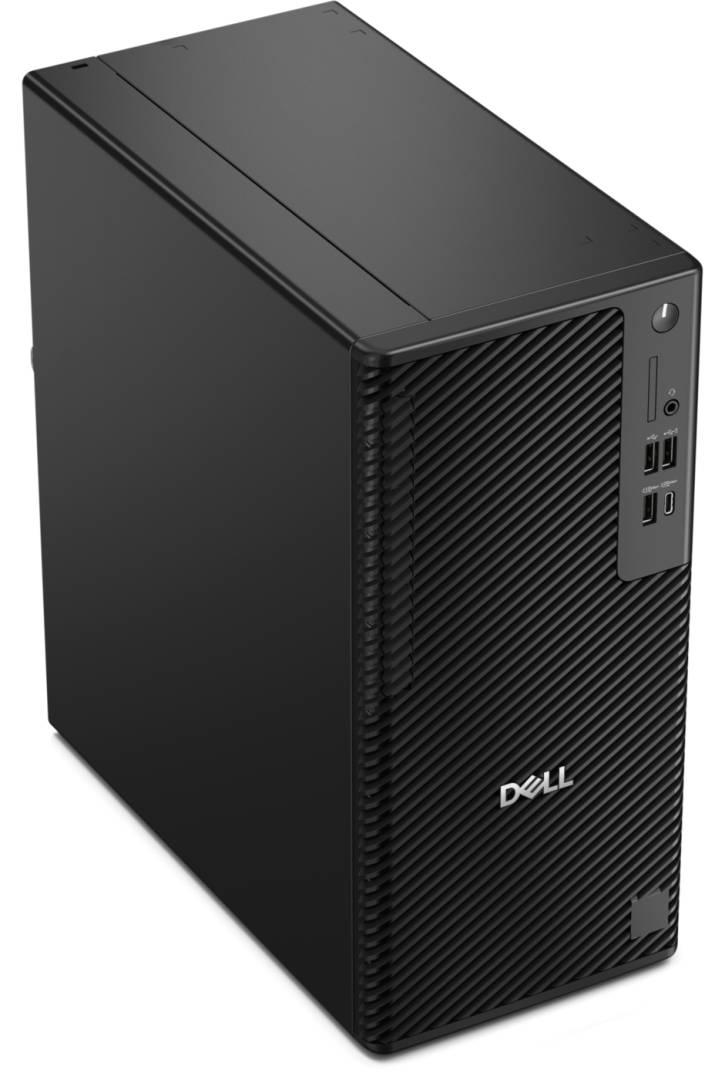
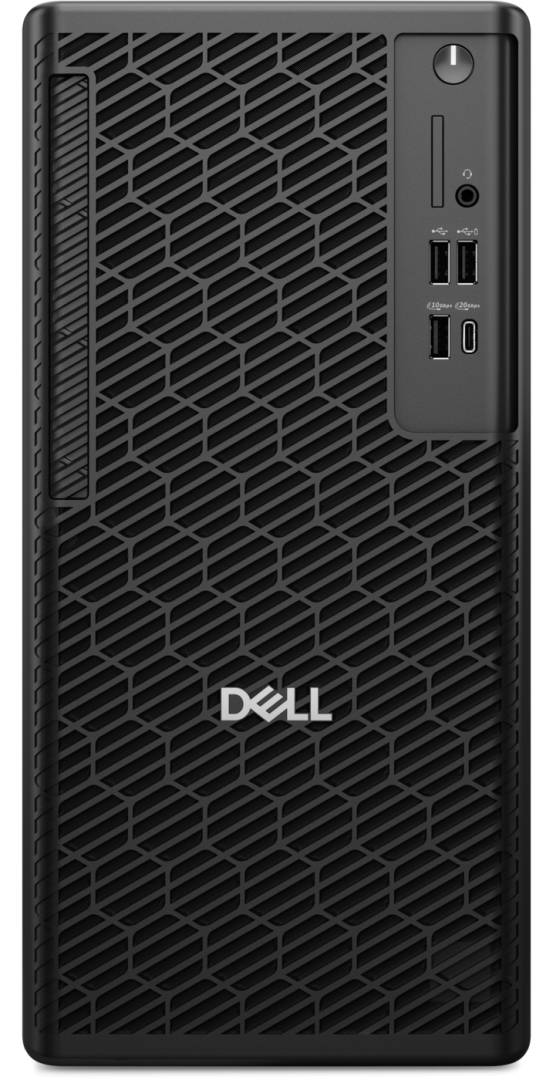
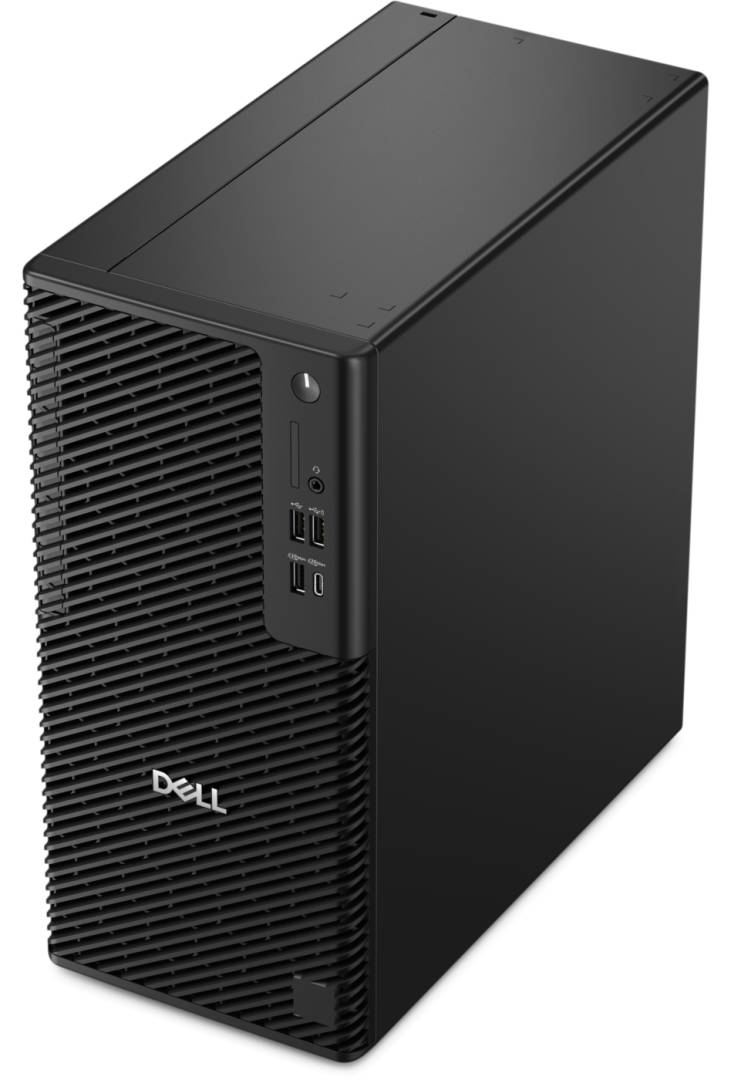
The Dell Pro Precision 7 T1 (model PW7T1260, PDW8Y) is a 15-litre entry workstation tower with an Intel Core Ultra 7 265, 32GB of DDR5 memory, a 1TB NVMe SSD and an NVIDIA RTX A1000 8GB professional graphics card, built for CAD, BIM and engineering users who want an NVIDIA professional GPU in a compact, upgradeable tower.
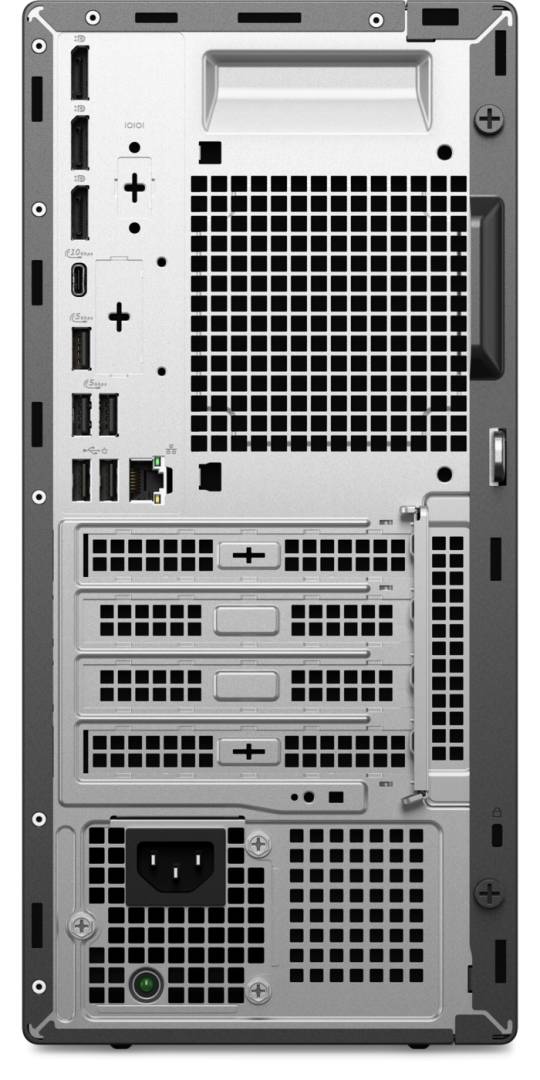
It runs on the Intel Q870 chipset with Windows 11 Pro, Gigabit Ethernet, three DisplayPort 1.4a outputs and Dell SafeBIOS / TPM security, and offers four DDR5 slots, three M.2 SSD slots, a 3.5-inch bay and full-height PCIe slots for later upgrades.
Before you order: The memory is a single 32GB module, so it runs single-channel until you add a matching second DIMM. Dell does not list a keyboard, mouse or Wi-Fi card for this configuration — tell us if you need them and we will quote them with the PC.
What's in the Box
- Dell Pro Precision 7 T1 tower workstation with NVIDIA RTX A1000 8GB installed
- Power cable (internal power supply)
- Dell documentation
- Keyboard, mouse and Wi-Fi are not listed for this configuration — ask us
What It Means in Practice
- The 20-core Core Ultra 7 265 (8P + 12E, up to 5.3GHz) handles CAD modelling, compiling, photo editing and heavy multitasking smoothly.
- The NVIDIA RTX A1000 is a professional RTX card with 8GB GDDR6 and four mini DisplayPort 1.4a outputs, so together with the motherboard's three DisplayPorts the PC can run a large multi-monitor setup.
- Adding a second identical 32GB DIMM switches the memory to dual-channel, which noticeably helps integrated graphics, simulation and large datasets. Up to 128GB is supported.
- Storage grows easily: two more M.2 NVMe slots (one 2230-only, one 2230/2280) and a 3.5-inch bay for a hard drive up to 4TB.
- Front 20Gbps USB-C and 10Gbps USB-A ports make it quick to move large project files.
What Will Not Work
- The RTX A1000 is an entry professional card (50W): very large 3D assemblies, heavy GPU rendering or AI training need a stronger card such as Dell's RTX PRO 2000 or 4000 Blackwell options.
- The front 20Gbps USB-C port is for data only — it carries no video.
- No 2.5-inch drive bay; use M.2 SSDs or the 3.5-inch bay.
- Only one PCIe x16 slot, so a single full-size graphics card.
- HDMI is not built in on the motherboard — it needs Dell's optional rear module or a DisplayPort-to-HDMI adapter.
Key Features
RTX A1000
NVIDIA professional RTX GPU (Ampere) with 8GB GDDR6, 50W, 4x mini DisplayPort 1.4a — built for professional 3D applications.
Core Ultra 7 265
20 cores, 20 threads, up to 5.3GHz, 30MB cache, 65W, with an NPU of up to 13 TOPS.
Upgrade-ready 15L tower
4x DDR5 UDIMM (up to 128GB), 3x M.2 PCIe Gen4 NVMe slots, 3.5-inch bay, full-height PCIe x16 + x4 + x1 slots.
Dell business security
Dell SafeID with TPM, SafeBIOS, chassis intrusion detection, lockable cable cover, padlock ring and Kensington slot.
Technical Specifications
Frequently Asked Questions
Singular Expert Insight · Buyer's Guide
The Dell Pro Precision 7 T1 is a compact, serviceable workstation tower that grows with you: start with this configuration and add memory, storage or a stronger GPU later. This version adds an NVIDIA RTX A1000 professional card, the right starting point for CAD and BIM software that expects professional graphics. The single-DIMM memory is the easiest win — add a matching module from our memory range when you order.
✓ Buy it if you use professional CAD/BIM software and want an NVIDIA professional GPU with multi-monitor support in a compact Dell tower.
✕ Skip it if you mostly render, edit video or run AI tools — the GeForce RTX 5060 version (YVD95) gives more GPU performance for the money.
→ Also consider Dell Pro Precision 7 T1 with GeForce RTX 5060 (YVD95), Dell Pro Max Micro with RTX A1000 (G69HK) for a smaller footprint, or Lenovo ThinkStation P4 with RTX PRO 2000 Blackwell.
Not sure it fits your setup? Send us your software list and monitor models and we will check compatibility before you order.
Features - Dell - PDW8Y
Colour
black
More Details
Product Code
04:596915
EAN Code
5397184902172
Manufacturer
Dell