
DIGITUS DS-55360 4K60 Wireless HDMI KVM Extender Set
Brand:
Digitus



DS-55360
Delivery
Order Today...
Ships...
Delivery...
ℹ️ Large or fragile items (e.g. monitors) may require extra handling time. We'll keep you informed.
Payment options
Trusted Tech Choice
Buying Benefits
Verified
Competitive EU pricing
Delivered to Cyprus from EU stock
Local warranty support
Please sign in so that we can notify you about a reply
DIGITUS DS-55360 Wireless HDMI KVM Extender Set
Up to 4K at 60 HzUp to 100 m, clear line of sight16–48 ms; average about 32 ms1 TX + 1 RX
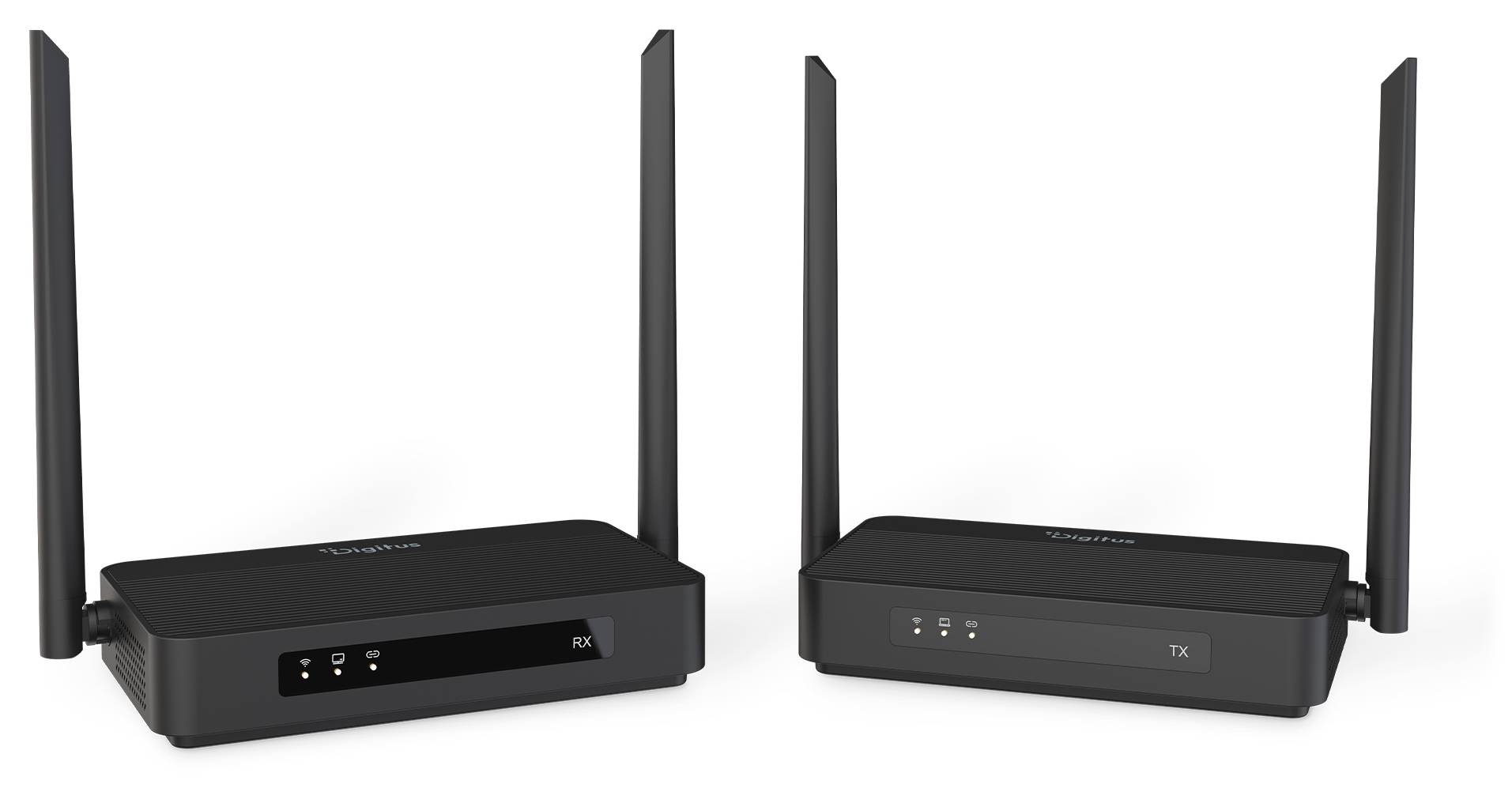
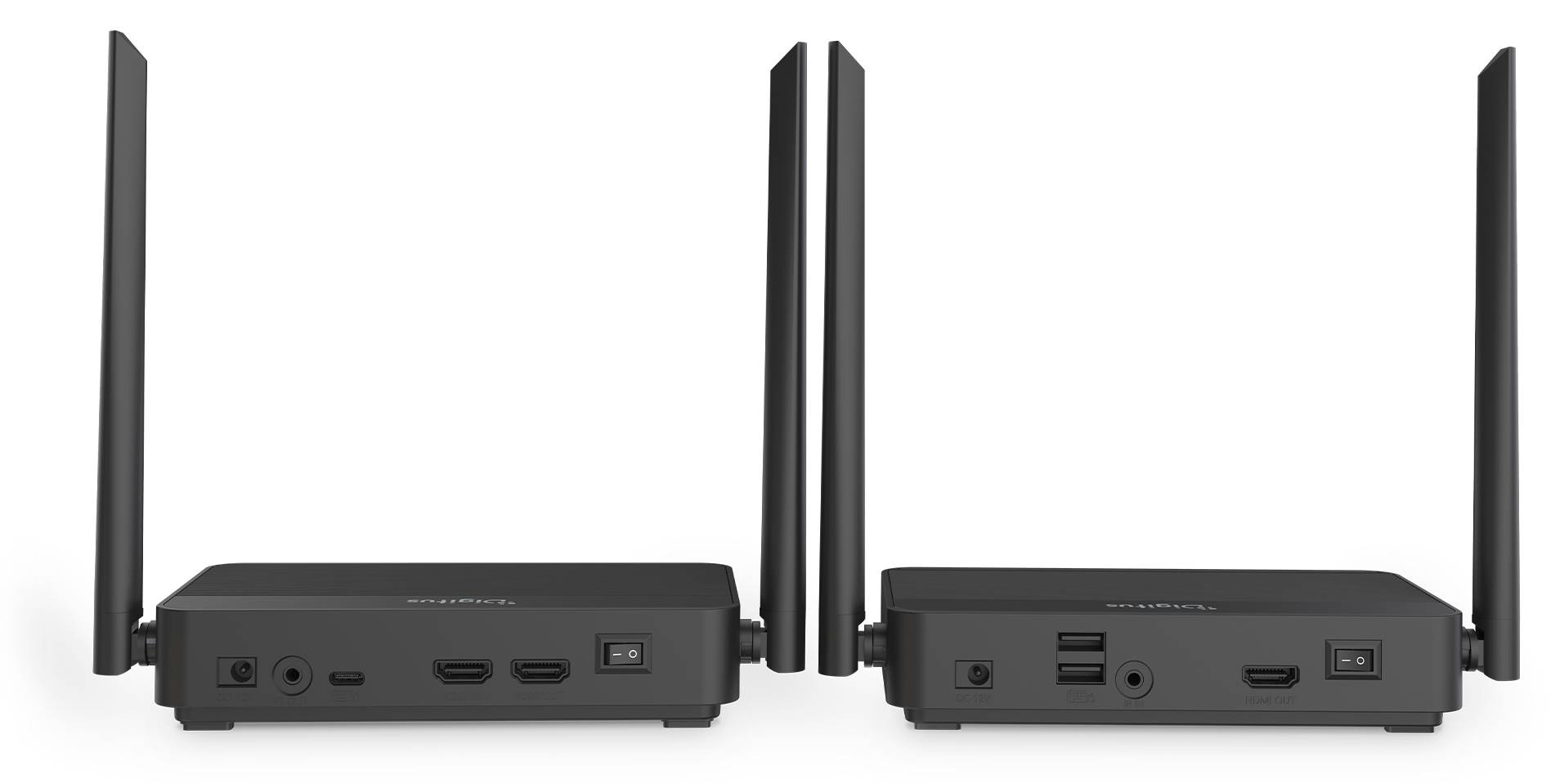
The DIGITUS DS-55360 is a complete point-to-point wireless HDMI KVM extender set with one transmitter and one receiver. It carries one HDMI source to a remote display, with a local HDMI loop-out for monitoring the same source and USB connectivity for remote keyboard, mouse or compatible touch control.
Best For: For a setup that needs one HDMI source sent to one remote display while retaining a local view and remote keyboard, mouse or compatible touch control. It is not a multi-source KVM switch or a general wireless network device.
Before you order: The 100 m range requires clear, unrestricted line of sight; walls, glass, room layout and Wi-Fi interference can reduce coverage or interrupt the link. TX-to-RX latency is 16–48 ms, averaging about 32 ms, and varies with image complexity and interference. The source, display and HDMI cables must be compatible. For KVM or touch return, connect the source PC to the TX by USB as well as HDMI. The receiver's USB-A 1.1 ports are for keyboard/mouse or compatible touch display, not a general USB 3 hub for storage or webcams. Indoor use only; both units need their included external adapters.
What's in the Box
- 1 transmitter (TX)
- 1 receiver (RX)
- 2 × 1.5 m HDMI cables
- 1 × 1 m USB-A-to-C cable
- 2 × 1.5 m IR extension cables
- 2 × 12 V, 1.5 A mains adapters with 1.5 m leads
- Installation manual
What It Means in Practice
- Connect the HDMI source to the TX and the remote display to the RX; the TX loop-out can show the same source locally.
- For remote keyboard, mouse or compatible touch control, connect the source PC to the TX with the included USB-A-to-C cable as well as HDMI.
- The stated maximum 100 m applies only to clear, unrestricted line of sight. Walls, glass, layout and Wi-Fi interference may reduce range or cause loss.
- Allow for a variable 16–48 ms TX-to-RX delay, averaging about 32 ms; this is not a zero-latency link.
What Will Not Work
- This is a one-source-to-one-receiver/display point-to-point set, not a multi-source KVM switch, multicast system, arbitrary multi-receiver splitter or Wi-Fi coverage extender.
- 100 m is not guaranteed through walls or glass; clear, unrestricted line of sight is required for the stated maximum.
- The USB-C connection is for upstream KVM/touch return to the source PC, not video input, USB Power Delivery or a power dock.
- The receiver's USB-A ports are USB 1.1, not a general USB 3 hub for storage devices or webcams.
- Both units require external power; they are not PoE- or USB-powered.
- Not an 8K or 4K120 extender, and proprietary video compression means uncompressed or visually lossless transmission is not guaranteed.
- Indoor use only; no outdoor or weatherproof use. Legal frequency restrictions apply by country.
- PC or console, displays, keyboard/mouse, touch panel and remotes are not included; compatible HDMI source/display/cables and compatible remotes are required for the respective functions.
Key Features
4K60 HDMI support
Supports HDMI 2.0, HDCP 2.2 and HDR10, with up to 4096 × 2160 or 3840 × 2160 at 60 Hz, subject to source, content, display and cable compatibility.
Local HDMI loop-out
The TX provides a local output of the same source sent wirelessly to the remote display.
KVM and touch return
The RX has two USB-A 1.1 ports for keyboard/mouse or a compatible touch display; connect the source PC to the TX by USB as well as HDMI.
IR and HDMI audio
Bi-directional IR extension supports compatible remote control. HDMI audio supports up to 7.1 and Dolby Atmos/DTS bitstream bypass when the TV or AVR can decode it.
Technical Specifications
Frequently Asked Questions
Singular Expert Insight
The set combines a remote HDMI link with a local loop-out and KVM/touch return over USB, so one source can be viewed locally and remotely. Both units and their power adapters are included.
Buyer’s Guide
✓ Buy it if For a setup that needs one HDMI source sent to one remote display while retaining a local view and remote keyboard, mouse or compatible touch control. It is not a multi-source KVM switch or a general wireless network device.
✕ Skip it if The 100 m range requires clear, unrestricted line of sight; walls, glass, room layout and Wi-Fi interference can reduce coverage or interrupt the link. TX-to-RX latency is 16–48 ms, averaging about 32 ms, and varies with image complexity and interference. The source, display and HDMI cables must be compatible. For KVM or touch return, connect the source PC to the TX by USB as well as HDMI. The receiver's USB-A 1.1 ports are for keyboard/mouse or compatible touch display, not a general USB 3 hub for storage or webcams. Indoor use only; both units need their included external adapters.
Features - Digitus - DS-55360
Colour
black
More Details
Product Code
04:586033
EAN Code
4016032507390
Manufacturer
Digitus