
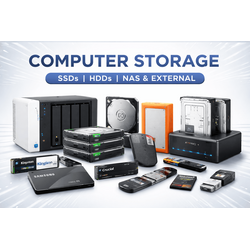
- Internal SSDs
- Desktop/Laptop HDDs
- External HDDs
- External SSDs
- NAS HDDs
- Surveillance HDDs
- HDD/SSD Enclosures
- HDD/SSD Docking Stations & Duplicators
- Enterprise / Server SSDs
- Enterprise / Server HDDs
- NAS, DAS & RAID Storage
- Storage controllers and adapter cards
- Drive Cages & Mobile Racks
- Drive Brackets & Carriers
- Storage Accessories
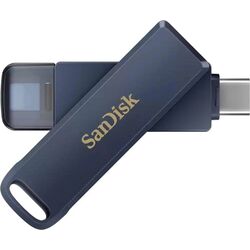
Storage for every kind of computer and business: NVMe and SATA SSDs, desktop and laptop hard drives, external SSDs and drives for backup, NAS drives and NAS systems for shared office storage, enterprise and server drives, enclosures and docking stations, plus USB flash drives, SD and CompactFlash cards and card readers. From Samsung, Kingston, Western Digital, Seagate, Crucial, Toshiba, SanDisk, Transcend, Synology and QNAP.
Internal SSDsInternal HDDsExternal SSDsExternal HDDsNAS HDDsNAS & RAID storageServer SSDsEnclosuresUSB flash drivesSD cardsCard readers
How to choose storage
- SSD or hard drive. SSDs make a PC or laptop start and run faster; hard drives give more capacity per euro for backups, archives and NAS.
- Interface. Check whether your computer takes M.2 NVMe, M.2 SATA or 2.5-inch SATA drives before you choose an internal SSD.
- Drive class. Use NAS drives in NAS systems, surveillance drives in recorders and server drives in servers; desktop drives are not built for 24/7 use.
- Backup. Keep at least one copy of important data on a separate external drive or NAS.
Tell us the computer, server or NAS model and how much data you need to store, and we will suggest the right drives. Call +357 25 878 758 or email [email protected].