Ειδικές τιμές B2B μετά τη σύνδεση

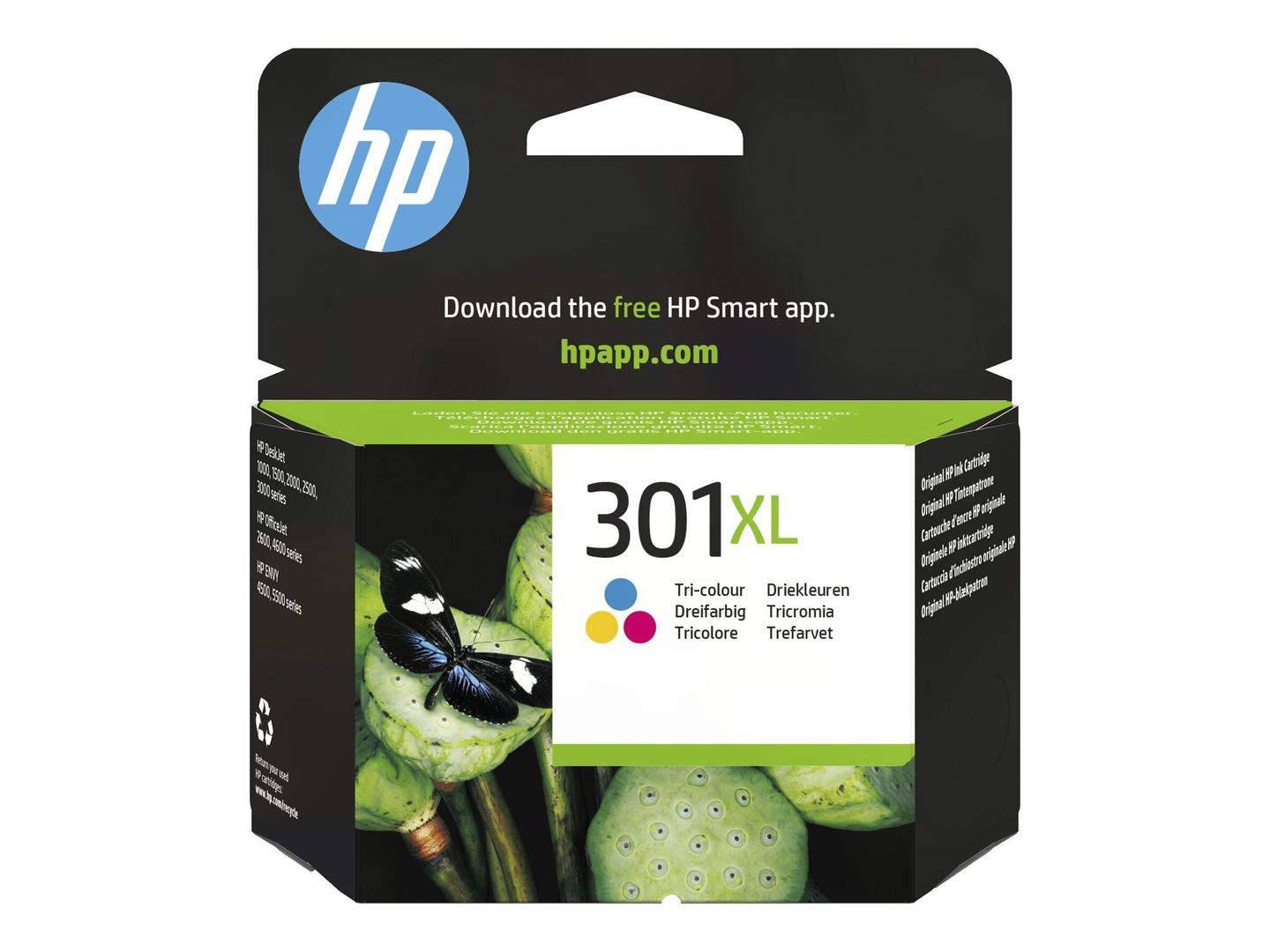
HP 301XL Original Ink Cartridge · High Yield Tri-colour (C/M/Y) · approx. 300 Pages · for DeskJet, ENVY & OfficeJet

Μάρκα:
Hewlett Packard
HP 301XL - 6 ml - High Yield - colour (cyan, magent | CH564EE#301
HP 301XL Original Ink Cartridge · High Yield Tri-colour (C/M/Y) · approx. 300 Pages · for DeskJet, ENVY & OfficeJet
€57.98 inc. VAT
CH564EE#301
€48.72 €54.13
€57.98 με Φ.Π.Α.
Διαθέσιμο με παραγγελία: 11 Είδη
Product Code
9432GHE
EAN Code
0884962894576
Manufacturer
Hewlett Packard

Quick Specs

Type
Original HP 301XL tri-colour cartridge
Yield
approx. 300 pages
Ink
6 ml dye · C/M/Y
Compatibility
DeskJet 1000–3510 · ENVY 4500/5530 · OfficeJet 2620/4630
Delivery

Order Today...
Ships...
Delivery...
ℹ️ Large or fragile items (e.g. monitors) may require extra handling time. We'll keep you informed.
Payment options
✓ Bank Deposit
Secure checkout with flexible payment methods
Trusted Tech Choice
Buying Benefits Verified
Competitive EU pricing
Delivered to Cyprus from EU stock
Local warranty support

HP 301XL High Yield Tri-colour Original Ink Cartridge

Original HPCyan · Magenta · Yellowapprox. 300 pagesPrinthead built in

HP HP 301XL (CH564EE#301) is a genuine HP high yield tri-colour ink cartridge in tri-colour (cyan, magenta, yellow), 6 ml, rated at approx. 300 pages, made for owners of HP DeskJet, ENVY and OfficeJet printers who want the manufacturer's own ink rather than a compatible.

It is the colour half of the HP 301 system: one cartridge holds cyan, magenta and yellow and handles all colour printing — charts, highlighted documents, school projects and photos — in DeskJet 1000 to 3510, ENVY 4500/5530 and OfficeJet 2620/4630 printers.

Original HP cartridges are recognised by the printer and the HP Smart app, so ink levels are reported correctly and you avoid the "non-HP cartridge" warnings — and the firmware updates HP printers receive can stop cartridges with cloned chips from working, which does not affect originals.

What's in the Box

  • 1 × HP 301XL high yield tri-colour ink cartridge (CH564EE) in blister packaging
  • Protective tape over the nozzles — pull it off before installing
  • No black cartridge — the black is sold separately (HP 301XL black, CH563EE)

What It Means in Practice

  • The yield is HP's figure measured with the ISO/IEC 24711 or HP testing methodology method on a standard mixed text-and-graphics test page. Full-page colour, photos or heavy graphics use ink faster, so real page counts will be lower; plain text documents usually land close to the rating.
  • All three colours share one cartridge, so when any one colour runs out the whole cartridge is replaced — if you print a lot of one colour (for example blue logos), expect it to end before the others look empty.
  • The dye-based colour inks give bright results on plain and photo paper; on glossy photo paper, let prints dry for a few minutes before stacking.
  • The printhead is built into the cartridge, so every new cartridge also brings fresh nozzles. If prints are streaky and cleaning cycles do not help, a new cartridge usually fixes it.
  • Installing takes a minute: open the cartridge access door, wait for the carriage to stop, press down on the old cartridge to release it, pull the pink or orange tape off the new cartridge without touching the copper contacts or nozzles, and slide it in until it clicks.
  • Keep spare cartridges sealed in their box at room temperature and install them before the date printed on the packaging; an opened cartridge is best used rather than stored.
  • Empty HP cartridges can be returned for free recycling through HP Planet Partners where the programme is offered.
  • HP sells its consumer and office ink cartridges by region. This is the European/EMEA version, made for printers sold in Europe, the Middle East and Africa — which covers printers bought in Cyprus, Greece or elsewhere in the EU.

What Will Not Work

  • HP 302, 303, 304 or 305 printers — the numbers look close, but each family has its own slot and chip, so a 301 will not fit.
  • Printing black text on its own — the printer can make a composite black from colour, but proper black needs the separate 301 black cartridge.
  • A printer bought in the US, Latin America or Asia — it is set up for that region's cartridges and can reject this European version.
  • Any printer that is not in the compatibility list below — if your model is not listed, send us the model before ordering.

Key Features

 
Three colours in one
Cyan, magenta and yellow in a single cartridge — one part number to reorder.
 
High yield
Rated at approx. 300 pages — more than the standard HP 301 tri-colour.
 
Fresh printhead every time
The printhead is part of the cartridge, so replacing it renews the colour nozzles too.
 
Dye-based colour
Bright colour for documents, graphics and casual photo printing.

Technical Specifications

Identification
Part Number CH564EE#301
EAN / GTIN 0884962894576
Manufacturer Part Number CH564EE
Brand HP
Cartridge
Cartridge number HP 301XL
Product type High Yield Tri-colour Ink Cartridge
Colour(s) Tri-colour (cyan, magenta, yellow)
Ink type Dye-based
Ink volume 6 ml
Page yield approx. 300 pages (ISO/IEC 24711 or HP testing methodology)
Printhead Integrated in the cartridge
Nozzles 612
Compatibility
Printer series HP DeskJet 1000, 1010, 1050, 1050A, 1510, 2000, 2050, 2050A, 2510, 2540, 3000, 3050, 3050A and 3510 series · HP ENVY 4500 and 5530 series · HP OfficeJet 2620 and 4630 series
Package
In the box 1 ink cartridge
Warranty
Warranty 1-Year Warranty (Singular)
Manufacturer Term HP Premium Protection Warranty: the cartridge is warranted free from defects in materials and workmanship until the HP ink is depleted or the warranty end date printed on the cartridge is reached, whichever comes first — claims handled through Singular

Frequently Asked Questions

Why does it need replacing when only one colour is empty?
The three colours sit in one cartridge with one printhead, so it is replaced as a unit. That is how all HP 301 tri-colour cartridges work.
Can I print only in black if this runs out?
Most printers in this family can print with just the black cartridge installed (single-cartridge mode), but it is slower and colour pages will not print correctly.
How do I make sure this is the right cartridge?
Check the number printed on the label of the cartridge you are replacing, or the printer's ink-status screen. If it shows HP 301XL, this is the one. If you only know the printer model, send it to us and we will confirm.
Singular Expert Insight · Buyer's Guide
For mixed home use, the 301XL tri-colour lasts noticeably longer than the standard size and costs less per page. Buy it together with the 301XL black if both are low — you will need both installed for normal printing. Browse all original ink cartridges at Singular for the matching colours or packs.
✓ Buy it if your printer uses an HP 301 tri-colour and you print colour regularly.
✕ Skip it if you mostly print black text — the black cartridge runs out first, so buy that one.
→ Also consider the HP 301XL black (CH563EE), or the HP 301 2-pack (N9J72AE) if you print only occasionally.
Not sure which cartridge your printer takes? Send us the exact printer model (it is on the front panel or the label inside the lid) and we will confirm the right cartridge before you order.

Χαρακτηριστικά
Product Code
9432GHE
EAN Code
0884962894576
Manufacturer
Hewlett Packard
  • Recently Viewed
  • Bestsellers
 
Γιατί να αγοράσετε από τη Singular

Εμπιστοσύνη επιχειρήσεων σε όλη την Κύπρο

Αυθεντικά προϊόντα, απόθεμα ΕΕ και τεχνική υποστήριξη σε κάθε αγορά.
✓ Αυθεντικά Προϊόντα
Προμήθεια από επίσημα κανάλια διανομής, με εργοστασιακή εγγύηση.
✓ Απόθεμα ΕΕ
Αποστολή από το δίκτυο διανομής μας στην ΕΕ, με διαθεσιμότητα σε πραγματικό χρόνο σε κάθε προϊόν.
✓ Έτοιμοι για B2B
Τιμολόγια με ΦΠΑ για έκπτωση δαπανών και όροι πίστωσης για εγκεκριμένους πελάτες.
Τεχνική Υποστήριξη
Μιλήστε με την ομάδα μας για επιλογή, παραμετροποίηση ή παραγγελίες όγκου.