
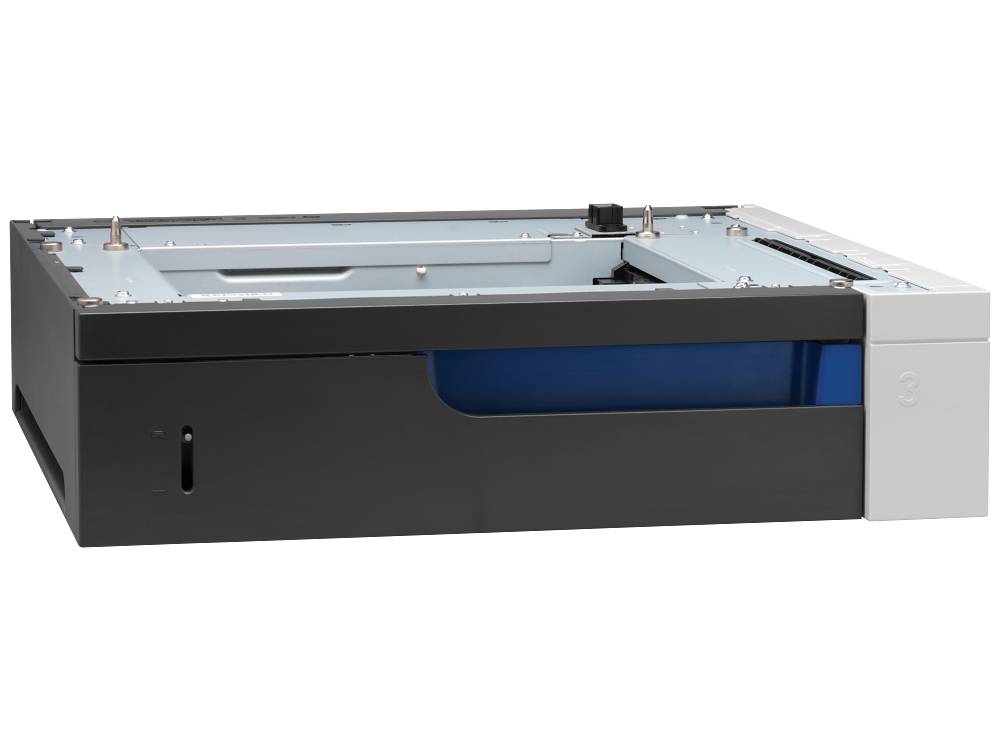
HP CE860A Color LaserJet 500-Sheet Paper Tray for Color LaserJet Enterprise CP5525 Series and M750 Printers
Brand:
Hewlett Packard

HP CE860A Color LaserJet 500-Sheet Paper Tray for Color LaserJet Enterprise CP5525 Series and M750 Printers
€518.51 inc. VAT
CE860A
Delivery
Order Today...
Ships...
Delivery...
ℹ️ Large or fragile items (e.g. monitors) may require extra handling time. We'll keep you informed.
Payment options
Trusted Tech Choice
Buying Benefits
Verified
Competitive EU pricing
Delivered to Cyprus from EU stock
Local warranty support
Please sign in so that we can notify you about a reply
HP CE860A Color LaserJet 500-Sheet Paper Tray
Genuine HP+500 sheetsOptional trayCP5525 · M750
The HP CE860A Color LaserJet 500-Sheet Paper Tray is the genuine HP optional input tray for the Color LaserJet Enterprise CP5525 series and Color LaserJet Enterprise M750 A3 colour printers, adding one more 500-sheet paper source. It is for offices that want a second paper size or more paper on line without reloading trays all day.
The tray mounts under the printer and is recognised as an extra input tray. A typical setup keeps A4 in one tray and A3 or letterhead in the other, so users choose the paper from the print dialog instead of swapping stacks by hand.
Before you order: HP lists this tray for the Color LaserJet CP5520 series (including the CP5525) and the Color LaserJet Professional CP5220 series, and the M750 datasheet lists it as an optional accessory. It is not for the 700 MFP M775, which has its own feeder options. Check your model before ordering.
What's in the Box
- HP 500-sheet paper tray (feeder unit)
- User guide
- Warranty information
What It Means in Practice
- Adds 500 sheets of 75 g/m² paper, so the printer can run longer between refills.
- Lets you keep two paper sizes or types loaded at the same time and select them from the driver.
- It is a large unit: HP lists 546 × 562 × 132 mm and 11.4 kg, so plan the space under the printer.
- After installation, enable the tray in the printer driver so applications can use it.
What Will Not Work
- It is not the 3 × 500-sheet feeder with stand (CE725A); this unit is a single tray.
- It is not listed for the Color LaserJet 700 MFP M775 or for smaller desktop LaserJet models.
- It does not add duplex, stapling or output capacity; it is an input tray only.
- It will not feed heavy card or envelopes beyond what the printer supports from optional trays.
Key Features
Genuine HP accessory
Designed for the CP5525 / M750 chassis with the original fit and paper path.
500 extra sheets
One more full ream on line, recognised by the printer as a separate tray.
Two papers loaded
Keep A4 and A3, or plain and letterhead, ready without swapping stacks.
Simple add-on
Mounts under the printer; HP supplies a user guide in the box.
Technical Specifications
Frequently Asked Questions
Singular Expert Insight · Buyer's Guide
For busy A3 colour printers, an extra tray is often the cheapest way to cut user interruptions: one tray for daily A4, one for A3 or special paper. If you need more than one extra source, the 3 × 500 feeder with stand may be the better buy. See more genuine options in our printer accessories range.
✓ Buy it if you run a CP5525 or M750 and want a second paper size or more paper loaded at once.
✕ Skip it if your printer is a 700 MFP M775 or a different LaserJet model, or you need three extra trays plus a stand.
→ Also consider the HP CE725A 3 × 500-sheet paper feeder and stand for the same printers.
Not sure this tray fits your printer setup? Send us the model and current tray configuration and we will confirm.
Features - Hewlett Packard - CE860A
More Details
Product Code
943123W
EAN Code
0884420984481
Manufacturer
Hewlett Packard