
HP Z6A00AA USB-C to USB-A Hub 3-Port with 2 x USB-A 5 Gbps and 1 x USB-A 2.0 Bus-Powered 30 cm Wrap Cable
Brand:
Hewlett Packard

HP Z6A00AA USB-C to USB-A Hub 3-Port with 2 x USB-A 5 Gbps and 1 x USB-A 2.0 Bus-Powered 30 cm Wrap Cable
€34.99 inc. VAT


Z6A00AA
Delivery
Order Today...
Ships...
Delivery...
ℹ️ Large or fragile items (e.g. monitors) may require extra handling time. We'll keep you informed.
Payment options
Trusted Tech Choice
Buying Benefits
Verified
Competitive EU pricing
Delivered to Cyprus from EU stock
Local warranty support
Please sign in so that we can notify you about a reply
HP USB-C to USB-A Hub — three legacy ports from one USB-C socket
2 x USB-A 5 Gbps1 x USB-A 2.0Bus-powered36.5 g, cable wraps around
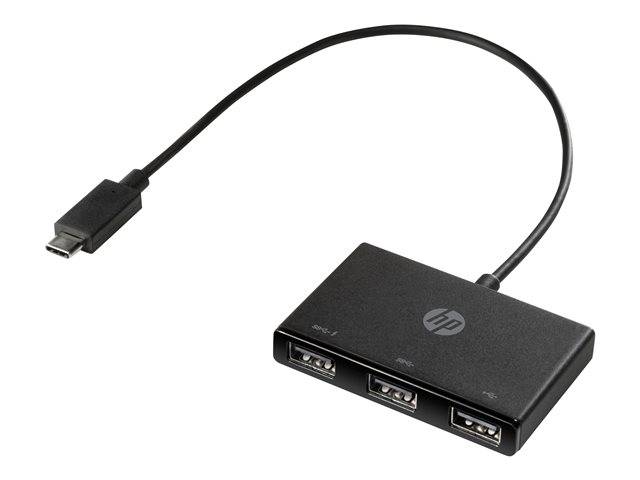
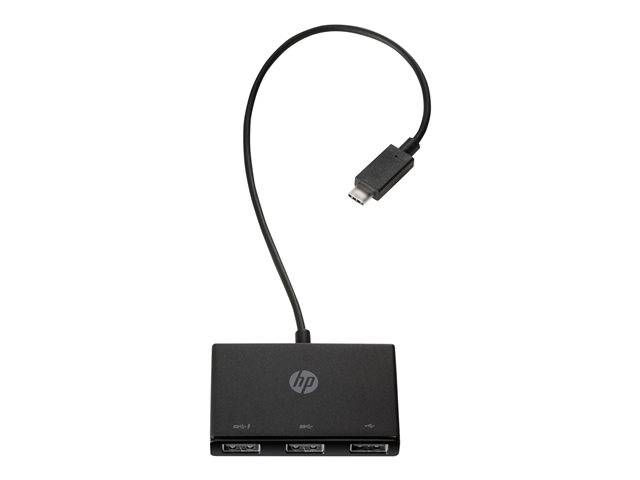
The HP Z6A00AA is a pocket-sized USB-C hub that turns a single USB-C port on your notebook into three USB-A sockets, so the mouse, keyboard, dongle and flash drive you already own keep working on a machine that no longer has full-size USB. HP publishes two of the three ports at 5 Gbps and the third at USB 2.0, and the 30 cm cable wraps around the 36.5 g body so it travels in the same sleeve as the laptop. It was sold alongside the HP Elite x2, EliteBook x360, Mobile Thin Client mt45, ProBook 455r G6 and ZBook 15 G6 and 17 G6, but nothing about it is HP-only.
Compatibility — check before buying:
The host end is USB-C only — there is no USB-A adapter in the box, so it will not plug into an older USB-A laptop, and the USB-C port on your machine has to carry data (a charge-only port will not do). Only two of the three ports run at 5 Gbps; the third is USB 2.0 at 480 Mbps, so plan which device goes where. There is no Power Delivery: the hub will not charge your notebook, and it has no power input of its own. HP does not publish a per-port current figure, so a bus-powered 2.5-inch drive will usually run on one SuperSpeed port but two at once is asking a lot of a single laptop port.
Best For
✓ USB-C-only notebooks that still need USB-A
✓ Travel bags where every gram and centimetre counts
✓ Mouse, keyboard and receiver dongles
✓ Flash drives and card readers
✓ Hot-desking between meeting rooms
✓ Anyone who wants no drivers and no setup
Key Features
Two speeds, deliberately split
Two ports carry HP’s published 5 Gbps signalling rate for storage and card readers; the third is USB 2.0, which is all a mouse, keyboard or wireless receiver ever needs. Knowing which is which is the difference between a fast copy and a slow one.
Cable that stays with the hub
The 30 cm USB-C lead is attached and wraps around the body, so there is no second cable to lose and nothing dangling in the bag.
Nothing to install
HP states no software is required. Windows 10, Windows 11 and Chrome OS see it as soon as it is plugged in, with no driver download and no reboot.
Technical Specifications
Frequently Asked Questions
Singular Expert Insight
This is the small end of the range on purpose. The Z6A00AA does one job — it gives a USB-C-only laptop three USB-A sockets and nothing else — and at 36.5 g with a cable that wraps around itself, it is the one that actually lives in the bag. If you need seven or ten ports on a desk, or you want devices to keep working when the laptop is unplugged, you want a powered model from our USB hub range instead, because a bus-powered hub can only hand out what the host port gives it. If you also want the notebook to charge through the same cable, an Ethernet port, or an external display, that is a different class of product and belongs in our docking stations. Also worth knowing before you order: the third port is USB 2.0, so this is a three-port hub with two fast ports, not three.
Buyer’s Guide
Buy it if
Your laptop has USB-C but no USB-A, and you want a hub small enough to forget in the bag. You need two genuinely fast ports for a drive or card reader and one slow port for a mouse or receiver. You want plug-and-play on Windows 10, 11 or Chrome OS with no driver download and 36.5 g in the sleeve.
Skip it if
You need three fast ports — the third is USB 2.0 at 480 Mbps, not 5 Gbps. You want the hub to charge the laptop, add Ethernet or drive a monitor: there is no Power Delivery, no RJ-45 and no video. You plan to run two bus-powered hard drives at once, or your machine only has USB-A.
Also consider
A powered desktop hub if devices must stay awake with the laptop away, or if you are connecting several drives. A USB-C dock if you want charging, Ethernet and a display over one cable. A hub with a USB-A host plug if your laptop has no USB-C port.
Features - Hewlett Packard - Z6A00AA
Interface
- USB Type-C
More Details
Product Code
2M3ER87
EAN Code
0190780850923
Manufacturer
Hewlett Packard