Special B2B pricing available after sign-in

iiyama XB2797QSNPH-B1 27 QHD USB-C Webcam Monitor

Brand:
Iiyama
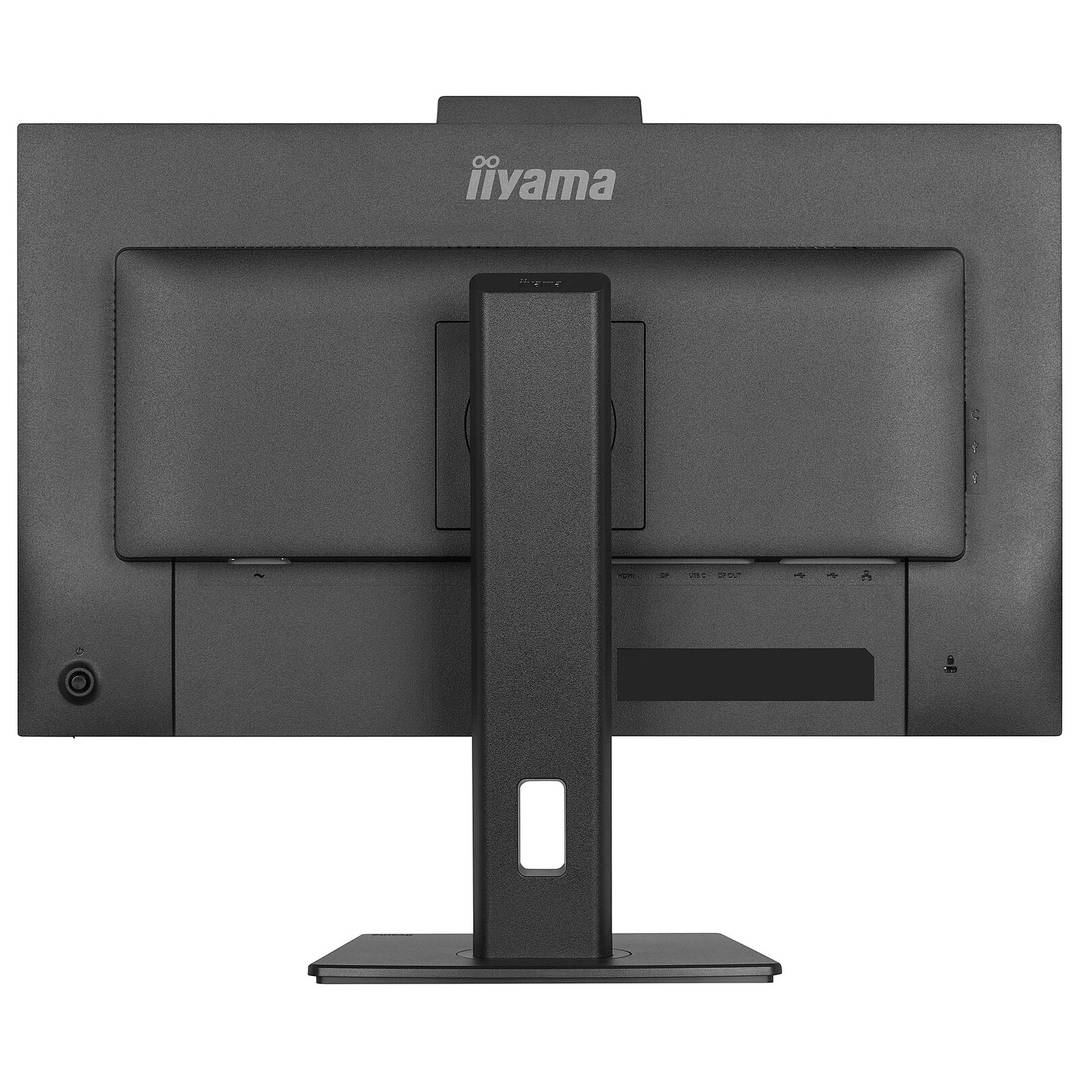
Black iiyama ProLite XB2797QSNPH-B1 27 inch QHD monitor with Windows Hello webcam and adjustable stand
iiyama XB2797QSNPH-B1 27 QHD USB-C Webcam Monitor
€407.88 inc. VAT
Buy
XB2797QSNPH-B1
€342.76 €380.84
€407.88 inc. VAT
Ships from EU stock: 42 item(s)
Product Code
04:593427
EAN Code
4948570125975
Manufacturer
Iiyama
Quick Specs
Screen
27-inch IPS QHD
Refresh
Up to 75 Hz
Dock
USB-C PD 96 W
Desk tools
KVM / RJ45 / MST
Delivery

Order Today...
Ships...
Delivery...
ℹ️ Large or fragile items (e.g. monitors) may require extra handling time. We'll keep you informed.
Payment options
✓ Bank Deposit
Secure checkout with flexible payment methods
Trusted Tech Choice
Buying Benefits Verified
Competitive EU pricing
Delivered to Cyprus from EU stock
Local warranty support

QHD docking and video calls from one desk display

27-inch IPS QHD5 MP Windows Hello cameraUSB-C up to 96 WKVM / RJ45 / DP-out

The black ProLite XB2797QSNPH-B1 brings a 2560×1440 IPS display, laptop docking and peripheral sharing into one desktop monitor. USB-C carries supported video, data and charging up to 96 W, while KVM lets suitable connected computers share a keyboard and mouse. RJ45 and DisplayPort output add wired networking and compatible multi-monitor options. A built-in 5 MP autofocus webcam with microphone and privacy shutter supports video calls and compatible Windows Hello sign-in.

Best For: Office work, spreadsheets and multi-device desks needing QHD workspace, USB-C charging and shared peripherals. Also suitable for video calls with a compatible USB-connected computer.
Before you order: The manufacturer specifies QHD at up to 75 Hz, not 100 Hz. USB-C video needs a host supporting DisplayPort Alt Mode and an appropriate full-featured cable. Charging depends on the laptop PD requirements. The manual warns that QHD 75 Hz is unavailable over USB-C when USB 3.0 data mode is selected; choose supported OSD and link settings.

What's in the Box

  • Monitor with stand, power cable, HDMI cable, USB cable and USB-C cable as listed by manufacturer.
  • Quick start guide and safety guide.
  • Laptop, keyboard, mouse, Ethernet service, second monitor and optional mounting arm are separate.

What It Means in Practice

  • Connect a compatible laptop by USB-C for video, supported data and charging up to 96 W.
  • Connect another computer by HDMI or DisplayPort and the appropriate USB upstream link, then configure KVM mapping.
  • Use RJ45 for wired network access through a supported host connection.
  • Enable MST DP-out for a compatible second display; host, operating system, connection bandwidth and settings determine available modes.
  • Adjust height by 150 mm, tilt and swivel, or rotate into portrait orientation.
  • Connect the camera USB data path and grant application permissions; use the physical privacy shutter when required.

What Will Not Work

  • Webcam and microphone need a working USB data connection, permissions and suitable applications; Windows Hello needs compatible Windows hardware/software.
  • DisplayPort MST extended desktops depend on host and operating-system support; do not assume macOS MST extension.
  • USB-C bandwidth settings can trade data speed against display refresh rate. Use the original laptop adapter if more power is needed.
  • The 1 ms figure is MPRT, not a GTG response-time claim. It is not a factory-calibrated colour reference display.

Key Features

 
Detailed QHD workspace
27-inch IPS, 2560×1440, 350 cd/m² typical brightness and 1000:1 static contrast for everyday detail.
 
One-cable laptop connection
USB-C dock supports video, data, LAN access and up to 96 W PD with compatible equipment.
 
KVM and display expansion
Share suitable USB peripherals between hosts and use supported DP-out MST configurations.
 
Camera and ergonomic setup
5 MP autofocus webcam, microphone, privacy shutter and Windows Hello support, with 150 mm height and pivot adjustment.

Technical Specifications

Exact model / EANXB2797QSNPH-B1 / 4948570125975
Panel / size27-inch (68.5 cm) IPS LED, matte black enclosure
Resolution / refresh2560×1440 QHD, up to 75 Hz
Aspect ratio / brightness16:9 / 350 cd/m² typical
Static contrast / colour1000:1 / 16.7 million colours, 99% sRGB stated coverage
Response / sync1 ms MPRT; Adaptive Sync
Video inputs1× HDMI 1.4, 1× DisplayPort 1.2, 1× USB-C with DP Alt Mode
USB-C dockUp to 96 W PD, LAN, DP-out, USB 3.2 Gen 1 5 Gbps subject to mode
USB upstream / downstreamUSB-C and USB-B upstream; 2× USB-A and 2× USB-C downstream
Other connections1× RJ45, headphone output, DisplayPort MST output
Audio / KVM2× 2 W speakers; built-in KVM
Webcam5 MP / 30 fps, autofocus, microphone, privacy shutter, Windows Hello compatible
Stand150 mm height; ±60° swivel; +23°/−5° tilt; ±90° pivot
Mounting / weightVESA 100×100 mm / 6.0 kg without box
PowerInternal supply, AC 100–240 V 50/60 Hz; 21 W default stated
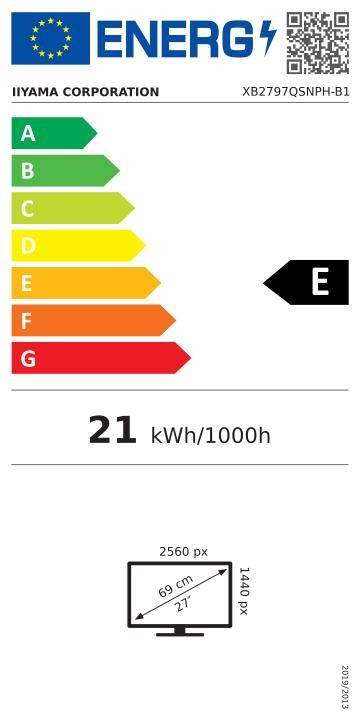
Energy labelEU class E, EPREL 2611656; official label is final gallery image
ConditionNew

Frequently Asked Questions

Does it include a webcam?
Yes. This QSNPH-B1 has a 5 MP autofocus webcam, microphone and privacy shutter. Windows Hello requires a compatible Windows environment and USB data connection.
Can it charge a laptop through USB-C?
Up to 96 W PD with a compatible laptop and cable; devices needing more power may require their own adapter.
Why might USB-C not allow QHD 75 Hz?
The manual states USB 3.0 data mode prevents that mode; use supported USB-C speed and display settings.
Does MST work with every computer?
No. Extended MST requires suitable graphics, operating system, link bandwidth and an enabled DP-out setting.
Where is the energy label?
The official EU label for exact model registration 2611656 is the last gallery image.
Singular Expert Insight

Check the full USB-C workflow before choosing cables: video, charging, USB data and display chaining share host and bandwidth requirements. The KVM also needs the correct upstream USB connection for each computer. Treat 96 W as the maximum charging capability and test the intended QHD refresh and USB speed combination.

Buyer’s Guide

✓ Buy it if You want a black QHD office display with USB-C docking, KVM, wired-network access and an adjustable stand. You also need an integrated camera for supported calls and sign-in.
✕ Skip it if You need touch input, a higher refresh rate or guaranteed MST extension on every operating system.
→ Also consider USB-C Alt Mode, laptop charging needs, upstream USB links, bandwidth settings and second-display compatibility.

Features - Iiyama - XB2797QSNPH-B1

Colour
black
More Details
Product Code
04:593427
EAN Code
4948570125975
Manufacturer
Iiyama
Technical specifications
Monitor Usage
  • business monitor
Monitor Size
27"
Resolution
QHD (1440p)
Resolution (raw)
2560×1440
Complete Your Setup

Add the essentials to your monitor

Pair your monitor with accessories that match its capabilities.
HDMI & DP Cables

HDMI, DisplayPort and USB-C video cables to connect your monitor.

Browse →
Monitor Stands & Arms

Adjustable arms, desk mounts and stands for ergonomic positioning.

Browse →
Privacy Filters

Anti-glare and privacy filters to protect your screen and your work.

Browse →
Monitor Accessories

Cleaning kits, calibration tools and other monitor essentials.

Browse →
  • Recently Viewed
  • Customers Also Bought
 
Why Buy from Singular

Trusted by businesses across Cyprus

Genuine products, EU stock, and expert support for every purchase.
✓ Genuine Products
Sourced through official distribution channels, with full manufacturer warranty.
✓ EU Stock
Shipped from our EU distribution network, with real-time availability on every product.
✓ B2B Ready
VAT invoices for business deduction and credit terms for verified buyers.
Expert Support
Talk to our team for sizing, configuration or volume orders.