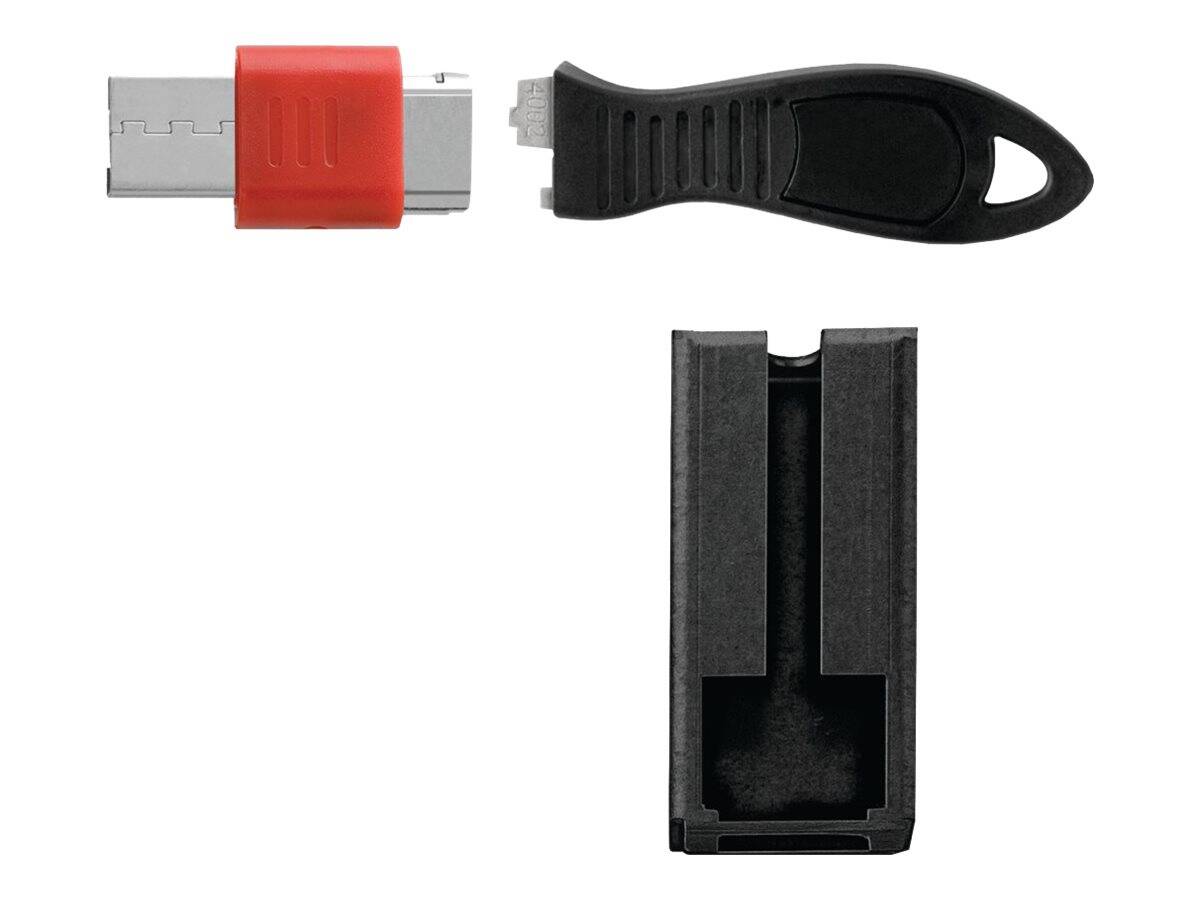
Kensington USB Port Lock with Square Cable Guard — physical USB data protection
USB-A port lockSquare cable guardPush-button installSteel + zinc
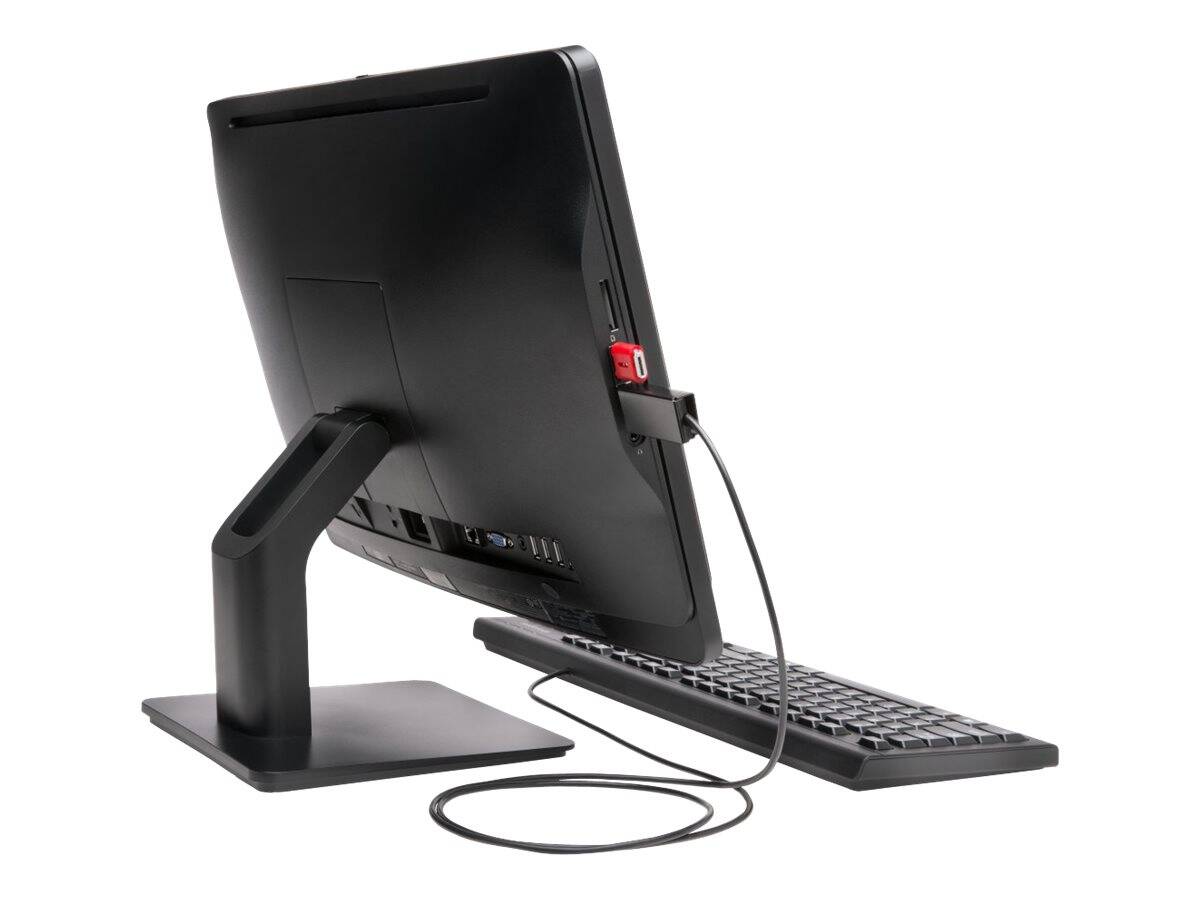
The Kensington K67915WW USB Port Lock with Square Cable Guard is a physical security device that plugs into a USB-A port and locks in place, so nobody can use that port to copy data or plug in an unknown USB stick. The included Square Cable Guard captures an authorised USB cable — for example your keyboard or mouse — in the port next to the lock, so it keeps working but cannot be unplugged.
Installation needs no tools or software: insert the lock and press the button. With one lock, the port block also prevents access to the adjacent ports, whether they are stacked vertically or side by side. It is intended for offices, schools, kiosks, public PCs and any workplace with a USB data policy, and works alongside encryption and endpoint software rather than replacing them.
Before you order: Kensington describes the lock as near-universally compatible with standard USB-A ports. Recessed ports or ports very close to a case edge may not leave room for the guard — send us the PC or laptop model if you are unsure.
What's in the Box
- 1× Kensington USB Port Lock
- 1× Square Cable Guard
- Kensington does not publish the full package contents for this model
What It Means in Practice
- Front-panel USB ports on shared PCs can no longer be used to copy files or plug in unknown devices.
- Your authorised keyboard, mouse or scanner stays connected, because its cable is locked into the port beside the lock.
- The visible lock signals that the workstation is protected — a deterrent in public areas.
- It complements software USB control; physical blocking still works when software policies are bypassed.
What Will Not Work
- It does not lock the laptop or PC to the desk — for that you need a separate cable lock.
- It does not fit USB-C, HDMI or other port types — only USB-A (Type A).
- It does not encrypt data or stop network/Bluetooth transfers.
- One cable guard secures one cable; more authorised devices need more locks.
Key Features
Port blocker
Plugs into a USB-A port and locks with a push button, physically blocking that port.
Square Cable Guard
Captures an authorised USB cable in the adjacent port so the device stays in use but cannot be removed.
Blocks adjacent ports
Used with one lock, the port block prevents access to the neighbouring ports in either orientation.
Durable materials
Powder-coated steel guard and die-cast zinc lock with an ABS housing.
Technical Specifications
| Identification |
| Part Number |
K67915WW |
| EAN / GTIN |
0085896679158 |
| Brand |
Kensington |
| Function |
| Type |
USB port lock with Square Cable Guard |
| Port |
USB-A (4-pin Type A) |
| Installation |
Plug in and push button to lock |
| Removal tool / key |
Not published |
| Physical |
| Guard material |
Powder-coated steel |
| Lock material |
Die-cast zinc with ABS housing |
| Colour |
Black |
| Warranty |
| Warranty |
1-Year Warranty (Singular) |
| Manufacturer Term |
Kensington does not publish an EU warranty term for this model — claims handled through Singular |
Frequently Asked Questions
Can I still use a USB keyboard and mouse?
Yes — lock the cable of the authorised device with the Square Cable Guard in the port next to the lock.
Will it fit my laptop?
It fits standard USB-A ports. Ports set deep in the chassis or right at an edge may leave too little space; send us the model to check.
Does it replace USB control software?
No. It is a physical layer that works alongside encryption and endpoint software.
Singular Expert Insight · Buyer's Guide
Most data leaks through USB happen on unattended shared PCs, so a physical lock on the front ports is a cheap and visible layer of protection. Plan one lock per group of ports you want closed and remember the authorised device cable. If your users connect through
docking stations, lock the ports there too.
✓ Buy it if you need to stop unauthorised USB sticks on shared or public PCs while keeping a keyboard or mouse connected.
✕ Skip it if you want to lock the computer itself to the desk, or your devices only have USB-C ports.
→ Also consider a Kensington cable lock for the laptop itself, or additional USB port locks for every exposed port group.
Not sure it fits? Send us the PC or laptop model and we will check the USB port spacing before you order.