
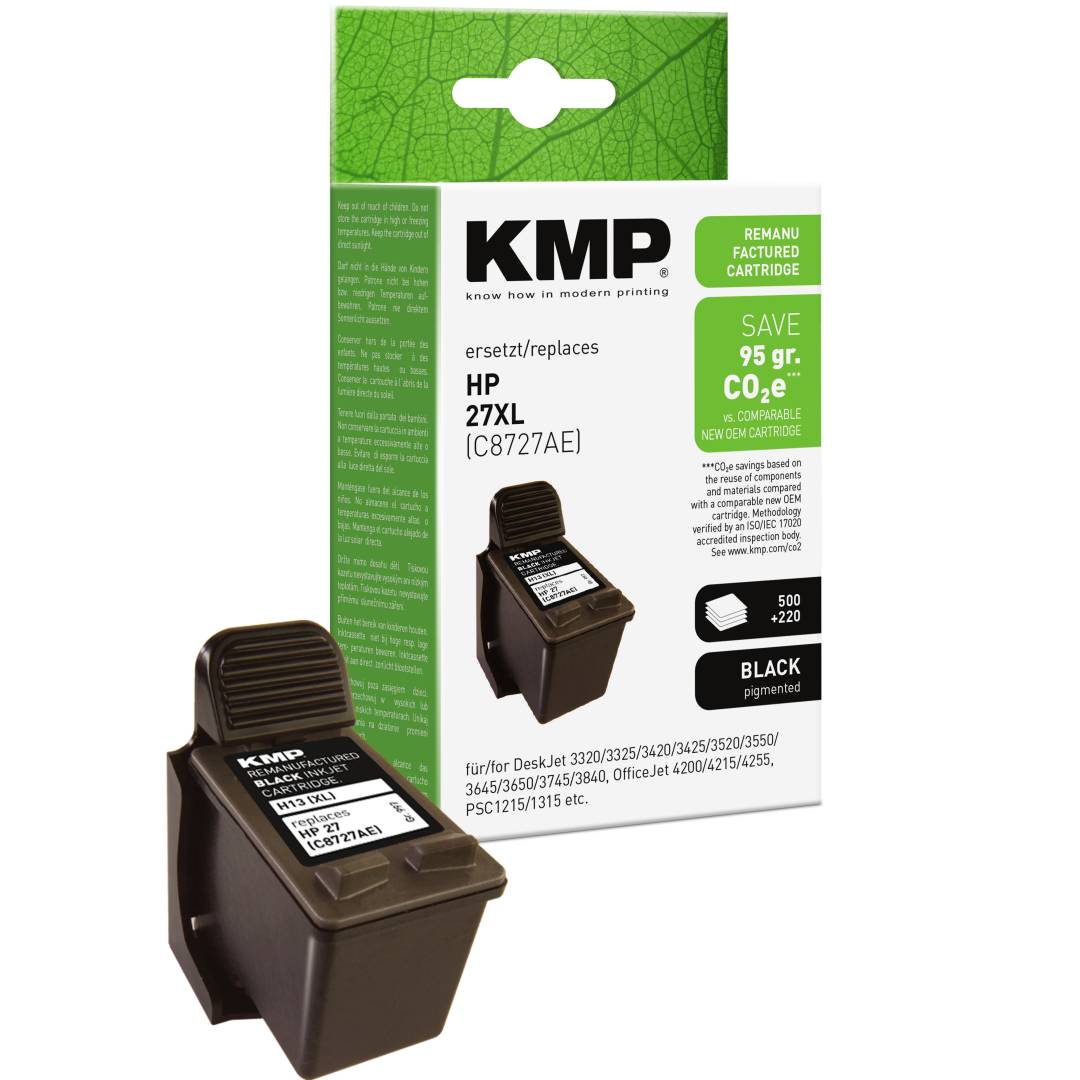
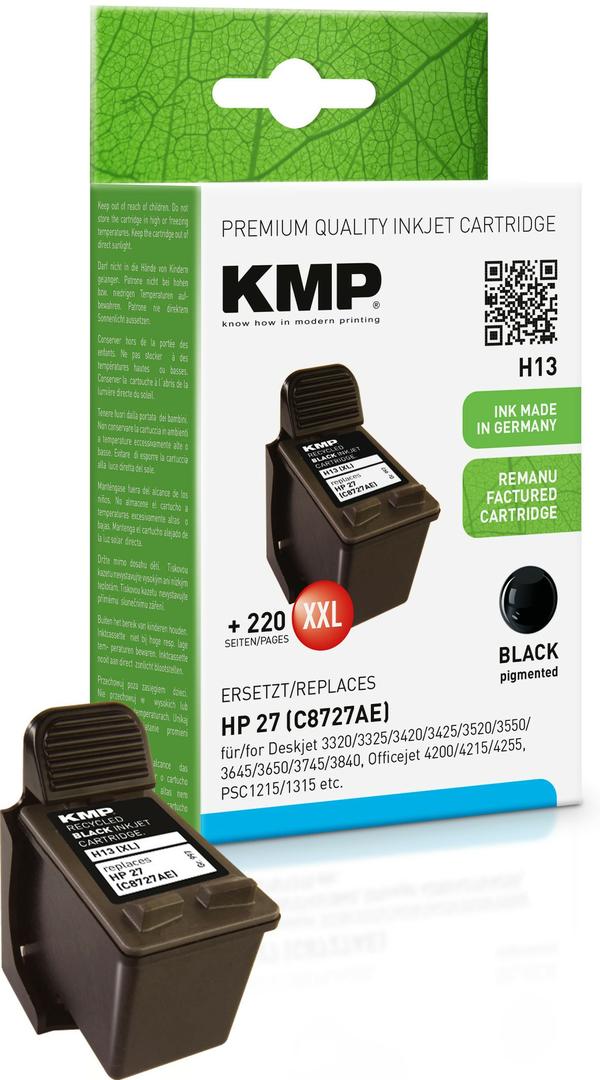
KMP H13 Compatible Ink Cartridge for HP 27 (C8727AE), Black, 19 ml, up to 500 Pages, Printhead Cartridge
Μάρκα:
KMP Printtechnik AG

KMP H13 Compatible Ink Cartridge for HP 27 (C8727AE), Black, 19 ml, up to 500 Pages, Printhead Cartridge
€16.29 inc. VAT


0997,4271
Delivery
Order Today...
Ships...
Delivery...
ℹ️ Large or fragile items (e.g. monitors) may require extra handling time. We'll keep you informed.
Payment options
Trusted Tech Choice
Buying Benefits
Verified
Competitive EU pricing
Delivered to Cyprus from EU stock
Local warranty support
Συνδεθείτε για να μπορέσουμε να σας ειδοποιήσουμε σχετικά με μια απάντηση
KMP H13 — Black Ink for HP 27 Printers
Replaces HP 2719 mlUp to 500 pagesFor older DeskJet/PSC
KMP H13 is a black ink cartridge made by KMP PrintTechnik AG (Germany) as a compatible replacement for the HP 27 (C8727AE), holding 19 ml and rated at up to 500 pages to ISO/IEC 24711 for older HP DeskJet, OfficeJet and PSC printers that take the HP 27 black cartridge.
HP 27 is the black cartridge for a generation of HP DeskJet, OfficeJet and PSC printers that run two cartridges: one black and one tri-colour. Like the original, this cartridge carries its own printhead, so each replacement also renews the nozzles that put ink on paper.
Before you order: This is the HP 27 black. The colour cartridge for these printers is the HP 28 tri-colour, which is a separate item. HP 56 and HP 21 are different cartridges.
What's in the Box
- 1 × KMP H13 ink cartridge, black, 19 ml (replaces HP 27 (C8727AE))
- Single cartridge with its own integrated printhead — the printer and the HP 28 tri-colour cartridge are not included
What It Means in Practice
- Up to 500 A4 pages measured to ISO/IEC 24711. On printers used mainly for black text, that means fewer cartridge changes.
- Install it exactly like the original: open the ink cover, press the release on the empty cartridge, slide this one in until it locks and close the cover. Remove any orange protective cap or tape first — a cartridge left with its seal on will report as empty or not print.
- Some printers display a "non-genuine" or "used cartridge" notice the first time a compatible cartridge goes in. Confirm the message on the printer panel and printing continues — this is a printer prompt, not a fault in the cartridge.
- After installing, print the alignment page the printer offers. Because the printhead is part of the cartridge, alignment makes sure black and colour line up correctly.
- For colour-critical photo work, print one test page after the change and compare it with your previous output before a large job.
- Keep spare cartridges or bottles sealed until you need them; ink in an opened container slowly dries at the nozzle or outlet, and a sealed pack keeps the ink in the condition it left the factory.
What Will Not Work
- It will not fit printers that take HP 21, HP 56, HP 300 or HP 301 cartridges.
- It is not the HP 28 tri-colour cartridge — colour is a separate item.
- It does not add chip-based ink-level reporting; these printers estimate the level themselves.
- It does not repair a clogged or worn printhead. If the original ink already printed streaks or missing lines, run the printer's cleaning cycle first — new ink cannot fix a printhead fault.
Key Features
Printhead included
Each cartridge brings fresh nozzles, so a dried-out old cartridge is replaced completely.
ISO-rated yield
19 ml and up to 500 A4 pages measured to ISO/IEC 24711.
Keeps older printers running
For DeskJet 3000/5000, OfficeJet 4000/5000 and PSC 1200/1300 models.
German brand
KMP PrintTechnik AG is a German supplier of compatible printing supplies for the major printer brands.
Technical Specifications
Frequently Asked Questions
Singular Expert Insight · Buyer's Guide
HP 27 printers are long out of production, and a correctly matched black cartridge keeps them useful for everyday documents. Because the printhead is built into the cartridge, a fresh one often fixes faded black that cleaning cycles cannot. Browse our compatible ink range to find matching colours for the same printer.
✓ Buy it if your HP printer takes HP 27 black and is used mainly for text documents.
✕ Skip it if your printer takes HP 21, HP 56, HP 300 or HP 301 cartridges.
→ Also consider an HP 28 tri-colour cartridge for the same printer if colour is also low.
Not sure which cartridge your printer takes? Tell us the exact printer model from the label on the printer and we will check it before you order.
Colour
black
Χαρακτηριστικά
Product Code
04:45478
EAN Code
4011324997279
Manufacturer
KMP Printtechnik AG