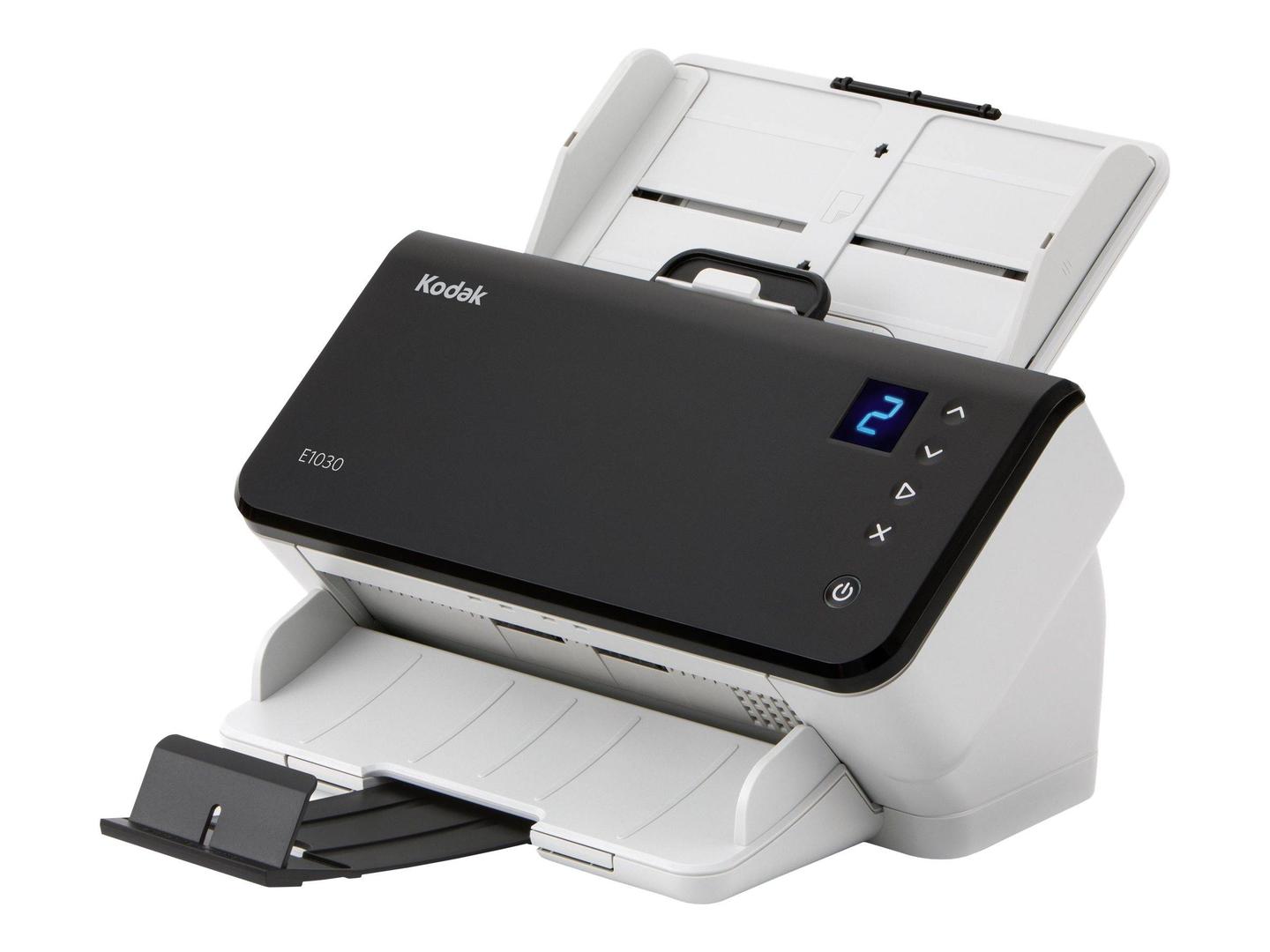
Kodak E1030: 30 ppm A4 duplex scanning for desks and front offices
30 ppm / 60 ipm duplex80-sheet ADFUp to 4,000 pages/dayUSB 3.2 Gen 1
The Kodak E1030 is a compact A4 duplex document scanner rated at up to 30 pages per minute for small offices and front desks that scan up to 4,000 pages a day. It feeds up to 80 sheets, reads both sides in one pass and connects to a single Windows or Linux PC over USB 3.2. The feeder handles receipts and business cards from 52 x 52 mm, ID and insurance cards up to 1.25 mm thick, and long documents up to 3 metres, so it covers the typical reception, HR and accounts mix. It is the entry point to the Kodak Alaris range, using the same ultrasonic multifeed protection and Perfect Page image processing found on more expensive models. That matters more than it sounds: at this price level the usual problems are double-fed pages, skewed images and oversized files, and those are exactly what this feeder and image processing are designed to prevent. Setup is simple: install the driver and Smart Touch on the PC, connect the USB cable, and pre-defined jobs such as scan to searchable PDF are ready to use. Typical buyers are accountants, clinics, schools, small legal offices and reception desks that capture invoices, forms, contracts and ID cards every day and want them saved as searchable PDF files in the right folder without extra steps.
Before you order: USB only and Windows or Linux only: it needs a connected PC and is not supported on macOS.
What's in the Box
- Kodak E1030 scanner
- USB cable
- Power supply with AC cord
- Exact accessory list varies by region — ask us and we confirm before you order
What It Means in Practice
- At 30 ppm duplex, a 20-page document is captured on both sides in well under a minute, comfortable for scanning as paper arrives rather than in large batches.
- The 80-sheet feeder accepts mixed sizes, so a pile of invoices, receipts and an ID card can go through in one run without sorting.
- Smart Touch assigns one-press jobs such as scan to searchable PDF or scan to email, so everyone in the office saves files the same way.
- TWAIN and ISIS drivers connect it to most document management, accounting and capture software that already supports scanners.
- Running power stays under 20 W, and its footprint is small enough for a reception counter or the corner of a desk.
What Will Not Work
- Don't confuse with the E1040, which is the 40 ppm sibling with the same feeder and connectivity.
- There is no Wi-Fi or Ethernet: it works through one PC by USB and cannot be shared on the network on its own.
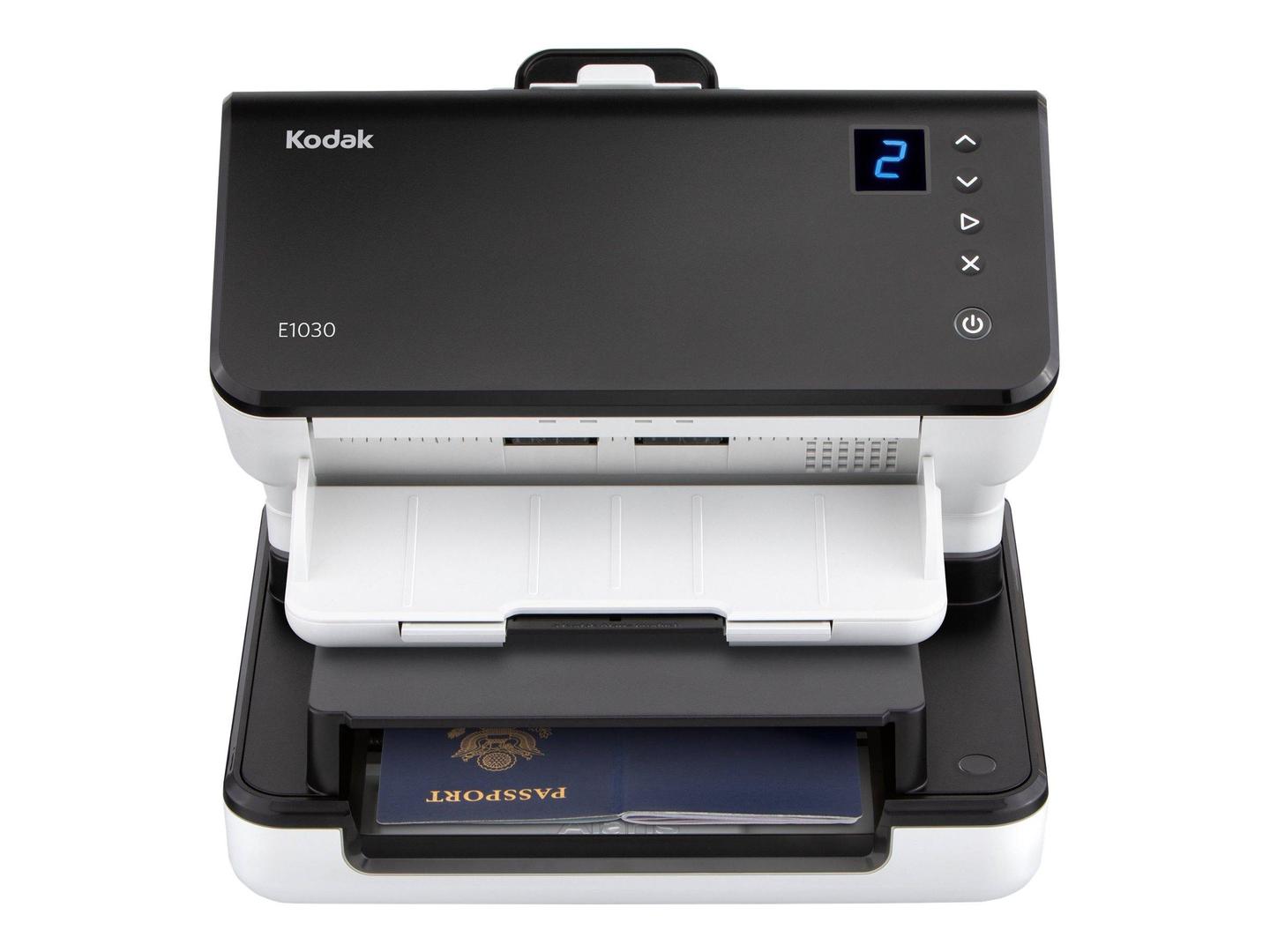
- No flatbed is built in; passports, bound pages and fragile originals need the optional Passport or Integrated A4/Legal flatbed accessory.
- A3 is not supported; the feeder maximum width is 216 mm.
- macOS is not among the supported operating systems; drivers cover Windows and Linux.
Key Features
Perfect Page image processing
Automatic cropping, deskew, rotation, blank-page removal and background clean-up mean files come out ready to file, with small sizes and readable text.
Feed protection
Ultrasonic and length-based multifeed detection stop the scanner when two pages stick together, so a missing page is caught at the scanner, not months later.
Card and long-document feeding
Embossed ID cards, insurance cards and business cards go through the same feeder as paper, and long documents up to 3 metres are accepted.
Flatbed accessories
The optional Kodak Passport and Integrated A4/Legal flatbeds connect to the scanner when you occasionally need to capture bound or delicate originals.
Technical Specifications
| Identification |
| Part Number |
8011876 |
| EAN/GTIN |
0041778011874 |
| Model |
E1030 |
| Brand |
Kodak (Kodak Alaris) |
| Scanning |
| Scan Type |
Sheet-fed, single-pass duplex |
| Speed |
Up to 30 ppm / 60 ipm at 200 and 300 dpi |
| Recommended Daily Volume |
Up to 4,000 pages |
| Sensor |
Dual RGB LED illumination CIS (CMOS) |
| Optical Resolution |
600 dpi |
| Output Resolution |
100 to 1200 dpi |
| Colour Depth |
24-bit colour output, 8-bit greyscale |
| Output Formats |
BMP, JPEG, TIFF, PDF, searchable PDF, PNG, Word, Excel, RTF |
| Paper Handling |
| ADF Capacity |
Up to 80 sheets of 80 g/m² paper |
| Maximum Document Size |
216 x 3000 mm |
| Minimum Document Size |
52 x 52 mm |
| Paper Weight |
27 to 433 g/m² |
| Hard Cards |
Up to 1.25 mm thick |
| Multifeed Detection |
Ultrasonic and length-based |
| Connectivity & Software |
| Interface |
USB 3.2 Gen 1x1 |
| Drivers |
TWAIN, ISIS, WIA, Linux TWAIN and SANE |
| Bundled Software |
Smart Touch or Capture Pro Limited Edition (web download) |
| Supported OS |
Windows 10, Windows 11, Windows Server 2019/2022, Ubuntu |
| Physical & Power |
| Dimensions (W x D x H) |
312 x 204 x 182.5 mm without trays |
| Weight |
3.3 kg |
| Power Consumption |
Under 20 W running, under 0.3 W standby |
| Electrical |
100 to 240 V, 50/60 Hz |
| Operating Environment |
15 to 35 °C, 15 to 80% RH |
| Warranty |
| Warranty |
1-Year Warranty (Singular) |
| Manufacturer Term |
Standard manufacturer warranty — claims handled through Singular |
Frequently Asked Questions
What is the difference between the E1030 and E1040?
Speed and daily rating: the E1030 is rated at 30 ppm and 4,000 pages a day, the E1040 at 40 ppm and 5,000 pages a day. Feeder, sizes and connectivity are the same.
Will it work with my accounting or DMS software?
Most Windows applications use TWAIN or ISIS, both supplied. Tell us the product and version and we confirm before you order.
Is the bundled software on a disc?
Kodak Alaris provides Smart Touch and Capture Pro Limited Edition as downloads; you choose one when setting up.
Does it need maintenance?
Occasional roller cleaning keeps feeding reliable, and feed rollers are replaced from a Kodak E Series feeder consumables kit as they wear; usage depends on your volume.
Singular Expert Insight · Buyer's Guide
The E1030 is a good fit when one person scans as part of the daily routine and the paper comes in mixed sizes. If more than one person needs to scan, a network model such as the S2060w avoids queues at a single PC. Buy for daily volume, not headline speed; staying well inside the rated pages per day keeps rollers and feed reliability where they should be. Check the PC side too: a free USB 3 port and the capture software you already use matter more than a few extra pages per minute.
✓ Buy it if Buy it if one workstation scans up to about 4,000 mixed pages a day and you want reliable feeding at a sensible price.
✕ Skip it if Skip it if several users must share the scanner over the network or you need a built-in flatbed.
→ Also consider Also consider the Kodak E1040 if you scan closer to 5,000 pages a day, or the Alaris S2050 for 50 ppm and a display panel.
Not sure which scanner fits your volume or software? Tell us your daily page count, document types and the software you scan into, and we will check compatibility before you order.