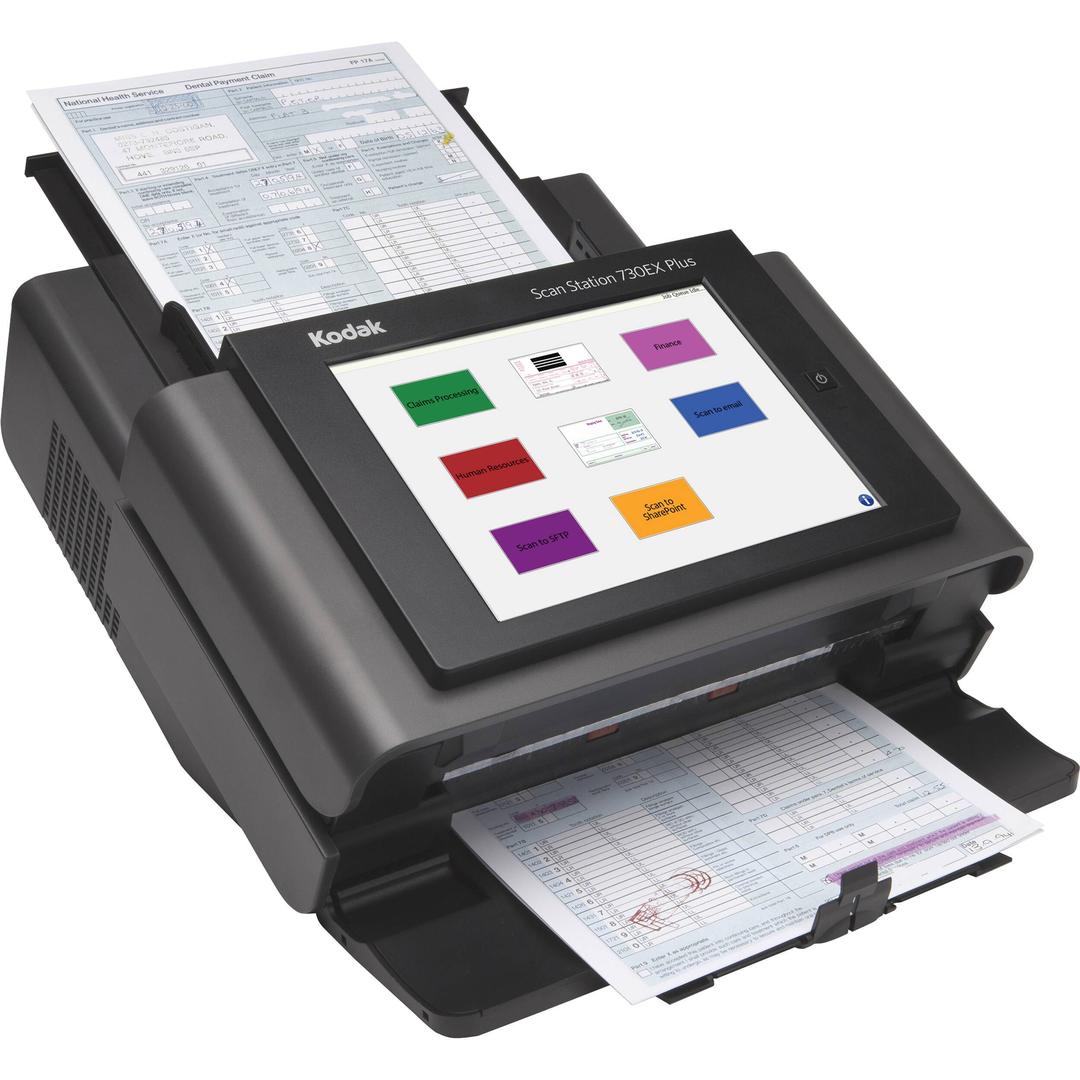
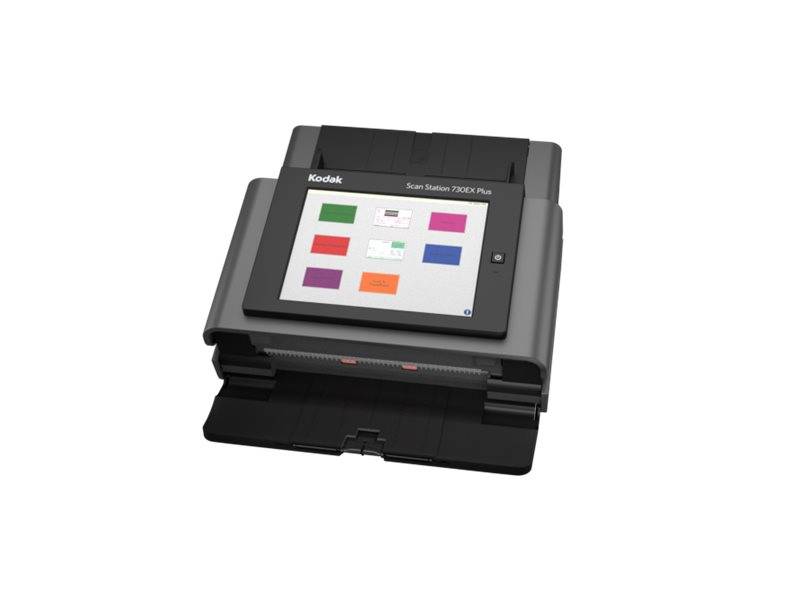
Kodak Scan Station 730EX Plus: walk-up network scanning to email, folders and SharePoint without a PC
70 ppm duplex9.7-inch touchscreenNo PC requiredGigabit Ethernet
The Kodak Scan Station 730EX Plus is a stand-alone network document scanner with a 9.7-inch touchscreen that scans up to 70 pages per minute straight to email, network folders, FTP, SharePoint or a USB drive, with no PC attached. It is built for shared offices, branches and reception areas where many people scan occasionally and IT wants central control over who scans where. Users sign in with their network credentials, pick a destination on the screen and press scan; administrators manage settings and destinations centrally. The duplex feeder takes 75 sheets, from business cards and hard ID cards up to 863 mm long documents. Because processing happens inside the unit, files arrive already cropped, straightened and compressed, with options such as searchable PDF, encrypted PDF and PDF/A for archiving. For IT teams the main advantage is control: destinations, security and updates are handled centrally rather than on each user's computer, which keeps scanning consistent across offices and avoids the driver problems typical of shared USB scanners. Typical installations are branch offices, municipal service desks, clinics, hotels and HR departments, where many different people scan a few documents each and nobody should have to install software or ask IT for help to send a file to the right place.
Before you order: Wired network only: it needs a Gigabit Ethernet connection and network destinations set up by your administrator; there is no Wi-Fi.
What's in the Box
- Kodak Scan Station 730EX Plus
- Power cord
- Exact accessory list varies by region — ask us and we confirm before you order
What It Means in Practice
- Anyone can walk up and scan to their own email or folder from the touchscreen, so there is no need to install drivers on every PC.
- Active Directory and LDAP login mean scans can be tied to the user and their own destinations, which simplifies audit and GDPR handling.
- Colour speed is lower than monochrome at higher resolutions (40 ppm at 300 dpi), so set colour jobs to 200 dpi where quality allows.
- Scan to USB drive lets visitors or staff take a file away without touching the network.
- Windows 10 IoT Enterprise runs inside, and Kodak Alaris states that Microsoft security updates are installed automatically.
What Will Not Work
- Don't confuse with the older Scan Station 730EX (without Plus), which has an earlier embedded platform.
- It does not have Wi-Fi; plan a wired Gigabit Ethernet point where the unit will stand.
- It is not an A3 feeder: the maximum feed width is 216 mm, and A3 originals need the optional A3 flatbed accessory.
- There is no built-in flatbed; passports and bound pages need the optional legal or A3 flatbed accessory.
- It is not designed as a TWAIN scanner for a single desktop application; it pushes files to destinations rather than being driven from a PC program.
Key Features
No PC required
The embedded system handles capture, processing and delivery, so the scanner is a network appliance rather than a PC peripheral.
Large touchscreen
The 9.7-inch screen shows user-friendly buttons for each job, previews and prompts, making walk-up scanning simple for occasional users.
Security controls
Network login, encrypted PDF, IP port blocking and activity logging support controlled scanning of sensitive documents.
Flexible destinations
Email, network share, FTP variants, SharePoint on-premise, USB drive, printer and fax server are available from one device.
Technical Specifications
| Identification |
| Part Number |
1060094 |
| EAN/GTIN |
0041771060091 |
| Model |
Scan Station 730EX Plus |
| Brand |
Kodak (Kodak Alaris) |
| Scanning |
| Scan Type |
Networked sheet-fed single-pass duplex |
| Speed (B/W, Greyscale) |
Up to 70 ppm / 140 ipm at 200 and 300 dpi |
| Speed (Colour) |
Up to 60 ppm at 200 dpi, 40 ppm at 300 dpi |
| Recommended Daily Volume |
Up to 6,000 pages |
| Sensor |
Dual CCD |
| Optical Resolution |
600 dpi |
| Output Resolution |
100 to 600 dpi |
| Output Formats |
PDF, encrypted PDF, PDF/A, searchable PDF, TIFF, JPEG, Word, Excel, RTF |
| Paper Handling |
| ADF Capacity |
Up to 75 sheets of 80 g/m² paper |
| Maximum Document Size |
216 x 863 mm |
| Minimum Document Size |
50.8 x 63.5 mm |
| Paper Weight |
34 to 200 g/m² |
| Hard Cards |
Up to 1.2 mm thick |
| Multifeed Detection |
Ultrasonic |
| Connectivity & Software |
| Network |
10/100/1000 Ethernet, no host PC required |
| Protocols |
TCP/IP, SMB, FTP, HTTP, DHCP, authenticated SMTP, WINS |
| Scan Destinations |
Email, network folder, FTP/FTPS/sFTP, USB drive, printer, fax server, SharePoint on-premise, Kofax Front Office Server |
| Security |
LDAP and Active Directory login, encrypted PDF, IP port blocking, activity logging |
| Display |
9.7-inch colour touchscreen |
| Embedded OS |
Windows 10 IoT Enterprise LTSC 2019 |
| Physical & Power |
| Dimensions (W x D x H) |
356 x 382 x 206 mm |
| Weight |
10.5 kg |
| Power Consumption |
Under 49 W running, under 0.3 W standby |
| Electrical |
100 to 240 V, 50/60 Hz |
| Operating Environment |
10 to 35 °C, 10 to 85% RH |
| Warranty |
| Warranty |
1-Year Warranty (Singular) |
| Manufacturer Term |
Standard manufacturer warranty — claims handled through Singular |
Frequently Asked Questions
Can it scan to cloud services like Google Drive?
The official destination list covers email, network folders, FTP, USB, printer, fax server, SharePoint on-premise and Kofax Front Office Server; tell us your target and we check whether it can be reached.
Can I add a keyboard?
Yes, Kodak Alaris lists a keyboard and stand as optional accessories, useful when users type long file names or email addresses.
How is it managed?
Settings and destinations are configured by an administrator, and several units can share one configuration, so branches behave the same.
Can it scan passports or bound documents?
Not through the feeder. Kodak Alaris lists optional legal-size and A3-size flatbed accessories for exception documents; tell us what you scan and we confirm the right option.
Singular Expert Insight · Buyer's Guide
The Scan Station 730EX Plus is the right tool when many users scan a few pages each and you do not want drivers on every PC. Route scans to a central
NAS storage share so files land in one managed place. For one heavy user at a desk, a USB scanner like the Alaris S2070 is faster and cheaper. Agree the destinations, naming rules and login policy with IT before installation, because that setup is what makes walk-up scanning work for everyone.
✓ Buy it if Buy it if many people need to scan to email or shared folders from one walk-up point with network login.
✕ Skip it if Skip it if one person scans into a desktop program; a USB scanner with TWAIN is simpler and faster.
→ Also consider Also consider the Alaris S2060w if you want Wi-Fi and Ethernet sharing with PC-based capture at a lower price.
Not sure which scanner fits your volume or software? Tell us your daily page count, document types and the software you scan into, and we will check compatibility before you order.